
Can ChatGPT Upload Video in 2026? What’s Actually Possible + The Reliable Workaround (VideoToTextAI)
 Video To Text AI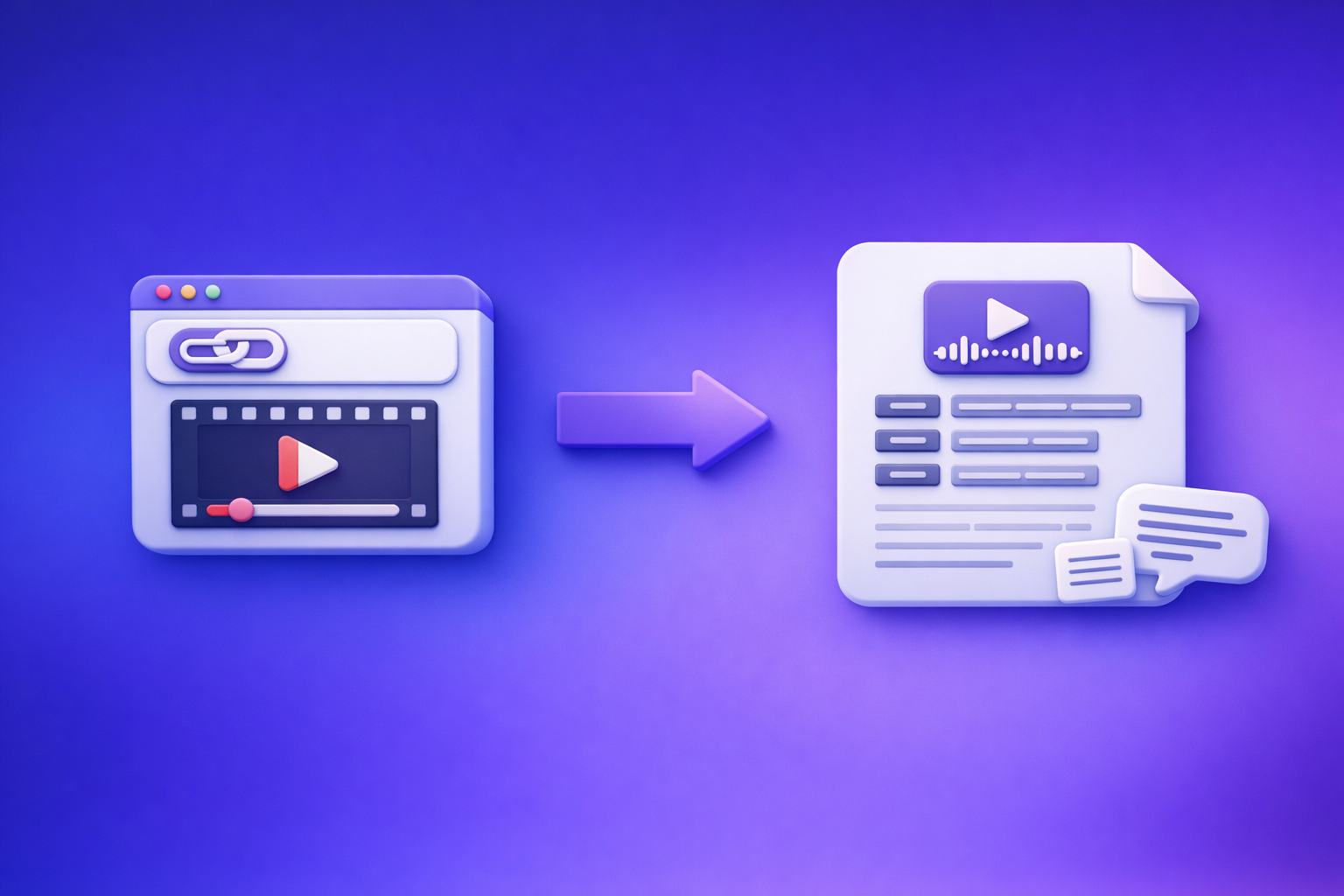
Can ChatGPT Upload Video in 2026? What’s Actually Possible + The Reliable Workaround (VideoToTextAI)
If your goal is to “use ChatGPT with video,” don’t start by trying to upload the video. Start by converting the video (preferably from a link) into TXT/SRT/VTT, then use ChatGPT on the text for summaries, captions, and repurposed content.
Quick Answer (So You Don’t Waste Time)
What “upload video to ChatGPT” can mean (3 different asks)
People usually mean one of these:
- Attach a video file (MP4/MOV) inside ChatGPT and ask questions about it.
- Paste a video link (YouTube/Instagram/Reel) and expect ChatGPT to open/watch it.
- Get a transcript/captions and then use ChatGPT to rewrite, summarize, and repurpose.
Only #3 is consistently reliable for production workflows.
What usually works vs. what fails (by interface + file type)
What tends to work:
- Short clips with clear audio, when the UI actually supports file attachments.
- Text-based inputs (transcripts, notes, captions) pasted into ChatGPT.
What often fails:
- Long videos (timeouts, size limits, partial processing).
- “Watch this link” requests (a pasted link is not the same as accessible media).
- Precise caption timing (SRT/VTT timestamp accuracy is not ChatGPT’s core job).
The dependable alternative: video link/MP4 → transcript/subtitles → ChatGPT on text
The stable pipeline in 2026:
- Video link (preferred) or MP4 → generate transcript + subtitles
- Run quick QA (speaker labels, punctuation, completeness)
- Paste transcript into ChatGPT for cleanup, structure, repurposing
This avoids fragile UI changes and keeps your workflow repeatable.
What ChatGPT Can and Can’t Do With Video Uploads (Reality Check)
Uploading a video file vs. pasting a video link (not the same)
- Uploading a file means ChatGPT receives some data, but it may not process the full video stream end-to-end.
- Pasting a link usually does not grant access to the video content (private pages, logins, geo blocks, platform restrictions).
If you need reliable extraction, treat links as inputs for link-based transcription, not “something ChatGPT will watch.”
“Can it watch the whole video?” limitations that break workflows
Common blockers:
- Length constraints (long videos get truncated or summarized shallowly).
- Audio-first vs. video-first (many “video” tasks are really speech-to-text tasks).
- Context window limits (even if it extracts some text, it may not hold everything at once).
- Inconsistent multimodal availability (features vary by plan and rollout).
If your deliverable is captions, subtitles, chapters, blog posts, SOPs, you’re better off extracting text first.
Why results vary (plan, device, UI changes, file limits, timeouts)
Variability usually comes from:
- Plan differences and feature flags
- Mobile vs. desktop UI differences
- File size/format limits (MP4 vs MOV, bitrate, resolution)
- Network timeouts and background processing failures
A transcript-first workflow doesn’t care whether the upload button moved or disappeared.
Step-by-Step: The Reliable Workflow (Video → Text First, Then ChatGPT)
Step 1 — Choose your input: video link (preferred) or MP4 (when required)
Brand POV: Downloading video files just to move them between tools is an outdated workflow. Link-based extraction is the future of creator productivity because it’s faster, cleaner, and easier to automate.
Supported sources to prioritize (YouTube/IG/Reels/etc. via link)
Prioritize a shareable link when the video is hosted on:
- YouTube (long-form, podcasts, tutorials)
- Instagram (Reels, posts)
- Reels/short-form platforms where you can copy a public URL
Link-based inputs reduce friction and eliminate “where did I save that MP4?” chaos.
When you must use MP4 (private files, local recordings)
Use MP4 when:
- The video is private (client recordings, internal meetings)
- It’s a local iPhone recording not posted anywhere
- You need to process raw camera footage before publishing
Step 2 — Generate export-ready text with VideoToTextAI
Use VideoToTextAI to convert a video link or MP4 into outputs you can publish and reuse.
Output types and when to use each
-
TXT (editing, summaries, SEO posts)
Best when you want ChatGPT to rewrite, outline, or repurpose. -
SRT (captions with timestamps)
Best for YouTube uploads, editors, and most captioning workflows. -
VTT (web captions)
Best for web players and accessibility-first publishing.
Quality controls to run immediately (before you involve ChatGPT)
Do these checks first so ChatGPT isn’t “fixing” a broken source:
-
Speaker labels
Confirm speaker changes are correct (especially interviews/podcasts). -
Punctuation + casing
Fix obvious run-ons so downstream summarization is accurate. -
Timestamps alignment (caption drift)
Spot-check early/middle/end to ensure timing doesn’t drift. -
Missing sections / cut-offs
Confirm the transcript includes the full ending and doesn’t skip quiet segments.
Step 3 — Use ChatGPT on the transcript (what it’s best at)
ChatGPT is strongest when the input is clean text and the task is language transformation.
Prompts for cleanup (remove filler, fix grammar, keep meaning)
Copy/paste prompt:
- Prompt:
“Clean up this transcript for readability. Remove filler words (um, like), fix grammar, keep meaning, and preserve speaker labels. Do not add new facts. Output in paragraphs with short sentences.”
Prompts for structure (chapters, headings, key takeaways)
Copy/paste prompt:
- Prompt:
“Create a structured outline from this transcript with H2/H3 headings, 6–10 chapters with timestamps (use the transcript timestamps), and a bullet list of key takeaways. Keep headings action-oriented.”
Prompts for repurposing (blog, LinkedIn, X, email, SOP)
Copy/paste prompt set:
- Blog: “Turn this transcript into a 1,200–1,800 word blog post with an intro, H2 sections, examples, and a conclusion. Keep it factual and avoid fluff.”
- LinkedIn: “Write 3 LinkedIn posts: one contrarian, one tactical checklist, one story-based. Each 150–250 words.”
- X: “Write 10 tweets as a thread with a strong hook and numbered steps.”
- Email: “Write a 5-email nurture sequence summarizing the main points with a clear CTA per email.”
- SOP: “Convert the transcript into an SOP with steps, decision points, and acceptance criteria.”
Step 4 — Export + publish (captions, blog, social, documentation)
Caption export checklist (SRT/VTT formatting + line length)
- Keep captions to 1–2 lines per frame
- Target ~32–42 characters per line (platform-dependent)
- Avoid splitting names across lines
- Ensure punctuation doesn’t create awkward mid-sentence breaks
- Spot-check timing around fast speech and pauses
Blog publish checklist (H2s, summary, CTA, internal links)
- Add a 1–2 sentence summary near the top
- Use descriptive H2s that match search intent
- Add internal links to related posts
- Include a single clear CTA (don’t scatter multiple CTAs)
- Add examples and “how-to” steps, not generic commentary
Implementation Walkthroughs (Pick Your Scenario)
Scenario A: You have a YouTube link and want captions + a blog post
Link → transcript/SRT/VTT in VideoToTextAI
- Copy the YouTube URL.
- Generate TXT + SRT + VTT so you can publish everywhere.
- Run QA: completeness, speaker labels, timestamp drift.
If your goal is “can ChatGPT upload video,” this is the practical replacement: don’t upload video—extract text from the link.
Transcript → blog draft in ChatGPT (prompt + structure)
Use this prompt:
- “Using the transcript below, write a blog post with:
- Title options (5)
- H2 outline first
- Then the full draft
- Add a ‘Key Takeaways’ section
Keep it accurate and do not invent details.”
Related reading: Can ChatGPT Transcribe Videos? What Actually Works in 2026 (Link → Transcript Workflow)
Scenario B: You have an Instagram Reel link and want a post + hooks
Link → transcript in VideoToTextAI
- Copy the Reel link.
- Generate a TXT transcript.
- Fix any brand terms, names, or product jargon before repurposing.
Related reading: IG Transcript: How to Get an Instagram Reel Transcript From a Link (Fast + Exportable)
Transcript → hook variants + LinkedIn post in ChatGPT
Use this prompt:
- “Generate 15 hooks from this transcript.
- 5 curiosity hooks
- 5 contrarian hooks
- 5 ‘how-to’ hooks
Then write 1 LinkedIn post using the best hook, with short paragraphs and a checklist.”
Scenario C: You have an iPhone MP4 and need a clean transcript
MP4 → transcript in VideoToTextAI
- Upload the MP4.
- Export TXT (and SRT if you need captions).
- QA for cut-offs (mobile recordings often have quiet intros/outros).
Transcript → summary + action items in ChatGPT
Use this prompt:
- “Summarize this transcript into:
- 8 bullet key points
- 10 action items
- 5 risks/unknowns
Keep it strictly grounded in the transcript.”
Troubleshooting: “ChatGPT Video Upload Failed” (Fast Fixes)
If the upload button is missing (what to check first)
- You may be in a UI that doesn’t support video attachments
- Your plan/device may not have the feature enabled
- Try switching device/browser, but don’t build a workflow on this
If you need a workflow that won’t break, use transcript-first.
If the file uploads but analysis is shallow/incomplete
Typical causes:
- Video is too long (partial processing)
- Audio is noisy (poor speech extraction)
- The model is summarizing without full context
Fix: extract a complete transcript first, then ask targeted questions on the text.
If you need accurate timestamps and captions (why transcript-first wins)
Captions require:
- Consistent segmentation
- Timestamp precision
- Formatting rules (SRT/VTT)
ChatGPT is not a caption engine. Transcript/subtitle generation tools are.
If you’re trying to “import a video link” and it won’t open
A link can fail due to:
- Login requirements
- Private/unlisted restrictions
- Region blocks
- Platform anti-bot protections
Use a tool designed for link-based extraction instead of expecting ChatGPT to fetch media.
If it “used to work” and doesn’t anymore (workflow that won’t break)
UI features change. A production workflow should not.
Standardize on: link/MP4 → transcript/subtitles → ChatGPT on text.
For more context, see: Can ChatGPT Upload Video in 2026? What’s Actually Possible (and the Reliable Link → Transcript Workflow)
Checklist: The No-Fail Video → Text → ChatGPT Pipeline
Inputs checklist (link/MP4, language, audio quality)
- Video link preferred (public URL) or MP4 if private
- Correct language selected (and dialect if available)
- Audio is clear (reduce background noise if possible)
- Identify speaker count (1 speaker vs interview)
Transcript checklist (completeness, speaker changes, terminology)
- Transcript includes the full beginning and ending
- Speaker labels correct (or removed if not needed)
- Names/brand terms corrected (product names, acronyms)
- No repeated blocks or missing sections
Subtitle checklist (SRT/VTT, timing, max characters per line)
- Export format matches destination (SRT vs VTT)
- No timestamp drift (spot-check start/middle/end)
- Line length readable (1–2 lines, avoid walls of text)
- Punctuation supports natural reading cadence
Repurposing checklist (blog outline, CTA, distribution plan)
- Blog outline created from transcript (H2/H3)
- One primary CTA chosen (don’t dilute)
- Distribution plan: blog + email + 2–3 social variants
- Internal links added to related posts
Competitor Gap
What competitors miss (and this post includes)
- A repeatable workflow that does not depend on ChatGPT “watching” video
- Export-ready outputs (TXT/SRT/VTT) with QA steps before repurposing
- Troubleshooting tied to real failure modes (missing upload, timeouts, shallow analysis)
- Copy/paste prompt set + publishing checklist so you can execute immediately
Most competitor answers stop at “it depends.” The practical answer is to stop treating video upload as the core workflow.
FAQ
Does ChatGPT let you upload videos?
Sometimes, depending on plan and interface. But consistent, full-length video understanding and caption-grade outputs are not reliable enough to build a workflow around.
How do you import a video into ChatGPT?
If your UI supports attachments, you can try uploading a file. Pasting a link usually won’t work as “import,” so the reliable method is to convert the link/MP4 to text first, then paste the transcript.
Why can’t I upload videos to ChatGPT anymore?
Because features vary by plan, device, and UI rollouts, and uploads can fail due to file limits/timeouts. Use a transcript-first pipeline so your process doesn’t depend on a changing upload feature.
Can ChatGPT do a video (edit it or generate one)?
ChatGPT is primarily a text tool. For video editing/generation, use dedicated video tools; for video understanding, extract transcript/subtitles first and use ChatGPT for language tasks on the text.
Can you upload videos to ChatGPT for free?
Free access and upload capabilities vary over time. Even when uploads are available, reliability for long videos and timestamped captions is inconsistent—transcript-first remains the dependable approach.
Recommended VideoToTextAI Tools (Match Tool to Outcome)
MP4 workflows
/tools/mp4-to-transcript/tools/mp4-to-srt/tools/mp4-to-vtt
Link-based repurposing workflows
/tools/youtube-to-blog/tools/instagram-to-text/tools/reel-to-post-converter
More background: Video2Text AI: Convert Any Video Link into Transcripts, SRT/VTT Subtitles, and Repurposed Content (VideoToTextAI) and Can I Upload Video to ChatGPT? What’s Actually Possible (and the Fastest Workaround)
Internal Link Plan
- Can ChatGPT Upload Video in 2026? What’s Actually Possible (and the Reliable Link → Transcript Workflow)
- Can I Upload Video to ChatGPT? What’s Actually Possible (and the Fastest Workaround)
- Can ChatGPT Take Video as Input? What’s Actually Possible in 2026 + The Fast Transcript-First Workflow (VideoToTextAI)
- Can ChatGPT Transcribe Videos? What Actually Works in 2026 (Link → Transcript Workflow)
- IG Transcript: How to Get an Instagram Reel Transcript From a Link (Fast + Exportable)
CTA: The Fastest Way to “Use ChatGPT With Video” Without Upload Headaches
Use VideoToTextAI to convert a video link/MP4 into TXT/SRT/VTT, then paste the transcript into ChatGPT for summaries, captions, and repurposed content. The fastest path is link-based extraction (not downloading files) because it’s the most stable workflow for creators and teams in 2026: VideoToTextAI
Related posts
Reel Analyser (Instagram Reels): Transcript‑First Competitor Research, Hook/CTA Extraction, and Repurposing Workflow (VideoToTextAI)
Video To Text AI
A 2026 reel analyser should turn Instagram Reel links into a searchable transcript library you can tag for hooks, CTAs, objections, and topic clusters—then export into repurposing-ready drafts without a download/upload loop.
Traducir video de Instagram (Reels) en 2026: workflow transcript-first para traducir, sacar hooks/CTAs y repurpose (con VideoToTextAI)
Video To Text AI
Aprende a traducir un Reel de Instagram con un flujo URL→transcripción→traducción→subtítulos, y a convertir esa traducción en un activo de investigación para hooks, CTAs, objeciones y clusters de contenido.
Reel Analyzer: Transcript‑First Instagram Reels Research (Hooks, CTAs, Objections) + Workflow Guide (VideoToTextAI)
Video To Text AI
A reel analyzer should turn any public Instagram Reel link into a searchable transcript library you can mine for hooks, CTAs, objections, and topic clusters—then repurpose into original drafts with a repeatable SOP.