
IG Transcript: How to Get an Instagram Reel Transcript From a Link (Fast + Exportable)
 Video To Text AI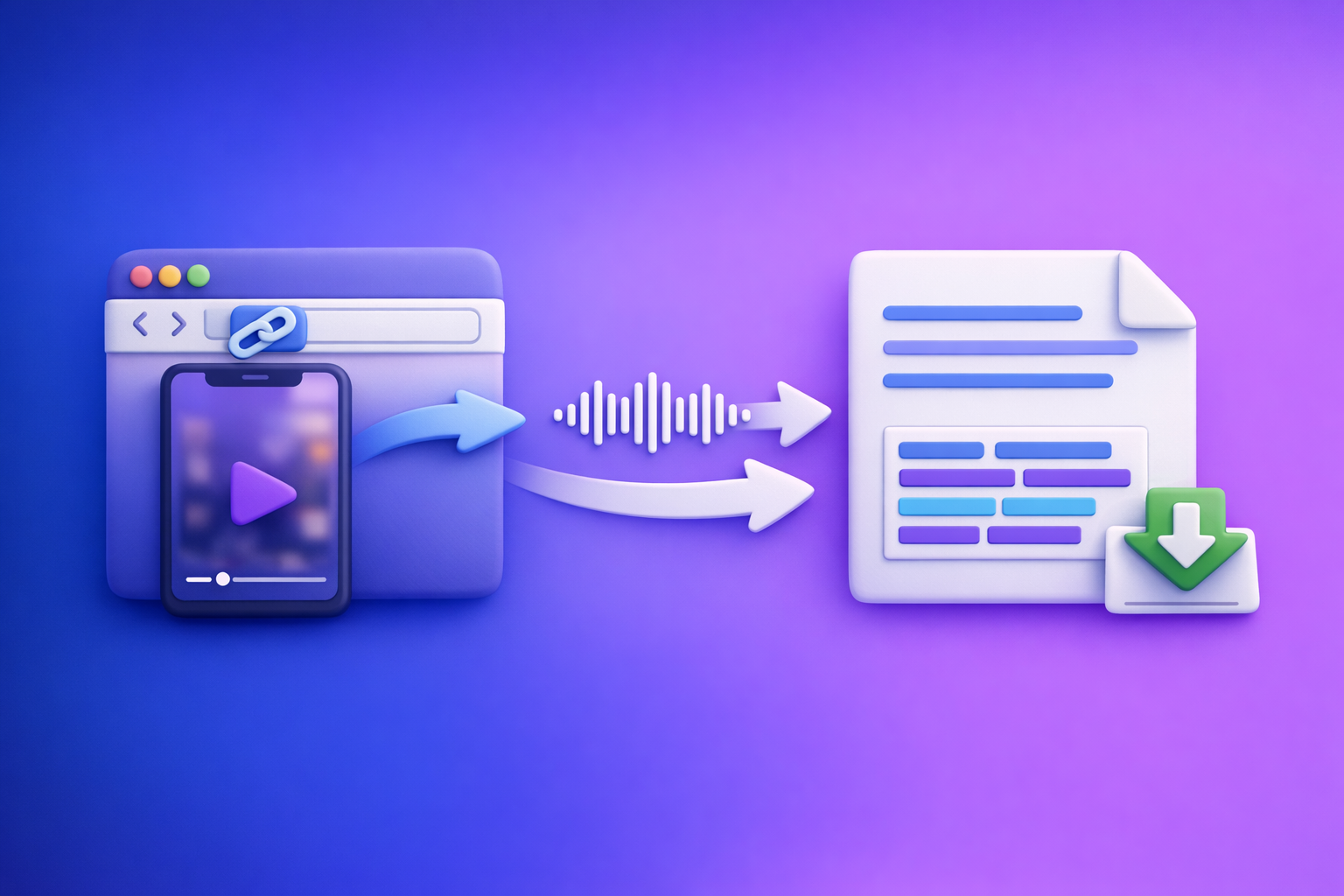
Get an IG transcript by copying the Instagram Reel/post URL and generating text from the link—then export as TXT (writing) or SRT/VTT (subtitles). The fastest workflow is link → transcript → QA → export, without downloading video files.
Downloading videos to transcribe is an outdated workflow. Link-based extraction is the future of creator productivity because it reduces steps, avoids file management, and keeps your process repeatable across teams.
IG Transcript: How to Get an Instagram Reel Transcript From a Link (Fast + Exportable)
What “IG transcript” means (and what you can actually extract)
An IG transcript is the spoken audio from an Instagram video converted into editable text. Depending on the tool, you can extract plain text, time-coded subtitles, and sometimes structured segments for repurposing.
Transcript vs captions vs subtitles (TXT vs SRT vs VTT)
These terms get mixed up, but the outputs are different:
- Transcript (TXT): Plain text of what was said. Best for writing, search, summaries, and repurposing.
- Captions (often SRT/VTT): Time-synced text displayed on video. Often includes line breaks optimized for readability.
- Subtitles (SRT/VTT): Similar to captions, but commonly used for translation and editing workflows.
Export formats you’ll see most:
- TXT: Clean copy/paste into docs, CMS, Notion, Google Docs.
- SRT: Most widely supported subtitle format for editors (Premiere, CapCut, DaVinci Resolve, etc.).
- VTT: WebVTT for web players and some platforms; supports additional styling in some contexts.
What you can transcribe on Instagram (Reels, posts, Stories, Lives)
What typically works well with link-based transcription:
- Reels (most common)
- Video posts (in-feed videos)
- Some public Stories (availability depends on access and expiration)
- Public Lives / replays (if accessible via a stable URL)
What often fails or is inconsistent:
- Expired Stories
- Content behind login walls or restricted viewers
- Region-locked or age-gated content
Public vs private content: what works and what won’t
Link-based transcription generally requires the content to be publicly accessible and playable.
Expect issues when the link is:
- Private account content
- Close Friends Stories
- Removed or copyright-blocked
- Region-locked or age-restricted
- Only playable inside the Instagram app (not in a browser)
If you can’t open the link in a browser and play it, a link-based tool usually can’t fetch it either.
When you need an IG transcript (use cases that justify the workflow)
An IG transcript isn’t just “nice to have.” It’s the foundation for accessibility, reuse, and analysis—especially when you want repeatable output from short-form video.
Accessibility + compliance (captions, readable text)
Transcripts and captions help you:
- Publish readable text for hearing-impaired audiences
- Improve comprehension in sound-off environments
- Create a paper trail for internal review (legal, claims, regulated industries)
If you need accuracy for compliance, keep a verbatim version and document edits.
Content repurposing (blogs, LinkedIn posts, email, scripts)
A transcript turns a 30–90 second Reel into:
- A blog draft outline
- A LinkedIn post
- Email copy
- A script for a longer YouTube video
- A carousel outline
This is where link-based workflows win: no downloading, no renaming files, no re-uploading.
Research (competitor hooks, offers, CTAs, structure)
Transcripts make competitor analysis fast:
- Hook patterns (“If you’re doing X, stop…”)
- Offer framing (pain → mechanism → proof)
- CTA language (DM keyword, link in bio, comment triggers)
- Structure (hook → context → steps → CTA)
Build a swipe file from text, not screenshots.
Search + indexing (making spoken content searchable internally)
Once you have text, you can:
- Search your own content library by phrase
- Tag themes, objections, and CTAs
- Build an internal knowledge base for creators and marketers
If your team relies on “remembering which Reel said what,” you’re already paying the tax.
Fastest method: generate an IG transcript from a link with VideoToTextAI
The core idea: Instagram link in, exportable transcript out. This is the modern workflow—downloading video files is slow, messy, and hard to standardize across a team.
What you need before you start (inputs + permissions)
Before you transcribe, confirm:
- You have the Instagram URL (Reel or post)
- The link is public and playable
- The clip contains spoken audio (not just music)
- You know your target output:
- TXT for writing/repurposing
- SRT/VTT for subtitles/editing
Step-by-step: IG link → transcript (TXT)
- Copy the Instagram Reel/post URL
- Open VideoToTextAI Instagram to text tool
- Paste the link and start transcription
- Review the transcript for names, brand terms, and numbers
- Export as TXT (clean copy/paste)
If you want to run this immediately, use the tool here (single CTA): VideoToTextAI Instagram to text.
Step-by-step: IG link → subtitles (SRT/VTT) for editing tools
- Choose SRT for most editors (Premiere, CapCut, etc.)
- Choose VTT for web players and some platforms
- Export and import into your editor
- Spot-check timing around cuts, music, and fast speech
Practical rule:
- If your goal is editing, default to SRT.
- If your goal is web playback, consider VTT.
Step-by-step: IG transcript → repurposed assets (repeatable workflow)
A transcript is your “source of truth” for repurposing. Don’t ask an AI to “watch” an IG link and guess—use the transcript/subtitles as stable input.
Turn a Reel into a blog draft
Workflow:
- Paste the transcript into your writing doc
- Convert spoken structure into headings
- Expand steps with examples, definitions, and FAQs
Internal reference: Video to Text Workflow: Turn Any Video Link into Transcripts, Subtitles (SRT/VTT), and Repurposed Content
Turn a Reel into a LinkedIn post
Workflow:
- Extract the hook (first 1–2 lines)
- Convert the middle into 3–5 short insights
- End with a single CTA (comment, DM, or link)
Internal reference: Instagram Reels to Text Hub: 10 Workflows to Transcribe, Summarize, Translate, and Repurpose (2026)
Extract hooks to build a swipe file
Workflow:
- Pull the first 2–3 seconds of speech
- Save as a “Hook Bank” with:
- Topic
- Audience
- Promise
- Pattern (contrarian, curiosity, list, mistake)
Internal reference: Can ChatGPT Transcribe Videos? What Works in 2026 (and the Reliable Link → Transcript Workflow)
Quality controls: how to get a cleaner IG transcript (before you export)
Transcription quality is mostly determined by audio quality. Your job is to do a fast QA pass that prevents downstream errors (wrong prices, wrong names, wrong CTAs).
Audio factors that reduce accuracy (and what to do)
Common accuracy killers:
- Low volume speech
- Heavy compression / distortion
- Echo (large rooms)
- Wind noise
- Phone too far from speaker
What to do:
- Prefer the original upload (not a re-recorded screen capture)
- If you control the content, record with a lav mic or closer phone placement
- If you don’t control it, plan for a correction pass (see below)
Speaker changes, overlapping voices, and background music
Expect errors when:
- Two people talk at once
- Music is louder than speech
- Sound effects hit during key words
Fix strategy:
- Don’t “perfect edit” the whole transcript.
- Spot-fix the parts you’ll reuse (hook, steps, CTA, numbers).
Brand terms, product names, and acronyms (create a correction pass)
Create a repeatable correction pass:
- Search for common mishears:
- Brand names
- Product names
- Acronyms (SaaS tools, frameworks)
- Fix:
- Prices (“fifteen” vs “fifty”)
- URLs and handles
- Promo codes
If you do this every time, your repurposed content stays consistent.
Timestamp strategy: when you need timestamps vs when you don’t
Use timestamps when:
- You’re editing video and need alignment
- You’re creating subtitles/captions
- You need to reference exact moments for review
Skip timestamps when:
- You’re writing a blog, LinkedIn post, or email
- You’re building a swipe file
- You’re summarizing or extracting themes
Troubleshooting: common IG transcript failures (and fixes)
Most “IG transcript generator” pages skip the real issues. Here are the failures you’ll actually see and what to do next.
“The link doesn’t work” (restricted, removed, or region-locked)
Likely causes:
- Private account
- Removed post
- Region restriction
- Age gate
- Requires login
Fixes:
- Test the link in an incognito browser (no login). If it fails, it’s not publicly accessible.
- Request a public version or permission from the owner.
- If you have rights, use the original source video (last resort).
“Transcript is missing words” (music, effects, fast cuts)
Likely causes:
- Loud music over speech
- Jump cuts mid-sentence
- Fast speech or slang
Fixes:
- Export subtitles (SRT/VTT) and spot-check around cuts
- Manually correct the hook + CTA + any numbers
- If you’re repurposing, rewrite unclear phrases rather than forcing verbatim accuracy
“Wrong language detected” (force language selection if available)
Likely causes:
- Short clip with mixed languages
- Proper nouns mistaken as another language
- Heavy accent + background music
Fixes:
- Select/force the correct language if the tool supports it
- If not, re-run with a cleaner source (original upload) when possible
“No audio / mostly music” (what to expect and alternatives)
If the Reel is mostly music:
- A transcript will be sparse or empty
- Subtitles won’t help much unless there’s speech
Alternatives:
- Use on-screen text (manual extraction)
- Use the caption text from the post (if present)
- Treat it as a visual-first asset and repurpose the concept, not the script
“I need speaker labels” (workarounds for single-speaker vs multi-speaker clips)
If it’s a single speaker, labels don’t matter. If it’s multi-speaker:
- Workaround: add simple markers during QA:
- Speaker 1: …
- Speaker 2: …
- If voices overlap heavily, focus on extracting:
- The main argument
- The CTA
- Any claims or numbers
Internal reference for broader step-by-step workflows: How to Turn Any Video Link into a Transcript, Subtitles (SRT/VTT), and Repurposed Content (Step-by-Step)
Implementation checklist (copy/paste SOP)
Use this as a standard operating procedure for your team. It’s designed for speed and consistent output.
Pre-flight checklist (30 seconds)
- Confirm the IG link is public and playable in browser
- Confirm the clip has clear spoken audio
- Decide output format: TXT vs SRT vs VTT
- Decide if you need timestamps
Transcript QA checklist (2–5 minutes)
- Fix names, brand terms, and numbers
- Remove filler words only if repurposing (don’t for legal/accuracy needs)
- Verify first 15 seconds + last 15 seconds for truncation
- Check any CTA lines (URLs, handles, promo codes)
Export + repurpose checklist
- Export TXT for writing workflows
- Export SRT/VTT for video editors
- Save a “clean transcript” and a “verbatim transcript” version
- Store transcript + link + date for reuse
Internal reference: Free Instagram Transcript Generator (From a Link): Get Reel Transcripts Fast with VideoToTextAI
How to use an IG transcript to create publish-ready content (templates)
These templates turn “I have a transcript” into “I have something ready to publish.”
Template: Reel → blog post outline (H2/H3 mapping)
Paste transcript, then map:
- H2: The problem (what the Reel calls out)
- H2: Why it happens (context/mechanism)
- H2: The solution (the steps)
- H3: Step 1 (expand with examples)
- H3: Step 2
- H3: Step 3
- H2: Mistakes to avoid (from the Reel or your experience)
- H2: FAQ (answer objections raised in comments/CTA)
Template: Reel → LinkedIn post (hook → insight → proof → CTA)
Structure:
- Hook (1–2 lines): Contrarian or specific promise
- Insight (3–5 bullets): The “how”
- Proof: Quick example, metric, or mini case
- CTA: One action (comment keyword, DM, or read more)
Keep it skimmable. One idea per paragraph.
Template: Reel → email (subject lines + 3-part body)
Subject line options (choose one):
- “Stop doing X if you want Y”
- “The 30-second fix for X”
- “A better way to get Y (without Z)”
Body:
- Context: What triggered the email (problem)
- Value: 3 steps or 3 insights from the transcript
- CTA: One next step (reply, read, watch, book)
Template: Reel → short captions batch (10 caption variations)
Create 10 variations by rotating:
- Audience: beginner vs advanced
- Angle: mistake vs checklist vs myth
- CTA: comment keyword vs save/share vs DM
Example pattern list:
- “If you’re doing X, try this instead…”
- “3 signs your X is broken…”
- “The fastest way to get Y (without Z)…”
- “Steal this script for…”
- “Before you post, check this…”
- “Most people miss this part…”
- “Do this in the first 3 seconds…”
- “A simple framework for…”
- “What I’d do if I started over…”
- “Save this for later: …”
Competitor Gap
Add what competitors skip: execution-first troubleshooting
Most pages stop at “paste link.” Real workflows need fixes for:
- Link restrictions (private/removed/region-locked)
- Audio edge cases (music, fast cuts, overlap)
- Language detection problems
This article operationalizes those failure modes so you can still ship.
Add reusable SOP + templates (not just “paste link”)
Speed comes from repeatability:
- Pre-flight checks prevent wasted runs
- QA checklists prevent costly errors (prices, URLs, handles)
- Templates turn transcripts into publish-ready assets
Add export guidance by use case (TXT vs SRT vs VTT)
Formats matter only when tied to outcomes:
- TXT = writing + repurposing
- SRT = editing + most tools
- VTT = web playback + some platforms
That mapping is what reduces rework.
Add transcript-first workflow for ChatGPT reliability
Don’t rely on an AI to interpret an Instagram link directly. Use transcript/subtitles as the stable input for analysis, summarization, and repurposing—especially when you need consistent outputs across a team.
Internal reference: Video2Text AI: Convert Any Video Link into Transcripts, SRT/VTT Subtitles, and Repurposed Content (VideoToTextAI)
FAQ (People Also Ask)
How do I get a transcript from an Instagram Reel?
Copy the Reel URL, paste it into a link-based transcription tool, generate the transcript, then export as TXT for writing or SRT/VTT for subtitles. Do a quick QA pass for names, numbers, and CTAs before you reuse it.
Does an IG transcript generator work for private or restricted Reels?
Usually not. If the Reel is private, requires login, is region-locked, or removed, a link-based generator typically can’t access it. You’ll need permission, a public link, or the original source file (if you have rights).
Can I download an Instagram Reel transcript for free?
Some tools offer free tiers or limited usage. Regardless of pricing, prioritize a workflow that supports exportable formats (TXT/SRT/VTT) and doesn’t require downloading the video first.
Do I need to install an extension to get an IG transcript?
No. The cleanest workflow is browser-based: copy link → paste → transcribe → export. Extensions add friction, can break with platform changes, and are harder to standardize for teams.
What’s the best format to export: TXT, SRT, or VTT?
- Export TXT when you’re repurposing into blogs, posts, emails, or scripts.
- Export SRT when you’re importing subtitles into most video editors.
- Export VTT when you need WebVTT for web players or specific platforms.
Related posts
Reel Analyser (Instagram Reels): Transcript‑First Competitor Research, Hook/CTA Extraction, and Repurposing Workflow (VideoToTextAI)
Video To Text AI
A 2026 reel analyser should turn Instagram Reel links into a searchable transcript library you can tag for hooks, CTAs, objections, and topic clusters—then export into repurposing-ready drafts without a download/upload loop.
Traducir video de Instagram (Reels) en 2026: workflow transcript-first para traducir, sacar hooks/CTAs y repurpose (con VideoToTextAI)
Video To Text AI
Aprende a traducir un Reel de Instagram con un flujo URL→transcripción→traducción→subtítulos, y a convertir esa traducción en un activo de investigación para hooks, CTAs, objeciones y clusters de contenido.
Reel Analyzer: Transcript‑First Instagram Reels Research (Hooks, CTAs, Objections) + Workflow Guide (VideoToTextAI)
Video To Text AI
A reel analyzer should turn any public Instagram Reel link into a searchable transcript library you can mine for hooks, CTAs, objections, and topic clusters—then repurpose into original drafts with a repeatable SOP.