
Can ChatGPT Transcribe Videos? What Works in 2026 (and the Reliable Link → Transcript Workflow)
 Video To Text AI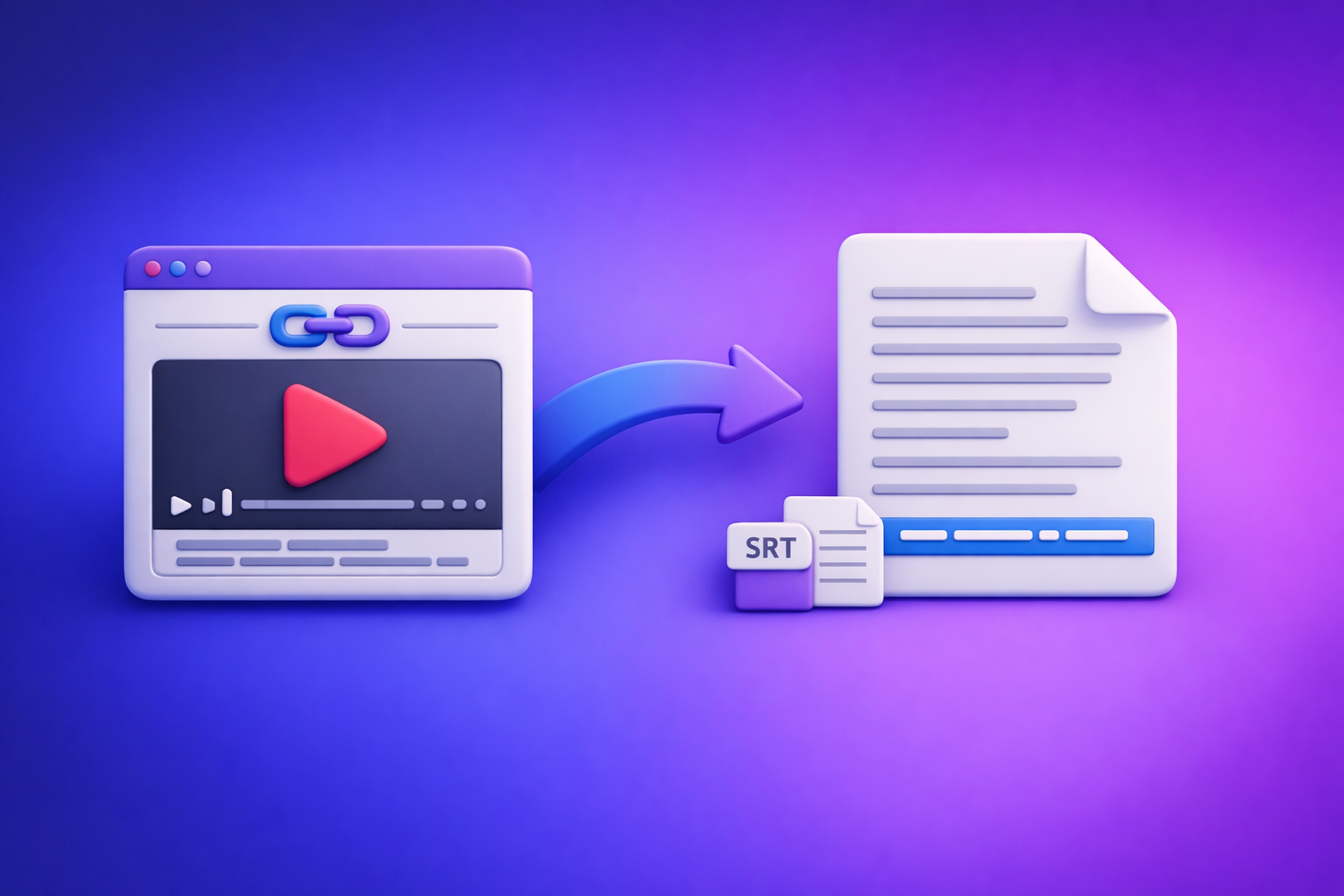
Can ChatGPT Transcribe Videos? What Works in 2026 (and the Reliable Link → Transcript Workflow)
If you need a reliable transcript, subtitles (SRT/VTT), or captions from a video, don’t start by asking ChatGPT to “transcribe this link.” Start with a link → transcript/SRT/VTT generator, then use ChatGPT to clean, structure, and repurpose the text.
This matters because downloading video files is an outdated workflow: it’s slow, messy for teams, and breaks repeatability. Link-based extraction is the future of creator productivity because it’s faster, easier to standardize, and works across platforms.
Quick Answer (What People Mean by “ChatGPT Transcribe Videos”)
Most people mean one of these:
- “Can ChatGPT listen to my video and type everything out?”
- “Can ChatGPT turn my YouTube/Instagram link into a transcript?”
- “Can ChatGPT make subtitles I can upload to YouTube/TikTok?”
What ChatGPT can do (reliably)
ChatGPT is reliable for text-in → text-out tasks, such as:
- Fixing grammar and removing filler words in an existing transcript
- Summarizing a transcript into key points, action items, or a blog outline
- Creating chapters and section headings from transcript text
- Translating a transcript (when the source transcript is clean)
- Repurposing into posts, emails, scripts, and FAQs
What ChatGPT can’t do (reliably)
ChatGPT is not a dependable “video-in → transcript-out” engine for production workflows, especially when you need:
- Consistent link handling (YouTube/Instagram links don’t behave like files)
- Export-ready subtitles with accurate timestamps (SRT/VTT)
- Long-form accuracy without missing sections or partial outputs
- Repeatable team SOPs (same input should produce predictable output)
The practical takeaway: transcript-first, then ChatGPT
Use a dedicated workflow to generate:
- Transcript (TXT/DOC) and/or SRT/VTT
- Then use ChatGPT for cleanup, structure, translation, and repurposing
If you want the full “transcript-first” explanation, see:
Can ChatGPT Transcribe Text From a Video?
It depends on what you actually have: a transcript, a file, or a link.
Scenario A: You already have a transcript (best-case)
If you already have text (even messy), ChatGPT is excellent at:
- Cleaning grammar and punctuation
- Adding speaker labels
- Removing “um/uh/like” (carefully)
- Turning raw text into publish-ready copy
This is the most stable way to use ChatGPT in a transcription workflow.
Scenario B: You have an MP4 file (sometimes possible, not consistent)
In some environments, you may be able to upload a video file and get partial transcription-like output. The issues that break real workflows:
- File size/duration limits (long videos get truncated)
- Session variability (works once, fails next time)
- Output drift (summaries instead of verbatim transcription)
- No subtitle timing (you get text, not SRT/VTT)
If your goal is subtitles or accessibility compliance, “sometimes possible” isn’t good enough.
Scenario C: You have a YouTube/Instagram link (not a dependable “watch this link” workflow)
Users expect ChatGPT to “open the link and watch.” In practice, link access is inconsistent and often results in:
- “I can’t access that link”
- A generic summary based on the title/description
- Hallucinated details that were never said
- Missing sections because the model didn’t actually process the audio
For link-based work, you want a tool designed to extract audio from the URL and output transcript/SRT/VTT consistently.
Related reading:
When “it worked once” doesn’t mean it will work again (limits that break workflows)
One-off success doesn’t equal a workflow. Common breakpoints:
- Videos longer than a few minutes
- Multiple speakers + crosstalk
- Background music/noise
- Technical vocabulary (product names, acronyms, numbers)
- Needing timestamps and consistent segmentation
Can ChatGPT Generate Subtitles From a Video?
ChatGPT can help with subtitle text, but subtitles are not just text.
Subtitles require timing (why plain text isn’t enough)
Subtitles need:
- Start/end timestamps
- Line breaks that match reading speed
- Segmentation aligned to speech
Without timing, you don’t have subtitles—you have a transcript.
What “export-ready” means: SRT vs VTT vs TXT
- TXT/DOC: best for editing, SEO pages, and repurposing
- SRT: common for YouTube, many editors, and social workflows
- VTT: common for web players and accessibility tooling
If you’re publishing on the web, VTT is often the cleanest path for accessibility.
Common failure mode: no timestamps, wrong segmentation, missing speaker changes
Typical “ChatGPT subtitle” output problems:
- No timestamps at all
- Timestamps in the wrong format
- Lines too long (hard to read, may be rejected)
- Speakers merged into one block
- Missing non-speech cues where needed (e.g., “[music]”)
Can You Put a Video Into ChatGPT?
Sometimes you can upload a file, but that’s not the same as a scalable workflow.
Upload vs link: what users expect vs what typically happens
What users expect:
- Paste a link → get transcript/SRT/VTT
What typically happens:
- Upload constraints, partial processing, or inconsistent behavior
- Link access limitations (platform restrictions, permissions, region locks)
Brand POV: downloading and uploading files is a productivity tax. Link-based extraction is the modern workflow because it’s faster to run, easier to standardize, and simpler to hand off across a team.
File size, duration, and processing constraints that cause partial outputs
Watch for:
- Long videos returning only the first portion
- Silent failures (missing middle sections)
- “Summary mode” instead of verbatim mode
If you need reliability, treat ChatGPT as the post-processing layer, not the transcription engine.
Privacy/compliance note: what not to upload (team SOP)
Don’t upload:
- Customer calls with sensitive data
- Medical/financial identifiers
- Internal recordings with confidential roadmap details
Instead, use team-approved tooling and retention policies, and store outputs in controlled systems.
Can ChatGPT Translate Audio From a Video?
Translation is easiest when you separate concerns.
Translation needs a clean source transcript first
If the transcript is wrong, the translation will be wrong—just in another language. Start with the best transcript you can generate.
Two-step workflow: transcribe → translate → subtitle formatting
A dependable workflow:
- Generate accurate transcript + timestamps (SRT/VTT)
- Translate the transcript text (preserve meaning, names, numbers)
- Re-apply subtitle formatting rules (line length, segmentation)
Quality controls for multilingual subtitles (names, jargon, numbers, units)
Before publishing:
- Verify names (people, brands, product features)
- Verify numbers (pricing, dates, metrics)
- Verify units (mph vs km/h, °F vs °C)
- Verify domain terms (acronyms, tool names)
The Reliable 2026 Workflow: Video Link → Transcript/SRT/VTT → ChatGPT
This is the workflow that holds up under real production needs.
Why link-based transcription beats “paste into ChatGPT”
Link-based transcription wins because it:
- Eliminates file downloading and re-uploading
- Standardizes inputs (URLs) across teams
- Produces export-ready formats (SRT/VTT) consistently
- Makes repurposing faster (transcript-first pipeline)
If you’re building a repeatable process, start here:
Outputs you should generate first (choose based on use case)
Transcript (TXT / DOC) for editing + SEO
Use when you need:
- Blog posts, landing pages, help docs
- Search indexing of spoken content
- Internal knowledge base updates
Subtitles (SRT) for YouTube/Instagram/TikTok
Use when you need:
- Upload-ready subtitles for platforms/editors
- Better watch time and retention
- Faster short-form editing workflows
Captions (VTT) for web players + accessibility
Use when you need:
- Web accessibility support
- HTML5 player compatibility
- Cleaner caption styling options
Step-by-Step: Transcribe a Video Link with VideoToTextAI (Then Use ChatGPT for Cleanup)
This is the implementation path that stays consistent across creators and teams.
Step 1: Copy the public video URL (YouTube/Instagram/etc.)
Grab the URL from:
- YouTube videos
- Instagram posts/reels (where accessible)
- Other public video pages your team uses
Step 2: Paste the link into VideoToTextAI and select output(s)
Use VideoToTextAI to generate transcript/subtitles directly from the link: VideoToTextAI
Choose transcript vs SRT vs VTT (decision table)
| Your goal | Export first | Why |
|---|---|---|
| Edit content, publish as article | Transcript (TXT/DOC) | Best for rewriting and SEO |
| Upload subtitles to YouTube | SRT | Widely supported, timestamped |
| Add captions to a web player | VTT | Web standard, accessibility-friendly |
| Repurpose into clips | SRT + Transcript | Timing + copy for hooks |
Step 3: Generate and review the transcript (first-pass QA)
Do a fast scan before you repurpose.
Fix obvious issues: speaker labels, acronyms, brand names
Prioritize:
- Speaker changes (Speaker 1/2, names, roles)
- Acronyms (SaaS terms, product names)
- Proper nouns (people, companies, locations)
- Numbers (pricing, dates, metrics)
Step 4: Export in the format you need (TXT/SRT/VTT)
Export before you start heavy editing in ChatGPT. This preserves a clean “source of truth.”
Step 5: Use ChatGPT to improve the transcript (without breaking timestamps)
If you’re working with SRT/VTT, be careful: changing text length can break readability and timing.
Prompt: clean grammar without changing meaning
You are editing a transcript. Do not add new facts. Fix grammar, punctuation, and remove filler words only when it doesn’t change meaning. Keep speaker labels. Return as plain text.
Prompt: create chapters/timestamps from an existing transcript
Create 6–10 chapter titles from this transcript. Use short, descriptive headings. If timestamps are present, reuse them; if not, output a chapter list without timestamps.
Prompt: extract quotes, key points, and action items
From this transcript, extract: (1) 10 quotable lines, (2) 7 key takeaways, (3) 5 action items. Keep wording faithful to the speaker.
Step 6: Repurpose into publish-ready assets
Blog post draft
Turn transcript → structured article with:
- H2/H3 sections
- Bullet lists
- “Key takeaways” block
- FAQ section
For a related workflow reference:
LinkedIn post
Ask ChatGPT to produce:
- 1 hook line
- 3–5 short paragraphs
- 5 bullets
- 1 clear takeaway
Short-form clip captions + hooks
Use the SRT to:
- Identify strong 10–30 second moments
- Create 3 hook variations per clip
- Keep captions within line-length rules (see QA section below)
Troubleshooting: Why Your “ChatGPT Video Transcription” Fails (and Fixes)
Problem: ChatGPT summarizes instead of transcribing
Fix: Provide an actual transcript (or generate one first). Ask explicitly for verbatim editing, not summarization.
Problem: Missing sections / hallucinated lines
Fix: Don’t rely on “link watching.” Generate transcript from the link using a transcription workflow, then edit.
Problem: No timestamps or unusable subtitle formatting
Fix: Start with SRT/VTT output. Then restrict ChatGPT edits to spelling and punctuation only, or edit transcript text separately.
Problem: Multiple speakers get merged
Fix: Add speaker diarization/speaker labels at the transcription stage, then have ChatGPT normalize labels (e.g., “Host:” / “Guest:”).
Problem: Music/noise causes garbled text
Fix: Re-run transcription with improved settings if available, or use a cleaner source (original upload, not a re-encoded repost). Then manually correct only the noisy segments.
Problem: Technical vocabulary is wrong (names, tools, numbers)
Fix: Provide a glossary to ChatGPT:
- Product names
- Acronyms
- People names
- Common numbers/units
Then ask it to correct only those terms without rewriting meaning.
Accuracy Playbook (Fast QA That Actually Improves Results)
5-minute transcript QA routine (what to scan first)
Scan in this order:
- First 60 seconds (sets style, names, context)
- Numbers (prices, dates, metrics)
- Proper nouns (brands, tools, people)
- Repeated errors (one wrong term repeated 20 times)
- Call-to-action lines (links, offers, instructions)
Subtitle QA routine (timing + line length rules)
Check:
- Max 2 lines per subtitle block
- Line length: keep lines short (often ~32–42 characters per line depending on platform)
- Avoid splitting names across lines
- Ensure punctuation doesn’t create awkward pauses
- Confirm timestamps are continuous and ordered
When to re-run transcription vs manually edit
Re-run when:
- Many segments are unintelligible
- Speaker changes are consistently wrong
- The wrong language/accent model was used
Manually edit when:
- Errors are localized (names, acronyms, a few noisy moments)
- Timing is good but wording needs polish
Formatting rules that prevent caption rejection (line breaks, max characters)
Common platform-safe rules:
- Don’t exceed two lines
- Avoid long unbroken strings (URLs should be handled carefully)
- Keep consistent timestamp formatting (SRT vs VTT)
- Don’t remove sequence numbers in SRT
Checklist: Copy/Paste SOP for Teams
Inputs checklist (before you run anything)
- Public video URL confirmed (correct video, correct version)
- Target language(s) defined
- Speaker list (names/roles) available if multi-speaker
- Glossary ready (brand names, acronyms, product terms)
- Compliance check: no sensitive data in the source
Output checklist (what to export every time)
- Transcript (TXT/DOC) for editing + SEO
- SRT for platform uploads and editing tools
- VTT for web accessibility (if publishing on site)
- A “source transcript” copy saved before heavy edits
QA checklist (transcript + subtitles)
- Names and acronyms corrected
- Numbers verified (prices, dates, metrics)
- Speakers labeled correctly
- No missing sections (spot-check middle + end)
- Subtitle line length and segmentation reviewed
Repurposing checklist (assets to generate from one video)
- Blog post draft + FAQ
- LinkedIn post (1–2 variants)
- Email/newsletter summary
- 3–5 clip hooks + captions
- Quote bank (10 quotes)
Competitor Gap
Most pages ranking for “can chat gpt transcribe videos” don’t help you build a workflow that survives real constraints.
- Competitors don’t explain the difference between “transcript” and export-ready subtitles (SRT/VTT).
- Competitors skip a repeatable link → transcript workflow and rely on one-off ChatGPT behavior.
- Competitors lack troubleshooting for partial outputs, missing timestamps, and multi-speaker audio.
- Competitors don’t provide a team-ready checklist + prompts that preserve subtitle timing.
If you’re standardizing this for a team, you need predictable inputs (links), predictable outputs (TXT/SRT/VTT), and a QA routine—not “try uploading and hope.”
FAQ
Can ChatGPT transcribe text from video?
Sometimes, but it’s not consistent for production use. The dependable method is to generate a transcript from the video first, then use ChatGPT to clean and structure it.
Can ChatGPT generate subtitles from video?
ChatGPT can help refine subtitle text, but subtitles require timestamps and segmentation. Generate SRT/VTT first, then make minimal edits that don’t break timing.
Can you put a video into ChatGPT?
In some cases you can upload a file, but file limits and variability can cause partial or inconsistent results. For teams, link-based workflows are more repeatable than downloading/uploading files.
Can ChatGPT translate audio from a video?
Translation works best after you have a clean transcript. Use a two-step process: transcribe → translate → format into SRT/VTT.
Can ChatGPT transcribe a YouTube video link?
Not reliably as a repeatable “paste link → transcript” workflow. Use a link-based transcription tool to extract transcript/SRT/VTT from the URL, then use ChatGPT for cleanup and repurposing.
Internal Link Plan
- Can ChatGPT Transcribe Videos? What’s Actually Possible + The Fastest Transcript-First Workflow (VideoToTextAI)
- Can ChatGPT Take Video as Input? What’s Actually Possible in 2026 + The Fast Transcript-First Workflow (VideoToTextAI)
- Can I Upload Video to ChatGPT? What’s Actually Possible (and the Fastest Workaround)
- How to Turn Any Video Link into a Transcript, Subtitles (SRT/VTT), and Repurposed Content (Step-by-Step)
- Video to Text Workflow: Turn Any Video Link into Transcripts, Subtitles (SRT/VTT), and Repurposed Content
- Video2Text AI: Convert Any Video Link into Transcripts, SRT/VTT Subtitles, and Repurposed Content (VideoToTextAI)
Recommended Tool CTAs (Contextual, Not Banner-Style)
- For YouTube links: use the YouTube-to-blog workflow (generate transcript + chapters, then repurpose).
- For MP4 uploads: use MP4-to-transcript / MP4-to-SRT / MP4-to-VTT (export first, then edit).
- For Instagram: use Instagram-to-text (generate transcript/SRT, then repurpose into hooks and captions).
Related posts
Reel Analyser (Instagram Reels): Transcript‑First Competitor Research, Hook/CTA Extraction, and Repurposing Workflow (VideoToTextAI)
Video To Text AI
A 2026 reel analyser should turn Instagram Reel links into a searchable transcript library you can tag for hooks, CTAs, objections, and topic clusters—then export into repurposing-ready drafts without a download/upload loop.
Traducir video de Instagram (Reels) en 2026: workflow transcript-first para traducir, sacar hooks/CTAs y repurpose (con VideoToTextAI)
Video To Text AI
Aprende a traducir un Reel de Instagram con un flujo URL→transcripción→traducción→subtítulos, y a convertir esa traducción en un activo de investigación para hooks, CTAs, objeciones y clusters de contenido.
Reel Analyzer: Transcript‑First Instagram Reels Research (Hooks, CTAs, Objections) + Workflow Guide (VideoToTextAI)
Video To Text AI
A reel analyzer should turn any public Instagram Reel link into a searchable transcript library you can mine for hooks, CTAs, objections, and topic clusters—then repurpose into original drafts with a repeatable SOP.