
Free Instagram Transcript Generator (From a Link): Get Reel Transcripts Fast with VideoToTextAI
 Video To Text AI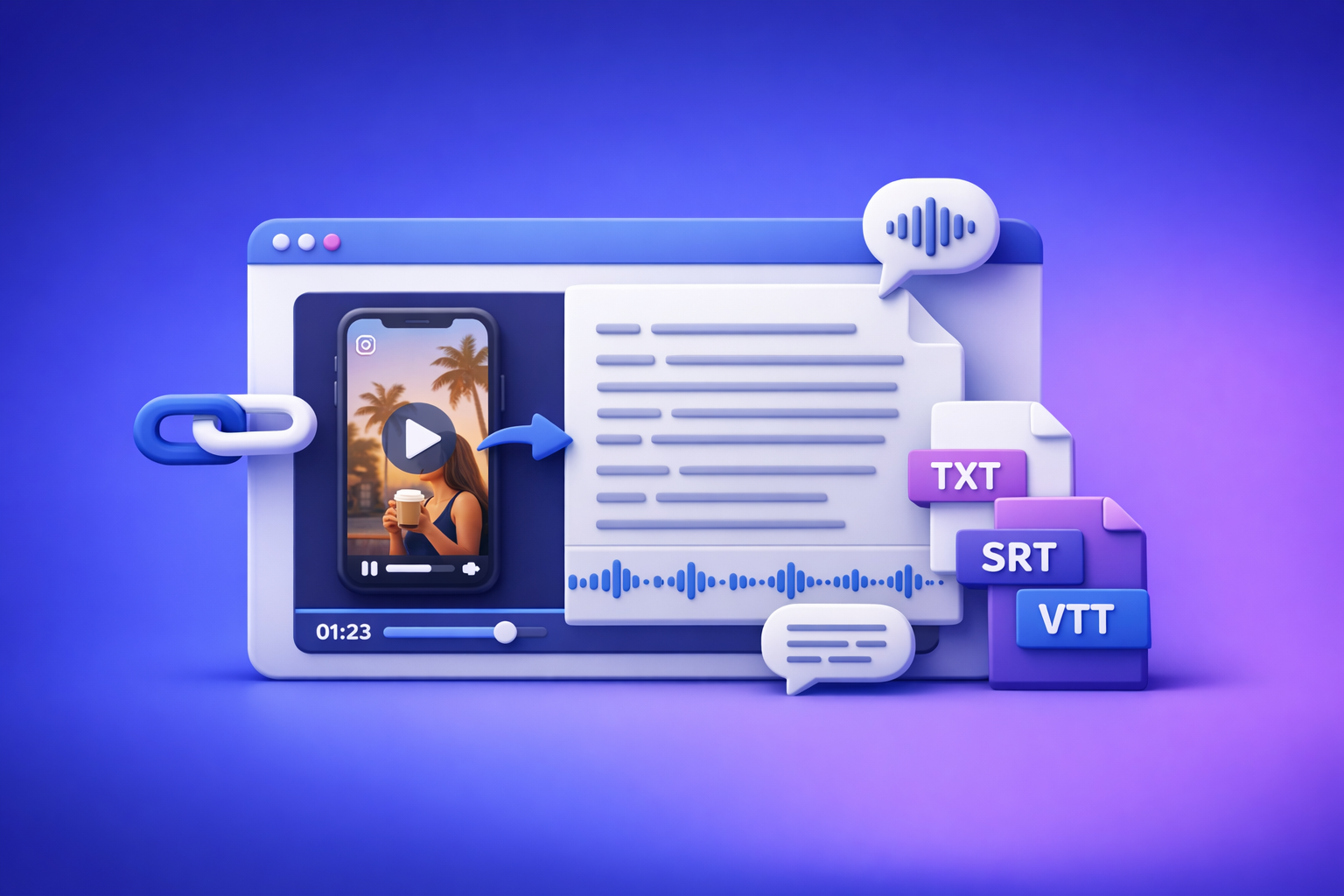
Free Instagram Transcript Generator (From a Link): Get Reel Transcripts Fast with VideoToTextAI
Paste an Instagram Reel link into a link-based transcript generator and get clean text in minutes—no downloading, no file conversions. Use VideoToTextAI’s workflow to export TXT/SRT/VTT and repurpose the transcript into captions, posts, and blog outlines.
Downloading videos to your device just to transcribe them is an outdated workflow. Link-based extraction is the future of creator productivity because it removes file handling, reduces errors, and speeds up reuse across channels.
What “Free Instagram Transcript Generator” Should Actually Do
A “free Instagram transcript generator” should do more than spit out a wall of text. It should produce reuse-ready output you can publish, edit, and convert into assets immediately.
Paste a link (no downloads)
A modern workflow starts with a URL:
- Paste the Instagram link
- Transcribe directly from the source
- Skip “download → upload → wait” loops
Why it matters: downloading introduces friction (device storage, file formats, re-uploads) and slows teams down. Link-based transcription is faster and easier to standardize.
Output clean text + timestamps (optional)
Your transcript should be readable by default:
- Clean paragraphs
- Basic punctuation
- Optional timestamps for editing, quoting, and subtitle sync
Timestamps are especially useful when you need to jump to a specific moment to verify a claim, product name, or CTA.
Export formats: TXT, SRT, VTT
A tool is only as useful as its exports:
- TXT for scripts, notes, and copywriting
- SRT for most editors and social subtitle workflows
- VTT for web players and YouTube-style pipelines
Support repurposing: captions, hooks, posts, blogs
The best tools don’t stop at transcription. They help you turn one Reel into:
- Caption variants
- Hook libraries
- LinkedIn posts
- SEO blog outlines
If you’re doing this manually, you’re paying a “time tax” on every piece of content.
Before You Start: What Instagram Links Work (and What Won’t)
Link-based transcription depends on access. If the tool can’t legally/technically fetch the media, it can’t transcribe it.
Public Reels vs. private accounts (permission limits)
- Public Reels: typically supported
- Private accounts / Close Friends: usually not supported
- Follower-only visibility: often blocked outside Instagram’s logged-in context
Quick test: open the link in an incognito window. If it doesn’t play, most tools won’t be able to transcribe it.
Stories and Lives: when transcripts are possible
- Stories: possible only if the story is accessible and the tool can fetch the media
- Lives: possible if there’s a replay/recording available via a shareable link
If the content is ephemeral or locked behind login, transcription may fail.
Region/age-restricted content and why tools fail
Some Reels are restricted by:
- Region licensing
- Age gates
- Copyright blocks
In those cases, the tool may return “unsupported” or fail to detect audio because it can’t retrieve the stream.
Audio quality factors that affect accuracy (music, overlap, noise)
Accuracy is mostly an audio problem, not an AI problem. Expect lower quality when:
- Music is louder than speech
- Multiple speakers overlap
- Background noise is heavy
- The speaker is far from the mic
If you’re transcribing for publishing, plan a quick edit pass (covered below).
Step-by-Step: Generate an Instagram Transcript for Free (Link-Based Workflow)
This is the implementation-first workflow most competitors don’t spell out. Follow it exactly to avoid “link not supported” errors and mismatched timestamps.
Step 1 — Copy the Instagram Reel URL correctly
Mobile app: Share → Copy link
- Open the Reel
- Tap Share
- Tap Copy link
Paste it into your notes temporarily so you don’t lose it.
Desktop: copy from address bar (remove tracking params if needed)
On desktop:
- Open the Reel in your browser
- Copy the URL from the address bar
- If needed, remove tracking parameters (everything after
?)
This can reduce parsing issues in some tools.
Step 2 — Open VideoToTextAI’s Instagram tool
Use the dedicated page: Instagram to text.
This is built for link-based Instagram extraction—no downloading files to your device first.
Step 3 — Paste the link and run transcription
Paste the Reel URL and start transcription.
Choose transcript-only vs. subtitles output (when available)
Pick based on your goal:
- Transcript-only: fastest for copy/paste and repurposing
- Subtitles output: best when you need SRT/VTT for editors or uploads
Enable timestamps if you need editing or subtitle sync
Turn on timestamps when you plan to:
- Quote exact moments
- Verify product claims
- Sync subtitles to video
- Hand off to an editor
If you only need copy for a caption, timestamps may be unnecessary.
Step 4 — Review and clean the transcript (fast edit pass)
Do a quick “accuracy sweep” before you publish or reuse.
Fix names, brand terms, and slang
Prioritize corrections that affect meaning:
- Proper nouns (people, brands, places)
- Product names and model numbers
- Industry terms
- Slang that the model misheard
Remove filler words (optional) without changing meaning
Optional cleanup for readability:
- Remove repeated “like,” “you know,” “um”
- Keep emphasis words that carry tone (don’t over-edit)
- Preserve key claims and steps
A good rule: edit for clarity, not perfection.
Step 5 — Export and reuse
Copy/paste transcript (TXT)
Use TXT when you want:
- Scripts
- Notes
- Blog drafts
- Content briefs
Download subtitles (SRT/VTT) for CapCut/Premiere/YouTube
Use subtitle files when you want:
- Burned-in captions in CapCut
- Timeline subtitles in Premiere
- Uploadable captions for web players
For a deeper subtitle workflow, see: How to Generate Subtitles (SRT & VTT Files) for Your Instagram Reels.
Generate repurposed assets (captions, summaries, posts)
Once you have text, you can immediately create:
- Caption sets
- Summaries
- Hook lists
- Blog outlines
For more workflows, reference: Instagram Reels to Text Hub: 10 Workflows to Transcribe, Summarize, Translate, and Repurpose (2026).
Output Options: Pick the Right Format for Your Goal
Choosing the right output prevents rework.
Plain transcript (TXT) for scripts, notes, and search
Use TXT when you need:
- A clean script to rewrite
- Searchable notes for research
- Copy blocks for posts and emails
TXT is best for speed and repurposing.
SRT subtitles for editors and social uploads
Use SRT when you need:
- Editor-friendly subtitle import
- Broad compatibility across tools
- Timecoded captions for precise sync
SRT is the default for most editing workflows.
VTT subtitles for web players and YouTube workflows
Use VTT when you need:
- Web player compatibility
- YouTube-style caption pipelines
- Styling/metadata support (where applicable)
If you’re unsure, export both SRT and VTT when available.
“Transcript-first” repurposing outputs (posts, blogs, summaries)
A transcript is a content source file. From it, you can generate:
- Caption variants
- LinkedIn posts
- SEO outlines
- Email drafts
If you’re building a system, treat transcripts like reusable inventory.
Use Cases That Convert (What to Do With the Transcript Immediately)
Transcripts are only valuable if they turn into publishable assets. Here are conversion-focused uses you can execute the same day.
Turn a Reel into a caption set (3 variants: short, medium, CTA)
Use your transcript to create three caption options:
- Short (1–2 lines): one idea + one benefit
- Medium (3–6 lines): hook + 2–3 key points
- CTA (sales-focused): problem → solution → next step
Template:
- Short: “Stop doing X. Do Y instead—here’s why.”
- Medium: Hook → Point 1 → Point 2 → Takeaway
- CTA: If you want [result], comment/DM/click [action].
Extract hooks + structure to recreate a viral script
Scan the first 3–5 seconds of the transcript and pull:
- The hook line
- The promise (what they’ll learn/get)
- The structure (list, story, myth-bust, tutorial)
Then build a “hook bank” you can reuse across your niche. For tool comparisons and options, see: 5 Best Instagram Transcript Generators for Creators in 2026.
Convert Reel transcript into a LinkedIn post (format template)
Use this structure:
- Contrarian opener: “Most people do X. That’s why Y fails.”
- Context: 2–3 lines from the Reel (rewritten)
- Bullets: 3–5 key steps
- Proof/lesson: one example or metric
- Close: one question to drive comments
For a repeatable workflow: The 1-Click Workflow to Turn Instagram Reels into Viral LinkedIn Posts.
Convert Reel transcript into an SEO blog outline (H2/H3 mapping)
Map the transcript into search-friendly sections:
- Hook → Intro problem
- Main points → H2s
- Steps/examples → H3s
- CTA → Conclusion + next step
If you want the full repurposing system: Instagram Content Repurposing: How to Turn Reels into SEO Blog Posts.
Troubleshooting: Fix the Common Failures Competitors Don’t Cover
Most “free Instagram transcript generator” pages skip the real-world issues. Use these fixes to recover fast.
“Link not supported” → correct URL patterns to try
Try these:
- Use the Reel’s share link (from Share → Copy link)
- Remove tracking parameters after
? - Ensure it’s a reel/post URL, not a profile URL
If the link only works when you’re logged in, it may be private/restricted.
“No audio detected” → when music drowns speech + workaround
Common causes:
- The Reel is mostly music with minimal speech
- Speech is too quiet relative to background audio
Workarounds:
- Try a different clip with clearer speech
- If you control the content, re-upload with louder voice and lower music
- If you don’t control it, expect partial results and plan manual correction
“Transcript is inaccurate” → 5 edits that recover clarity fast
Do these in order:
- Correct proper nouns (brands, people, places)
- Fix numbers (prices, dates, quantities)
- Replace obvious homophones (“their/there,” “two/to”)
- Add paragraph breaks at topic shifts
- Remove repeated filler words (optional)
This gets you to “publishable” quickly without rewriting everything.
“Private/restricted Reel” → what’s possible and what isn’t
What’s possible:
- Public content that loads without login
- Content you have permission to access publicly
What isn’t (in most cases):
- Private accounts
- Age/region-restricted content
- Content blocked from external access
If access is restricted, the limitation is permissions—not the transcription model.
“Timestamps don’t match” → when to regenerate vs. manual adjust
Regenerate when:
- The wrong video was fetched
- The Reel has edits/cuts that confuse alignment
- The tool offers a “subtitles” mode that improves sync
Manually adjust when:
- You only need approximate timestamps
- You’re using the transcript for quoting, not subtitle import
Checklist: Free Instagram Transcript Generator Results (Quality + Reuse)
Use this checklist to ensure you get a usable transcript and immediate outputs.
Link & access checklist
- Public Reel link opens in incognito
- Audio is primarily speech (not only music)
- Video length fits your intended use (caption vs. blog)
Transcript quality checklist
- Proper nouns corrected (people/brands/places)
- Numbers and units verified (prices, steps, measurements)
- Paragraph breaks added at topic shifts
- Optional: filler removed without changing meaning
Export & publishing checklist
- TXT saved to your notes/doc system
- SRT/VTT exported if you’re adding subtitles
- Repurposed assets created (caption set + 1 long-form post)
If you also need a “copy text” workaround for locked UI, see: Can You Copy Text from an Instagram Video? Yes, Here is the Workaround..
Competitor Gap
Most competing pages rank because they match the keyword, not because they help you execute. VideoToTextAI’s approach is built around implementation and reuse, not just “generate text.”
- Implementation-first walkthrough (copyable steps + decision points) so you don’t waste time on unsupported links or wrong exports
- Real troubleshooting for private/restricted links and audio issues (the most common failure points)
- Reuse-ready templates (caption variants, hook extraction, blog mapping) to turn transcripts into assets immediately
- Clear output selection (TXT vs SRT vs VTT) tied to outcomes, so you pick the right format the first time
And critically: downloading video files is an outdated workflow. Link-based extraction is faster, cleaner, and easier to scale across a creator or marketing team.
FAQ
How do I get a transcript from an Instagram Reel?
Copy the Reel URL, paste it into a link-based transcription tool, run transcription, then export the result as TXT or subtitles (SRT/VTT). For a deeper walkthrough, see How to Get a Transcript from Any Instagram Reel in Seconds (2026 Guide).
Is an Instagram transcript generator really free?
Some tools provide free usage with limits (length, exports, daily runs). Confirm whether the free option includes timestamps and SRT/VTT if you need subtitle files.
Does this work for private or restricted Reels?
Usually no. If the Reel doesn’t load publicly (incognito test fails), most tools can’t access it due to permission restrictions.
Can I download an Instagram Reel transcript as SRT or VTT subtitles?
Yes—if the tool supports subtitle exports. Use SRT for editors and broad compatibility, and VTT for web/YouTube-style workflows.
How accurate are AI-generated Instagram transcripts?
Accuracy depends heavily on audio quality. Clear speech with minimal background noise transcribes best; heavy music, overlap, or noise increases errors and requires a quick edit pass.
To run a link-based workflow end-to-end (without downloading files), use VideoToTextAI.
Related posts
Reel Analyser (Instagram Reels): Transcript‑First Competitor Research, Hook/CTA Extraction, and Repurposing Workflow (VideoToTextAI)
Video To Text AI
A 2026 reel analyser should turn Instagram Reel links into a searchable transcript library you can tag for hooks, CTAs, objections, and topic clusters—then export into repurposing-ready drafts without a download/upload loop.
Traducir video de Instagram (Reels) en 2026: workflow transcript-first para traducir, sacar hooks/CTAs y repurpose (con VideoToTextAI)
Video To Text AI
Aprende a traducir un Reel de Instagram con un flujo URL→transcripción→traducción→subtítulos, y a convertir esa traducción en un activo de investigación para hooks, CTAs, objeciones y clusters de contenido.
Reel Analyzer: Transcript‑First Instagram Reels Research (Hooks, CTAs, Objections) + Workflow Guide (VideoToTextAI)
Video To Text AI
A reel analyzer should turn any public Instagram Reel link into a searchable transcript library you can mine for hooks, CTAs, objections, and topic clusters—then repurpose into original drafts with a repeatable SOP.