
Can ChatGPT Transcribe Videos? What Actually Works in 2026 (Plus a Reliable Link → Transcript Workflow)
 Video To Text AI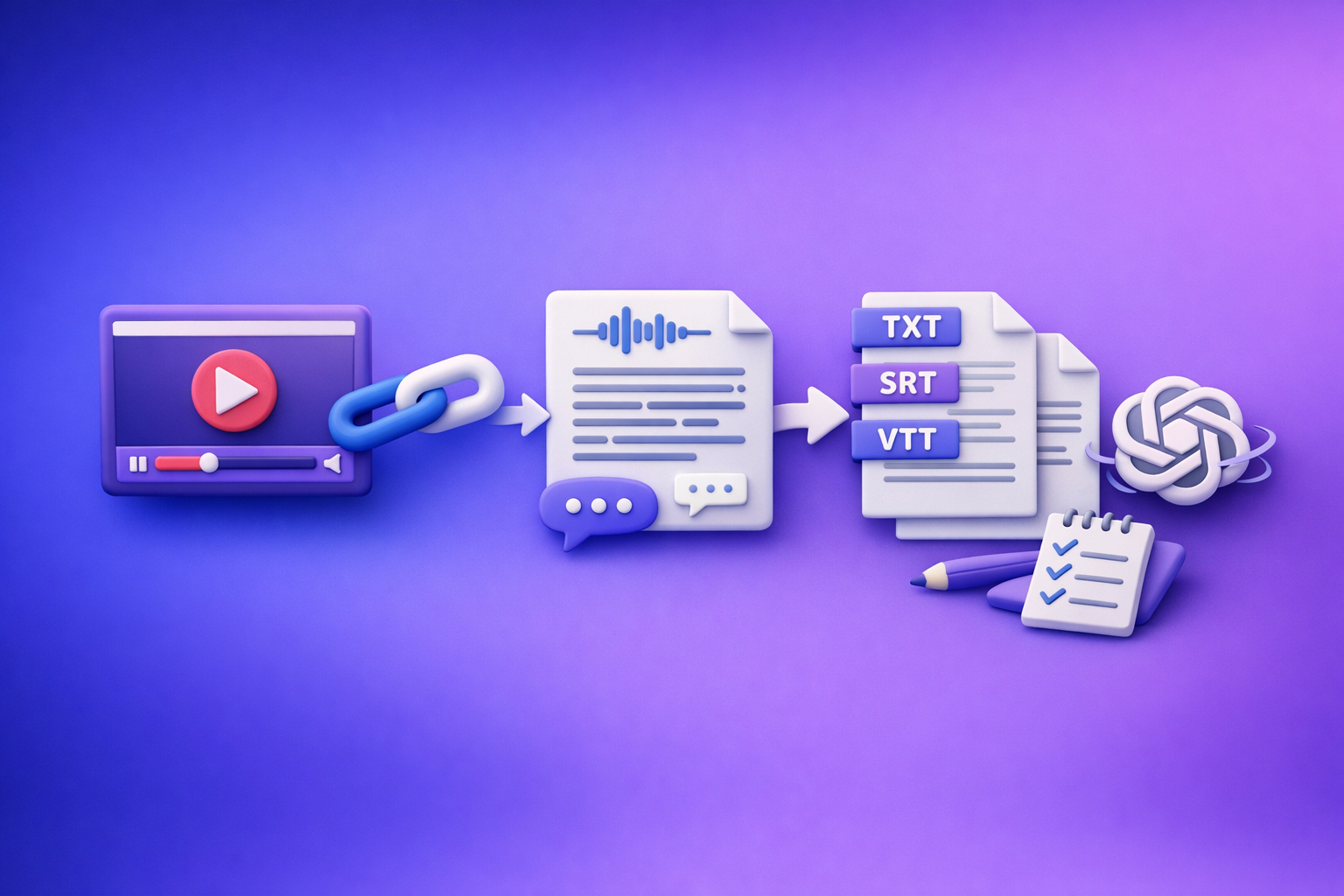
Can ChatGPT Transcribe Videos? What Actually Works in 2026 (Plus a Reliable Link → Transcript Workflow)
If you want a dependable transcript from a video link in 2026, generate the transcript/subtitles first—then use ChatGPT to polish and repurpose. ChatGPT can help a lot, but it’s not a consistent “paste a YouTube/IG/TikTok link and it will watch the whole thing” transcription engine.
Quick Answer: Can ChatGPT Transcribe Videos?
Not reliably from a link. ChatGPT is strongest after transcription: cleaning text, formatting, summarizing, translating, and turning transcripts into publishable assets.
What “transcribe” means (verbatim transcript vs summary vs captions)
People say “transcribe” but usually mean one of these:
- Verbatim transcript: word-for-word text of what was said (often with speaker labels).
- Clean transcript: same meaning, fewer filler words, fixed punctuation.
- Summary/notes: condensed key points (not a transcript).
- Captions/subtitles: timed text aligned to audio, typically exported as SRT or VTT.
If you need SRT/VTT, you’re not just asking for text—you’re asking for timing + formatting.
When ChatGPT can help (cleanup, formatting, summaries, repurposing)
ChatGPT is excellent for:
- Fixing punctuation and sentence boundaries
- Removing filler words without changing meaning
- Standardizing speaker labels
- Creating chapters, titles, and summaries
- Repurposing into blog posts, social posts, emails, and scripts
When ChatGPT is not reliable (watching a link end-to-end, long videos, exports like SRT/VTT)
ChatGPT is not a dependable choice when you need:
- End-to-end ingestion of a public video link
- Long video processing without timeouts or truncation
- Export-ready subtitles (SRT/VTT) with consistent timestamps
- A QA loop that lets you re-run, spot-check, and export cleanly
What’s Actually Possible With ChatGPT Video Transcription in 2026
Scenario A: You paste a YouTube/Instagram/TikTok link
Why a link usually doesn’t equal “ChatGPT can watch it”
A URL is not the same as media access. Even if a link is public, transcription requires:
- Fetching the media stream
- Decoding audio
- Running speech-to-text
- Returning text with enough structure for your use case
ChatGPT may summarize a page, but it typically can’t “watch” a video link like a transcription engine.
What you can do instead: extract transcript/subtitles first, then use ChatGPT
The practical approach is:
- Generate a transcript/SRT/VTT from the link using a transcription workflow.
- Paste the transcript into ChatGPT for cleanup, chapters, and repurposing.
This is also why downloading MP4s is an outdated workflow. Link-based extraction is faster, easier to standardize across teams, and better aligned with creator productivity.
Scenario B: You upload an MP4 (when available)
Typical constraints: file size, duration, timeouts, inconsistent availability
Even when video upload is available, you’ll often hit:
- File size limits
- Duration limits
- Timeouts on long processing
- Inconsistent feature access depending on plan, region, or interface
This is exactly why “download the file and upload it somewhere” is increasingly inefficient for modern teams.
Output limitations: no guaranteed timestamps, no SRT/VTT formatting, no QA loop
Common gaps when relying on ChatGPT for transcription-like output:
- Timestamps may be missing or inconsistent
- SRT/VTT formatting isn’t guaranteed
- No structured review/export workflow (you end up manually fixing everything)
Scenario C: You already have a transcript (from platform captions or a tool)
Best use case for ChatGPT: rewrite, summarize, chapterize, translate, repurpose
If you already have text, ChatGPT becomes the accelerator:
- Clean transcript for readability
- Chapters for YouTube descriptions and navigation
- Translation (best after you lock the source transcript)
- Content repurposing into blogs, newsletters, and short-form posts
If you want the full system, pair this with a repeatable workflow like the one in Video to Text Workflow: Turn Any Video Link into Transcripts, Subtitles (SRT/VTT), and Repurposed Content.
The Reliable Workflow: Video Link → Transcript/SRT/VTT → ChatGPT (Recommended)
Why “transcript-first” beats “ChatGPT-first”
Transcript-first wins because it separates concerns:
- A transcription engine handles audio decoding + timing + exports
- ChatGPT handles language tasks (cleanup, structure, repurposing)
This is also the future: link-based extraction scales across platforms and eliminates the friction of downloading, renaming, uploading, and re-uploading files.
What you get with a transcript-first workflow
Clean text transcript (editable)
- A readable transcript you can edit in docs
- Optional speaker labels for interviews and podcasts
Export-ready subtitles (SRT/VTT)
- SRT for most editors and platforms
- VTT for web players and accessibility workflows
Captions + repurposed content drafts
- Social captions and hooks
- Blog drafts and outlines
- Email summaries and CTAs
For a deeper walkthrough, see How to Turn Any Video Link into a Transcript, Subtitles (SRT/VTT), and Repurposed Content (Step-by-Step).
Step-by-Step: Transcribe a Video From a Link Using VideoToTextAI
If your current process starts with “download MP4,” replace it with “copy link.” That single change removes the biggest bottleneck in creator and marketing workflows.
Step 1: Copy the public video URL (YouTube/Instagram/etc.)
- Use the public, playable URL
- Avoid links that require login or are geo-restricted
- If it’s an IG Reel workflow, this guide helps: IG Transcript: How to Get an Instagram Reel Transcript From a Link (Fast + Exportable)
Step 2: Paste the link into VideoToTextAI and choose output
Use a link-based tool designed for transcript + subtitle exports. VideoToTextAI is built for AI link-based video-to-text workflows (transcripts, subtitles, captions, and repurposing) without the outdated “download and upload files” loop: VideoToTextAI
Choose: Transcript (TXT) vs Subtitles (SRT/VTT) vs Captions
Pick based on where the output will live:
- Transcript (TXT): blogs, docs, SEO pages, internal notes
- Subtitles (SRT/VTT): publishing captions, editing, accessibility
- Captions: social-ready versions (often shorter, punchier)
If you’re starting from an MP4 anyway, map to the right tool path:
/tools/mp4-to-transcript/tools/mp4-to-srt/tools/mp4-to-vtt
Choose: Timestamps on/off (and when to keep them)
- Keep timestamps ON if you need:
- Editing alignment
- Chapters with timecodes
- Subtitle exports (SRT/VTT)
- Turn timestamps OFF if you only need:
- A clean reading transcript for a blog or doc
Step 3: Run transcription + review the first pass
Don’t “trust and publish.” Do a fast audit.
Spot-check method: first 60 seconds + a mid-point + last 60 seconds
- Start: confirms language and baseline accuracy
- Middle: catches drift, speaker overlap, jargon issues
- End: catches fatigue errors and truncation
Identify speaker changes, jargon, names, and numbers
These are the highest-risk items:
- Speaker labels (especially in interviews)
- Product names, brand names, and acronyms
- Numbers (pricing, dates, metrics)
- URLs and email addresses
Step 4: Export in the format you need
TXT for docs/SEO/content
Use TXT when you want:
- Blog posts and landing pages
- Knowledge base articles
- Internal SOPs and training docs
If your goal is “video → blog,” also see: /tools/youtube-to-blog.
SRT for most editors and platforms
Use SRT when you need:
- Standard subtitle import for editors
- Broad compatibility across platforms
VTT for web players and accessibility workflows
Use VTT when you need:
- HTML5/web player caption tracks
- Accessibility-first publishing pipelines
Step 5: Use ChatGPT to polish and repurpose (with copy/paste prompts)
Paste your transcript (or sections of it) into ChatGPT and use prompts like these.
Prompt: clean up transcript without changing meaning
Clean up this transcript for readability without changing meaning.
Rules:
- Keep all facts, names, and numbers exactly the same.
- Remove filler words and false starts only when safe.
- Fix punctuation and sentence boundaries.
- Preserve speaker labels if present.
Transcript:
[PASTE]
Prompt: generate chapters with timestamps
Create 6–10 chapters from this transcript.
Rules:
- Use the existing timestamps (do not invent new ones).
- Each chapter needs a short title + 1-sentence summary.
- Keep titles under 60 characters.
Transcript with timestamps:
[PASTE]
Prompt: create a blog outline + draft from transcript
Turn this transcript into a blog post.
Rules:
- Use an informational tone.
- Add H2/H3 headings.
- Include a short TL;DR near the top.
- Do not add facts not present in the transcript.
Transcript:
[PASTE]
Prompt: create short-form captions + hooks from transcript
Generate:
1) 10 short-form hooks (max 12 words each)
2) 5 caption drafts (max 220 characters each)
3) 10 quote pulls (verbatim lines from the transcript)
Transcript:
[PASTE]
If you want the broader system view, connect this with Video2Text AI: Convert Any Video Link into Transcripts, SRT/VTT Subtitles, and Repurposed Content (VideoToTextAI).
Implementation Checklist (Copy/Paste)
Input readiness
- Confirm the link is public and playable without login
- Confirm audio is clear (no heavy music over speech)
- Note language(s), accents, and speaker count
Transcription settings
- Select transcript + SRT/VTT if you need captions/subtitles
- Turn timestamps ON if you need editing alignment or chapters
- Keep speaker labels if it’s an interview/podcast format
QA pass (5-minute audit)
- Verify names/brands/places
- Verify numbers, dates, and URLs
- Fix repeated phrases and missing sentence boundaries
- Confirm subtitle line length and timing (if exporting SRT/VTT)
Repurposing outputs
- Blog post draft
- LinkedIn post + 3 hooks
- Email summary + CTA
- Quote pull list (5–10 highlights)
Common Mistakes + Troubleshooting
“ChatGPT didn’t transcribe my link”
Cause: link access ≠ video ingestion
A URL doesn’t guarantee the model can fetch, decode, and process the media stream.
Fix: generate transcript/SRT/VTT first, then paste text into ChatGPT
Use a transcript-first workflow, then use ChatGPT for language tasks. If you’re comparing “link vs upload,” this companion post helps: Can ChatGPT Upload Video? What’s Actually Possible in 2026 (Plus the Reliable Link → Transcript Workflow).
“The transcript is inaccurate”
Causes: low audio quality, overlapping speakers, heavy background music
Accuracy failures usually come from the source, not the tool.
Fixes: enable speaker labels, re-run with better source, do a targeted correction pass
- Improve the source audio when possible
- Re-run transcription with speaker labeling
- Do a targeted pass for names + numbers (highest impact)
“My subtitles don’t sync”
Causes: wrong format, edited transcript without retiming, platform-specific constraints
If you edit text before timing is finalized, you can break sync.
Fixes: export SRT/VTT from the same run; avoid manual edits before timing is finalized
- Export SRT/VTT from the same transcription run
- Make timing edits in a subtitle editor if needed
- Only do heavy text edits after you lock timing (or re-export)
“I need multilingual subtitles”
Best practice: transcribe in source language first, then translate with structure preserved
- Create a clean source transcript first
- Translate while preserving line breaks and timing structure
- Spot-check proper nouns and technical terms
Use Cases: When This Workflow Wins
Creators: turn Reels/YouTube into captions + posts in one pass
- Link → transcript → captions → hooks
- No downloading, no file management overhead
Marketing teams: webinar → transcript → blog + email + social
- Transcript becomes the source of truth
- Repurpose into multiple channels with consistent messaging
Support/ops: training video → SOP + checklist
- Convert walkthroughs into searchable documentation
- Extract steps, warnings, and acceptance criteria
Accessibility: publish compliant captions/subtitles fast
- Export SRT/VTT for accessibility workflows
- Maintain a repeatable QA process for accuracy
Competitor Gap
What top results miss (and what this post includes):
- A repeatable, link-based workflow that doesn’t depend on ChatGPT “watching” a video
- Export-specific guidance (TXT vs SRT vs VTT) tied to real publishing needs
- A QA checklist to prevent the most common accuracy failures (names, numbers, timing)
- Copy/paste prompts that start from a transcript and produce publish-ready assets
- Troubleshooting mapped to the exact failure mode (link ingestion, sync, accuracy)
FAQ
Can ChatGPT transcribe text from video?
ChatGPT can sometimes help if you upload a file (when available), but it’s not the most reliable way to get export-ready transcripts and subtitles. The dependable approach is: link → transcript/SRT/VTT → ChatGPT for cleanup and repurposing.
Is there an AI that can transcript a video?
Yes. Dedicated transcription workflows can generate accurate transcripts plus SRT/VTT exports and support a review/export loop. This is especially important for publishing captions and accessibility.
Can you put a video into ChatGPT?
Sometimes, depending on your plan and interface, you may be able to upload video files. For consistent production workflows, link-based extraction is typically faster and more scalable than downloading and uploading MP4s.
Can ChatGPT take notes from a video?
Yes—most reliably when you provide the transcript first. Once you have text, ChatGPT can produce meeting notes, action items, summaries, chapters, and content drafts quickly.
Internal Link Plan
- Can ChatGPT Transcribe Videos? What Works in 2026 (and the Reliable Link → Transcript Workflow)
- Can ChatGPT Upload Video? What’s Actually Possible in 2026 (Plus the Reliable Link → Transcript Workflow)
- Video to Text Workflow: Turn Any Video Link into Transcripts, Subtitles (SRT/VTT), and Repurposed Content
- How to Turn Any Video Link into a Transcript, Subtitles (SRT/VTT), and Repurposed Content (Step-by-Step)
- IG Transcript: How to Get an Instagram Reel Transcript From a Link (Fast + Exportable)
- Video2Text AI: Convert Any Video Link into Transcripts, SRT/VTT Subtitles, and Repurposed Content (VideoToTextAI)
Related posts
Reel Analyser (Instagram Reels): Transcript‑First Competitor Research, Hook/CTA Extraction, and Repurposing Workflow (VideoToTextAI)
Video To Text AI
A 2026 reel analyser should turn Instagram Reel links into a searchable transcript library you can tag for hooks, CTAs, objections, and topic clusters—then export into repurposing-ready drafts without a download/upload loop.
Traducir video de Instagram (Reels) en 2026: workflow transcript-first para traducir, sacar hooks/CTAs y repurpose (con VideoToTextAI)
Video To Text AI
Aprende a traducir un Reel de Instagram con un flujo URL→transcripción→traducción→subtítulos, y a convertir esa traducción en un activo de investigación para hooks, CTAs, objeciones y clusters de contenido.
Reel Analyzer: Transcript‑First Instagram Reels Research (Hooks, CTAs, Objections) + Workflow Guide (VideoToTextAI)
Video To Text AI
A reel analyzer should turn any public Instagram Reel link into a searchable transcript library you can mine for hooks, CTAs, objections, and topic clusters—then repurpose into original drafts with a repeatable SOP.