
ChatGPT “Upload Video” Feature (2026): What Works, Limits, Fixes, and a Production-Safe Video-to-Text Workflow
 Video To Text AI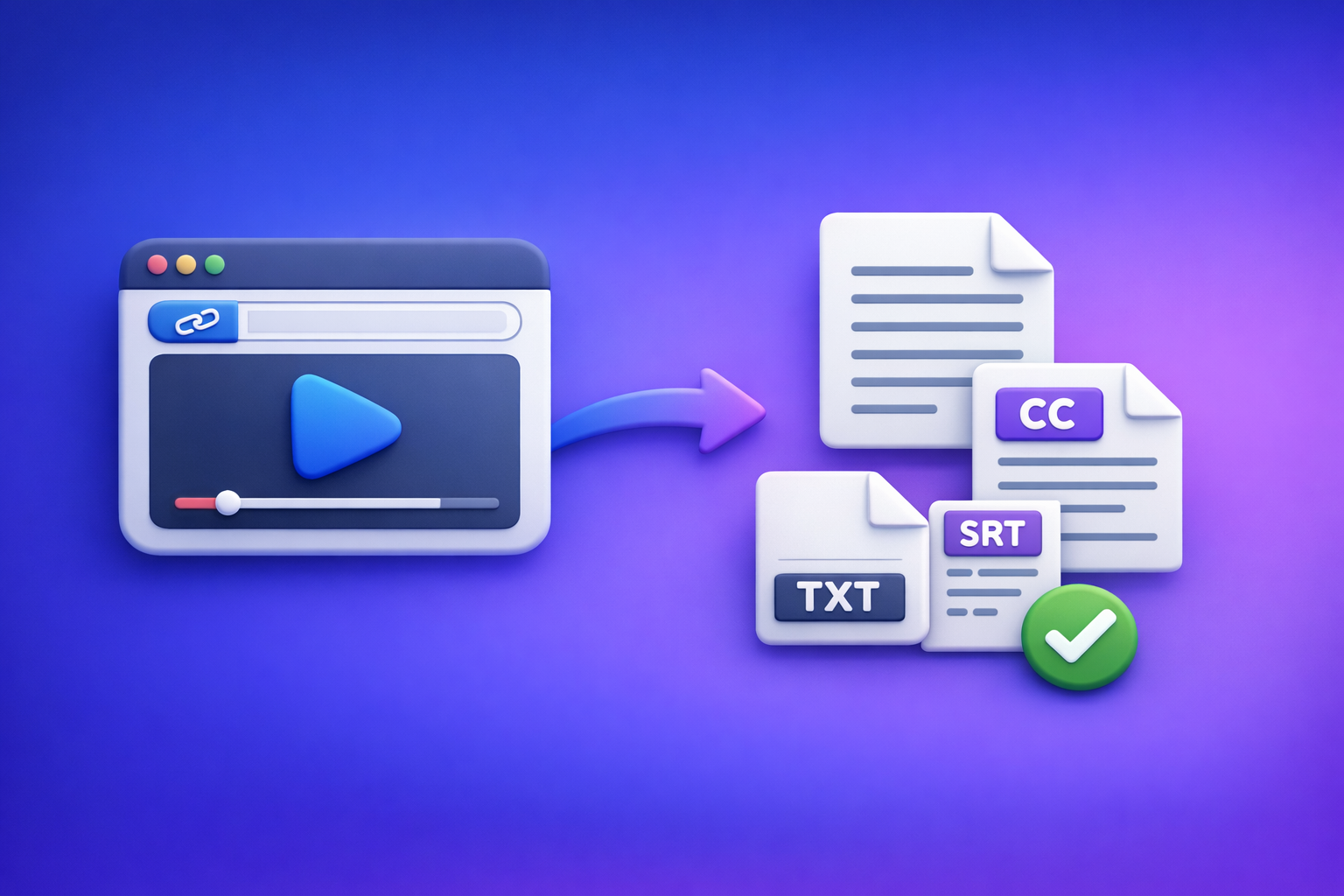
ChatGPT’s “upload video” feature is useful for quick understanding, but it’s not dependable for export-ready transcripts, captions, or timecodes. The production-safe solution is artifact-first: generate TXT + SRT/VTT from a video link (or MP4 when necessary), then use ChatGPT on the verified text.
This is the workflow we recommend at VideoToTextAI: downloading video files as your default is outdated. Link-based extraction is the future of creator productivity because it’s faster, more repeatable, and easier to QA and hand off.
ChatGPT “Upload Video” Feature (2026): What Works, Limits, Fixes, and a Production-Safe Video-to-Text Workflow
Who this guide is for (and what you’ll ship)
If you’re searching for the "chatgpt" "upload video" feature, you usually want one of these outcomes. Pick the outcome first—your workflow changes based on what you need to ship.
If you need “analysis,” “transcript,” or “captions” (pick your outcome first)
- Analysis/Q&A: “What happens in this clip?” “Summarize the argument.” “List key moments.”
- Transcript: A clean, editable TXT you can publish, search, and repurpose.
- Captions: SRT/VTT with timecodes that actually work in YouTube, TikTok, web players, and LMS platforms.
Deliverables this post covers (TXT transcript, SRT/VTT captions, repurposed drafts)
You’ll leave with a workflow that produces:
- TXT transcript (source of truth)
- SRT + VTT captions (publish-ready)
- Repurposed drafts (blog/social/newsletter) generated from verified text
What “ChatGPT upload video” actually means (3 different capabilities)
People say “upload video to ChatGPT” but mean three different things. Mixing them up is why you get missing buttons, failed processing, or unusable outputs.
1) Uploading a video file into ChatGPT (MP4/MOV)
This is the “attach a file” path. It’s the most fragile because it depends on:
- the surface you’re using (web vs mobile),
- the model/tools enabled,
- file size/duration/codec,
- and whether processing completes without timeouts.
2) Sharing a video link (YouTube/Drive/Instagram/TikTok) and asking questions
This is the “paste a URL” path. It can work for best-effort Q&A, but it often fails when:
- the link requires login,
- permissions are restricted,
- the URL expires,
- or the content is geo-blocked.
3) “Watching” video vs extracting speech vs generating timecodes (not the same)
These are different tasks:
- Video understanding: describing scenes, actions, visuals (best-effort).
- Speech extraction: turning audio into text (transcription).
- Timecodes: aligning text to timestamps (captions).
Even when ChatGPT can “understand” a clip, it may not produce export-ready transcripts/captions with consistent time alignment.
Can ChatGPT watch videos you upload?
Sometimes it can process video inputs, but you should treat it as non-deterministic for production deliverables.
What ChatGPT can do well with video (best-effort understanding, Q&A, summaries)
Use it for:
- quick summaries and “what’s this about?”
- extracting themes, claims, and structure
- generating titles, hooks, and talking points from what it can access
What ChatGPT is not reliable for (export-ready transcripts, captions, timecodes)
Don’t bet your publishing workflow on it for:
- complete transcripts (often missing sections)
- accurate names/numbers (common failure mode)
- SRT/VTT timecodes you can upload without drift
The core reliability issue: availability + inconsistent media access across surfaces
The “upload video” experience varies by:
- plan and rollout status
- region
- model/tool availability
- web vs iOS vs Android behavior
- workspace/org policies
That inconsistency is exactly why artifact-first workflows win.
Requirements & limits that cause most “upload video” failures
Most failures are not “user error.” They’re predictable constraints.
Account/surface limits (plan, region, rollout, web vs iOS vs Android)
Common causes:
- upload tools not enabled on your current model
- feature not rolled out to your account/region
- managed workspace policy disabling attachments
- mobile app backgrounding killing long processing
File limits (size, duration, codec/container, audio track presence)
Common causes:
- file too large or too long
- unsupported codec/container combinations
- missing or muted audio track
- multiple audio tracks confusing extraction
Link limits (permissions, login walls, expiring URLs, geo restrictions)
Common causes:
- link works for you but not for a neutral fetcher (requires cookies/login)
- “anyone with link” not actually enabled
- expiring signed URLs
- geo restrictions blocking access
Processing limits (timeouts, backgrounding on mobile, stalled jobs)
Common causes:
- long uploads timing out
- mobile OS suspending the app
- network instability
- stalled processing with no recoverable state
Step-by-step: Production-safe workflow (Link/MP4 → TXT + SRT/VTT → ChatGPT-on-text)
This is the deterministic workflow: generate artifacts first, then use ChatGPT where it’s strongest—on text.
Step 1 — Choose your input path (link-first vs file upload)
Default to link-first. Downloading videos just to re-upload them is an outdated loop.
Use a link when the video is public/accessible (fastest, most repeatable)
Link-first is best when:
- the video is on YouTube/TikTok/Instagram or a shareable host
- your team needs repeatable access
- you want a clean handoff (URL + exported artifacts)
Use an MP4 when the video is private/offline (controlled, but heavier)
MP4 upload is best when:
- the video is internal/private/offline
- you can’t expose a link
- you need controlled source media (original file)
Step 2 — Generate artifacts in VideoToTextAI (the “artifact-first” approach)
VideoToTextAI is built for AI link-based video-to-text workflows that produce shippable outputs.
Output 1: Clean TXT transcript (for editing + prompting)
- Use TXT as your source of truth
- Edit once, reuse everywhere (blog, show notes, docs)
Output 2: SRT/VTT captions (for publishing + accessibility)
- SRT for most platforms
- VTT for web players and some LMS tools
Output 3: Repurposing drafts (blog/social) from verified text
Repurposing works best when the input text is correct. Garbage-in repurposing creates confident nonsense.
Step 3 — QA the transcript before you ask ChatGPT to rewrite anything
A 5-minute QA pass prevents 80% of “AI wrote the wrong thing” problems.
Quick accuracy pass (names, numbers, acronyms, jargon)
- verify names (people, products, companies)
- verify numbers (prices, dates, metrics)
- fix acronyms and domain terms
Structure pass (paragraphing, speaker turns, headings)
- add paragraph breaks every 2–4 sentences
- add speaker labels if needed
- insert simple headings for long videos
Caption pass (line length, punctuation, timing sanity check)
- spot-check 3 segments across the video
- ensure readability on mobile (short lines)
- confirm timing isn’t obviously drifting
Step 4 — Use ChatGPT on verified text (what it’s best at)
Once you have verified TXT/SRT/VTT, ChatGPT becomes a high-leverage editor and strategist.
Prompts for: summaries, outlines, blog drafts, hooks, titles, SEO metadata
Paste verified TXT and use prompts like:
- “Create a blog outline with H2/H3 from this transcript. Audience: __. Goal: __. Include a CTA section and 5 FAQs.”
- “Write a 1,200–1,600 word blog post from this transcript. Keep claims faithful; don’t invent details.”
- “Generate 10 titles, 10 hooks, and a meta description (155 chars max).”
Prompts for: cleaning filler words without changing meaning
- “Remove filler words and tighten sentences without changing meaning. Keep technical terms unchanged.”
Prompts for: extracting quotes + time ranges (from SRT/VTT)
- “From this SRT, extract 8 quotable lines with their time ranges. Return as a table.”
Step 5 — Ship deliverables (where each artifact goes)
Publish transcript (SEO page, blog post, show notes)
- transcript page for SEO and accessibility
- show notes for podcasts/webinars
- internal knowledge base for search
Upload captions (YouTube, TikTok, IG, LMS, internal players)
- upload SRT/VTT to the destination platform
- keep a versioned copy for future edits
Repurpose into content (LinkedIn post, X thread, newsletter)
- turn one video into multiple text assets
- reuse quotes with time ranges for clip editing notes
Implementation walkthrough (10–15 minutes): One video → transcript, captions, repurposed content
Walkthrough A: Start from a YouTube/Instagram/TikTok link
- Paste the video URL into VideoToTextAI
- Export TXT + SRT + VTT
- QA the first 2 minutes + any jargon-heavy segment
- Paste TXT into ChatGPT for a blog outline + draft
- Use SRT/VTT for quotes, chapters, and clip notes
Walkthrough B: Start from an MP4 file
- Upload MP4 to VideoToTextAI
- Export TXT + SRT/VTT
- Fix obvious transcript issues (names, product terms)
- Generate: blog post + LinkedIn post + short-form hooks in ChatGPT
- Publish captions + store artifacts for reuse
Troubleshooting: “ChatGPT video upload failed” (fixes by symptom)
Symptom: No upload button / can’t attach video
Confirm you’re on an upload-capable surface/model
- try web vs mobile (or vice versa)
- switch to a model/tooling setup that supports attachments (if available)
Check workspace policy restrictions (managed orgs)
- some orgs disable attachments by policy
- test with a personal account to isolate policy vs device issues
Browser isolation steps (extensions, profile, cache, private window)
- try a private window
- disable extensions (privacy/script blockers)
- test a clean browser profile
Related deep-dives:
- “Add Files” Button Unavailable in ChatGPT: Causes, Fixes, and a Ship-Now Transcript Workflow (2026)
- “Attachments Disabled for” ChatGPT: What It Means, Why It Happens, and How to Fix It (Ship-Now Workflow Included)
Symptom: Upload stuck / processing failed / timeouts
Reduce file size (trim, lower bitrate) and retry
- trim dead air
- export a lower bitrate MP4 for analysis-only tasks
Avoid mobile backgrounding; keep app foregrounded
- keep the screen on during processing
- use desktop for long jobs
Switch to link-first workflow to bypass upload fragility
If you can share a URL, do it. Link-first avoids the download → upload loop and is more repeatable.
Symptom: “Failed to fetch” / “403” / ChatGPT can’t access my link
Fix permissions (public/unlisted, no login wall)
- open the link in an incognito window
- confirm it plays without signing in
Replace expiring URLs; avoid geo-restricted sources
- regenerate share links that expire
- avoid region-locked sources when possible
Use VideoToTextAI to extract text from the accessible source, then paste text
This is the deterministic fallback: get TXT/SRT/VTT first, then prompt on text.
Symptom: Output is incomplete or inaccurate
Check audio track presence + clarity (music, overlap, noise)
- ensure the video isn’t muted
- reduce background music if possible
Re-run with a cleaner source (original upload vs re-encoded)
- use the original file when available
- avoid heavily compressed re-uploads
Use TXT as source of truth; regenerate captions from corrected text if needed
Treat captions as a derived artifact. Fix the transcript, then re-export.
Checklists (copy/paste)
Practical checklist section
Input readiness checklist (link/file)
- Link opens in an incognito window (no login required)
- Video has a clear audio track (not muted, not music-only)
- No geo restriction for the processing region
- If MP4: standard container/codec, single primary audio track
Transcript readiness checklist (TXT)
- Names/products verified (search/replace)
- Numbers/dates corrected (prices, metrics, timestamps)
- Paragraphs added every 2–4 sentences
- Speaker labels added if needed
Caption readiness checklist (SRT/VTT)
- Lines not overly long (readable on mobile)
- Punctuation added for comprehension
- No obvious timing drift (spot-check 3 segments)
- Export format matches destination (SRT for most platforms, VTT for web)
ChatGPT-on-text checklist (repeatable prompting)
- Paste verified TXT (not raw video)
- Specify output format (H2/H3, bullets, word count)
- Provide audience + goal + CTA
- Ask for citations to time ranges using SRT/VTT when quoting
VideoToTextAI vs Competitors
If your goal is publishable artifacts (TXT + SRT/VTT) and a workflow your team can repeat, compare tools by inputs, exports, and operational handoff—not just “AI accuracy.”
Competitors compared (researched)
- Reduct Video
- Otter AI
- PCMag (aggregator benchmark for evaluation criteria)
Comparison table (workflow-relevant signals)
| Tool | Link-first (paste URL) | Upload-centric workflow | Export-ready artifacts (TXT + SRT + VTT) | Team/collaboration emphasis | Best fit |
|---|---|---|---|---|---|
| VideoToTextAI | Yes (core workflow) | Optional (MP4 when needed) | Yes (TXT + SRT/VTT) | Workflow/hand-off oriented | Creators/marketers shipping transcripts + captions + repurposed content |
| Reduct Video | No strong public signal | Not clearly positioned as link-first | Transcript export signaled; subtitle exports not strongly signaled | Yes | Teams doing collaborative review, searching, highlighting, and transcript-based editing |
| Otter AI | No strong public signal | Positioned around upload/recording flows | Transcript export signaled; subtitle exports not strongly signaled | Yes | Meeting-style capture, summaries, and team notes |
| PCMag (benchmark) | N/A | N/A | N/A | N/A | Evaluation criteria and market overview (not a tool) |
Why VideoToTextAI wins (when you care about shipping)
Based on the research signals above, VideoToTextAI is the strongest fit when you need:
- Workflow speed: URL-first extraction avoids the outdated download → upload loop.
- Link-based input: repeatable, shareable, and easier for teams to rerun.
- Export readiness: TXT + SRT + VTT outputs are designed to be shipped, not just read.
- Operational repeatability: artifact-first outputs make QA and handoff deterministic (text is the source of truth).
When a competitor may fit better (fair call)
- Choose Reduct Video if your priority is collaborative transcript-based review (highlighting, searching, team synthesis).
- Choose Otter AI if your priority is meeting-style note capture and summaries rather than publishable caption exports.
Competitor Gap
What top-ranking pages miss
Many pages ranking for “ChatGPT upload video” miss the practical reality:
- They conflate video understanding with transcription/captions you can export.
- They don’t provide a deterministic fallback when uploads/buttons are missing.
- They skip QA steps that prevent shipping incorrect captions (names, numbers, timing drift).
What this post adds (differentiators)
- Artifact-first workflow (TXT + SRT/VTT) that doesn’t depend on ChatGPT upload availability.
- Symptom-based troubleshooting mapped to root causes (surface/model, policy, browser, network).
- Copy/paste checklists for input readiness, transcript QA, caption QA, and prompting.
For related workflows and fixes, see:
- A Production-Safe Link-Based Video-to-Text Workflow (Transcripts, SRT/VTT Captions, and Repurposing)
- “Attachments Disabled” in ChatGPT: What It Means, Fast Fixes, and a Production-Safe Link → Transcript Workflow (2026)
- Upload Video in ChatGPT (2026): What Works, What Breaks, and the Production-Safe Transcript Workflow
FAQ
Will ChatGPT let me upload a video?
Sometimes. Availability depends on plan, region, rollout status, model/tooling, and surface (web vs iOS vs Android), plus any workspace policies.
Can I upload a video to ChatGPT to analyze?
Often, yes—for best-effort analysis like summaries and Q&A. For production outputs (transcripts/captions), use an artifact-first workflow so you can QA and export reliably.
Can ChatGPT watch videos that I upload?
It may be able to process aspects of video, but “watching” is not the same as producing complete, timecoded captions. Treat it as an assistant for understanding, not a deterministic captioning pipeline.
Can you upload videos from your camera roll to ChatGPT?
On some mobile surfaces, yes—when attachments are enabled. If it’s missing or disabled, switch to a link-first workflow or generate TXT/SRT/VTT first.
Can ChatGPT do video transcription?
It can sometimes approximate transcription, but it’s not consistently reliable for export-ready deliverables. A safer approach is generating TXT + SRT/VTT first, then using ChatGPT to rewrite and repurpose the verified text.
What is the best software to convert video to text?
If you need link-based extraction and export-ready TXT + SRT/VTT for publishing and repurposing, VideoToTextAI is purpose-built for that. If you mainly need meeting notes and collaboration, a meeting-first tool may fit better.
Recommended VideoToTextAI tools (by use case)
MP4 workflows
- MP4 to Transcript:
/tools/mp4-to-transcript - MP4 to SRT:
/tools/mp4-to-srt - MP4 to VTT:
/tools/mp4-to-vtt
Link-based repurposing
- YouTube to Blog:
/tools/youtube-to-blog - TikTok to Transcript:
/tools/tiktok-to-transcript - Instagram to Text:
/tools/instagram-to-text
If you want the fastest, most repeatable path from video link → TXT + SRT/VTT → publishable content, use VideoToTextAI: VideoToTextAI
Internal Link Plan
- ChatGPT “Upload Video” Feature (2026): How It Works, Limits, Fixes, and a Production-Safe Video-to-Text Workflow
- Upload Video in ChatGPT (2026): What Works, What Breaks, and the Production-Safe Transcript Workflow
- “Add Files” Button Unavailable in ChatGPT: Causes, Fixes, and a Ship-Now Transcript Workflow (2026)
- “Attachments Disabled for” ChatGPT: What It Means, Why It Happens, and How to Fix It (Ship-Now Workflow Included)
- A Production-Safe Link-Based Video-to-Text Workflow (Transcripts, SRT/VTT Captions, and Repurposing)
- “Attachments Disabled” in ChatGPT: What It Means, Fast Fixes, and a Production-Safe Link → Transcript Workflow (2026)
Related posts
Reel Analyser (Instagram Reels): Transcript‑First Competitor Research, Hook/CTA Extraction, and Repurposing Workflow (VideoToTextAI)
Video To Text AI
A 2026 reel analyser should turn Instagram Reel links into a searchable transcript library you can tag for hooks, CTAs, objections, and topic clusters—then export into repurposing-ready drafts without a download/upload loop.
Traducir video de Instagram (Reels) en 2026: workflow transcript-first para traducir, sacar hooks/CTAs y repurpose (con VideoToTextAI)
Video To Text AI
Aprende a traducir un Reel de Instagram con un flujo URL→transcripción→traducción→subtítulos, y a convertir esa traducción en un activo de investigación para hooks, CTAs, objeciones y clusters de contenido.
Reel Analyzer: Transcript‑First Instagram Reels Research (Hooks, CTAs, Objections) + Workflow Guide (VideoToTextAI)
Video To Text AI
A reel analyzer should turn any public Instagram Reel link into a searchable transcript library you can mine for hooks, CTAs, objections, and topic clusters—then repurpose into original drafts with a repeatable SOP.