
A Production-Safe Link-Based Video-to-Text Workflow (Transcripts, SRT/VTT Captions, and Repurposing)
 Video To Text AI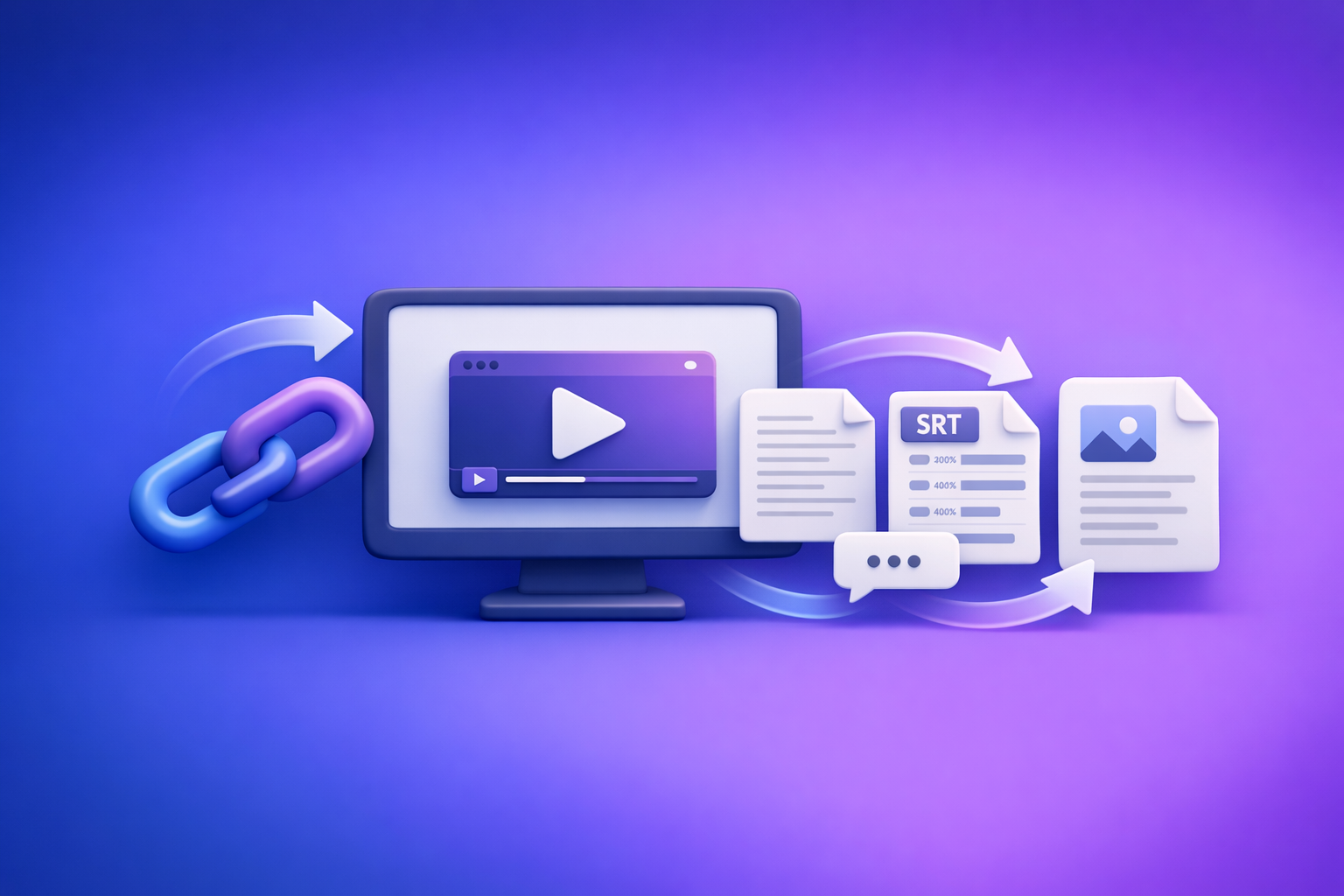
A Production-Safe Link-Based Video-to-Text Workflow (Transcripts, SRT/VTT Captions, and Repurposing)
Stop downloading videos just to get text out of them—use a production-safe link-based workflow that outputs a canonical transcript plus captions you can ship. This guide shows the exact steps to go from link → TXT transcript → SRT/VTT captions → repurposed drafts, with QA checklists that prevent mismatched files and timing drift.
Why “1st one” matters (and what you’ll build)
A “good enough” transcript is easy to generate; a repeatable workflow that survives real production constraints is harder. The goal here is to create auditable artifacts you can version, re-export, and reuse across teams.
The real deliverables: TXT transcript, SRT, VTT, and repurposed drafts
Treat these as separate outputs with different quality requirements:
- TXT transcript (canonical “source of truth”)
- SRT captions (most editors/platforms)
- VTT captions (web players/publishing stacks)
- Repurposed drafts (blog, LinkedIn, X, summaries, clip notes)
Transcript-first is the key: captions and repurposed content should be derived from the transcript, not re-generated ad hoc from the video each time.
When upload-based workflows break (and why link-based wins for production)
Upload-based flows fail in predictable ways:
- Attachments disabled / upload button missing
- Large file limits, slow uploads, timeouts
- Inconsistent results across tools and reruns
- Harder collaboration (files scattered across machines)
Brand POV: downloading video files is an outdated workflow. Link-based extraction is the future of creator productivity because it’s faster to start, easier to repeat, and simpler to operationalize across a team.
If you’re dealing with fragile upload experiences, see:
- “Attachments Disabled” in ChatGPT: Causes, Fixes, and a Production-Safe Transcript Workflow (2026)
- “Add Files” Button Unavailable in ChatGPT (2026): Causes, Fixes, and a Production-Safe Transcript Workflow
What you need before you start
Decide inputs, outputs, and quality targets before you generate anything. This prevents rework and mismatched artifacts.
Inputs (supported video sources)
- Public video URL (YouTube, TikTok, Instagram/Reels, etc.)
- Or MP4 file (local/exported)
Use a link when possible. Use MP4 when the link is gated, unstable, or you need a controlled export.
Outputs (choose what you’ll ship)
Pick outputs up front so you generate the right timestamps and segmentation:
- Transcript (TXT)
- Subtitles/captions (SRT, VTT)
- Repurposed content (blog, LinkedIn, X, summaries)
Related tools (if you’re starting from MP4):
Quality targets (set these upfront)
Define “done” so QA is fast and objective:
- Speaker labels: yes/no
- Timestamp granularity: sentence vs paragraph
- Caption constraints: max characters/line, reading speed, segmentation rules
If you don’t set caption constraints early, you’ll end up with captions that technically sync but are painful to read.
Step-by-step: Link → Transcript → Captions → Repurpose (production-safe)
This is the workflow you can hand to a contractor, editor, or ops teammate and expect consistent outputs.
Step 1 — Capture the source video link (and validate it)
Before you generate anything:
- Confirm the link plays without login, region locks, or age gates
- If it doesn’t, export MP4 and use that instead
- Note:
- Language(s)
- Accents/dialects
- Number of speakers
- Audio risks (music bed, echo, crosstalk, low volume)
Implementation tip: store the source URL in your project doc and in the filename metadata (example naming later). This makes re-runs traceable.
Step 2 — Generate the transcript from a link (primary path)
Your transcript is your canonical artifact. Generate it first, then build everything else from it.
- Produce a clean TXT transcript first (your “source of truth”)
- Export with timestamps if you plan to create captions, clips, or quote pulls
Why transcript-first works: it gives you a stable text layer you can QA, diff, and version—without reprocessing the video every time.
If you’re converting YouTube content into written content, keep this in your stack:
Step 3 — Create captions/subtitles (SRT/VTT) from the same source
Captions should be generated from the same run/source as the transcript to avoid drift.
- Generate SRT for most editors/platforms
- Generate VTT for web players and some publishing stacks
- Ensure consistent timing between transcript and caption files
Decision point: SRT vs VTT
- Choose SRT when your editor/platform expects it (common default)
- Choose VTT when your publishing stack is web-first or requires VTT
If you need both, generate both in the same workflow so they stay aligned.
Step 4 — QA the transcript (fast but strict)
Transcript QA is not “read every word.” It’s a targeted pass that fixes the errors that cause downstream damage (captions, quotes, SEO, product claims).
Transcript QA checklist (copy/paste)
- Names, brands, and product terms spelled correctly
- Numbers, dates, prices, and URLs verified
- Speaker turns correct (or remove speaker labels if unreliable)
- Obvious homophones fixed (their/there, two/too, etc.)
- Technical terms normalized (API, SaaS, acronyms)
- Remove filler words only if you’re producing “clean read” output
Operational rule: if speaker diarization is unreliable, turn it off and ship a clean single-speaker transcript. Bad speaker labels are worse than none.
Step 5 — QA captions (SRT/VTT) for readability + sync
Caption QA is about readability and timing, not perfection. Your goal is “ship-ready,” not “court transcript.”
Caption QA checklist (ship-ready)
- No lines exceed your max characters (e.g., 32–42 chars/line)
- No caption flashes (< 0.8s) or lingers too long (> 6s)
- Sentence breaks follow natural phrasing (not mid-word/mid-name)
- Music/sound cues formatted consistently (if needed)
- First and last captions align with actual speech start/end
Implementation tip: if your captions feel “jumpy,” your segmentation is likely too granular. Prefer phrase-level breaks over word-level breaks.
Step 6 — Repurpose from the transcript (not from the video)
Repurposing from the transcript is faster, easier to QA, and easier to version. It also avoids rewatching long videos just to find one quote.
Repurposing outputs (choose based on distribution)
- Blog post outline + draft (SEO-focused)
- LinkedIn post(s) (hook → value → CTA)
- X thread (key points + proof + takeaway)
- Summary + key quotes + timestamps for editors
Repurposing checklist
- Extract 5–10 “quoteable” lines with timestamps
- Pull 3–5 key takeaways as H2 candidates
- Create a 1-paragraph abstract for newsletters
- Generate 3 titles + 3 meta descriptions from transcript themes
SEO note: your transcript is a keyword and intent goldmine. Use it to identify repeated phrases, objections, and “how-to” steps that deserve headings.
Implementation patterns (pick the one that matches your workflow)
Choose a pattern and standardize it. Consistency is what makes the workflow production-safe.
Pattern A: Creator workflow (fast turnaround)
- Link → transcript → captions → 3 social posts
Best when you need speed and volume, and you can tolerate light editing.
Pattern B: Marketing workflow (SEO + distribution)
- Link → transcript → blog draft → LinkedIn → newsletter snippet
Best when the transcript becomes a content hub that feeds multiple channels.
Pattern C: Ops/Support workflow (knowledge capture)
- Link/MP4 → transcript → summary → SOP/FAQ draft
Best when the goal is internal documentation, training, and searchable knowledge.
Common failure modes (and how to ship anyway)
Production-safe means you can still deliver when tools fail, inputs change, or timing drifts.
If video uploads fail in ChatGPT (or “attachments disabled” appears)
Don’t block the project on uploads.
- Use link/MP4 → transcript artifacts (TXT/SRT/VTT) first
- Then run ChatGPT on text (stable, auditable, versionable)
Related reading:
- Upload Video to ChatGPT (2026): What Actually Works + a Production-Safe Transcript & Captions Workflow
- ChatGPT “Upload Video” Feature (2026): What Works, Why It Fails, and the Production-Safe Transcript Workflow
If the transcript quality is low
Fix the input, not just the output.
- Improve source audio (denoise, normalize) or switch to MP4 export
- Re-run transcript, then re-generate captions from the corrected transcript
Rule: don’t “patch” captions if the transcript is wrong. Correct the transcript, then regenerate.
If timestamps drift
Drift usually happens when you mix artifacts.
- Regenerate SRT/VTT from the same source as the transcript
- Avoid mixing transcript from one run with captions from another
Versioning discipline prevents 80% of drift issues.
Checklist: Production-safe “1st one” workflow (end-to-end)
Use this as your ship checklist:
- Source link validated (or MP4 exported)
- Transcript generated (TXT) and saved as the canonical artifact
- Captions generated (SRT + VTT) from the same source
- Transcript QA completed (terms, numbers, speakers)
- Caption QA completed (length, timing, readability)
- Repurposed assets created from transcript (not from video)
- Final files named/versioned and stored (project + date + language)
Naming convention (practical):
project_topic_YYYY-MM-DD_lang_source.txtproject_topic_YYYY-MM-DD_lang_source.srtproject_topic_YYYY-MM-DD_lang_source.vtt
Example: acme_webinar_api-security_2026-04-26_en_youtube.txt
VideoToTextAI vs Competitors
These tools are commonly evaluated together because they all touch transcription, captions, or editing—but they’re optimized for different jobs. The key evaluation is whether the tool supports a link-first, transcript-first workflow that’s easy to repeat.
Competitors to compare (and why they’re commonly evaluated)
- Descript: popular for editing workflows and transcript-based video editing
- Otter.ai: common for meeting notes and conversation capture
- Rev: known for transcription/caption services and human options
- Whisper (OpenAI) via local/DIY tooling: flexible for teams that want custom pipelines
Comparison criteria (what you should evaluate before choosing)
- Input method reliability (link-based vs upload-only)
- Export formats (TXT, SRT, VTT) and ease of re-export
- Caption controls (line length, segmentation, timing behavior)
- Accuracy levers (speaker diarization, vocabulary, language handling)
- Workflow speed (time-to-first-transcript, batch handling)
- QA/editing experience (corrections, versioning, collaboration)
- Cost model (per-minute vs subscription vs compute/DIY)
- Compliance/operational fit (repeatability, audit trail, storage)
Quick comparison table (workflow-focused)
| Tool | Best for | Link-based input | Exports (TXT/SRT/VTT) | Repurposing workflow | Operational repeatability |
|---|---|---|---|---|---|
| VideoToTextAI | Link → transcript → captions → repurposing | Yes (core workflow) | Yes (workflow artifacts) | Transcript-first repurposing | High (artifact + QA checklist driven) |
| Descript | Editing video/audio with transcript UI | Varies by source/workflow | Commonly supported | Good if you’re editing inside the tool | Medium (depends on project setup) |
| Otter.ai | Meetings, notes, summaries | Limited/varies | Transcript-focused | Better for notes than captions | Medium (meeting-centric) |
| Rev | When you want service-based transcription/captions | Typically upload/service flow | Commonly supported | Less about iterative repurposing | Medium (service workflow) |
| Whisper (DIY) | Custom pipelines, engineering control | Not inherently (you build it) | Yes (you generate) | Strong if you build templates | High for engineers, low for non-technical teams |
Where VideoToTextAI wins (workflow-level):
- Link-based input reduces time-to-first-transcript and avoids upload failures.
- Transcript-first artifacts (TXT → SRT/VTT) make QA and re-export repeatable.
- Repurposing from text is faster and more auditable than reprocessing video.
Where a competitor may be better:
- If your primary need is hands-on timeline editing, Descript can be a better fit as an editor-first environment.
- If you have engineering resources and want full control, Whisper DIY can be ideal—at the cost of setup, maintenance, and non-technical usability.
To run a link-based, transcript-first workflow end-to-end, use VideoToTextAI.
Competitor Gap
Most competitor guides focus on “which tool is most accurate” and skip the operational details that actually determine whether you ship on time. This post includes the missing pieces that make the workflow production-safe:
- A transcript-first “source of truth” approach (TXT before repurposing)
- A ship-ready QA checklist for both transcript and captions
- A fallback path when ChatGPT uploads/features are unavailable
- Clear decision points: when to use link vs MP4, SRT vs VTT
- Versioning/naming conventions to prevent mismatched transcript/caption files
FAQ
How do I convert a video link to a transcript?
- Validate the link plays without login/age gates.
- Generate a TXT transcript first and save it as the canonical artifact.
- If you need captions, export timestamps and generate SRT/VTT from the same source.
What’s the difference between SRT and VTT captions?
- SRT: widely supported in editors and many platforms; simple timed text.
- VTT: common for web players and publishing stacks; web-oriented features.
If you’re unsure, generate both so you can publish anywhere without rework.
Why do my captions look out of sync (and how do I fix it)?
Most sync issues come from:
- Mixing transcript and captions from different runs
- Editing one artifact without regenerating the others
Fix it by regenerating SRT/VTT from the same source as the transcript, then re-QA timing and segmentation.
Can I repurpose a video into a blog post using only the transcript?
Yes—and you should. Repurposing from the transcript is faster and easier to QA than working from the video.
Use the transcript to:
- Extract headings (H2s) from repeated themes
- Pull quotes with timestamps for proof
- Draft meta titles/descriptions from the language your audience actually uses
Related posts
Reel Analyser (Instagram Reels): Transcript‑First Competitor Research, Hook/CTA Extraction, and Repurposing Workflow (VideoToTextAI)
Video To Text AI
A 2026 reel analyser should turn Instagram Reel links into a searchable transcript library you can tag for hooks, CTAs, objections, and topic clusters—then export into repurposing-ready drafts without a download/upload loop.
Traducir video de Instagram (Reels) en 2026: workflow transcript-first para traducir, sacar hooks/CTAs y repurpose (con VideoToTextAI)
Video To Text AI
Aprende a traducir un Reel de Instagram con un flujo URL→transcripción→traducción→subtítulos, y a convertir esa traducción en un activo de investigación para hooks, CTAs, objeciones y clusters de contenido.
Reel Analyzer: Transcript‑First Instagram Reels Research (Hooks, CTAs, Objections) + Workflow Guide (VideoToTextAI)
Video To Text AI
A reel analyzer should turn any public Instagram Reel link into a searchable transcript library you can mine for hooks, CTAs, objections, and topic clusters—then repurpose into original drafts with a repeatable SOP.