
ChatGPT “Upload Video” Feature (2026): What Works, Why Uploads Fail, and the Reliable Link → Transcript Workflow (VideoToTextAI)
 Video To Text AI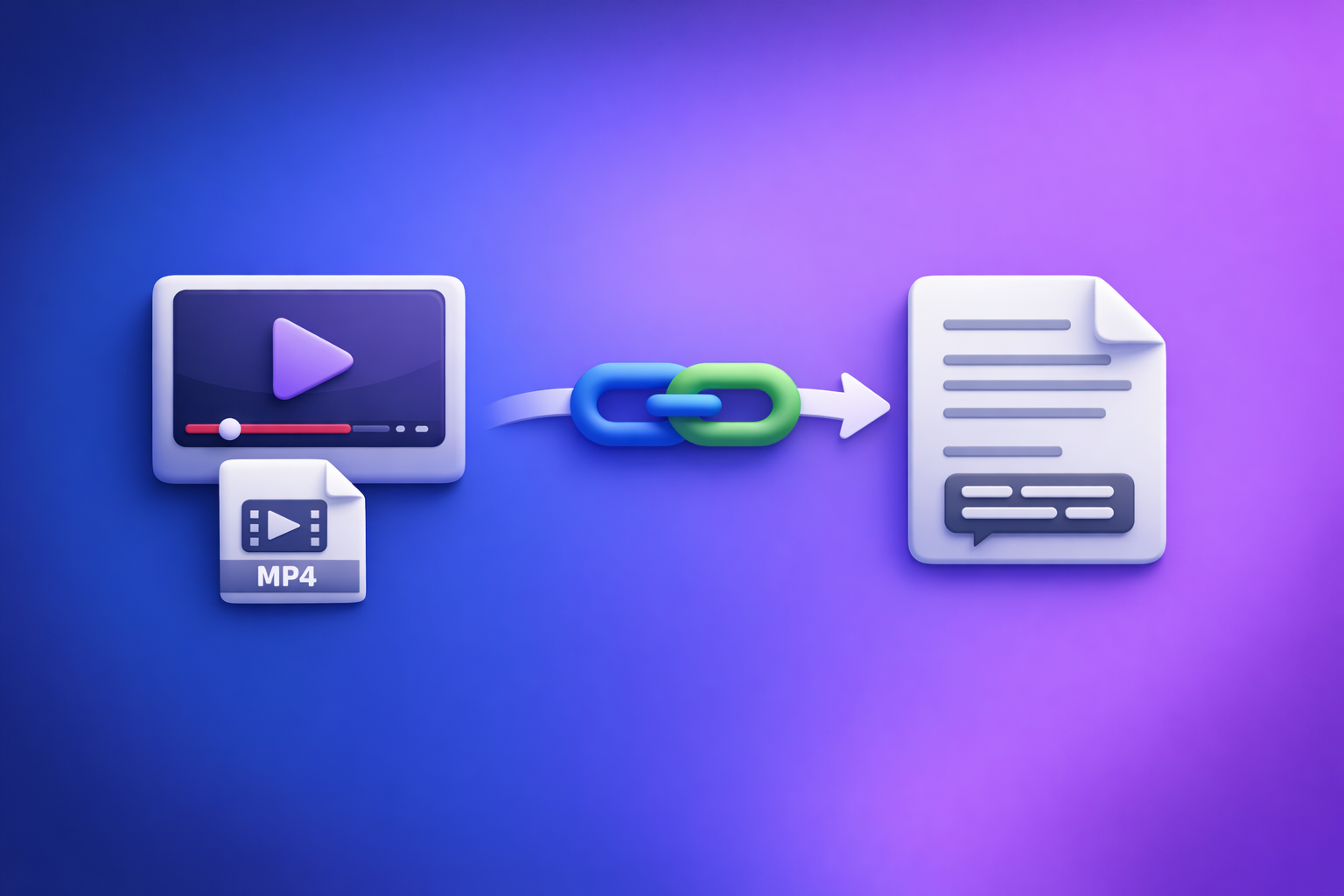
ChatGPT video uploads are not a production workflow—they’re a best-effort feature that often fails due to plan rollouts, file limits, and access issues. The reliable path is video link/MP4 → transcript/subtitles (TXT/SRT/VTT) → ChatGPT on text, so you can ship deterministic outputs every time.
ChatGPT “Upload Video” Feature (2026): What Works, Why Uploads Fail, and the Reliable Link → Transcript Workflow (VideoToTextAI)
Quick Answer: Can ChatGPT Upload Video?
Yes, sometimes—but “upload video” means different things depending on the client and what you’re actually trying to accomplish.
What “upload video” means in ChatGPT (file upload vs link vs screen recording)
In practice, users mean one of these:
- File upload: attaching an MP4/MOV directly in ChatGPT.
- Link sharing: pasting a YouTube/Drive link and expecting ChatGPT to “watch it.”
- Screen recording: recording a clip and uploading the recording file.
Only the first option is a true “upload.” Links are not uploads, and they frequently fail because ChatGPT can’t access the content behind permissions, geo restrictions, or non-direct streams.
What ChatGPT can reliably do with video content (and what it can’t)
ChatGPT is strongest when it has text to work from.
Reliable (when you provide a transcript):
- Summaries, outlines, and key takeaways
- Chapters and titles
- Repurposing into posts, emails, scripts, FAQs
- Extracting action items and structured notes
Unreliable (when you only provide raw video):
- Export-ready transcription with timestamps
- Accurate speaker labeling across long recordings
- Deterministic subtitle files (SRT/VTT) that align with speech
- “Quote-level” accuracy without a transcript layer
When to use ChatGPT vs when to use a transcript-first workflow
Use ChatGPT after transcription when you need language work (structure, rewrite, repurpose).
Use a transcript-first workflow when you need deliverables: TXT + SRT + VTT + timestamps.
This separation is the difference between “it kind of worked” and “we can ship this every week.”
What People Actually Want When They Search “ChatGPT Upload Video Feature”
Most searches aren’t about uploading for its own sake. They’re about outcomes.
Use case map: analyze, transcribe, caption, summarize, repurpose
Common goals behind “upload video”:
- Analyze: “What’s happening in this clip?” “What are the key points?”
- Transcribe: “Give me the exact words.”
- Caption: “Create subtitles I can upload.”
- Summarize: “Turn this into notes.”
- Repurpose: “Make a blog post, LinkedIn post, and X thread.”
Why “analyze my video” ≠ “generate export-ready transcript/SRT/VTT”
Analysis can be approximate. Captions cannot.
If you’re publishing, you need:
- Correct words
- Correct timestamps
- Correct formatting (SRT/VTT rules)
- Repeatable steps your team can run without surprises
The production requirement: deterministic outputs (TXT/SRT/VTT) + repeatable steps
Creators and teams need a pipeline that:
- Works on links (not “download, convert, upload”)
- Produces export-ready files
- Scales across many videos without babysitting
Brand POV: Downloading video files is an outdated workflow. Link-based extraction is the future of creator productivity—fewer steps, fewer failures, faster iteration.
Does ChatGPT Allow You to Upload Videos? (Reality by Client/Plan)
Availability changes by platform and rollout. That’s why people see the button appear/disappear.
Web vs iOS vs Android: why the upload button appears/disappears
Common reasons you don’t see video upload:
- You’re on a client version without the feature enabled
- Your plan doesn’t include the relevant capability
- The feature is in staged rollout (region/account-based)
- The conversation mode/model you selected doesn’t support that input type
Supported formats and common constraints (MP4/MOV, duration, size, timeouts)
Even when upload exists, constraints typically show up as:
- MP4/MOV accepted, but codec matters (H.264/AAC tends to behave better than exotic encodes)
- Duration limits (long files are more likely to timeout)
- Size limits (large uploads fail or stall)
- Processing timeouts (especially on mobile or weak networks)
Links are not uploads: why YouTube/Drive links often don’t work as expected
A pasted link often fails because:
- It’s not a direct downloadable file URL
- It requires login (Drive/Dropbox permissions)
- It’s geo-restricted, DRM-protected, or blocked
- The platform streams via segmented media that isn’t accessible like a single file
If your workflow depends on “paste link and hope,” you’ll keep losing time.
Why ChatGPT Video Uploads Fail (Root Causes You Can Diagnose)
When uploads fail, it’s usually one of these buckets.
Access/permissions failures (private Drive, expiring URLs, geo/DRM restrictions)
Symptoms:
- “Can’t access the file”
- “Something went wrong”
- ChatGPT responds without actually using the content
Check:
- Is the link public without login?
- Does it expire?
- Is the content restricted by region, age gate, or DRM?
File/container issues (codec, variable frame rate, missing/quiet audio track)
Symptoms:
- Upload completes but output is nonsense
- Transcript misses large sections
- Captions drift out of sync
Common causes:
- Unsupported codec inside an MP4 container
- Variable frame rate causing timing drift
- Audio track is missing, muted, or extremely low volume
Length and processing limits (long videos, multi-hour files, background timeouts)
Symptoms:
- Upload stalls at a percentage
- Processing never finishes
- Mobile app closes or resets
Long videos amplify every weak point: network, memory, and server-side timeouts.
Client-side issues (mobile memory, app version, network interruptions)
Symptoms:
- “Upload failed”
- App freezes or restarts
- Works on desktop but not on phone
Fixes:
- Update the app
- Switch networks
- Try desktop web
- Reduce file size (but note: this is still the old “download and fiddle” workflow)
“It uploaded but the output is wrong” (hallucination risk when no transcript exists)
If ChatGPT doesn’t have a clean transcript layer, it may:
- Guess at words
- Fill gaps with plausible-sounding text
- Confidently invent details
For anything publishable, don’t rely on raw-video interpretation.
The Reliable Workflow: Video Link/MP4 → Transcript/Subtitles → ChatGPT (Text-Only)
This is the workflow that behaves like production, not a demo.
Why this works: separate transcription accuracy from language generation
- Transcription is an accuracy problem (audio decoding, diarization, timestamps).
- ChatGPT is a language problem (structure, clarity, repurposing).
When you separate them, you get:
- Deterministic exports (TXT/SRT/VTT)
- Repeatable results across teams
- Fewer “it depends” failures
Outputs you should generate first (TXT + SRT + VTT + timestamps)
Generate these before you ask ChatGPT to do anything:
- Transcript (TXT) for editing and SEO
- Subtitles (SRT) for YouTube and many editors
- Captions (VTT) for web players and platforms that prefer VTT
- Timestamps for chapters, clip lists, and navigation
Where ChatGPT fits best after transcription (cleanup, structure, repurposing)
Once you have text, ChatGPT becomes reliable for:
- Cleaning filler words without changing meaning
- Creating chapters with timestamps
- Turning transcripts into blogs, newsletters, and social posts
- Extracting quotes and key moments (grounded in the transcript)
Step-by-Step: Ship a Transcript + Captions Without Relying on ChatGPT Video Upload
This is the “no surprises” pipeline for creators and marketing teams.
Step 1 — Choose input type (public video link vs local MP4)
Pick the input that matches your reality:
- Public link (preferred): fastest, fewer moving parts, no file wrangling
- Local MP4: use when the video isn’t hosted or can’t be shared as a link
Brand POV: Link-first beats download-first. Downloading, converting, and re-uploading is friction you don’t need in 2026.
Step 2 — Generate transcript + subtitles in VideoToTextAI
Run the conversion in VideoToTextAI and generate:
- TXT transcript
- SRT subtitles
- VTT captions
If you want the fastest path from link to export-ready text, use the platform here (single CTA): VideoToTextAI.
Step 3 — Quality pass (speaker labels, punctuation, terminology, timestamps)
Do one pass at the transcript layer:
- Confirm speaker labels (if needed)
- Fix names, brands, acronyms
- Spot-check timestamps around transitions
- Ensure punctuation is readable for captions
Fixing once at the transcript layer prevents downstream errors in every repurposed asset.
Step 4 — Use ChatGPT on the transcript (not the raw video)
Paste the transcript (or sections) and require grounded outputs.
Prompt: clean up transcript without changing meaning
You are editing a transcript. Clean up filler words and punctuation, but do not change meaning.
Do not add facts. If something is unclear, keep it as-is.
Output: clean transcript in plain text.
Prompt: create chapters with timestamps
Using the transcript below (with timestamps), create 8–12 chapters.
Rules: use only events mentioned in the transcript; include start timestamp for each chapter.
Output format: Markdown list withHH:MM:SS — Chapter title.
Prompt: generate clips/cut list from timestamps + key moments
From this transcript, propose 10 short clips (15–45 seconds).
For each clip: start timestamp, end timestamp, hook line, and why it works.
Quote only from the transcript for hook lines.
Prompt: repurpose into blog/LinkedIn/X threads from the transcript
Repurpose this transcript into:
- a blog post outline (H2/H3),
- a LinkedIn post (≤ 2200 chars),
- an X thread (8 tweets).
Constraints: no invented details, use only transcript content, keep claims attributable to the speaker.
Step 5 — Export and publish (SRT/VTT for platforms, transcript for SEO)
Publish with confidence:
- Upload SRT/VTT to your video platform
- Add the transcript to your blog for indexable text
- Use chapters as headings and anchors for navigation
Related reading (internal):
- Chat GPT Transcribe: What Actually Works in 2026 (Audio, Video Links, and the Reliable Workflow)
- Can ChatGPT Transcribe Videos? What Works in 2026 + The Reliable Link → Transcript Workflow (VideoToTextAI)
- Can ChatGPT Upload Video in 2026? What Works, What Fails, and the Reliable Link → Transcript Workflow (VideoToTextAI)
- ChatGPT “Upload Video” Feature (2026): What Works, What Fails, and the Reliable Link → Transcript Workflow
- Can ChatGPT Transcribe Video? What Works in 2026 (and the Reliable Link → Transcript Workflow)
Implementation Checklist (Copy/Paste)
Inputs checklist (before you run anything)
- Video URL is accessible without login (or you have a direct downloadable link)
- Audio is present and clear (no muted track, no heavy background music)
- Target outputs selected: TXT + SRT + VTT
- Language(s) and speaker labeling requirements defined
VideoToTextAI run checklist
- Paste link or upload MP4
- Generate transcript (TXT) + subtitles (SRT/VTT)
- Verify timestamps align with speech
- Spot-check names/terms; fix once at the transcript layer
ChatGPT-on-text checklist
- Provide transcript + desired output format (bullets, JSON, headings, etc.)
- Require “no invented details” and “quote only from transcript”
- Ask for structured deliverables (chapters, hooks, summaries, FAQs)
Publishing checklist
- Upload SRT/VTT to YouTube/LinkedIn/etc.
- Add transcript to blog post for indexable text
- Reuse chapters as section headings and internal anchors
Troubleshooting: If You Still Need to Use ChatGPT With Video
If the upload button is missing (client/plan/version checks)
- Confirm you’re on the latest app/web version
- Try web vs mobile (feature parity differs)
- Check whether your current model/mode supports file inputs
- If it’s still missing, assume rollout/plan limitation and switch workflows
If “video upload failed” (fast triage by cause)
Diagnose in this order:
- Permissions: private link, login required, expiring URL
- Size/duration: too large or too long for stable processing
- Codec/audio: unsupported encoding, missing/quiet audio track
- Client/network: mobile memory, app crash, unstable connection
If you hit two failures, stop retrying. Uploads are the brittle path.
If you need “analysis,” not transcription (short clip + frames + context)
If your goal is interpretation (not captions):
- Use a short clip
- Provide context (“what should I look for?”)
- Consider extracting key frames and asking targeted questions
If you need “transcription,” stop uploading video and switch to transcript-first
If you need TXT/SRT/VTT, treat transcription as a dedicated step.
ChatGPT becomes the second step: editing and repurposing from text.
Competitor Gap
What competitor posts miss
- They explain “how to upload” but don’t provide a deterministic, export-ready pipeline (TXT/SRT/VTT) you can reuse across tools and teams.
- They under-specify failure diagnosis (permissions, codecs, timeouts) and don’t give a decision tree for when to abandon uploads.
- They don’t separate transcription (accuracy) from rewriting (style), which is why users get inconsistent results.
What this post adds (differentiators)
- A production workflow: link/MP4 → transcript/subtitles → ChatGPT-on-text deliverables.
- Copy/paste checklists + prompts that prevent invented details.
- Clear criteria for when ChatGPT video upload is acceptable vs when it’s a waste of time.
FAQ
Does ChatGPT allow you to upload videos?
Sometimes. Availability depends on client (web/iOS/Android), plan, and rollout status, and it’s constrained by file size, duration, and codecs.
Can I upload a video to ChatGPT to analyze?
For short clips, yes—high-level analysis and summaries can work. For publishable transcripts and captions, use a transcript-first workflow so outputs are grounded and export-ready.
Why won’t ChatGPT let me upload videos?
Most commonly: the upload feature isn’t enabled for your account/client, the file is too large/long, the codec/audio track is problematic, or the link is private/restricted.
Can you upload videos to ChatGPT for free?
Free access varies and changes over time. Even when uploads are available, production teams typically avoid relying on them because the failure rate and constraints are unpredictable.
Recommended VideoToTextAI Tools (Pick Your Workflow)
MP4 inputs
/tools/mp4-to-transcript/tools/mp4-to-srt/tools/mp4-to-vtt/tools/mp4-to-blog-post
Social/video link workflows
/tools/youtube-to-blog/tools/tiktok-to-transcript/tools/instagram-to-text
Internal Link Plan
- ChatGPT “Upload Video” Feature (2026): What Works, Why Uploads Fail, and the Reliable Link → Transcript Workflow
- Chat GPT Transcribe: What Actually Works in 2026 (Audio, Video Links, and the Reliable Workflow)
- Can ChatGPT Transcribe Videos? What Works in 2026 + The Reliable Link → Transcript Workflow (VideoToTextAI)
- ChatGPT “Upload Video” Feature (2026): What Works, What Fails, and the Reliable Link → Transcript Workflow
- Can ChatGPT Upload Video in 2026? What Works, What Fails, and the Reliable Link → Transcript Workflow (VideoToTextAI)
- Can ChatGPT Transcribe Video? What Works in 2026 (and the Reliable Link → Transcript Workflow)
Suggested On-Page SEO Elements
Title tag options (pick one)
- ChatGPT “Upload Video” Feature (2026): What Works + Reliable Link → Transcript Workflow
- Can ChatGPT Upload Video in 2026? Why Uploads Fail + The Transcript-First Workflow
- ChatGPT Upload MP4 (2026): Limits, Failures, and a Better Link-Based Transcript Pipeline
Meta description (1 option, ≤ 155 chars)
ChatGPT video uploads are inconsistent. Use a link/MP4 → TXT/SRT/VTT workflow first, then ChatGPT on text for reliable results.
Suggested schema
- FAQPage (from FAQ section)
- HowTo (from step-by-step + checklist sections)
Related posts
Reel Analyser (Instagram Reels): Transcript‑First Competitor Research, Hook/CTA Extraction, and Repurposing Workflow (VideoToTextAI)
Video To Text AI
A 2026 reel analyser should turn Instagram Reel links into a searchable transcript library you can tag for hooks, CTAs, objections, and topic clusters—then export into repurposing-ready drafts without a download/upload loop.
Traducir video de Instagram (Reels) en 2026: workflow transcript-first para traducir, sacar hooks/CTAs y repurpose (con VideoToTextAI)
Video To Text AI
Aprende a traducir un Reel de Instagram con un flujo URL→transcripción→traducción→subtítulos, y a convertir esa traducción en un activo de investigación para hooks, CTAs, objeciones y clusters de contenido.
Reel Analyzer: Transcript‑First Instagram Reels Research (Hooks, CTAs, Objections) + Workflow Guide (VideoToTextAI)
Video To Text AI
A reel analyzer should turn any public Instagram Reel link into a searchable transcript library you can mine for hooks, CTAs, objections, and topic clusters—then repurpose into original drafts with a repeatable SOP.