
“90 Characters of Copyrighted Text” in ChatGPT/OpenAI: Meaning + Safe Workflows (2026)
 Video To Text AI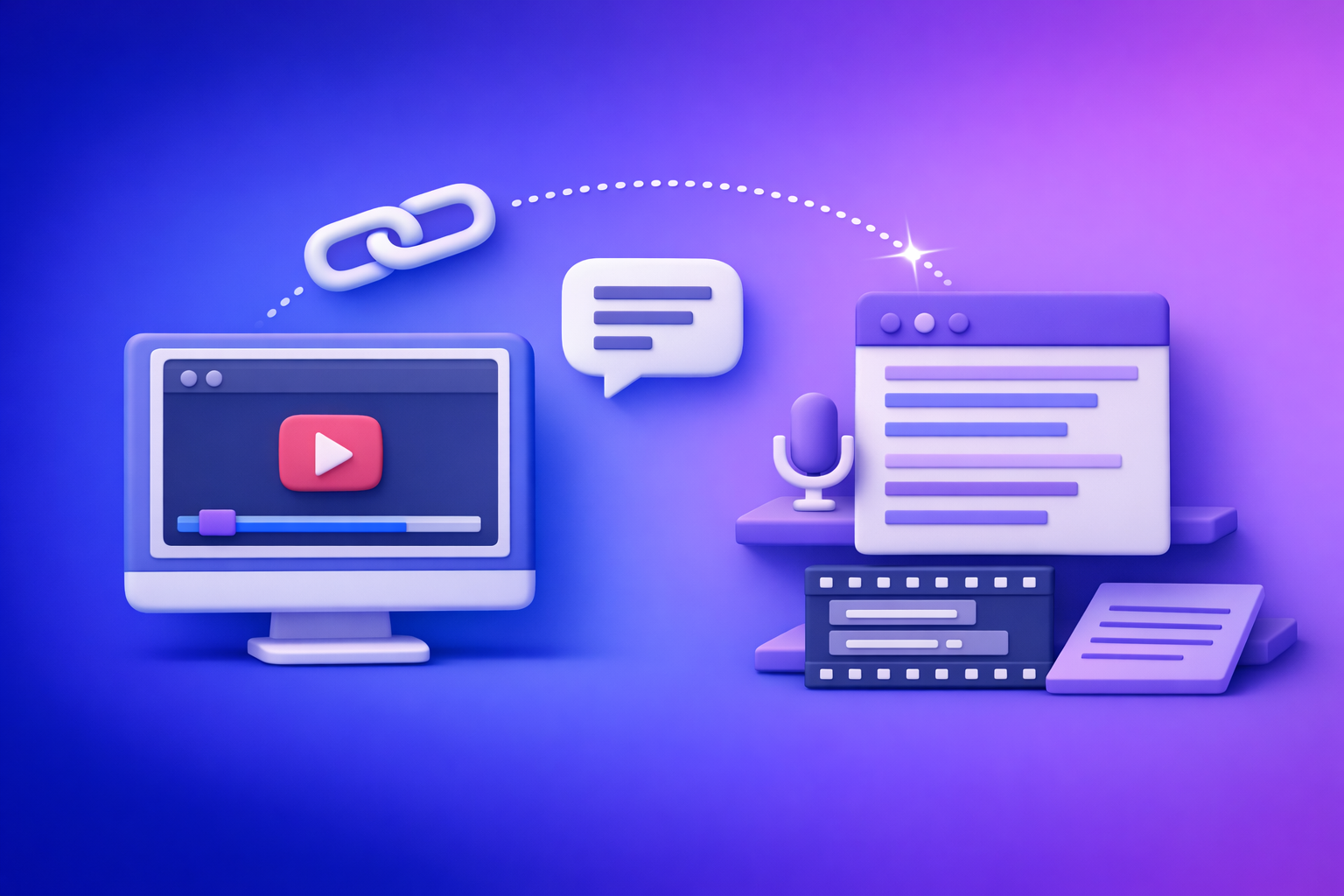
You’re seeing the “90 characters of copyrighted text” warning because your prompt resembles a request for verbatim copyrighted text (or extraction from a protected source). The fix is to ask for transformative outputs (summary, paraphrase, analysis, captions) and use a link → transcript → captions/subtitles → repurpose workflow for video content.
Search intent + who this is for
- Intent: informational (understand the warning + what to do next)
- Audience: creators, marketers, educators, agencies, and SaaS teams using OpenAI/ChatGPT for transcripts, captions, and content repurposing
- Primary keyword cluster: “90 characters”, “copyrighted text”, OpenAI, ChatGPT
TL;DR (decision summary)
- The message usually signals verbatim reproduction risk (your request looks like “copy/paste the original”).
- Ask for summaries, paraphrases, commentary, structure, or quotes you provide—not “exact text.”
- Fastest compliant path for video content: link → transcript → captions/subtitles → repurpose using VideoToTextAI’s link-based tools (downloading video files is an outdated workflow; link-based extraction is the future of creator productivity).
What “90 characters of copyrighted text” actually means (plain-English)
What the warning is (and isn’t)
- It’s not a “limit you can exploit” to get copyrighted text in small chunks.
- It’s a policy/safety indicator that your request resembles verbatim copyrighted text extraction.
- It can trigger even when you think you’re asking for “just a small excerpt,” because the model detects patterns like “exact wording,” “paste,” “word-for-word,” or “from this URL.”
Why “90 characters” shows up
- “90 characters” is best understood as a heuristic threshold used to reduce the chance of generating near-verbatim copyrighted passages.
- Depending on the prompt, the model may:
- Refuse
- Truncate
- Redirect you to summarization or analysis
Common real-world triggers (with examples)
Requests that commonly trigger the warning include:
- “Paste the exact paragraph from chapter 3.”
- “Give me the lyrics to [song].”
- “Transcribe this paywalled article word-for-word.”
- “Continue this text exactly in the author’s style.” (when it implies reproducing protected text)
What OpenAI/ChatGPT generally allows vs. refuses (practical framing)
Allowed (typical safe categories)
These are usually safe because they’re transformative rather than reproducing the original:
- Summaries of copyrighted works (non-verbatim)
- Paraphrasing text you provide (rewrite in your own words)
- Commentary/criticism (themes, arguments, character analysis)
- Extracting facts (not expressive text) and structuring them (tables, outlines, checklists)
Refused or risky (what causes the block)
These commonly look like “give me the original text”:
- Verbatim reproduction beyond short quotes
- Requests for “exact wording,” “word-for-word,” “full transcript of a movie,” “full book chapter,” “full lyrics”
- “Find and paste the exact text from this URL” (especially paywalled or restricted)
If you own the rights (or have permission): what to do
If you’re authorized to use the content:
- Keep source ownership/license context in your workflow (client permission, license terms, internal content policy).
- Use tools that generate transcripts from your own content (or content you’re authorized to process), then request summaries/captions/repurposing rather than “paste the original.”
Step-by-step: how to rewrite your prompt to avoid the “90 characters” block
Step 1 — Remove “verbatim” intent signals
Replace high-risk phrasing:
- Replace: “exact text,” “word-for-word,” “copy/paste,” “full transcript,” “paste the paragraph”
- Use: “summarize,” “outline,” “key points,” “rewrite in my words,” “extract topics,” “analyze”
Step 2 — Ask for a transformation output (not reproduction)
Pick an output that changes form:
- Summary formats: bullet summary, executive brief, chapter outline, meeting notes
- Repurposing formats: blog post, LinkedIn post, email sequence, short-form hooks, FAQ
- Structure formats: table of claims, pros/cons, step-by-step plan, content calendar
Step 3 — Constrain outputs to non-verbatim
Add explicit constraints so the model doesn’t drift into quoting:
- “Paraphrase; do not reproduce long verbatim passages.”
- “If quoting, keep quotes short and only when necessary.”
- “Provide citations as timestamps/sections, not copied text.”
Step 4 — Use your own inputs when you need exact wording
If you need exact quotes:
- Paste the quote you’re allowed to use, then ask for:
- analysis
- rewrite around it
- counterpoints
- positioning
- CTA variants
This keeps the model from “fetching” or reconstructing protected text.
Prompt templates (copy/paste)
Safe summary
- “Summarize the content in 8 bullets. Do not reproduce long verbatim passages; paraphrase.”
Repurpose
- “Turn the transcript into a 900-word blog post with H2s, key takeaways, and a CTA. Paraphrase; no long quotes.”
Captioning
- “Create short captions (max 12 words each) based on the transcript themes; avoid verbatim lines and keep each caption punchy.”
Analysis
- “Provide a critique of the argument: list assumptions, evidence gaps, and 5 counterpoints. No long quotes; paraphrase.”
Safe workflows for video content (where the warning shows up less)
Why video→text is different from “give me the book text”
Video-to-text workflows are typically about:
- Accessibility (captions/subtitles)
- Editing (searchable transcript)
- Repurposing (turning spoken content into posts, blogs, emails)
You still need rights/permission, but operationally you’re not asking the model to “paste a chapter.” You’re transforming a media source into structured assets.
Brand POV: downloading video files is an outdated workflow. It creates friction (uploads, file limits, storage, versioning). Link-based extraction is the future because it’s faster, repeatable, and easier to audit.
Recommended workflow: link → transcript → captions/subtitles → repurpose
Step-by-step implementation (VideoToTextAI)
- Start from a link (YouTube/Instagram/TikTok/podcast/video URL).
- Generate a transcript (editable).
- Export SRT/VTT for subtitles/captions.
- Repurpose into blog/social/email using structured prompts with non-verbatim constraints.
- Store outputs with source URL + timestamps for auditability and team handoffs.
Best-fit VideoToTextAI tools (choose by source)
- YouTube transcript/subtitles: free youtube subtitles
- General transcript workflow: video transcript generator
- Convert video to text: video to text converter
- YouTube repurposing: youtube to blog
- YouTube summary: youtube to summary
- TikTok transcripts: tiktok transcript generator
- Instagram transcripts: instagram transcript from link
Compliance checklist (use before you hit “send”)
Prompt checklist (avoid triggering “90 characters”)
- I’m not asking for “exact text,” “word-for-word,” or full chapter/lyrics
- Output requested is summary/paraphrase/analysis (transformative)
- I added a constraint: “avoid long verbatim quotes”
- If quoting is needed, I supplied the quote and asked for commentary/rewrite around it
Content rights checklist (video/audio)
- I own the content or have permission/license to transcribe
- I’m not extracting from paywalled/unauthorized sources
- I’m using transcripts for accessibility, editing, or repurposing within rights
Output checklist (publish-ready)
- Captions are short and not long verbatim blocks
- Blog/social repurposing is meaning-preserving but not copy/paste
- Source URL + timestamps are saved for traceability
Do/Don’t prompt table (verbatim vs transformative)
| Goal | Don’t ask (high risk) | Do ask (safer) |
|---|---|---|
| Get text from a source | “Paste the exact paragraph from this article.” | “Summarize the article’s main points in 8 bullets; paraphrase.” |
| Continue a work | “Continue this chapter in the author’s exact style.” | “Write an original scene with similar themes; avoid copying phrasing.” |
| Lyrics/book text | “Give me the full lyrics/chapter.” | “Explain themes, plot, and key takeaways; no long quotes.” |
| Captions | “Use the exact lines from the video as captions.” | “Create short captions based on the transcript themes; paraphrase.” |
60-second decision tree (refused → next best action)
- Did you ask for exact wording or full text?
- Yes → rewrite prompt to summary/paraphrase/analysis + add “no long quotes.”
- Do you need exact quotes for compliance or accuracy?
- Yes → paste the quote you’re allowed to use, then ask for commentary or rewrite around it.
- Is your source a video you own/are authorized to process?
- Yes → use a link-based transcript workflow and export SRT/VTT.
- Is the source paywalled/restricted or you lack rights?
- Stop → don’t attempt extraction; request high-level analysis only.
VideoToTextAI vs Competitors
Competitor profiles were not provided in the input (SERP/competitor analysis disabled), so this section focuses on comparison criteria you should use when benchmarking alternatives. To keep comparisons factual, no competitor names or pricing claims are included here.
Comparison criteria (use as a scoring table)
| Criteria | What to check | Why it matters for “90 characters” + repurposing |
|---|---|---|
| Input method | Link-based ingestion vs file upload requirement | Link-based reduces upload friction and supports repeatable SOPs; downloading files is outdated. |
| Export formats | TXT, DOCX, SRT, VTT, timestamped transcript | SRT/VTT unlocks subtitle workflows; timestamps improve auditability. |
| Workflow speed | Time-to-first-transcript, batch support, retries | Faster turnaround reduces manual copying (which triggers verbatim-style prompts). |
| Repurposing outputs | Blog/social/email templates, hooks, summaries | Transformative outputs reduce “verbatim” risk and increase production volume. |
| Compliance controls | Paraphrase constraints, quote-length controls, audit trail | Helps teams avoid accidental long quotes and keep traceability. |
| Reliability | Long videos, speaker changes, noisy audio | Reduces rework and “try again” prompting that can drift into risky requests. |
| Cost predictability | Per-minute vs subscription, overage clarity | Predictable costs matter for agencies and content teams scaling volume. |
Where VideoToTextAI is positioned (what to emphasize)
- Link-based workflows that reduce “upload blocked” friction and eliminate file-handling overhead.
- A repeatable pipeline: transcript → captions/subtitles → repurposing in one operational flow.
- Tool-specific entry points for YouTube/Instagram/TikTok plus general video transcription.
If an alternative tool is better for a narrower job (for example, a specialized editor for manual subtitle styling), it can still fit—VideoToTextAI’s advantage is operational repeatability from link ingestion through exports and repurposing.
Competitor Gap
Most posts about the “90 characters” warning stop at policy explanation. This outline outperforms because it gives implementation-grade next steps.
What most posts miss (and what you should operationalize):
- They explain the warning but don’t provide repeatable creator workflows.
- They don’t connect refusals to prompt rewrites + output constraints you can standardize.
- They ignore operational blockers (uploads disabled, platform limitations) and don’t offer link-based alternatives.
- They skip a pre-flight checklist for rights + prompt compliance.
- They don’t show a pipeline for transcript → SRT/VTT → repurposed assets that teams can run weekly.
FAQ (People Also Ask–aligned)
Why does ChatGPT/OpenAI say “90 characters of copyrighted text”?
Because your prompt looks like it’s requesting near-verbatim copyrighted text (or extraction from a protected source). The model may refuse or redirect you to summarization to reduce reproduction risk.
Is there a legal “90-character rule” for copyrighted text?
No. “90 characters” is not a legal threshold. It’s a heuristic used in safety systems, not a copyright safe harbor.
How can I get a transcript without triggering copyrighted-text blocks?
Use content you own or are authorized to process, then request transformative outputs (summary/captions/repurposing) with “no long quotes” constraints. For video, a link → transcript → SRT/VTT workflow is typically the most reliable operational approach.
Can I summarize a copyrighted book/article in ChatGPT?
Summaries and analysis are generally more likely to be allowed than verbatim reproduction, especially when you explicitly request paraphrasing and avoid “paste the exact text” phrasing.
What should I ask for instead of “paste the exact text”?
Ask for:
- Key takeaways
- Outline
- Argument map
- Pros/cons
- Action plan
- Repurposed formats (blog post, email, social captions) with “paraphrase” constraints
Internal Link Plan (use these in your SOPs)
- 90 Characters of Copyrighted Text in ChatGPT (2026) — Meaning + Safe Workflows
- 90 Characters of Copyrighted Text in ChatGPT: What It Means + Safe, Practical Workflows (VideoToTextAI)
- 90 Characters of Copyrighted Text in ChatGPT: Policy, Safe Alternatives, and a No‑Upload Video→Text Workflow
- “Add Files Is Unavailable” in ChatGPT: Meaning, Fixes (Step-by-Step), and No‑Upload Video→Text Workarounds
- “Add Files” Button Unavailable in ChatGPT (2026): Causes, Fixes (Step-by-Step) + No-Upload Video→Text Workflow
- Czy do ChatGPT można wysłać filmik? (2026) Opcje, limity i najszybszy workflow: link → transkrypcja → napisy → treści
Suggested on-page SEO elements (implementation-ready)
Title tag options (pick one)
- “90 Characters of Copyrighted Text” in ChatGPT/OpenAI: Meaning + Safe Workflows (2026)
- ChatGPT “90 Characters” Copyright Warning: What Triggers It + What to Do Instead
Meta description (≤160 chars)
Understand the “90 characters of copyrighted text” warning in ChatGPT/OpenAI and use safe video→transcript→captions workflows with VideoToTextAI.
URL slug (recommended)
/90-characters-copyrighted-text-openai-chatgpt
Featured snippet targets
- Definition paragraph: what the warning means (see “plain-English” section)
- Bulleted list: triggers (see “Common real-world triggers”)
- Step-by-step: prompt rewrite process
- Checklist: compliance + rights
One repeatable SOP for teams (copy/paste)
- Confirm rights (own/authorized; not paywalled extraction).
- Ingest by link (avoid downloads/uploads when possible).
- Generate timestamped transcript.
- Export SRT/VTT for captions/subtitles.
- Repurpose with prompts that say: “paraphrase; no long quotes.”
- Save source URL + timestamps with deliverables.
For a link-based, repeatable video→text pipeline, use VideoToTextAI: VideoToTextAI
Related posts
Reel Analyser (Instagram Reels): Transcript‑First Competitor Research, Hook/CTA Extraction, and Repurposing Workflow (VideoToTextAI)
Video To Text AI
A 2026 reel analyser should turn Instagram Reel links into a searchable transcript library you can tag for hooks, CTAs, objections, and topic clusters—then export into repurposing-ready drafts without a download/upload loop.
Traducir video de Instagram (Reels) en 2026: workflow transcript-first para traducir, sacar hooks/CTAs y repurpose (con VideoToTextAI)
Video To Text AI
Aprende a traducir un Reel de Instagram con un flujo URL→transcripción→traducción→subtítulos, y a convertir esa traducción en un activo de investigación para hooks, CTAs, objeciones y clusters de contenido.
Reel Analyzer: Transcript‑First Instagram Reels Research (Hooks, CTAs, Objections) + Workflow Guide (VideoToTextAI)
Video To Text AI
A reel analyzer should turn any public Instagram Reel link into a searchable transcript library you can mine for hooks, CTAs, objections, and topic clusters—then repurpose into original drafts with a repeatable SOP.