
ChatGPT “Upload Video” Feature (2026): What Works, What Breaks, and the Production-Safe Link → Transcript Workflow
 Video To Text AI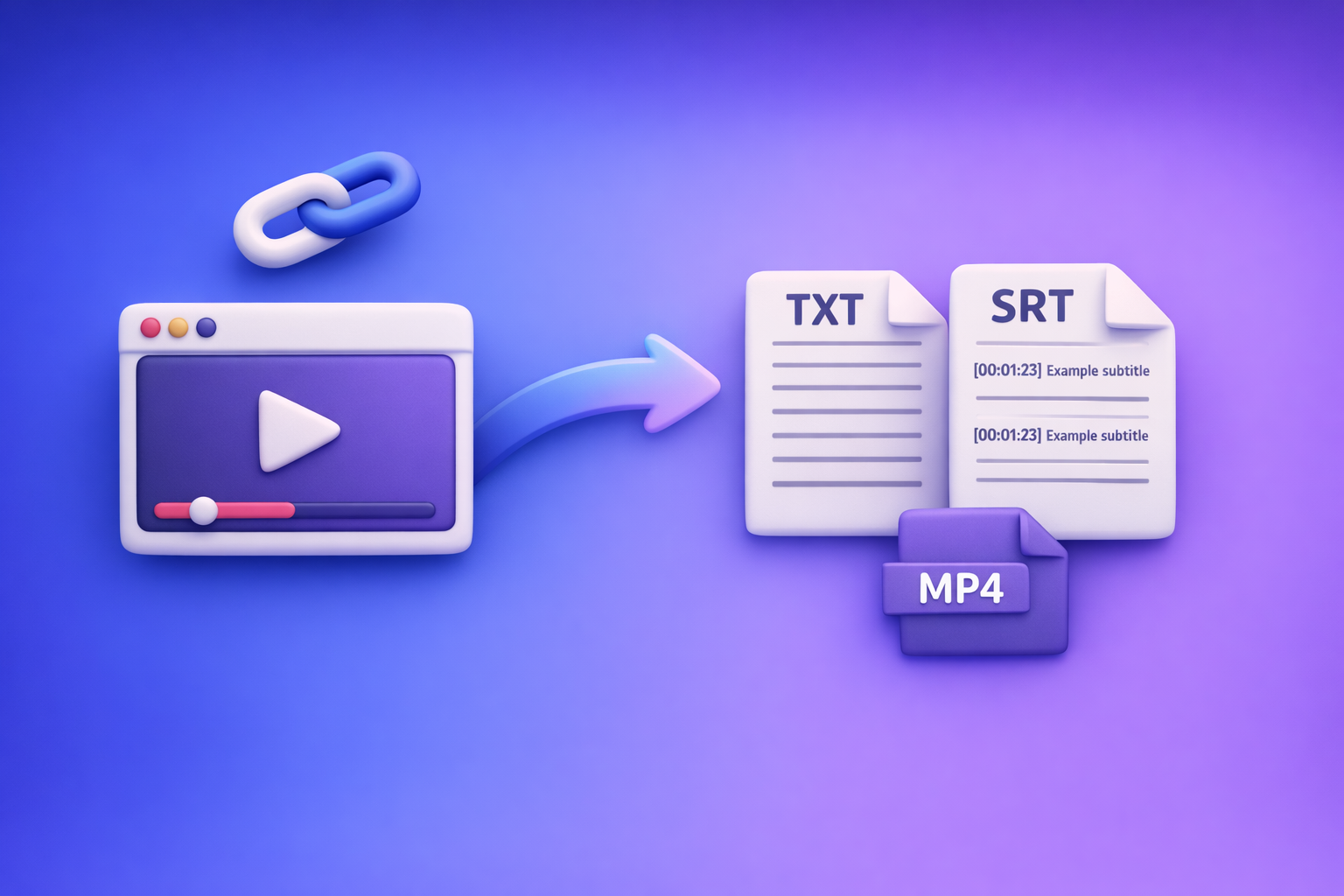
If you need export-ready deliverables (a TXT transcript plus SRT/VTT captions), don’t bet your deadline on the ChatGPT “upload video” feature—use a link/MP4 → artifacts → ChatGPT-on-text workflow. Treat ChatGPT video upload as a convenience layer for quick understanding, not a reliable production pipeline.
Why people search “ChatGPT upload video feature” (the real job-to-be-done)
Most searches aren’t about novelty. They’re about getting from video → usable text with minimal friction.
The 3 common outcomes users want
People usually want one of these:
- A transcript they can copy into docs, briefs, or posts
- Captions/subtitles (SRT/VTT) they can upload to YouTube, TikTok, or a player
- Repurposed content (summary, blog, clips, social posts) generated from what was said
The mismatch: “upload video” sounds like a pipeline, but behaves like a demo
“Upload video” implies:
- consistent ingestion
- predictable processing time
- deterministic exports (TXT/SRT/VTT)
- repeatable results at scale
In practice, it often behaves like a best-effort analysis tool with variable availability and non-deterministic outputs.
When you should not rely on ChatGPT for video deliverables (deadlines, compliance, scale)
Avoid relying on ChatGPT uploads when you need:
- Client deliverables (SRT/VTT must validate and sync)
- Deadlines (timeouts, attachment failures, inconsistent behavior)
- Compliance workflows (repeatable QA, auditability, retention controls)
- Batch processing (multiple videos, consistent formatting, predictable exports)
If your job is “ship captions today,” downloading files and hoping attachments work is an outdated workflow. Link-based extraction is the future of creator productivity because it removes the most fragile step: manual file handling.
Does ChatGPT allow video uploads? (current reality + constraints)
Sometimes. Availability depends on where you’re using ChatGPT and what your account is allowed to do.
What “video upload” can mean (file upload vs link vs screen recording)
“Upload video” gets used to describe three different things:
- File upload: attach an MP4/MOV to a chat
- Link sharing: paste a URL and ask for analysis (often limited by access)
- Screen recording: you upload a recording of your screen (still a file)
Only the first is truly “upload,” and it’s the one most likely to hit constraints.
Typical limitations that matter for real work
File size/duration limits and timeouts
Common failure modes:
- upload stalls or fails mid-transfer
- processing times out on longer clips
- results truncate or skip sections
Even if you get an answer, it may not be complete enough to ship.
Model/surface availability (feature not present everywhere)
Uploads can be missing depending on:
- web vs mobile app
- selected model
- region/rollout state
- workspace policy (business/enterprise controls)
Export limitations (no deterministic TXT/SRT/VTT artifacts)
For production, you need artifacts:
- TXT transcript you can store, diff, and QA
- SRT/VTT captions with timecodes that validate in players
ChatGPT may generate “transcript-like text,” but it’s not a deterministic captioning exporter.
What ChatGPT can do well with a short clip
When it works, ChatGPT is useful for:
- identifying topics and key moments
- summarizing a short segment
- extracting a few quotes
- describing visible elements (if the clip is short and clear)
What it’s not reliable for (transcription, captions, timecodes, batch)
Not production-safe for:
- full-length transcription accuracy
- consistent timecodes
- SRT/VTT formatting that validates
- batch processing across many videos
- repeatable outputs you can QA and ship
How to upload a video to ChatGPT (desktop + mobile)
Use this when your goal is low-stakes understanding, not deliverables.
Desktop (web app): the fastest path when the feature is available
Step-by-step: attach video, set task, request structured output
- Open ChatGPT in your browser.
- Start a new chat (reduces state-related weirdness).
- Look for Attach / Add files near the message box.
- Select your video file (prefer MP4 H.264).
- In your message, specify the task and output format.
Ask for structure so you can reuse the output:
- bullet summary
- key moments list
- quotes (with approximate timestamps if possible)
Prompt template: analysis-only vs transcript-like output
Analysis-only (recommended for uploads):
Watch this clip and produce:
1) 8–12 bullet summary
2) key moments (time ranges if you can)
3) 5 notable quotes (with approximate time)
Do NOT invent details you can’t verify.
Transcript-like (use cautiously):
Create a transcript-like output for this clip.
If you are unsure of exact words, mark [unclear].
Do not fabricate timecodes.
Return as plain text with paragraph breaks.
iPhone/iOS: “ChatGPT upload video feature iPhone” walkthrough
Step-by-step: attach from Photos/Files, reduce size if needed
- Open the ChatGPT iOS app.
- Start a new chat.
- Tap the + / attachment icon (if present).
- Choose Photos or Files and select the video.
- If upload fails, reduce size:
- trim to 2–3 minutes
- lower resolution (e.g., 1080p → 720p)
- export as MP4 (H.264)
Android: “ChatGPT upload video feature android” walkthrough
Step-by-step: attach from Gallery/Files, handle permissions
- Open the ChatGPT Android app.
- Start a new chat.
- Tap attachment (if present).
- Choose Gallery or Files.
- If you don’t see your video:
- grant storage/media permissions
- move the file to a local folder accessible by the picker
If you can’t upload: the 60-second decision tree
“Add files is unavailable” / “attachments disabled” signals
Stop and reassess if you see:
- Add files is unavailable
- Attachments disabled
- no attachment button at all
- repeated upload failures across multiple files
When to stop troubleshooting and switch workflows
If you need TXT/SRT/VTT today, stop after 10 minutes of troubleshooting. Switch to a workflow that doesn’t depend on fragile UI entitlements.
Related troubleshooting deep-dives:
- “Add Files Is Unavailable” in ChatGPT: Fix It Fast (and Use a No-Upload Video→Text Workflow)
- “Attachments Disabled for” ChatGPT: What It Means, Why It Happens, and the Fastest Fix (Plus a No-Upload Video-to-Text Workflow)
Why you’re not able to upload video on ChatGPT (root causes + exact fixes)
Use this order. It isolates the highest-probability causes first.
1) Surface/model mismatch (you’re in a context that doesn’t support uploads)
Symptoms:
- no attachment button
- uploads work on mobile but not web (or vice versa)
- uploads work in one chat but not another
Fix:
- switch surface (web ↔ mobile)
- start a new chat
- change model (if available)
- update the app/browser
2) Plan/workspace policy restrictions (entitlements/admin settings)
Symptoms:
- personal account works, work account doesn’t
- “attachments disabled” in a managed workspace
Fix:
- test in a personal account
- request admin enablement
- verify org policy for file uploads/data controls
3) Browser/app issues (extensions, cache, corrupted profile)
Symptoms:
- button present but upload fails instantly
- stuck progress bar
- inconsistent behavior across browsers
Fix:
- try incognito/private mode
- disable extensions (privacy/script blockers often break uploads)
- create a fresh browser profile
- clear site data for ChatGPT
4) Network/security blocks (VPN, corporate proxy, content filters)
Symptoms:
- uploads fail only on corporate Wi‑Fi
- works on hotspot
- intermittent failures
Fix:
- try an alternate network
- disable VPN temporarily
- ask IT to allowlist required domains/services
5) File constraints (codec, container, size, duration)
Symptoms:
- one file fails, another succeeds
- MOV fails, MP4 works
- long videos fail consistently
Fix:
- re-encode to MP4 (H.264)
- trim to 2–3 minutes for testing
- lower resolution/bitrate
10-minute triage: keep trying ChatGPT or switch to a production workflow
This prevents “debugging as a strategy.”
Step 1: run a known-good control clip (2–3 minutes)
Use a short MP4 that you know plays everywhere. If that fails, it’s not your content—it’s the surface/policy/network.
Step 2: define your deliverable (TXT vs SRT/VTT vs summary)
Be explicit:
- Summary only (low risk)
- Transcript (TXT) (needs completeness)
- Captions (SRT/VTT) (needs timecodes + validation)
Step 3: choose the correct path
Path A: low-stakes understanding → ChatGPT upload is acceptable
Use uploads when you just need:
- a quick summary
- a list of topics
- a few quotes
Path B: export-ready transcript/captions → use link/MP4 → artifacts → ChatGPT-on-text
If you need shippable outputs, use a deterministic pipeline:
- generate TXT + SRT + VTT
- QA the artifacts
- then use ChatGPT on the transcript for repurposing
The production-safe workflow: Link/MP4 → TXT + SRT/VTT → ChatGPT-on-text (VideoToTextAI)
This workflow is built for shipping. It removes the most failure-prone step: manual downloading and re-uploading.
Why this workflow wins (repeatability, QA, export formats, fewer failure points)
You get:
- repeatable ingestion (links or MP4)
- deterministic artifacts (TXT/SRT/VTT)
- QA checkpoints (timestamps, names, speaker turns)
- repurposing speed (ChatGPT works best on clean text)
Downloading video files is an outdated workflow. Link-based extraction is the future because it eliminates download/upload loops and keeps teams moving.
Step-by-step implementation (VideoToTextAI)
Step 1: choose input type (YouTube/Instagram/TikTok link or MP4)
Pick the fastest input for your situation:
- public video URL (preferred)
- direct MP4 upload (when links aren’t possible)
Step 2: generate artifacts (TXT transcript + SRT/VTT captions)
Export what production actually needs:
- TXT for docs, search, and prompts
- SRT for most editors/platforms
- VTT for web players and accessibility workflows
Helpful tools:
Step 3: QA pass (timestamps, speaker turns, terminology, names)
Do a fast, disciplined QA:
- spot-check timestamps
- fix names/brands/acronyms
- normalize punctuation for readability
Step 4: repurpose in ChatGPT using the transcript (not the video)
Paste the transcript (or chunk it) and ask for:
- summaries
- chapters
- blog drafts
- clip lists
- quote pull sheets
For link-to-content workflows, see:
If you want the fastest link-first pipeline end-to-end, use VideoToTextAI: VideoToTextAI
What to do with the outputs (practical deliverables)
Transcript → executive summary + action items
- decisions made
- owners + deadlines
- risks and open questions
Transcript → chapters + titles + descriptions
- chapter timestamps
- SEO-friendly titles
- description + key links
Transcript → clip list/cut list for editors
- “start/end” ranges
- hook line + payoff
- why the clip matters
Transcript → SEO blog draft + internal links
- H2/H3 outline
- FAQs
- internal link suggestions
Captions (SRT/VTT) → platform-ready subtitles
- upload directly to platforms
- validate sync in a player/editor
- keep as a versioned artifact
Implementation checklist (copy/paste)
Inputs checklist
- Video link works without login (or MP4 is available)
- Audio quality check (music/overlap/noise)
- Target language + proper nouns list (names, brands, acronyms)
Processing checklist
- Export TXT transcript
- Export SRT captions
- Export VTT captions
QA checklist (minimum viable)
- Spot-check 5 timestamps across the video
- Verify speaker labels (if needed) and punctuation
- Fix top 10 terminology errors (names/products)
ChatGPT-on-text checklist
- Paste transcript (or chunk it) and request structured outputs
- Ask for: outline, key quotes with timestamps, repurposed formats
- Save prompts + outputs as reusable templates
Prompt pack: what to ask ChatGPT after you have the transcript
Use these after you have clean text (this is where ChatGPT is most reliable).
Transcript cleanup + formatting
Clean up this transcript for readability:
- fix punctuation and paragraphing
- keep wording faithful (no rewriting meaning)
- mark unclear audio as [unclear]
Return: clean transcript + a list of 15 corrected proper nouns.
Summary for stakeholders (bullets + decisions + risks)
Summarize for stakeholders:
1) 10-bullet summary
2) decisions made
3) action items (owner, due date if mentioned)
4) risks/unknowns
Keep it strictly grounded in the transcript.
Blog post generation (SEO draft + headings + meta)
Turn this transcript into an SEO blog draft:
- propose title + meta description
- H2/H3 outline
- draft sections with short paragraphs and bullets
- include an FAQ section
Do not add claims not supported by the transcript.
Social repurposing (LinkedIn, X, short hooks)
Create repurposed social content:
- 5 LinkedIn posts (120–220 words)
- 10 short hooks (<= 140 characters)
- 5 quote cards (quote + context)
Include timestamps for each quote.
Caption improvements (line length, readability, platform rules)
Improve these captions for readability:
- keep timing as-is
- enforce short line length
- remove filler words only if it doesn’t change meaning
Return: revised captions in the same format (SRT or VTT).
VideoToTextAI vs Competitors
“ChatGPT upload video feature” users typically care about speed, reliability, and export-ready outputs. Below is a fair comparison using publicly signaled workflow features from researched sources (not pricing or undocumented limits).
| Tool | Link-based input (URL-first) | Export-ready artifacts (TXT/SRT/VTT) | Repurposing workflow | Operational repeatability (QA + scale) | Best fit |
|---|---|---|---|---|---|
| VideoToTextAI | Yes (link/MP4 workflows) | Yes (focus on TXT + SRT + VTT deliverables) | Strong: transcript-first → ChatGPT-on-text | Strong: fewer upload blockers, artifact QA | Teams shipping transcripts/captions + repurposed content |
| Reduct Video (reduct.video) | Not a strong public signal | Transcript export is emphasized; subtitle exports not strongly signaled | Some summary/synthesis features | Strong for collaborative transcript-based review | Research, collaboration, transcript-centric video review |
| VideoTranscriber.ai (videotranscriber.ai) | Yes (URL-first is emphasized) | Subtitles/captions are signaled; exports vary by tool | Limited public positioning on blog/social repurposing | Good for quick link transcription | Fast, no-login style link transcription use cases |
| Zapier roundup (zapier.com) | Not a tool; buyer/workflow benchmark | N/A | N/A | N/A | Comparing categories and workflows, not generating artifacts |
Why VideoToTextAI wins for “upload video” jobs (when the goal is shipping):
- Workflow speed: URL-first avoids download → upload loops that slow teams down and fail under policy/network constraints.
- Reliability: fewer “attachments disabled/add files unavailable” blockers because the workflow doesn’t depend on ChatGPT’s attachment UI.
- Export readiness: production needs deterministic TXT + SRT + VTT, not “transcript-like text” in a chat window.
- Repurposing: ChatGPT is most consistent when you feed it clean transcript text, not raw video.
- Repeatability: artifacts enable QA (spot-check timestamps, fix names) and consistent delivery.
Where competitors may be better for a narrower job:
- Reduct can be a better fit when you need collaborative review and transcript-based editing in a team workspace.
- VideoTranscriber.ai can be a good fit for quick URL transcription when you don’t need a structured repurposing workflow.
Competitor Gap
What top-ranking pages/forums miss
Most pages stop at “can it upload?” and skip what matters in production:
- They don’t provide a production path to TXT/SRT/VTT artifacts.
- They skip ordered troubleshooting (surface/model vs policy vs browser vs network).
- They don’t separate analysis from deliverables (experimentation vs deadlines).
How this post closes the gap
You now have:
- a decision tree + exact fixes for upload failures
- a deterministic no-upload workflow for shipping outputs
- a step-by-step implementation + QA checklist + prompt pack for repurposing
FAQ
Does ChatGPT allow video uploads?
Sometimes. It depends on the app/surface, model, and account/workspace policy. Even when available, it’s not designed as a deterministic transcript/caption exporter.
Can I upload a video to ChatGPT to analyze?
Yes, for short clips and low-stakes tasks like summarization or identifying key moments. For production deliverables, use a transcript-first workflow.
Can ChatGPT watch videos you upload to it?
It may be able to interpret aspects of a short clip in some contexts, but it’s not a reliable substitute for a dedicated transcription/caption pipeline with exportable artifacts.
Why am I not able to upload video on ChatGPT?
Common causes: surface/model mismatch, workspace restrictions, browser/app issues, network/security blocks, or file constraints (codec/size/duration). Use the ordered fixes above, then switch workflows if you need deliverables.
Can ChatGPT do video transcription?
It can sometimes produce transcript-like text from short clips, but it’s not production-safe for full transcription with consistent timecodes and export-ready SRT/VTT.
What is the best software to convert video to text?
For real deliverables, choose a tool that supports link-based input and exports TXT + SRT + VTT, then use ChatGPT on the transcript for repurposing. For more on the “no upload” approach, see: ChatGPT “Upload Video” Feature (2026): What Works, What Breaks, and the Reliable Link → Transcript Workflow
Internal Link Plan
- ChatGPT “Upload Video” Feature (2026): What Works, What Breaks, and the Reliable Link → Transcript Workflow
- “Add Files Is Unavailable” in ChatGPT: Fix It Fast (and Use a No-Upload Video→Text Workflow)
- “Add Files” Button Unavailable in ChatGPT (2026): Root Causes, Exact Fixes, and a No-Upload Transcript Workflow
- “Attachments Disabled for” ChatGPT: What It Means, Why It Happens, and the Fastest Fix (Plus a No-Upload Video-to-Text Workflow)
- MP4 to transcript
- MP4 to SRT
- MP4 to VTT
- YouTube to blog
Related posts
Reel Analyser (Instagram Reels): Transcript‑First Competitor Research, Hook/CTA Extraction, and Repurposing Workflow (VideoToTextAI)
Video To Text AI
A 2026 reel analyser should turn Instagram Reel links into a searchable transcript library you can tag for hooks, CTAs, objections, and topic clusters—then export into repurposing-ready drafts without a download/upload loop.
Traducir video de Instagram (Reels) en 2026: workflow transcript-first para traducir, sacar hooks/CTAs y repurpose (con VideoToTextAI)
Video To Text AI
Aprende a traducir un Reel de Instagram con un flujo URL→transcripción→traducción→subtítulos, y a convertir esa traducción en un activo de investigación para hooks, CTAs, objeciones y clusters de contenido.
Reel Analyzer: Transcript‑First Instagram Reels Research (Hooks, CTAs, Objections) + Workflow Guide (VideoToTextAI)
Video To Text AI
A reel analyzer should turn any public Instagram Reel link into a searchable transcript library you can mine for hooks, CTAs, objections, and topic clusters—then repurpose into original drafts with a repeatable SOP.