
ChatGPT “Upload Video” Feature (2026): What Works, Why Uploads Fail, and the Production-Safe Link → Transcript Workflow
 Video To Text AI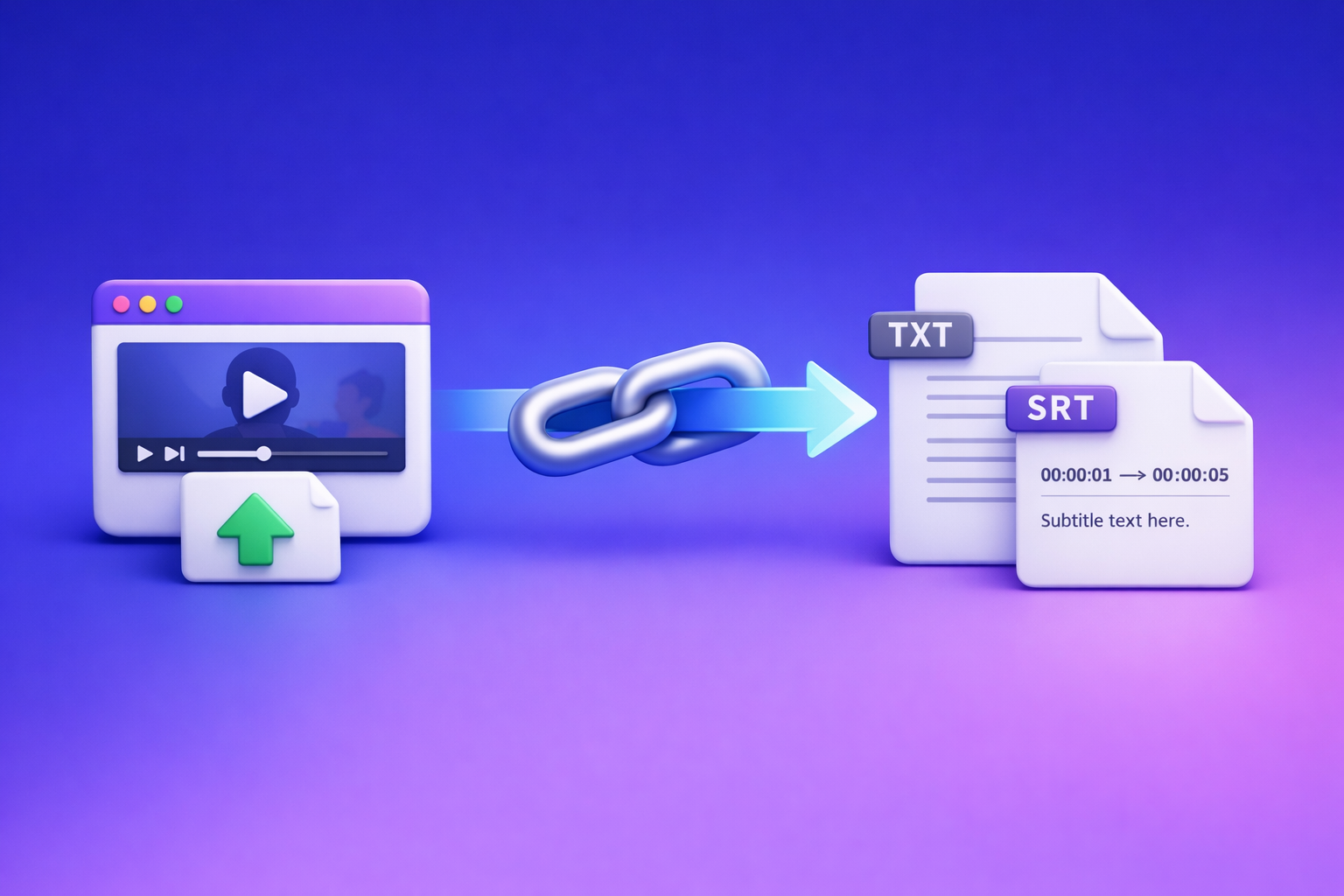
ChatGPT “Upload Video” Feature (2026): What Works, Why Uploads Fail, and the Production-Safe Link → Transcript Workflow
If you need a publishable transcript or timecoded captions, don’t rely on ChatGPT video uploads—generate TXT + SRT/VTT artifacts first, then run ChatGPT on the text. The production-safe approach is link-based extraction (not downloading files) because it’s faster, repeatable, and QA-able.
Who this is for (and what you’ll get)
If you’re trying to…
- Upload an MP4/MOV into ChatGPT and it fails (or the button is missing).
- Paste a YouTube/Drive/Dropbox link and ChatGPT can’t access it (403/permissions).
- Get export-ready outputs: transcript (TXT) + captions/subtitles (SRT/VTT).
- Repurpose video into chapters, clips, posts, and a blog without re-uploading.
What you’ll walk away with (deliverables + decisions)
- A clear decision: when ChatGPT video upload is “good enough” vs when it’s the wrong tool.
- A deterministic workflow: Link/MP4 → TXT + SRT/VTT → ChatGPT-on-text.
- Copy/paste prompt blocks for summaries, chapters, clip lists, and SEO outlines.
- A practical checklist and fast triage map for “ChatGPT video upload failed.”
Quick answer: Does ChatGPT allow video uploads?
The reliable truth: “sometimes” (depends on client, plan, rollout, and constraints)
In 2026, “ChatGPT upload video feature” is not universally available. Even when you see an upload icon, success depends on file size, duration, codec/container, network stability, and server-side limits.
What ChatGPT can do well with video (analysis)
- Quick high-level understanding of a short clip.
- Identifying themes, objects, or what’s happening in a scene.
- Drafting notes or a rough summary when the clip is short and audio is clean.
What ChatGPT is not reliable for (production transcripts + timecoded captions)
- Complete transcripts for long videos (timeouts and truncation are common).
- Timecoded captions (SRT/VTT) with consistent segmentation.
- Repeatable results you can QA and ship across platforms.
If you need outputs you can publish, treat video upload as a convenience feature—not your pipeline.
What people mean by “ChatGPT upload video feature”
Uploading a file (MP4/MOV) inside ChatGPT
This is the literal “attach a file” flow. It can work, but it’s the most failure-prone path for longer videos.
Sharing a link (YouTube / Google Drive / Dropbox) and asking ChatGPT to “watch it”
Many users assume ChatGPT can open any link and “watch.” In practice, link access often fails due to permissions, auth walls, region locks, or blocked fetches.
“Understand the clip” vs “generate export-ready artifacts (TXT/SRT/VTT)”
These are different jobs:
- Understanding: acceptable if it’s approximate.
- Artifacts: must be complete, timecoded, and reusable.
What works vs. what fails (real constraints in 2026)
What tends to work
Short clips with clear audio
- Under a few minutes is the safest range.
- Minimal background noise improves results.
Simple codecs/containers (common MP4)
- Standard H.264/AAC MP4 is less likely to error than unusual encodes.
Publicly accessible links (no auth walls)
- Links that open in an incognito browser window are more likely to be accessible.
What fails most often (and why)
Missing upload button (account/rollout/client mismatch)
- Feature flags vary by account, region, and client (web vs mobile).
- Some users never see video upload even on the same plan.
File upload errors (size, duration, codec, unstable connection)
- Large files fail mid-upload.
- Long duration increases processing time and timeout risk.
- Nonstandard codecs can be rejected or misread.
Link access failures (403/permission/region restrictions)
- Drive/Dropbox links often require authentication.
- Region-locked content can’t be fetched reliably.
Incomplete outputs (timeouts, truncation, missing sections)
- You get the beginning, then it stops.
- Or it summarizes without covering the middle/end.
Caption failures (no timecodes, inconsistent segmentation)
- “Captions” without timecodes aren’t captions.
- Inconsistent line breaks and segment lengths break platform uploads.
How to upload a video to ChatGPT (when you still want to try)
Web app: upload flow (file picker + prompt pattern)
- Open ChatGPT on web.
- Click the attachment/upload control (if available).
- Select an MP4/MOV.
- Use a scoped prompt (example below).
Prompt pattern (scoped):
- Ask for one output at a time (e.g., “summarize” first).
- Constrain length and format.
iPhone/iOS: camera roll vs Files app (what to select to reduce failures)
- Prefer Files app selection when possible (more consistent file handling).
- If using Camera Roll, trim the clip first to reduce size and duration.
Android: file picker notes (where uploads commonly break)
- Uploads often fail when switching apps mid-upload.
- Keep the app foregrounded and on stable Wi‑Fi.
Link-based attempt (YouTube/Drive/Dropbox): how to make the link accessible
- Test in an incognito window:
- If it prompts login, ChatGPT likely can’t access it.
- For Drive/Dropbox:
- Set sharing to “Anyone with the link can view.”
- Avoid expiring links.
Prompts that reduce failure modes (analysis-first, scoped requests)
Use prompts that limit scope and force structure:
- “List the top 10 key points with one sentence each.”
- “Extract only the action items and decisions.”
- “Return a table with columns: topic, evidence, timestamp (if available).”
The production-safe workflow: Link/MP4 → TXT + SRT/VTT → ChatGPT-on-text (VideoToTextAI)
Downloading video files is an outdated workflow for creators and teams. Link-based extraction is the future of creator productivity because it eliminates file wrangling, reduces upload failures, and creates reusable artifacts you can store and QA.
Why this workflow is deterministic (artifact-first, QA-able, reusable)
- You generate export-ready artifacts first (TXT + SRT/VTT).
- You can verify completeness before any summarization.
- You can reuse the same artifacts across:
- editing tools
- publishing platforms
- SEO workflows
- team review
Use VideoToTextAI for link-based video-to-text workflows, then use ChatGPT where it’s strongest: writing and structuring from text. One CTA only: VideoToTextAI.
Outputs you can ship (and reuse across tools)
Clean transcript (TXT)
- Source-of-truth text for blogs, notes, and search indexing.
Timecoded captions/subtitles (SRT/VTT)
- Upload-ready captions for YouTube, TikTok, Instagram, and web players.
Repurposing assets (chapters, summaries, posts) generated from text
- Chapters, clip hooks, newsletters, and SEO pages become fast and consistent.
When to use ChatGPT video upload anyway (low-stakes clip understanding)
- You just need a quick read on a short clip.
- You’re brainstorming titles or creative directions.
When to skip video upload entirely (anything you need to publish/export)
- Any deliverable requiring timecodes.
- Any long-form video where truncation risk is unacceptable.
- Any workflow where you need repeatability and auditable outputs.
Step-by-step implementation (VideoToTextAI → ChatGPT)
Step 1 — Choose your input type (link vs MP4)
Use a link when you can (YouTube/IG/TikTok/podcast pages)
Link-based is faster and avoids the “download → re-upload” loop. It’s the modern workflow for creator productivity.
Helpful tools:
- YouTube to Blog
- Give Me the Text: How to Extract Text From Any Video Link (Transcripts, Captions, and Repurposing) with VideoToTextAI
Use MP4 when you must (local files, private recordings)
If the content isn’t link-accessible, use file-based conversion:
Step 2 — Generate export-ready text with VideoToTextAI
Run transcript (TXT) first (source of truth)
- Generate the transcript and save it as your canonical reference.
- This prevents “summary drift” and missing sections.
Generate captions (SRT/VTT) second (timecodes + segmentation)
- Captions require timecodes and segmentation rules.
- Export both SRT and VTT if you publish across multiple platforms.
Step 3 — QA pass (2–5 minutes) before ChatGPT
Do a fast check now to avoid shipping broken outputs later.
Spot-check timestamps (start/end, drift, long gaps)
- Confirm timestamps increase monotonically.
- Look for long silent gaps or drift after 10–15 minutes.
Fix obvious speaker/name terms (glossary pass)
- Correct proper nouns once, then reuse the corrected transcript.
Confirm completeness (no missing middle/end)
- Verify the transcript includes the ending and doesn’t cut off mid-sentence.
Step 4 — Use ChatGPT on the transcript (copy/paste prompt blocks)
Paste the transcript (or chunk it) and request structured outputs.
Prompt block: summary + key takeaways (structured)
You are an editor. Using the transcript below, produce:
1) A 120-word summary
2) 7 key takeaways (bullets)
3) 5 quotes (verbatim) that are punchy and reusable
Rules: Do not invent details. If something is unclear, mark it as [unclear].
TRANSCRIPT:
[PASTE TXT]
Prompt block: chapters with timestamps (use SRT/VTT timecodes)
Create video chapters using the timestamps from the captions file.
Output a table: start_time, chapter_title, 1-sentence description.
Rules: Use only timestamps that exist in the SRT/VTT. No made-up times.
CAPTIONS (SRT/VTT):
[PASTE SRT OR VTT]
Prompt block: clip list + hooks (for Shorts/Reels/TikTok)
From the transcript, propose 12 short clips.
Output a table: clip_title, hook (first 2 seconds), start_time, end_time, why_it_works.
Rules: Use SRT/VTT timestamps for start/end. Keep each clip 20–45 seconds.
TRANSCRIPT:
[PASTE TXT]
CAPTIONS:
[PASTE SRT/VTT]
Prompt block: blog outline + SEO sections (from transcript)
Turn this transcript into an SEO blog outline.
Output:
- H1
- 8–12 H2s
- For each H2: 3 bullet talking points
Rules: Keep claims grounded in the transcript. Add a short FAQ section with 4 questions.
TRANSCRIPT:
[PASTE TXT]
Related reading for your internal workflow:
- ChatGPT “Upload Video” Feature (2026): What Works, Why Uploads Fail, and the Production-Safe Link → Transcript Workflow
- ChatGPT “Upload Video” Feature: What Works in 2026, Why Uploads Fail, and the Reliable Link → Transcript Workflow
Step 5 — Publish + distribute (reuse the same artifacts)
Captions to platforms (SRT/VTT)
- Upload SRT/VTT directly to the platform.
- Keep the same file naming convention for versioning.
Transcript to blog/notes
- Publish the cleaned transcript as notes or a companion post.
- Use it for internal search and customer support.
Repurposed posts to social/newsletter
- Generate multiple assets from the same transcript.
- Avoid re-uploading video for each new output.
Copy/paste implementation checklist (no skipped steps)
Inputs checklist (before you start)
- Video link is accessible (public or properly shared)
- Audio is present and not muted
- Target outputs selected: TXT + SRT/VTT
- Language(s) confirmed
VideoToTextAI run checklist
- Paste link or upload MP4
- Export transcript (TXT)
- Export captions (SRT and/or VTT)
- Save artifacts with consistent naming (project-date-title)
QA checklist (fast but effective)
- Transcript: beginning/middle/end present
- Captions: timestamps monotonic, no giant blocks, no overlap
- Proper nouns: corrected once (then reuse)
ChatGPT-on-text checklist
- Provide transcript first (or chunk it)
- Provide SRT/VTT when asking for timestamped chapters/clips
- Request structured output (tables, headings, JSON if needed)
Publishing checklist
- Upload SRT/VTT to platform
- Store TXT + SRT/VTT in your content repo
- Generate repurposed assets from the same transcript (no re-uploads)
Troubleshooting: “ChatGPT video upload failed” (fast triage)
If the upload button isn’t there
Client/app version checks
- Update the app (iOS/Android) or refresh the web client.
- Try a different client (web vs mobile) to confirm it’s not UI-specific.
Account/plan/rollout reality check
- Assume feature rollout is inconsistent.
- Don’t block production on a feature flag—use transcript-first artifacts.
If the file upload fails immediately
File size/duration reduction (trim first, then retry)
- Trim to the smallest segment that answers your question.
- Upload in multiple parts if you must.
Re-encode to common MP4 settings (codec/container issues)
- Convert to standard MP4 (H.264 video + AAC audio).
- Avoid variable frame rate when possible.
If the link can’t be accessed (403 / permission)
Fix sharing permissions (Drive/Dropbox)
- “Anyone with the link can view.”
- Disable password protection for the processing step.
Avoid region-locked/private links
- If it fails in incognito, treat it as inaccessible.
- Prefer link-based extraction tools designed for links, not “watch this URL” prompts.
If ChatGPT output is incomplete or inaccurate
Switch to transcript-first workflow (VideoToTextAI)
- Generate TXT + SRT/VTT first, then summarize from text.
- This removes the biggest failure mode: incomplete ingestion.
Chunk the transcript and request continuation with constraints
- Paste 1,500–3,000 words at a time.
- Ask for “continue from where you left off” and keep the same structure.
Security & privacy: should you upload videos to ChatGPT?
What to assume about sensitive content
Assume any uploaded media may be retained and processed according to the provider’s policies and your account settings. For sensitive content, minimize what you share.
Safer pattern: generate text artifacts first, then share only what’s needed
- Extract TXT/SRT/VTT first.
- Share only the relevant excerpt for the task (summary, chaptering, etc.).
Team workflow: store TXT/SRT/VTT as the auditable source of truth
- Artifacts are reviewable, searchable, and versionable.
- Video files are heavy, slow to move, and harder to audit.
Competitor Gap
Most competitor posts stop at “try uploading again” or “check your plan.” This post adds what teams actually need to ship:
- A deterministic, artifact-first workflow (TXT + SRT/VTT) instead of repeated uploads
- A QA step that prevents shipping broken captions/timecodes
- A fast triage map for missing upload button, link 403s, codec failures, and truncation
- Copy/paste prompt blocks that use transcript + captions correctly (not “watch this video”)
- A checklist teams can operationalize for repeatable, auditable outputs
Recommended VideoToTextAI tools (pick your workflow)
Link-based workflows
- YouTube → transcript/repurposing: /tools/youtube-to-blog
- Instagram → text: /tools/instagram-to-text
- TikTok → transcript: /tools/tiktok-to-transcript
File-based workflows (MP4)
- MP4 → transcript: /tools/mp4-to-transcript
- MP4 → SRT: /tools/mp4-to-srt
- MP4 → VTT: /tools/mp4-to-vtt
FAQ
Does ChatGPT allow video uploads?
Sometimes. Availability and reliability depend on the client, account rollout, and file/link constraints, and it’s not consistent enough for production deliverables.
Why can’t I upload videos to ChatGPT anymore?
Common causes: missing feature flag in your client/account, outdated app, file size/duration limits, unsupported codec/container, unstable connection, or server-side timeouts.
Can ChatGPT watch videos that I upload?
It can sometimes analyze short clips, but “watching” is not deterministic and may produce incomplete or approximate outputs—especially for longer videos.
How do I import a video into ChatGPT on iPhone/Android?
If the upload option exists, use the attachment/file picker and select a trimmed MP4. Prefer stable Wi‑Fi, keep the app in the foreground, and avoid links that require login.
Can I upload a video to ChatGPT and get a transcript?
You might get a transcript-like response for short clips, but it’s not reliably complete or timecoded. For publishable outputs, generate TXT + SRT/VTT first, then use ChatGPT to summarize and repurpose from the text.
Internal Link Plan
- ChatGPT “Upload Video” Feature: What Works, Why Uploads Fail, and the Production-Safe Link → Transcript Workflow (VideoToTextAI)
- Give Me the Text: How to Extract Text From Any Video Link (Transcripts, Captions, and Repurposing) with VideoToTextAI
- ChatGPT “Upload Video” Feature (2026): What Works, Why Uploads Fail, and the Production-Safe Link → Transcript Workflow
- ChatGPT “Upload Video” Feature: What Works in 2026, Why Uploads Fail, and the Reliable Link → Transcript Workflow
- MP4 to Transcript
- MP4 to SRT
- MP4 to VTT
- YouTube to Blog
Related posts
Reel Analyser (Instagram Reels): Transcript‑First Competitor Research, Hook/CTA Extraction, and Repurposing Workflow (VideoToTextAI)
Video To Text AI
A 2026 reel analyser should turn Instagram Reel links into a searchable transcript library you can tag for hooks, CTAs, objections, and topic clusters—then export into repurposing-ready drafts without a download/upload loop.
Traducir video de Instagram (Reels) en 2026: workflow transcript-first para traducir, sacar hooks/CTAs y repurpose (con VideoToTextAI)
Video To Text AI
Aprende a traducir un Reel de Instagram con un flujo URL→transcripción→traducción→subtítulos, y a convertir esa traducción en un activo de investigación para hooks, CTAs, objeciones y clusters de contenido.
Reel Analyzer: Transcript‑First Instagram Reels Research (Hooks, CTAs, Objections) + Workflow Guide (VideoToTextAI)
Video To Text AI
A reel analyzer should turn any public Instagram Reel link into a searchable transcript library you can mine for hooks, CTAs, objections, and topic clusters—then repurpose into original drafts with a repeatable SOP.