
Can ChatGPT Transcribe Videos? What Works (and the Reliable Link → Transcript Workflow)
 Video To Text AI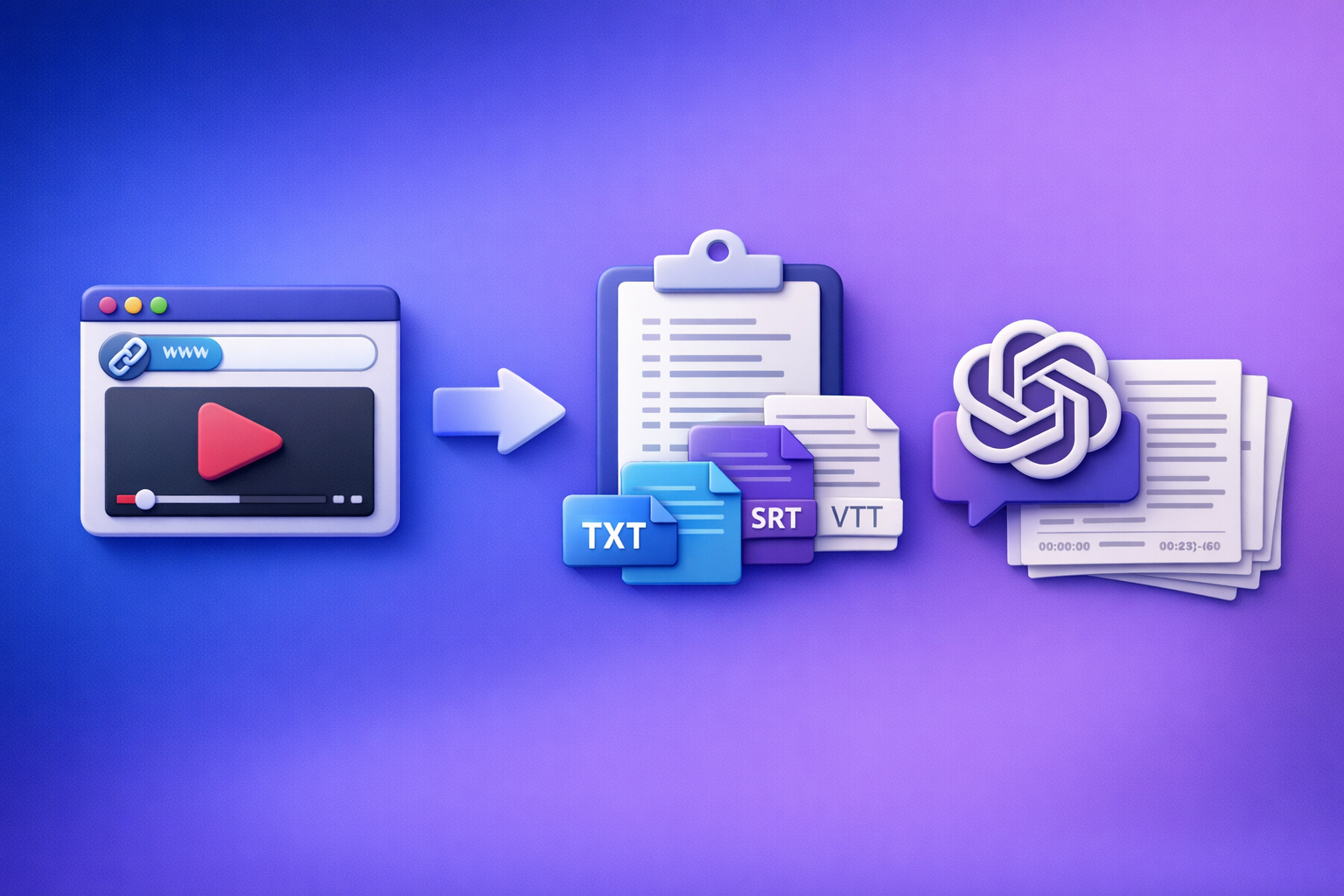
Can ChatGPT Transcribe Videos? What Works (and the Reliable Link → Transcript Workflow)
If you want a reliable transcript and captions, use a link-based transcriber to generate TXT/SRT/VTT, then use ChatGPT to clean and repurpose the text. ChatGPT alone is not a deterministic “paste a video link → get accurate timestamps” workflow.
Quick Answer: Can ChatGPT Transcribe Videos?
What ChatGPT can do (reliably)
ChatGPT is reliable when it receives text input (or a transcript you generated elsewhere). It excels at:
- Cleaning transcripts (punctuation, paragraphs, speaker labels)
- Structuring content (headings, chapters, summaries, key takeaways)
- Repurposing (blogs, LinkedIn posts, emails, hooks, clip ideas)
- Consistency in formatting when you provide clear rules and examples
What ChatGPT can’t do (reliably) for video transcription
ChatGPT is not reliably built for “open any video link and transcribe it” because it often cannot access the audio stream or produce export-ready caption formats. Common gaps:
- No guaranteed access to your video’s audio from a URL (permissions, geo, login)
- No consistent timestamps suitable for SRT/VTT
- Long-video fragility (timeouts, truncation, chunking errors)
- Inconsistent formatting across runs unless you tightly constrain output
When you should use a dedicated link-based transcriber instead
Use a dedicated transcriber when you need any of the following:
- SRT/VTT captions that stay in sync
- Long-form transcription (podcasts, webinars, interviews)
- Repeatable team workflows (batching, consistent exports)
- Link-first productivity (YouTube/IG/TikTok/podcast pages)
Brand POV: Downloading video files to your laptop just to get text is an outdated workflow. Link-based extraction is the future because it’s faster, more scalable, and closer to how creators actually work.
How ChatGPT “Transcription” Actually Works (So You Don’t Waste Time)
ChatGPT needs text (or extracted audio) to be deterministic
ChatGPT produces deterministic results when you provide:
- A transcript (best)
- Or audio content in a supported way (less consistent, often limited)
If you want predictable outputs, treat ChatGPT as the post-processing layer, not the transcription engine.
Why “paste a video link” usually fails (permissions, streaming, no audio access)
Most video links are not simple downloadable files. They’re streaming pages with:
- Access controls (private/unlisted, login required)
- Tokenized streams (expiring URLs)
- Platform restrictions (rate limits, region locks)
- No direct audio file exposed to ChatGPT
Result: you get partial summaries, hallucinated “transcripts,” or a refusal to access the content.
Why long videos break (limits, timeouts, chunking, formatting loss)
Even when you can upload media, long videos introduce failure points:
- Upload size/time limits
- Context window constraints (the model can’t hold everything at once)
- Chunking drift (repeated lines, missing sections, broken speaker turns)
- Formatting loss (timestamps and line breaks degrade)
What “export-ready” means (TXT vs SRT vs VTT)
Export-ready means you can publish without manual reformatting:
- TXT: best for editing, summarization, and repurposing
- SRT: captions with timestamps for YouTube, TikTok, IG, editors
- VTT: web players and accessibility workflows (HTML5)
If your output can’t reliably produce SRT/VTT, it’s not a complete transcription workflow.
Option A: Use ChatGPT After You Generate a Transcript (Recommended Workflow)
This is the workflow that stays fast, accurate, and repeatable: Link → transcript/subtitles → ChatGPT cleanup → publish.
Step-by-step: Link → transcript/subtitles → ChatGPT cleanup → publish
Step 1: Get the video URL (YouTube/Instagram/TikTok/podcast page)
Grab the public URL for the video page (not a downloaded file). This is the modern creator workflow: work from links, not local media folders.
If you’re doing platform-specific workflows, these guides help:
- Insta Transcript: How to Get an Instagram Reel Transcript From a Link (TXT/SRT/VTT) + Repurposing Workflow
- TikTok Transcript: How to Extract, Generate, and Export Accurate Text (TXT/SRT/VTT)
Step 2: Generate transcript + subtitles from the link (TXT/SRT/VTT exports)
Use a link-based workflow that outputs TXT + SRT + VTT so you can publish anywhere without rework. This is where most “ChatGPT transcribes video” claims fall apart: they don’t deliver consistent caption files.
If you specifically need blog repurposing from YouTube, see:
Step 3: Validate accuracy fast (names, numbers, jargon, timestamps)
Do a 5-minute pass before you polish anything. Focus on high-risk errors:
- Proper nouns (people, brands, products)
- Numbers (pricing, dates, metrics)
- Acronyms and domain terms
- Timestamp alignment (if using SRT/VTT)
Step 4: Use ChatGPT to clean and structure the transcript (prompts included)
Now ChatGPT shines. You’re giving it clean input so it can produce clean output.
Keep your instructions strict:
- Preserve meaning
- Don’t invent content
- Keep speaker turns consistent
- Maintain timestamps if present
Step 5: Repurpose into deliverables (blog, LinkedIn, email, clips captions)
Once the transcript is clean, you can generate:
- Blog draft + SEO title/meta
- LinkedIn carousel copy or post threads
- Newsletter/email
- Clip hooks + on-screen captions
For a deeper “what works now” breakdown, also read:
Prompts you can reuse (copy/paste)
Prompt: Clean transcript without changing meaning (fix punctuation, speaker labels)
You are editing a verbatim transcript. Do NOT add new facts or remove meaning.
Tasks:
1) Fix punctuation and capitalization.
2) Add paragraph breaks for readability.
3) Add speaker labels as Speaker 1 / Speaker 2 when the speaker changes.
4) Keep all technical terms exactly as written.
Return only the cleaned transcript.
Transcript:
[PASTE TRANSCRIPT HERE]
Prompt: Create chapters + titles from timestamps
Create chapters from this timestamped transcript.
Rules:
- Use the existing timestamps.
- Create 6–12 chapters depending on length.
- Each chapter title must be specific (no generic “Introduction”).
Output format:
00:00 Title
05:12 Title
...
Transcript:
[PASTE TIMESTAMPED TRANSCRIPT HERE]
Prompt: Turn transcript into SEO blog outline + draft
Turn this transcript into an SEO blog post.
Requirements:
- Provide: SEO title, meta description (155 chars), H2/H3 outline, then a draft.
- Keep claims factual; do not invent stats.
- Include a “Key Takeaways” section with bullets.
Transcript:
[PASTE TRANSCRIPT HERE]
Primary keyword: can chat gpt transcribe videos
Prompt: Generate short captions + hooks from key moments
From this transcript, find 10 punchy moments and write:
- A 6–10 word hook
- A 1–2 sentence caption
- Optional on-screen text (max 12 words)
Keep it aligned to the speaker’s actual words (no invented quotes).
Transcript:
[PASTE TRANSCRIPT HERE]
Option B: Upload a Video File to ChatGPT (When It Works + When It Doesn’t)
Uploading files can work, but it’s the old workflow: download/export media, manage versions, re-upload, repeat. Link-based extraction is faster and scales better for creators and teams.
Supported scenarios (short clips, clear audio, small files)
This approach is most likely to work when:
- The clip is short
- Audio is clean (one speaker, minimal music)
- You don’t need SRT/VTT exports
- You’re okay with best-effort transcription
Failure modes to expect (upload limits, inconsistent outputs, missing timestamps)
Plan for:
- File size/time limits
- Partial transcripts (cut off mid-sentence)
- No timestamps (or unusable timestamp formatting)
- Inconsistent speaker labeling
How to mitigate: extract audio, shorten, or chunk—without losing context
If you must use uploads:
- Extract audio-only (smaller file)
- Chunk by natural topic boundaries (not arbitrary minutes)
- Provide a running glossary (names, acronyms) in every chunk
- Ask for consistent formatting and merge carefully
If you need reliable caption files, skip this and use export-ready SRT/VTT instead.
Option C: Transcribe Without ChatGPT (Fastest Path to Export-Ready Captions)
If your goal is captions you can publish today, go straight to a transcription tool that outputs the formats you need.
When you need SRT/VTT specifically (YouTube, TikTok, IG, players)
Use a workflow that exports:
- SRT for most caption uploaders and editors
- VTT for web players and accessibility
If you’re starting from a local file, these tools are relevant:
When you need multi-language outputs (translation workflows)
Translation is easiest when you have:
- A clean source transcript
- Timecoded captions (SRT/VTT) to preserve sync
- A consistent workflow for review and QA
When you need repeatable team workflows (batching, consistent formatting)
Teams need:
- Standardized exports (same structure every time)
- Batch processing
- Clear QA steps (names, numbers, drift)
This is where “just use ChatGPT” breaks down operationally.
The Reliable Workflow with VideoToTextAI (Implementation)
VideoToTextAI is built for AI link-based video-to-text workflows: transcripts, subtitles, captions, and repurposing—without the outdated “download files first” routine. Use it here: https://videototextai.com
1) Choose your input type
Video link (preferred)
Use a link whenever possible because it’s:
- Faster than downloading/uploading files
- Easier to repeat (same URL, same workflow)
- Better for teams (share links, not files)
MP4 fallback (when links are private/blocked)
Use MP4 only when:
- The video is private/behind login
- The platform blocks extraction
- You have the rights and access to the file
2) Choose your output format (what to export and why)
TXT for editing + summarization
Export TXT when you plan to:
- Clean and structure in ChatGPT
- Create blogs, emails, and posts
- Build knowledge base notes
SRT for captions with timestamps
Export SRT when you need:
- Uploadable captions for platforms
- Editor-ready timecodes
- Reliable sync
VTT for web players and accessibility
Export VTT when you need:
- HTML5 player compatibility
- Accessibility workflows
- Web-first publishing
3) Run the workflow (end-to-end)
Generate transcript/subtitles
Start from the link, generate the transcript, and ensure language settings match the audio.
Export TXT/SRT/VTT
Export all formats you’ll need so you don’t redo work later.
Send transcript to ChatGPT for cleanup + repurposing
Use the prompts above to standardize:
- Speaker labels
- Chapters
- SEO structure
- Social hooks
Publish assets (captions, blog, social posts)
Publish in parallel:
- Upload SRT/VTT to the platform/player
- Publish the blog draft
- Schedule social posts and clip captions
4) Quality control: 5-minute accuracy pass
Do this before you ship.
Proper nouns + brand names
Search and verify spelling for:
- People names
- Company/product names
- Place names
Numbers, dates, URLs
Spot-check:
- Prices
- Dates/times
- URLs and handles
Speaker changes
Confirm speaker turns don’t merge incorrectly, especially in interviews.
Missing sections / repeated lines
Scan for:
- Sudden topic jumps
- Repeated paragraphs
- “Looping” segments
Timestamp drift (for SRT/VTT)
Check sync at:
- Start (first 30 seconds)
- Middle
- End (last 60 seconds)
Troubleshooting: Common Mistakes and Fixes
“ChatGPT won’t open my video link”
Fix:
- Assume the model can’t access streaming audio from that URL.
- Use a link-based transcriber to generate TXT/SRT/VTT, then paste the transcript into ChatGPT.
“The transcript is missing sections”
Fix:
- Re-run with correct language settings.
- Check if the source video has cuts, music, or overlapping speakers.
- If chunking was used, chunk by topic boundaries and ensure overlap.
“Captions are out of sync”
Fix:
- Export SRT/VTT from a tool that timecodes against the audio.
- Avoid manual timestamp edits unless you’re using a caption editor.
- Verify the platform expects SRT vs VTT (wrong format can look like drift).
“The transcript has no punctuation / no speaker labels”
Fix:
- That’s normal for raw ASR output.
- Use ChatGPT with the “clean transcript” prompt and enforce no meaning changes.
“My video is private / behind a login”
Fix:
- Use MP4 fallback only when necessary.
- Prefer link-based workflows for everything public; keep files as the exception.
“Audio quality is bad (music, noise, multiple speakers)”
Fix:
- If possible, use a cleaner audio source (podcast feed, original recording).
- Provide a glossary of names/acronyms.
- Expect more QA time; no model fully fixes poor audio.
Checklist: Ship an Accurate Transcript + Captions in 10 Minutes
Inputs
- Confirm the video link plays in an incognito window (or prepare MP4)
- Identify language(s) and whether you need translation
- Note speaker count and any domain terms (product names, acronyms)
Outputs
- Export TXT for editing/repurposing
- Export SRT for captions
- Export VTT for web playback (if needed)
QA
- Spot-check 3 segments: beginning, middle, end
- Verify names/numbers
- Confirm timestamps align (SRT/VTT)
Repurposing
- Create: summary + key takeaways + 5 hooks + 10 social posts
- Create: blog draft + SEO title + meta description
Competitor Gap
What competitors miss (and this post covers)
- Deterministic workflow for video link → export-ready TXT/SRT/VTT → ChatGPT
- Practical troubleshooting for link failures, private videos, and timestamp drift
- Reusable prompts + a time-boxed checklist to ship outputs quickly
How to evaluate any “ChatGPT transcribes video” claim
Use these tests before you commit:
- Can it produce SRT/VTT with consistent timestamps?
- Can it handle long videos without chunking errors?
- Can you reproduce the same output format every time?
If the answer is “no” to any of the above, treat ChatGPT as the editor/repurposer, not the transcription pipeline.
FAQ
Which AI can transcribe a video?
Tools designed for transcription are the most reliable, especially those that accept a video link and export TXT/SRT/VTT. ChatGPT is best used after transcription to clean, structure, and repurpose.
Can you put a video into ChatGPT?
Sometimes you can upload a short video file, but results vary by limits and context. For consistent transcripts and captions, use a dedicated transcriber and then use ChatGPT on the resulting text.
How to use ChatGPT for transcripts?
Use ChatGPT to:
- Fix punctuation and readability
- Add speaker labels
- Create chapters and summaries
- Repurpose into blogs, emails, and social posts
Start with a transcript generated from a link-based workflow for best results.
How do I turn a video into a transcript?
Use a link-based transcriber to generate TXT (and SRT/VTT if you need captions), do a quick QA pass, then optionally use ChatGPT to polish and repurpose. For related workflows, see:
Related posts
Reel Analyser (Instagram Reels): Transcript‑First Competitor Research, Hook/CTA Extraction, and Repurposing Workflow (VideoToTextAI)
Video To Text AI
A 2026 reel analyser should turn Instagram Reel links into a searchable transcript library you can tag for hooks, CTAs, objections, and topic clusters—then export into repurposing-ready drafts without a download/upload loop.
Traducir video de Instagram (Reels) en 2026: workflow transcript-first para traducir, sacar hooks/CTAs y repurpose (con VideoToTextAI)
Video To Text AI
Aprende a traducir un Reel de Instagram con un flujo URL→transcripción→traducción→subtítulos, y a convertir esa traducción en un activo de investigación para hooks, CTAs, objeciones y clusters de contenido.
Reel Analyzer: Transcript‑First Instagram Reels Research (Hooks, CTAs, Objections) + Workflow Guide (VideoToTextAI)
Video To Text AI
A reel analyzer should turn any public Instagram Reel link into a searchable transcript library you can mine for hooks, CTAs, objections, and topic clusters—then repurpose into original drafts with a repeatable SOP.