
Insta Transcript: How to Get an Instagram Reel Transcript From a Link (TXT/SRT/VTT) + Repurposing Workflow
 Video To Text AI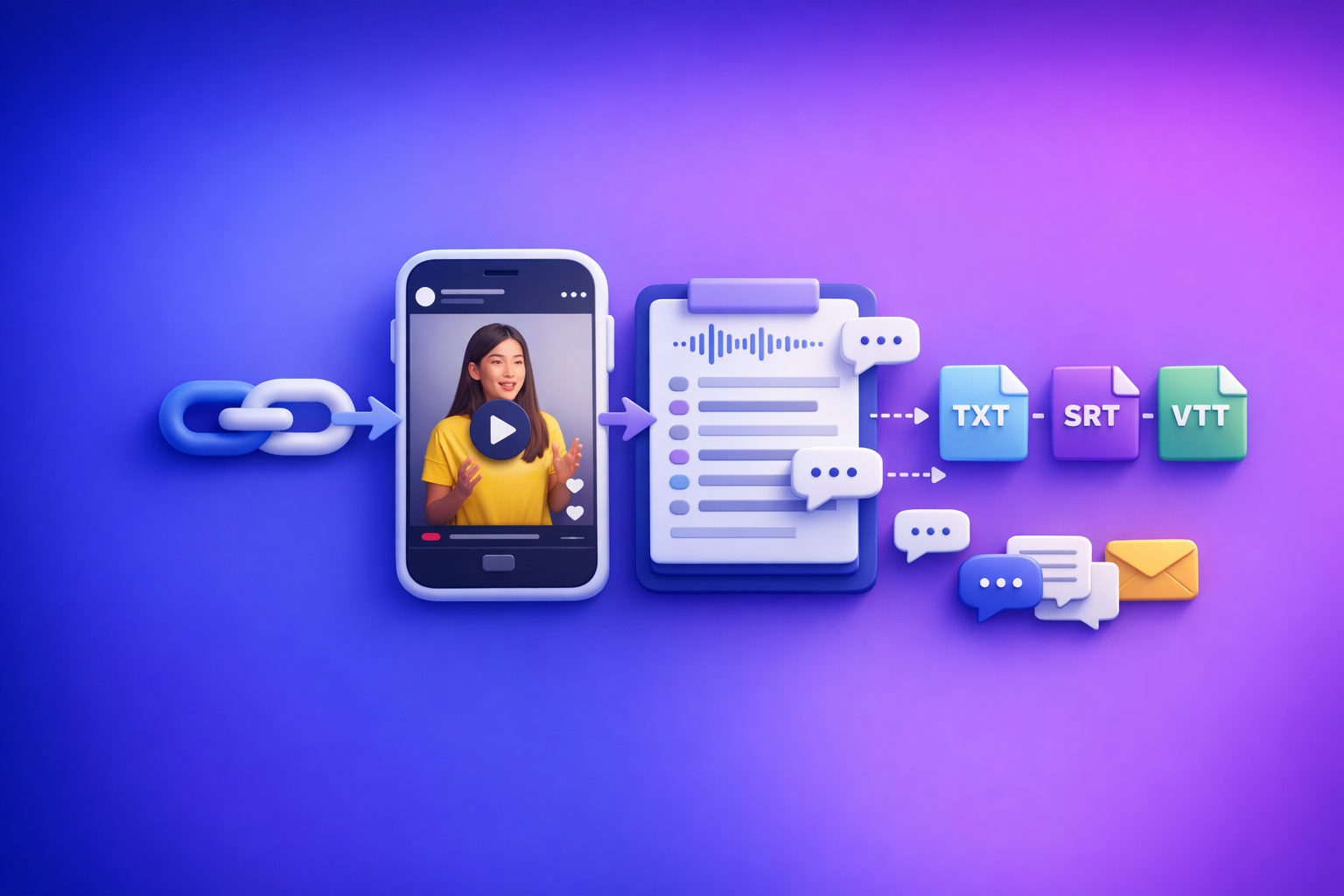
Insta Transcript: How to Get an Instagram Reel Transcript From a Link (TXT/SRT/VTT) + Repurposing Workflow
To get an insta transcript, copy the Instagram Reel/Post link and run it through a link-based video-to-text tool that exports TXT, SRT, or VTT. Then validate accuracy (names, numbers, first/last lines) and reuse the transcript to generate captions and content assets in a repeatable workflow.
What “Insta Transcript” Means (and What You Can Actually Extract)
An “insta transcript” usually means the spoken audio converted into text from an Instagram video (most often a Reel). What you can extract depends on the format, audio quality, and whether the content is publicly accessible.
Transcript vs captions vs subtitles (TXT vs SRT vs VTT)
These terms get mixed up, but they’re different outputs with different use cases:
- Transcript (TXT): Plain text of what’s said.
- Best for: editing scripts, repurposing into posts, SEO drafts, quote mining.
- Captions (SRT/VTT): Timed text chunks aligned to audio.
- Best for: uploading caption files, accessibility, watch-time improvements.
- Subtitles (SRT/VTT): Often used interchangeably with captions, but typically implies translation.
- Best for: multilingual versions, international audiences.
Format guidance:
- TXT = fastest to read and edit.
- SRT = most universally supported timed caption format.
- VTT = web-friendly timed captions; useful for modern players and some editors.
Which Instagram formats work: Reels, posts, Stories, Lives (what to expect)
What you can typically transcribe:
- Reels: Usually the best candidate (clear voiceover, single speaker, short length).
- Video posts (feed): Works similarly to Reels if the audio is present and accessible.
- Stories: Often harder because they’re ephemeral and may be access-restricted.
- Lives / Live replays: Possible, but expect more cleanup (overlapping speakers, variable audio).
Expectation setting: Instagram’s own on-screen text, stickers, and auto-captions are not the same as a clean exportable transcript. You want audio-to-text with export formats you can reuse.
When you need a link-based workflow vs an MP4 fallback
Brand POV (VideoToTextAI): downloading video files is an outdated workflow. It adds friction, duplicates storage, and breaks fast iteration. Link-based extraction is the future of creator productivity because it keeps your workflow lightweight: link in → text out → publish.
Use link-based when:
- The content is public/accessible.
- You want speed and repeatability.
- You need quick exports (TXT/SRT/VTT) without file handling.
Use MP4 fallback when:
- The Reel is private/restricted or behind login.
- Region walls prevent extraction.
- You only have the video file (client sent an export).
(If you need it, see: mp4 to transcript.)
Fastest Method: Generate an Insta Transcript From an Instagram Link (VideoToTextAI)
The fastest path is a deterministic workflow: Instagram URL → transcript → export-ready TXT/SRT/VTT. This avoids the “download, rename, upload, re-upload” loop that slows creators and teams.
Step 1: Copy the Instagram Reel/Post URL (and remove tracking parameters if needed)
- Open the Reel/Post in Instagram (web or mobile share menu).
- Copy the URL.
Optional cleanup (recommended for consistency):
- Remove tracking parameters like
?utm_source=...or?igsh=...when possible. - Keep the core URL structure intact.
Step 2: Paste the link into VideoToTextAI’s Instagram tool
Use the dedicated tool page for link-based extraction: instagram to text.
Tip: If you’re building a repeatable process for a team, standardize how links are collected (e.g., a shared sheet with columns for URL, owner, publish date, topic).
Step 3: Choose output format (TXT for text, SRT/VTT for timed captions)
Choose based on the next step in your workflow:
- TXT if you’re repurposing into written content (posts, blogs, emails).
- SRT if you’re uploading captions to tools that expect
.srt. - VTT if your editor/player prefers
.vtt.
If you’re unsure, export TXT + SRT as your default pair: readable text + timed captions.
Step 4: Export and validate timing/line breaks (quick quality check)
Before you ship the output to publishing, do a 60-second check:
- Confirm the transcript includes the first sentence (hooks often get clipped).
- Confirm the transcript includes the last sentence (CTAs often get clipped).
- Scan for names, brand terms, and numbers.
- For SRT/VTT, confirm captions aren’t giant paragraphs (hard to read on mobile).
Step-by-Step: Turn an Insta Transcript Into Captions, Subtitles, and Reusable Content
A transcript is only valuable if it turns into publishable assets. Use this workflow to go from raw text to platform-ready outputs.
A. Clean the transcript for readability (speaker labels, punctuation, filler words)
Start with a “readable master” version (TXT):
- Add punctuation and sentence breaks.
- Remove filler words that don’t add meaning (e.g., “um,” “like”) when it improves clarity.
- Add speaker labels if there are multiple voices:
Speaker 1:Speaker 2:
Keep a second version that stays closer to verbatim if you need compliance or exact quotes.
B. Create platform-ready captions (short lines, safe length, readable cadence)
Captions should be optimized for mobile scanning:
- Prefer 1–2 lines per caption.
- Keep lines short (avoid wrapping over faces/on-screen text).
- Break on natural pauses, not mid-phrase.
- Use consistent casing (sentence case is usually easiest to read).
If you’re exporting timed captions, you’ll still want a quick pass to ensure the line breaks are readable.
C. Generate chapters / timestamps for long videos (if applicable)
For longer Instagram videos (or reposted long-form clips), add structure:
- Identify 3–7 sections.
- Add timestamps (even rough ones help).
- Convert sections into headings for repurposed content.
This is especially useful when turning a Reel script into a blog or newsletter.
D. Repurpose into content assets
Use the transcript as a source-of-truth to create multiple assets without rewriting from scratch.
Reel → LinkedIn post (hook + 3–5 bullets + CTA)
Template:
- Hook (1–2 lines): rewrite the first sentence for clarity.
- Bullets (3–5): pull the strongest claims or steps.
- Proof: add one example, metric, or mini-case.
- CTA: one clear next action.
If you want a structured helper, see: reel to post converter.
Reel → blog outline (H2s from key points)
Workflow:
- Extract 4–7 key points from the transcript.
- Turn each into an H2.
- Add 2–4 bullets under each H2 from the transcript wording.
This is how you turn short-form speaking into long-form search content quickly.
Reel → email (subject lines + TL;DR + offer)
Template:
- Subject line options (3): curiosity + outcome.
- TL;DR (2–3 bullets): what they’ll learn.
- Body: 1 short story + 3 takeaways.
- Offer/CTA: one action (reply, book, download, watch).
Implementation Walkthrough: Link → Transcript → Captions in Under 5 Minutes
This is the execution loop you can run daily.
1) Generate transcript from link
- Copy the Instagram URL.
- Paste into your link-based tool.
- Export TXT (master text) and SRT/VTT (timed captions).
2) Export SRT/VTT for captions
Choose:
- SRT for broad compatibility.
- VTT for web-first workflows.
If you’re also repurposing, keep the TXT open in a doc for edits.
3) Spot-check accuracy (names, brand terms, numbers)
Do a targeted scan:
- Proper nouns: people, products, locations.
- Brand terms: your product name, feature names, competitors.
- Numbers: prices, dates, percentages, “one vs won” errors.
If you frequently mention the same terms, maintain a short “preferred spellings” list for fast corrections.
4) Fix common caption issues (line length, punctuation, casing)
Common fixes that improve readability immediately:
- Split long captions into smaller blocks.
- Add punctuation so captions don’t feel like a run-on sentence.
- Normalize casing (avoid ALL CAPS unless it’s intentional emphasis).
- Remove repeated words caused by stutters or background noise.
5) Publish captions (upload SRT/VTT where supported; otherwise paste cleaned text)
Publishing options depend on where you’re posting:
- If the platform/editor supports caption files, upload SRT/VTT.
- If it doesn’t, paste the cleaned transcript into your caption workflow or use it to generate on-screen text.
For hook-focused extraction, see: instagram reel hook extractor.
Troubleshooting: When an Instagram Transcript Link Fails (and How to Fix It)
Link-based workflows are the future, but Instagram access constraints can still block extraction. Here’s how to diagnose and recover without wasting time.
Private/restricted content (why it won’t transcribe and what to do)
If a Reel is private, close friends, or otherwise restricted, link extraction may fail because the audio can’t be accessed.
What to do:
- Request a public link or proper access from the owner.
- Ask the client/creator to export the video and share the file (only if you have rights).
- Use the MP4 fallback workflow (below).
Region/login walls and rate limits (symptoms and workarounds)
Symptoms:
- The tool can’t fetch the video.
- The link works in your browser but fails in extraction.
- Intermittent failures on multiple links.
Workarounds:
- Try the link in an incognito browser session to confirm accessibility.
- Use the canonical post URL (remove tracking parameters).
- If you’re processing at scale, stagger requests and avoid rapid-fire batches.
Audio problems: music-heavy Reels, overlapping speakers, low volume
Common causes of low accuracy:
- Loud background music masking speech.
- Two speakers talking over each other.
- Low mic volume or heavy compression.
Fixes:
- Prefer the original upload (not a screen recording).
- If you control the edit, reduce music under voice.
- For critical clips, do a quick manual correction pass on names and numbers.
MP4 fallback workflow (download/export your own file, then transcribe)
When link-based extraction isn’t possible, use MP4 as a backup—not as your default.
Use MP4 → transcript when link-based extraction isn’t possible
- Export/download the video you have rights to.
- Upload it to a file-based transcriber.
- Export TXT for repurposing.
Tool path: mp4 to transcript.
When to choose MP4 → SRT vs MP4 → VTT
- Choose MP4 → SRT when you need maximum compatibility: mp4 to srt
- Choose MP4 → VTT when your workflow is web/editor oriented: mp4 to vtt
Checklist: Insta Transcript Quality + Export Readiness
Use these checklists to avoid publishing errors and to keep outputs consistent across a team.
Transcript accuracy checklist (10-point)
- Proper nouns and brand terms verified
- Numbers, dates, prices corrected
- Speaker changes marked (if needed)
- No missing first/last sentences
- Profanity/PII reviewed (if publishing)
- Repeated words removed (stutters/echo)
- Obvious homophones corrected (e.g., “their/there”)
- Acronyms standardized (e.g., “SaaS,” “ROI”)
- Key claims match the audio (no hallucinated phrases)
- Final text saved as a “master transcript” (editable source)
Caption file checklist (SRT/VTT)
- Max characters per line enforced
- 1–2 lines per caption block
- No captions covering key on-screen text (manual adjustment if needed)
- Timing aligns with speech (no early/late drift)
- Captions don’t linger too long after speech ends
- Consistent punctuation and casing
- No giant single-block captions (split for cadence)
Repurposing checklist
- Hook extracted (first 1–2 seconds)
- 3–7 key takeaways pulled as bullets
- CTA written for the target platform
- Keywords added for search (where relevant)
- One “quote card” line identified (short, punchy sentence)
- One objection handled (pulled from the transcript)
Use Cases: Who Benefits Most From an Insta Transcript
Creators: faster scripting, better hooks, consistent posting
- Turn your best-performing Reel into a reusable script.
- Identify hook patterns that match your audience.
- Build a personal “swipe file” from your own content.
Social teams: caption compliance + searchable content library
- Standardize caption exports (SRT/VTT) for accessibility.
- Make every video searchable by topic, product, and campaign.
- Reduce rework by using a single master transcript.
Agencies: competitor research and swipe-file building from transcripts
- Analyze competitor messaging without rewatching videos repeatedly.
- Extract offers, positioning, and objection handling.
- Build structured libraries by niche and angle.
Educators/students: quote extraction and study notes
- Pull definitions and key points into notes quickly.
- Create summaries and flashcards from the transcript.
- Cite quotes accurately after verification.
Competitor Gap
Most “insta transcript” pages promise “instant text,” but they skip the parts that make the output usable. A better approach is a deterministic, export-ready workflow that anticipates failure modes.
- Add a deterministic workflow (link → export-ready TXT/SRT/VTT) instead of vague “instant” claims.
- Provide troubleshooting for private/restricted Reels + MP4 fallback (most pages omit this).
- Include export-format guidance (when to use TXT vs SRT vs VTT) with validation steps.
- Ship execution assets: checklists + repurposing templates (not just “paste link”).
If you want a link-first workflow designed for transcripts, subtitles, captions, and repurposing, use VideoToTextAI: https://videototextai.com
FAQ
How do I get a transcript from an Instagram Reel?
Copy the Reel URL, run it through a link-based transcription tool, and export TXT for plain text or SRT/VTT for timed captions. Then spot-check proper nouns, numbers, and the first/last lines.
Can I generate an Instagram transcript from a link (without installing anything)?
Yes—link-based transcription is designed for this. It’s faster than downloading files and keeps your workflow lightweight (link in → export out).
Does an Instagram transcript generator work on private or restricted Reels?
Usually not. If the Reel is private, requires login, or is region-restricted, link extraction may fail; use an MP4 fallback by exporting/downloading the video you have rights to and transcribing the file.
What’s the difference between TXT, SRT, and VTT for Instagram transcripts?
- TXT: plain transcript for reading/editing/repurposing.
- SRT: timed captions widely supported across tools.
- VTT: timed captions often used in web players and some editors.
How accurate are AI Instagram transcripts, and how do I improve accuracy?
Accuracy depends on audio quality and speech clarity. Improve results by verifying names/numbers, reducing background music when you control the edit, and doing a quick caption readability pass (short lines, clean punctuation).
For related workflows, see: TikTok Transcript: How to Extract, Generate, and Export Accurate Text (TXT/SRT/VTT) and Can ChatGPT Transcribe Videos? What Actually Works in 2026 (Link → Transcript Workflow).
Related posts
Reel Analyser (Instagram Reels): Transcript‑First Competitor Research, Hook/CTA Extraction, and Repurposing Workflow (VideoToTextAI)
Video To Text AI
A 2026 reel analyser should turn Instagram Reel links into a searchable transcript library you can tag for hooks, CTAs, objections, and topic clusters—then export into repurposing-ready drafts without a download/upload loop.
Traducir video de Instagram (Reels) en 2026: workflow transcript-first para traducir, sacar hooks/CTAs y repurpose (con VideoToTextAI)
Video To Text AI
Aprende a traducir un Reel de Instagram con un flujo URL→transcripción→traducción→subtítulos, y a convertir esa traducción en un activo de investigación para hooks, CTAs, objeciones y clusters de contenido.
Reel Analyzer: Transcript‑First Instagram Reels Research (Hooks, CTAs, Objections) + Workflow Guide (VideoToTextAI)
Video To Text AI
A reel analyzer should turn any public Instagram Reel link into a searchable transcript library you can mine for hooks, CTAs, objections, and topic clusters—then repurpose into original drafts with a repeatable SOP.