
TikTok Transcript: How to Extract, Generate, and Export Accurate Text (TXT/SRT/VTT)
 Video To Text AI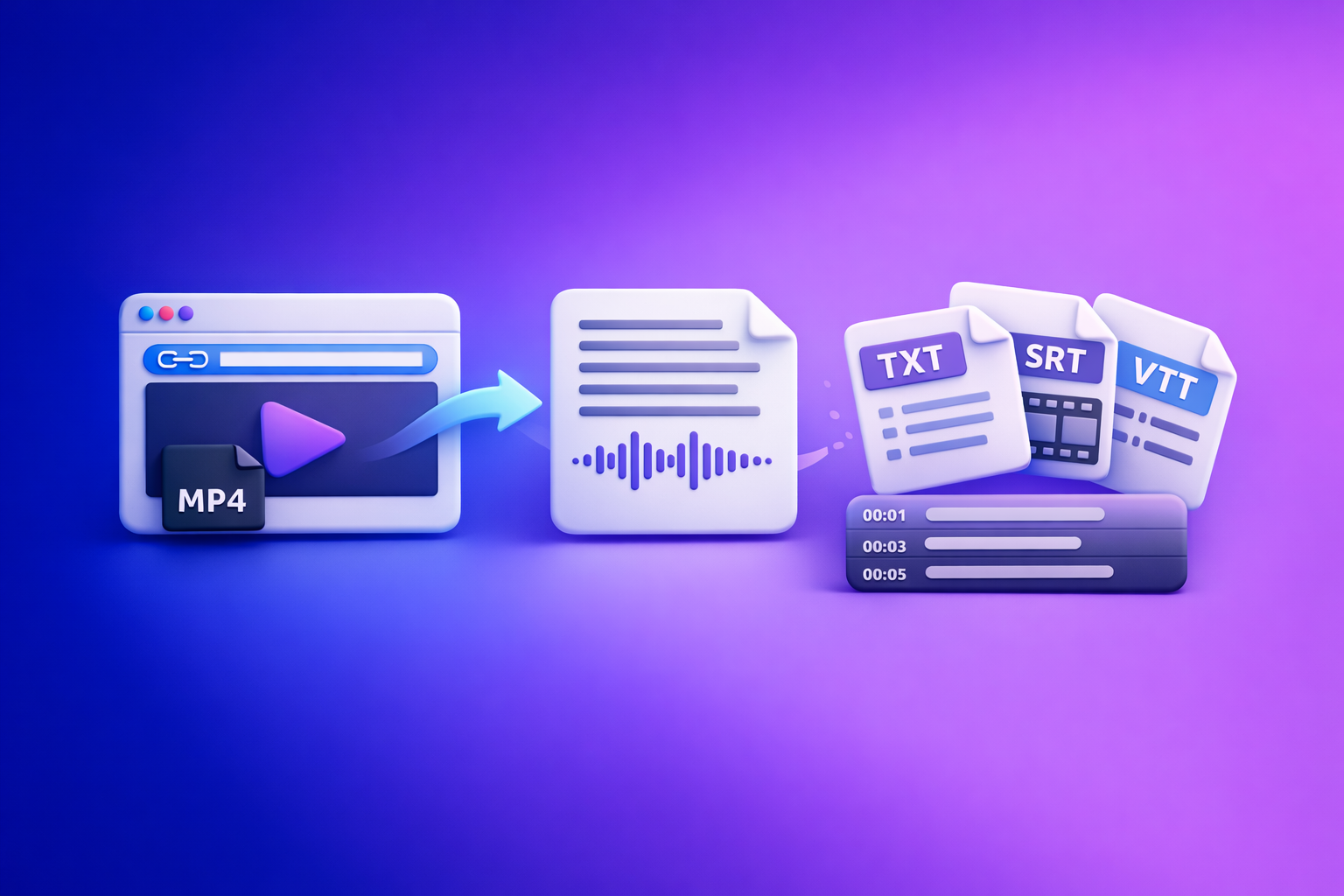
TikTok Transcript: How to Extract, Generate, and Export Accurate Text (TXT/SRT/VTT)
To get a TikTok transcript you can actually reuse, generate it from the TikTok link and export it in the format you need (TXT/SRT/VTT). If link-based transcription fails due to access restrictions, use an MP4 fallback and export captions for editing.
What a TikTok Transcript Is (and What It Isn’t)
A TikTok transcript is the spoken audio converted into readable text. It’s the “source of truth” you can edit, search, and repurpose.
It is not the same thing as on-screen text overlays, hashtags, or the description field. Those can help context, but they don’t capture what was said.
Transcript vs captions vs subtitles (quick definitions)
- Transcript (TXT): Plain text of what’s said, usually without timing. Best for editing, SEO drafts, and repurposing.
- Captions (SRT/VTT): Time-synced text that matches the audio. Best for social video, accessibility, and watch-time.
- Subtitles (SRT/VTT): Often used to mean captions, but commonly implies translation (e.g., English audio → Spanish subtitles).
When you need TXT vs SRT vs VTT (use-case mapping)
Use the format that matches the outcome you want—don’t “convert later” unless you have to.
- TXT (clean script)
- Blog drafts, newsletters, landing page copy
- Research, quoting, and content briefs
- Internal documentation and notes
- SRT (most editing tools)
- Video editors and social caption workflows
- Quick imports into many captioning pipelines
- VTT (web + accessibility)
- Web players and accessibility workflows
- Better support for styling/metadata in many web contexts
What “auto-captions” in TikTok cover—and what they miss
TikTok auto-captions are designed for in-app viewing, not for export.
What they typically do well:
- Provide basic readability for viewers
- Improve comprehension when audio is off
What they often miss:
- Clean export (copy/paste is inconsistent)
- Accurate punctuation and sentence boundaries
- Proper nouns (brand names, tools, people)
- Reusable formats like SRT/VTT you can drop into other workflows
Why TikTok Transcripts Matter (Creators, Marketers, and SEO)
A transcript turns a short-form video into an asset you can reuse across channels. It also makes your message easier to understand, quote, and refine.
Faster content repurposing (blogs, newsletters, LinkedIn posts)
With a transcript, you can:
- Pull the hook, the steps, and the CTA without rewatching
- Turn one TikTok into multiple written posts
- Build a repeatable “video → text → distribution” workflow
Accessibility + watch-time benefits (captions and comprehension)
Captions help when:
- Viewers are in noisy environments
- Audio is off by default
- The speaker has an accent, fast pace, or jargon
Better comprehension often correlates with better retention. Even if your goal is “views,” captions support that outcome.
Search and indexing benefits (turn spoken content into crawlable text)
Spoken content is hard to search and reuse. Text is:
- Searchable (find the exact line later)
- Indexable (usable in blogs, knowledge bases, and SEO pages)
- Composable (easy to turn into outlines, FAQs, and snippets)
Ways to Get a TikTok Transcript (Choose Your Workflow)
There are four practical paths. The best workflow depends on whether you need export, timing, and reusability.
Option A: Use TikTok’s built-in captions (best for quick viewing)
This is the fastest way to read along inside TikTok. It’s not the best way to export.
How to check if a video has captions available
- Open the TikTok video.
- Look for a Captions option (often in the share/options menu).
- If available, enable captions and watch with text on-screen.
Limitations: no clean export, formatting, and accuracy issues
- No reliable TXT/SRT/VTT export
- Hard to reuse outside TikTok
- Timing and line breaks are optimized for viewing, not editing
- Accuracy varies with music, slang, and fast speech
Option B: Manual transcription (best for short clips only)
Manual transcription is viable for very short clips or when accuracy must be perfect and the audio is simple.
Time estimate by video length + when it’s not worth it
Typical manual time cost:
- 30–60 seconds of video: 5–15 minutes
- 2–3 minutes: 20–45 minutes
- 5+ minutes: usually not worth it unless it’s high-value content
Manual is not worth it when:
- You’re doing this weekly (workflow breaks)
- You need timestamps/captions
- The clip has multiple speakers or heavy background audio
Option C: AI transcription from a TikTok link (best for export + reuse)
This is the modern workflow: paste a link, get text, export in the format you need. From a productivity standpoint, link-based extraction is the future because it removes file handling and keeps the process fast.
What “link-based transcription” means
Link-based transcription means:
- You provide the TikTok URL
- The tool fetches the media (when accessible)
- AI generates transcript and/or captions
- You export TXT/SRT/VTT for reuse
For implementation, start here: tiktok to transcript.
When link-based fails (private videos, region restrictions, removed audio)
Link-based transcription can fail when:
- The video is private or friends-only
- The content is region-restricted
- The audio is removed, muted, or blocked
- The link is broken or the post was deleted
When that happens, you need a fallback (below). The key is having a workflow that doesn’t end at “try again.”
Option D: Download video (MP4) then transcribe (best for reliability)
Downloading files is an outdated default for most creators because it adds friction: save file, rename, upload, repeat. But it’s still the most reliable fallback when link access is blocked.
When MP4 upload beats link paste
Use MP4 upload when:
- The TikTok is not publicly accessible to the tool
- You have permission and a local copy already
- You need guaranteed processing regardless of platform restrictions
For implementation, use: mp4 to transcript.
Step-by-Step: Generate a TikTok Transcript with VideoToTextAI (Link → Transcript)
This is the fastest workflow for creators and marketers because it avoids file downloads and keeps everything link-based.
Step 1: Copy the TikTok video URL (mobile + desktop)
- Mobile: Tap Share → Copy link
- Desktop: Copy the URL from the browser address bar
Tip: Make sure the link opens in an incognito window. If it doesn’t, it may be private or restricted.
Step 2: Open the TikTok-to-transcript tool
Tool: tiktok to transcript
(Internal link reference for site navigation: tiktok to transcript.)
Step 3: Paste the link and generate the transcript
Paste the URL and run transcription.
What to select: transcript only vs subtitles/captions output
Choose based on your end use:
- Transcript only if you’re repurposing into writing (TXT)
- Subtitles/captions if you need timed text for video (SRT/VTT)
If you’re unsure, generate both: a clean TXT for editing plus SRT/VTT for publishing.
Step 4: Export in the right format (TXT/SRT/VTT)
Export is where most workflows break—people grab whatever is available and then struggle later. Pick the format that matches the tool you’ll use next.
TXT: scripts, notes, SEO drafts
Use TXT when you want:
- A clean script to edit
- Copy/paste into docs, CMS, or prompts
- A base for blog/SEO content
SRT: most editors + social caption workflows
Use SRT when you need:
- Broad compatibility with editors
- Standard caption timing blocks
- Easy handoff to teams
If you already have MP4 and want SRT directly, use: mp4 to srt.
VTT: web players + accessibility workflows
Use VTT when you need:
- Web player compatibility
- Accessibility workflows and web caption standards
If you already have MP4 and want VTT directly, use: mp4 to vtt.
Step 5: Quality-check and clean up (2-minute pass)
AI gets you speed; a quick pass gets you publishable quality.
Fix speaker labels, brand terms, and proper nouns
- Correct product names, people, and locations
- Standardize capitalization (e.g., “iPhone” vs “Iphone”)
- Add speaker labels only if they help clarity
Remove filler words (optional) without changing meaning
Remove repeated fillers like:
- “um,” “uh,” “like,” “you know”
Keep them if the tone matters (e.g., authentic creator voice).
Add punctuation for readability
- Break long lines into short paragraphs
- Add commas and periods where the meaning changes
- Ensure lists are formatted as lists (not run-on sentences)
Step-by-Step: If Link Transcription Fails (MP4 → Transcript Fallback)
Link-based is the future for creator productivity, but you still need a reliable fallback for restricted posts.
Step 1: Download the TikTok video as MP4 (legal/permission note)
Only download videos you own or have permission to use. If you’re working with client content, confirm rights and internal policy.
Step 2: Transcribe the MP4 with VideoToTextAI
Tool: mp4 to transcript
(Internal link reference: mp4 to transcript.)
Step 3: Export captions (SRT/VTT) for editing tools
- Tool: mp4 to srt (Internal: mp4 to srt)
- Tool: mp4 to vtt (Internal: mp4 to vtt)
Implementation note: If your next step is an editor, export SRT/VTT now. Avoid “transcript first, convert later” unless you have a reason.
Troubleshooting: Common TikTok Transcript Problems (and Fixes)
These are the issues that cause most “bad transcript” outcomes—and the fastest fixes.
“No transcript available” / no audio detected
Common causes:
- The video has no spoken audio (only music)
- The audio track is muted/removed
- The link is inaccessible (private/region-locked)
Fix:
- Confirm the video plays with audio in a clean browser session
- If link-based fails, use the MP4 fallback workflow
Music-heavy clips: separating speech from background audio
Symptoms:
- Missing words
- Incorrect phrases during loud music sections
Fix:
- Prefer the cleanest audio source available
- If you control the content, export a version with reduced music
- Do a quick manual pass to correct the hook and CTA (highest value lines)
Multiple speakers, fast speech, slang, and creator jargon
Symptoms:
- Speaker confusion
- Run-on sentences
- Misheard slang
Fix:
- Add speaker labels only where needed (don’t over-format)
- Replace slang spellings with the intended meaning if repurposing for a blog
- Keep original phrasing if the goal is authenticity (e.g., LinkedIn post in creator voice)
Non-English audio and bilingual videos (translation workflow)
Best practice workflow:
- Generate the transcript in the original language first
- Then translate (separately) to preserve meaning and names
- For bilingual clips, keep both versions if you’re publishing captions
If you’re building a broader workflow around AI transcription reliability, see:
- Can ChatGPT Transcribe Videos? What Works in 2026 + The Reliable Link → Transcript Workflow (VideoToTextAI)
- Can ChatGPT Upload Video in 2026? What Works, What Fails, and the Reliable Link → Transcript Workflow (VideoToTextAI)
Line breaks and timing issues in SRT/VTT (how to spot bad segmentation)
Symptoms:
- Captions change too quickly
- Lines are too long to read
- Breaks happen mid-phrase
Fix (fast checks):
- Watch 15–30 seconds with captions on
- Ensure each caption is readable in one glance
- Look for mid-word or mid-name breaks and merge/split accordingly
Repurpose a TikTok Transcript into New Content (Fast Workflows)
A transcript is a content multiplier. The fastest repurposing workflows start from clean text, then apply structure.
Turn transcript → blog post (SEO draft in minutes)
Workflow:
- Pull the hook and main points from the transcript
- Convert into headings (H2/H3)
- Add examples, definitions, and a short FAQ
Tools for structure and drafting:
- youtube to blog (use for structure ideas)
- mp4 to blog post
Turn transcript → LinkedIn post (hook + bullets + CTA)
Workflow:
- Use the first strong sentence as the hook
- Convert 3–5 points into bullets
- End with one clear takeaway and CTA
Tool:
Turn transcript → X/Twitter thread (key points + punchy lines)
Workflow:
- Turn each key idea into one tweet
- Keep each tweet to one point
- Add a final summary tweet with the “so what”
Tool:
TikTok Transcript Checklist (Copy/Paste)
Before you transcribe
- Confirm the video is public and playable
- Choose output: TXT (script) vs SRT/VTT (captions)
- Collect brand terms/proper nouns to verify spelling
During transcription
- Use link-based first; switch to MP4 if link fails
- Export the format you’ll actually use (don’t “convert later”)
- If you need captions, generate timed output (SRT/VTT), not plain text
After transcription
- Scan for: names, numbers, URLs, product terms
- Normalize punctuation + paragraph breaks
- If using captions: verify timing + line length for readability
- Save a “clean transcript” (TXT) and an “edit-ready captions” (SRT/VTT) file
Competitor Gap
Most “TikTok transcript” pages stop at “paste link and copy text,” which fails in real production workflows. A usable guide needs three missing pieces:
- A real troubleshooting path: link fails → MP4 fallback (instead of “try again later”).
- Export-format guidance tied to outcomes: when to use TXT vs SRT vs VTT based on where the text is going next.
- Repurposing steps that continue past transcription: transcript → blog/LinkedIn/thread workflows, plus a reusable checklist.
That’s the difference between a one-off transcript and a repeatable creator/marketing system.
FAQ: TikTok Transcript (People Also Ask)
How do I get a transcript of a TikTok video?
Copy the TikTok URL, paste it into a TikTok-to-transcript tool, generate the text, then export as TXT (for a clean script) or SRT/VTT (for timed captions). If the link can’t be accessed, download an MP4 (with permission) and transcribe the file.
Is there a free TikTok transcript generator?
Some tools offer free tiers or limited usage. For production work, prioritize export formats (TXT/SRT/VTT), accuracy, and a fallback path when link-based access fails.
Why can’t I see or download a transcript for some TikTok videos?
Usually it’s because the video is private, region-restricted, removed, or the audio is blocked/muted. Music-heavy clips can also cause “no speech detected” or low accuracy.
Can I convert a TikTok transcript into SRT or VTT captions?
Yes, but it’s better to generate timed captions directly as SRT or VTT so you don’t lose segmentation and timing. After export, spot-check line breaks and readability.
Can I transcribe TikTok videos in other languages (e.g., Arabic)?
Yes—transcribe in the original language first for best accuracy, then translate if needed. For bilingual videos, consider producing two caption tracks (original + translated) depending on where you publish.
Generate a TikTok transcript from a link (export TXT/SRT/VTT) with VideoToTextAI: VideoToTextAI
Related posts
Reel Analyser (Instagram Reels): Transcript‑First Competitor Research, Hook/CTA Extraction, and Repurposing Workflow (VideoToTextAI)
Video To Text AI
A 2026 reel analyser should turn Instagram Reel links into a searchable transcript library you can tag for hooks, CTAs, objections, and topic clusters—then export into repurposing-ready drafts without a download/upload loop.
Traducir video de Instagram (Reels) en 2026: workflow transcript-first para traducir, sacar hooks/CTAs y repurpose (con VideoToTextAI)
Video To Text AI
Aprende a traducir un Reel de Instagram con un flujo URL→transcripción→traducción→subtítulos, y a convertir esa traducción en un activo de investigación para hooks, CTAs, objeciones y clusters de contenido.
Reel Analyzer: Transcript‑First Instagram Reels Research (Hooks, CTAs, Objections) + Workflow Guide (VideoToTextAI)
Video To Text AI
A reel analyzer should turn any public Instagram Reel link into a searchable transcript library you can mine for hooks, CTAs, objections, and topic clusters—then repurpose into original drafts with a repeatable SOP.