
Can ChatGPT Transcribe Videos? What Actually Works in 2026 (Plus a Reliable Link → Transcript Workflow)
 Video To Text AI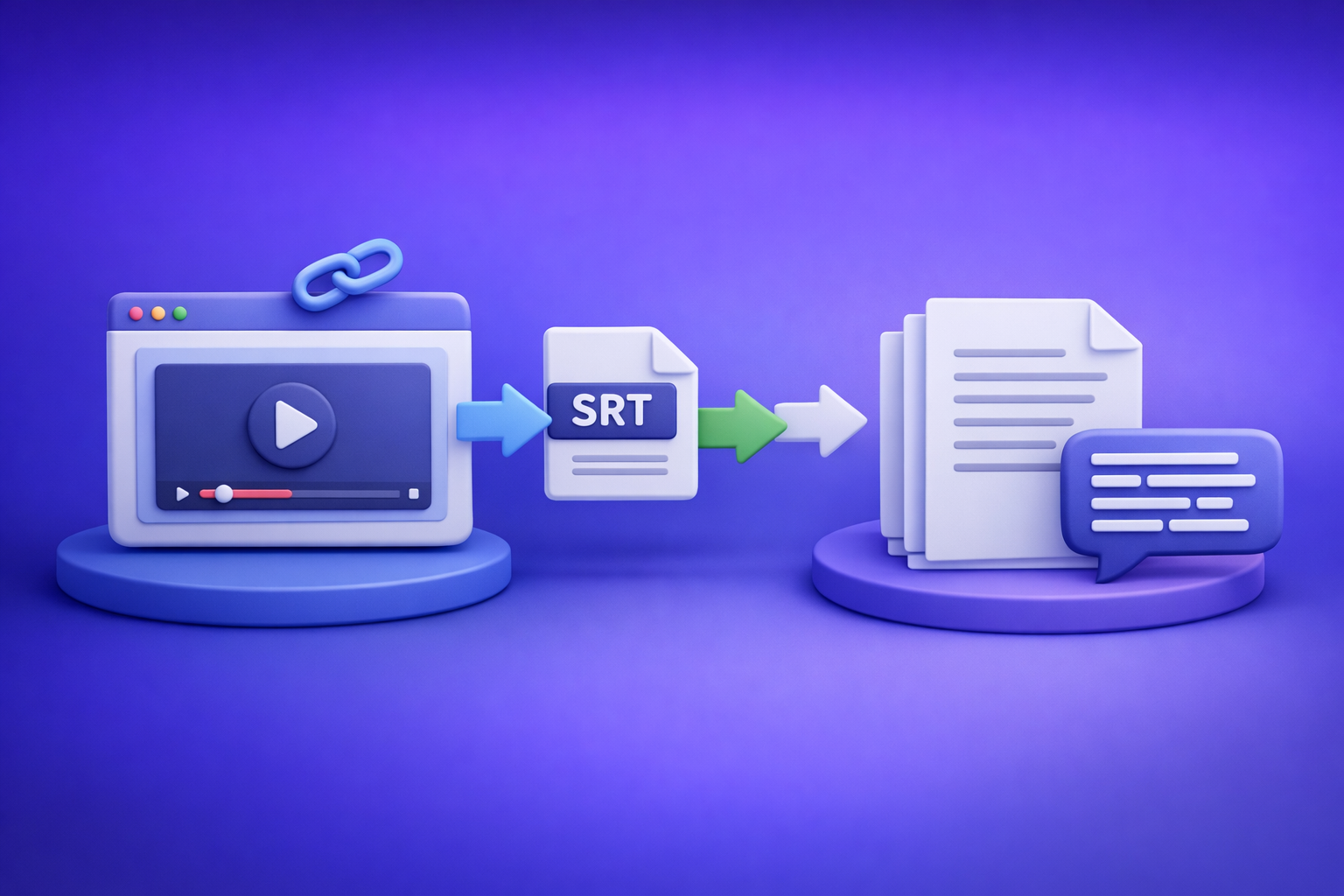
Can ChatGPT Transcribe Videos? What Actually Works in 2026 (Plus a Reliable Link → Transcript Workflow)
If you need a transcript you can publish today, don’t start by pasting a video link into ChatGPT. The reliable 2026 workflow is video link (or MP4 fallback) → export-ready transcript/subtitles (TXT/SRT/VTT) → ChatGPT for cleanup + repurposing.
Quick Answer (So You Don’t Waste Time)
When ChatGPT can help with transcription
ChatGPT is strong when you already have text and need to:
- Fix punctuation, casing, and readability
- Standardize speaker labels
- Summarize, outline, and repurpose into blogs, posts, emails, scripts
- Apply style rules (brand voice, formatting, headings)
Think of ChatGPT as the editor + content repurposing layer, not the capture layer.
When ChatGPT can’t reliably transcribe videos (and why)
ChatGPT is not deterministic for “video → transcript” because:
- Links aren’t guaranteed to be accessible (permissions, geo, login walls, platform restrictions)
- Retrieval is inconsistent (what it can “see” varies by environment and session)
- Caption-grade outputs require timestamps (SRT/VTT formatting is strict)
- Long files hit limits (size, duration, session stability)
If you need publishable captions (SRT/VTT) or repeatable workflows, relying on ChatGPT alone is fragile.
The most reliable 2026 workflow (summary)
Video link/MP4 → export-ready transcript/subtitles (TXT/SRT/VTT) → ChatGPT for cleanup + repurposing
Brand POV (important): Downloading video files is an outdated workflow. Link-based extraction is the future of creator productivity because it’s faster, more repeatable, and closer to how content is actually stored and shared.
What “Transcribe Videos” Means (And What Output You Actually Need)
Before choosing tools, decide what “done” looks like. Most transcription frustration comes from generating the wrong format.
Transcript vs captions vs subtitles (choose the right format)
- TXT (Transcript): Best for editing, search, notes, and repurposing into articles.
- SRT (Captions): Best for social platforms and editors that expect numbered caption blocks with timestamps.
- VTT (WebVTT): Best for web players and HTML5 video workflows.
Practical rule:
- If you’re writing content: TXT
- If you’re publishing video captions: SRT
- If you’re embedding captions on a site: VTT
Accuracy requirements that change the tool choice
Your requirements determine whether “good enough” is actually usable:
- Speaker labels (Speaker 1 / Speaker 2, names, interview format)
- Punctuation (readability vs raw ASR output)
- Timestamps (required for SRT/VTT; optional for TXT)
- Multiple languages (detection, translation, bilingual captions)
- Domain vocabulary (product names, acronyms, technical terms)
If you need timestamps + export-ready files, don’t treat ChatGPT as the transcription engine. Use it after you have a proper base transcript/captions file.
Can ChatGPT Transcribe Videos From a Link (YouTube/TikTok/Instagram)?
Why “paste a link into ChatGPT” is not deterministic
Even in 2026, “paste a link” fails for predictable reasons:
- Access/permissions: private videos, age gates, login requirements
- Platform restrictions: rate limits, blocked crawlers, changing page structures
- Inconsistent retrieval: one session may fetch metadata; another may fetch nothing
- No guaranteed caption export: even if it summarizes, you still lack SRT/VTT
If your workflow depends on consistent output, this approach is a dead end.
What to do instead: link-first transcription
Use a tool designed for link-based extraction that returns export-ready files.
Link-first is the modern workflow because:
- It avoids downloading large files just to get text.
- It’s faster for creators and teams working from shared URLs.
- It’s repeatable across platforms and projects.
If you’re specifically working with platform content, these guides help:
- TikTok Transcript: How to Extract, Generate, and Export Accurate Text (TXT/SRT/VTT)
- Insta Transcript: How to Get an Instagram Reel Transcript From a Link (TXT/SRT/VTT) + Repurposing Workflow
Can ChatGPT Transcribe an Uploaded Video File (MP4)?
What works sometimes (and what breaks)
Uploading MP4 can work in some environments, but production workflows break due to:
- File size/length limits (long podcasts, webinars, meetings)
- Session instability (uploads fail, timeouts, partial processing)
- Missing timestamps (you get text, but not caption-ready SRT/VTT)
- No deterministic export (formatting varies; you still need structured outputs)
If your goal is captions you can publish, MP4-in-ChatGPT is not a reliable primary path.
If you must use ChatGPT: minimum viable workflow
If you’re forced into a ChatGPT-first approach, the least-bad path is:
- Extract audio from MP4 (so you’re not pushing huge video payloads).
- Transcribe with a dedicated ASR step (that supports timestamps if needed).
- Use ChatGPT to reformat and clean (punctuation, headings, speaker labels).
Expect manual fixes, especially for timestamps and speaker separation.
For MP4-specific workflows, these are useful references:
The Reliable Workflow: Video Link → Transcript/Subtitles → ChatGPT (VideoToTextAI)
This is the workflow that holds up under real publishing constraints: speed, repeatability, and export formats.
Step 1 — Start with the video source (link or MP4 fallback)
- Use a link when possible (fastest): YouTube, TikTok, Instagram, Loom, public URLs.
- Use MP4 when links fail: private content, internal recordings, restricted platforms.
Brand POV: Downloading video files is an outdated workflow for most creator teams. Link-based extraction is the future because it matches how content is shared and reduces friction.
If you want a deeper breakdown of what works vs fails with ChatGPT specifically:
- Can ChatGPT Transcribe Video in 2026? What Works, What Fails, and the Reliable Link → Transcript Workflow
- Can ChatGPT Upload Video? What Works in 2026 (and the Reliable Link → Transcript Workflow)
Step 2 — Generate export-ready outputs in VideoToTextAI
In VideoToTextAI, generate the formats you actually publish:
- TXT for editing + repurposing
- SRT for captions with timestamps
- VTT for web players
Confirm settings before you generate:
- Language
- Punctuation
- Timestamps (for SRT/VTT)
- Speaker separation (if available / applicable)
Use VideoToTextAI here (one link only): https://videototextai.com
Step 3 — Quality check in 3 minutes (before you edit anything)
Do this before you touch ChatGPT. It prevents “polishing the wrong text.”
Scan for:
- Missing sections (jumps, abrupt topic changes)
- Repeated lines (looping segments)
- Wrong language detection
- Timestamp drift (captions gradually desync)
If any of these are present, regenerate from the source rather than “fixing” downstream.
Step 4 — Use ChatGPT for cleanup (not raw transcription)
ChatGPT is best after you have a stable TXT/SRT/VTT base.
Prompt: clean transcript without changing meaning
You are editing a transcript for clarity. Do NOT change meaning or add new information.
Fix punctuation, casing, and obvious transcription errors. Keep technical terms as-is.
If you are unsure about a word, leave it unchanged and mark it [unclear].
Return clean plain text with paragraph breaks every 2–4 sentences.

Transcript:
[PASTE TXT HERE]
Prompt: add headings, bullets, and speaker labels (if needed)
Format this transcript into a readable document.
Rules:
- Add H2-style headings for topic shifts.
- Convert lists into bullets.
- If multiple speakers are present, infer speaker turns and label as Speaker 1 / Speaker 2.
- Do not invent content; only restructure what is already said.

Transcript:
[PASTE TXT HERE]
Prompt: create a “final captions” version while preserving timestamps (SRT/VTT-safe rules)
Use this only when you already have SRT/VTT and you’re making minimal edits.
You are editing captions in SRT format.
Rules:
- Do NOT change timestamps or cue numbers.
- Do NOT merge or split cues.
- Only fix spelling, punctuation, and casing inside each cue.
- Keep line length reasonable; avoid rewriting sentences.

SRT:
[PASTE SRT HERE]
Step 5 — Repurpose into deliverables (fast outputs)
Once the transcript is clean, generate assets quickly:
- Blog outline + draft
- LinkedIn post + thread
- Email summary + CTA
- Short clip captions + hooks
If your goal is a blog from a YouTube video, this is the related workflow:
Step-by-Step: Exact Implementation (Copy/Paste Workflow)
A) Link → transcript/subtitles in VideoToTextAI
- Paste video URL
- Select output: TXT / SRT / VTT
- Generate and download exports
Operational note: default to link-first. Only use MP4 when the link is private or blocked.
B) Transcript → polished deliverables in ChatGPT
- Paste the TXT transcript (or chunk it if long).
- Run the cleanup prompt (no meaning changes).
- Run the repurposing prompt(s) for your deliverables.
- Use the final review checklist below before publishing.
Troubleshooting: Common Failure Modes (And Fixes That Work)
Problem: ChatGPT won’t accept the video/link
Fix: transcribe from link/MP4 first, then paste text into ChatGPT.
This avoids permissions and retrieval issues and gives you deterministic outputs.
Problem: Transcript has errors (names, jargon, acronyms)
Fix: provide a glossary and rerun cleanup only on the affected sections.
Use this add-on:
Glossary (do not change these terms):
- Product: ACME Cloud
- Feature: ZeroCopy Sync
- Acronym: RTO = Recovery Time Objective
Apply glossary strictly.
Problem: Captions are out of sync / timestamps drift
Fix: regenerate SRT/VTT from the source; avoid “rewrite” prompts that change line lengths.
Caption sync depends on timing. Heavy rewriting breaks alignment.
Problem: Long videos exceed limits
Fix: split by time ranges or chunk transcript; keep a consistent section index.
Example chunking rule:
- Chunk 1: 00:00–10:00
- Chunk 2: 10:00–20:00
…and so on, with headings preserved.
Checklist: “Done-Right” Video Transcription in 10 Minutes
- Confirm you need TXT vs SRT vs VTT (or all three)
- Use link-first transcription (MP4 fallback if needed)
- Export transcript + captions (don’t rely on ChatGPT for timestamps)
- Run a 3-minute scan for missing/duplicated sections
- Clean in ChatGPT using “no meaning changes” rules
- If captions: preserve timestamps; only fix spelling/punctuation
- Repurpose into 2–4 assets (blog, social, email, summary)
- Save prompts + glossary for repeatable runs
Competitor Gap
What competitors miss (and what this post adds)
Most pages answering “can chat gpt transcribe videos” do one of two things: they say “yes” based on a one-off test, or they give a vague workaround without production constraints.
This post adds what’s usually missing:
- Deterministic link → TXT/SRT/VTT workflow (not “maybe it works” advice)
- Troubleshooting mapped to failure modes (links, length, timestamps, jargon)
- Copy/paste prompts + a 10-minute execution checklist for repeatable output
How VideoToTextAI closes the gap
VideoToTextAI is built for real publishing workflows:
- Link-based transcription with export-ready formats (TXT/SRT/VTT)
- MP4 fallback paths when platforms block access or content is private
- A workflow that treats ChatGPT as the editing/repurposing layer, where it’s strongest
FAQ
Can ChatGPT transcribe video to text?
ChatGPT can sometimes produce text from uploaded media or accessible content, but it’s not reliable for link-based transcription or caption-grade exports. For consistent results, generate TXT/SRT/VTT first, then use ChatGPT to clean and repurpose.
Can you put a video into ChatGPT?
In some setups, yes—but uploads can fail due to size/length limits, and you typically won’t get deterministic SRT/VTT outputs. For production, use a link-first transcription workflow and bring the text into ChatGPT afterward.
What is the best free way to transcribe a video?
Free options include platform auto-captions, but exports and formatting vary. If you need consistent TXT/SRT/VTT for publishing, use a workflow designed for export-ready outputs and then polish with ChatGPT.
Is there an AI that can transcript a video?
Yes—many tools can transcribe. The key is choosing one that supports link-based extraction and export-ready formats (TXT/SRT/VTT), then using ChatGPT for cleanup and repurposing rather than raw transcription.
Related posts
Reel Analyser (Instagram Reels): Transcript‑First Competitor Research, Hook/CTA Extraction, and Repurposing Workflow (VideoToTextAI)
Video To Text AI
A 2026 reel analyser should turn Instagram Reel links into a searchable transcript library you can tag for hooks, CTAs, objections, and topic clusters—then export into repurposing-ready drafts without a download/upload loop.
Traducir video de Instagram (Reels) en 2026: workflow transcript-first para traducir, sacar hooks/CTAs y repurpose (con VideoToTextAI)
Video To Text AI
Aprende a traducir un Reel de Instagram con un flujo URL→transcripción→traducción→subtítulos, y a convertir esa traducción en un activo de investigación para hooks, CTAs, objeciones y clusters de contenido.
Reel Analyzer: Transcript‑First Instagram Reels Research (Hooks, CTAs, Objections) + Workflow Guide (VideoToTextAI)
Video To Text AI
A reel analyzer should turn any public Instagram Reel link into a searchable transcript library you can mine for hooks, CTAs, objections, and topic clusters—then repurpose into original drafts with a repeatable SOP.