
Can ChatGPT Transcribe Videos? What Actually Works in 2026 (Plus a Reliable Link → Transcript Workflow)
 Video To Text AI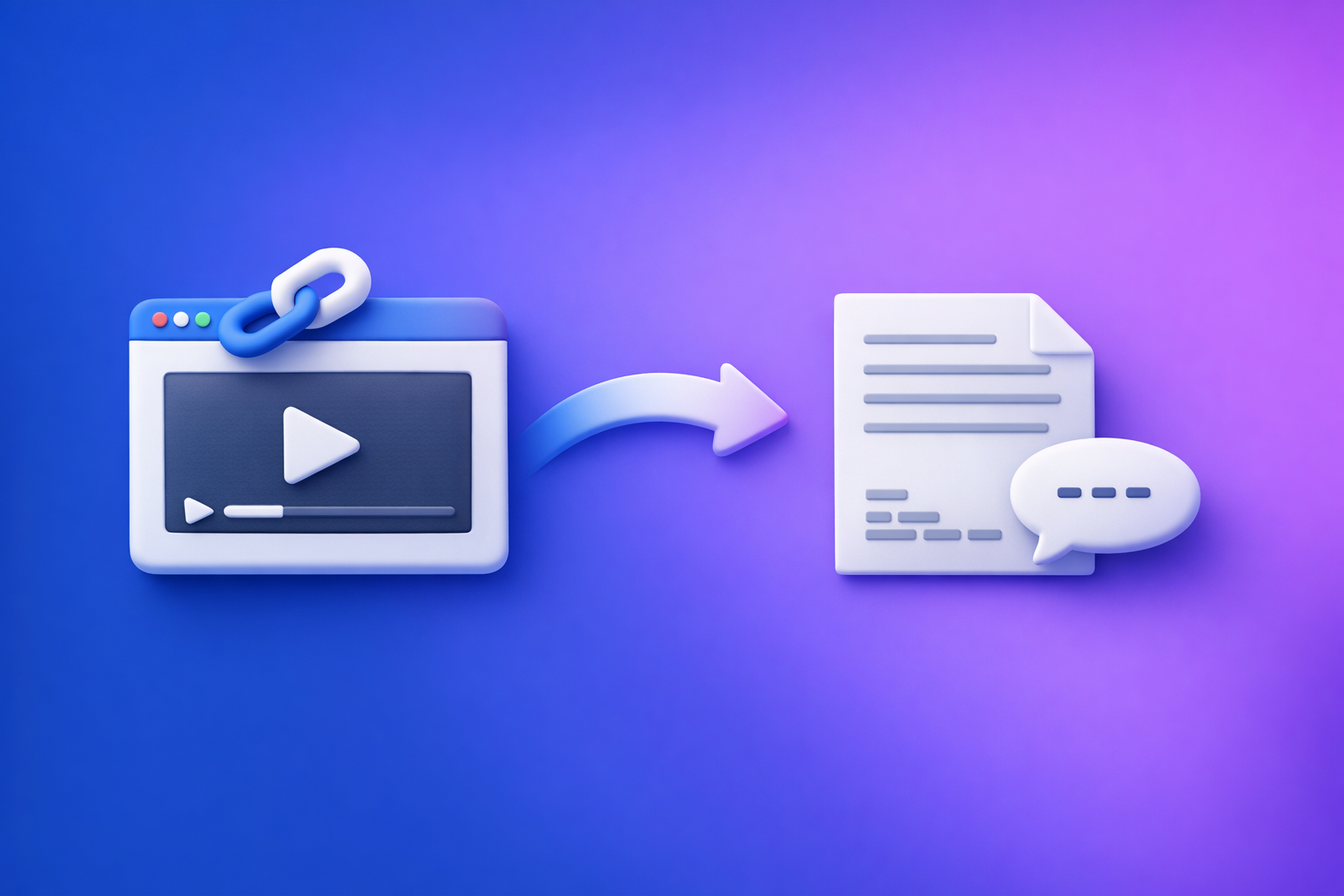
Can ChatGPT Transcribe Videos? What Actually Works in 2026 (Plus a Reliable Link → Transcript Workflow)
If you need a complete, accurate transcript or synced captions, don’t rely on ChatGPT to “watch” a video link. Use a link → export-ready transcript/subtitles tool first, then use ChatGPT for cleanup, structure, and repurposing.
Quick Answer (What You Can Expect From ChatGPT)
What ChatGPT can do well (when you already have text)
ChatGPT is strongest after transcription, when the words already exist.
Use it to:
- Fix punctuation and paragraph breaks
- Add headings and structure (chapters, sections, TL;DR)
- Rewrite into blog posts, newsletters, and social posts
- Extract key points, quotes, and clip ideas
- Standardize speaker labels and formatting
If your input is a clean TXT/SRT/VTT, ChatGPT becomes a high-leverage editor.
What ChatGPT cannot reliably do (video link → full transcript)
In 2026, ChatGPT still isn’t a dependable “paste link → perfect transcript” solution.
Common limitations:
- It may not have access to the video/audio behind a link.
- It may produce partial transcripts.
- It may generate plausible-sounding text that wasn’t said (hallucinations).
- It typically won’t produce export-ready SRT/VTT with reliable timestamps.
When “it worked for me” is true (and why it’s inconsistent)
People get success when:
- The interface they used temporarily supported video/audio ingestion.
- The video already had captions/transcripts available and the model pulled those.
- The clip was short, clear, and in a common language.
The inconsistency comes from plan differences, UI changes, file limits, and source access. That’s why production workflows should be transcript-first and link-based.
What “Transcribe a Video” Actually Means (So You Get the Right Output)
Transcript vs captions vs subtitles (TXT vs SRT vs VTT)
“Transcription” can mean three different deliverables.
-
Transcript (TXT / DOC / Google Doc)
Best for reading, editing, SEO, and repurposing. -
Captions (SRT / VTT)
Best for YouTube, podcasts with video, courses, and accessibility. -
Subtitles (SRT / VTT, sometimes translated)
Same file types as captions, but often implies translation.
If you’re publishing, you usually want both: TXT + SRT/VTT.
Timestamps: when you need them (and when you don’t)
You need timestamps when:
- You’re uploading captions to platforms (YouTube, players, LMS)
- You’re creating chapters or clip ranges
- You’re doing compliance/accessibility work
You don’t need timestamps when:
- You’re turning the content into a blog post
- You’re extracting key takeaways
- You’re summarizing or outlining
A practical approach: generate SRT/VTT for sync, and TXT for editing.
Speaker labels, punctuation, and formatting expectations
Decide upfront what “done” looks like:
- Speaker labels:
Host:/Guest:(or names) - Punctuation: readable sentences vs verbatim
- Filler words: keep or remove (“um,” “like”)
- Paragraphing: every 1–3 sentences for readability
- Technical terms: correct product names, acronyms, and brands
ChatGPT is great at these formatting tasks—after you have accurate text.
Can ChatGPT Transcribe a Video From a Link (YouTube/IG/TikTok)?
Why pasting a link usually doesn’t mean ChatGPT can “watch” the video
A link is not the media.
To transcribe, a system needs:
- Access to the audio track
- Permission to fetch/stream the file
- Enough compute/time to process the full duration
Most “paste a link” attempts fail because ChatGPT can’t reliably fetch and process the underlying media end-to-end. That’s why downloading video files is an outdated workflow—it’s slow, manual, and breaks at scale—while link-based extraction is the future of creator productivity.
Common failure modes (partial output, hallucinated sections, missing timestamps)
When you ask ChatGPT to transcribe from a link, watch for:
- Partial output (only the first minutes)
- Missing sections (skips mid-video)
- Invented segments (sounds right, but wasn’t said)
- No timestamps or timestamps that don’t align
- Wrong language detection in multilingual content
If you need publishable captions, these issues are deal-breakers.
Best practice: transcript-first workflow (link → transcript/subtitles → ChatGPT)
The stable workflow is:
- Extract transcript/subtitles from the link
- Export TXT/SRT/VTT
- Use ChatGPT to edit and repurpose the exported text
If you’re specifically working with Instagram, see: IG Transcript: How to Get an Instagram Reel Transcript From a Link (Fast + Exportable)
Can You Upload a Video File to ChatGPT to Transcribe It?
Upload availability varies by plan/interface (why this breaks workflows)
Some users can upload video/audio; others can’t. Even when available, the experience can change across:
- Web vs mobile
- Workspace vs personal accounts
- Regional rollouts
- Temporary feature flags
That variability is why teams should avoid building a pipeline that depends on “upload works today.” For a deeper breakdown, reference: Can ChatGPT Upload Video in 2026? What’s Actually Possible + The Reliable Workaround (VideoToTextAI)
Length limits and “can’t process the full file” issues
Even when upload works, long videos often hit:
- File size limits
- Duration limits
- Timeouts
- Incomplete processing (“can’t process the full file”)
If your content is 30–180 minutes (podcasts, webinars, trainings), you need a workflow designed for long-form.
If you must use ChatGPT: how to reduce risk (short clips + verification)
If you’re forced into ChatGPT-only:
- Split into short clips (5–15 minutes)
- Transcribe each clip separately
- Verify against the original audio
- Merge and normalize formatting afterward
This is still slower than link-based extraction, and it doesn’t reliably produce synced SRT/VTT.
The Reliable 2026 Workflow (Video Link → Export-Ready Transcript/Subtitles → ChatGPT)
This is the workflow that stays stable even when AI interfaces change.
Step 1: Start with the video link (or MP4 when needed)
Supported sources to test:
- YouTube videos
- Instagram Reels
- Podcast pages with embedded players
- MP4 uploads (only when a link isn’t available)
Decide output formats:
- TXT for reading, editing, SEO, and repurposing
- SRT/VTT for captions/subtitles and platform uploads
If you’re starting from a file, use: mp4 to transcript and mp4 to srt
Step 2: Generate the transcript/subtitles with VideoToTextAI
Use a link-first workflow to avoid downloads, re-uploads, and manual handling.
Process:
- Input: paste the video link (or upload MP4 when necessary)
- Select outputs: TXT + SRT + VTT (as needed)
- Export and save a source of truth transcript file
One CTA (link-based workflow): VideoToTextAI
If you want the broader product overview, see: Video2Text AI: Convert Any Video Link into Transcripts, SRT/VTT Subtitles, and Repurposed Content (VideoToTextAI)
Step 3: Run a fast QA pass (2-minute accuracy check)
Don’t skip QA. You don’t need perfection, but you do need to catch obvious failures fast.
- Check first 60 seconds for correct language + topic
- Spot-check 3 random timestamps for alignment
- Verify names/brands/technical terms
- If needed, add a custom glossary and re-run or correct the source transcript
Step 4: Use ChatGPT for cleanup + structure (what it’s best at)
Now feed ChatGPT the exported transcript (TXT) or caption file (SRT/VTT).
Use it to:
- Normalize punctuation and paragraphs
- Add speaker labels
- Create chapters with timestamps (using SRT/VTT as the reference)
- Generate summaries, show notes, and content briefs
If your goal is content marketing output, also see: youtube to blog
Step 5: Repurpose into publishable assets (repeatable outputs)
Once you have a clean transcript, repurposing becomes a repeatable system.
Common outputs:
- Blog post outline + draft
- LinkedIn post(s) + hooks
- Short-form captions + hashtag sets
- Email newsletter summary
For link-based extraction from Reels specifically, you can also use: instagram to text
Copy/Paste Prompts (Use ChatGPT on the Transcript You Export)
Use these prompts only after you’ve exported TXT/SRT/VTT from your transcript tool.
Prompt: clean transcript without changing meaning
You are editing a transcript. Do NOT add new information.
Task:
1) Fix punctuation, capitalization, and paragraph breaks for readability.
2) Remove filler words only when it doesn’t change meaning.
3) Keep all technical terms and product names exactly as written.
Output: cleaned transcript in plain text.
Here is the transcript:
[PASTE TXT]
Prompt: create chapters with timestamps (from SRT/VTT)
Create 6–12 chapters for this video using the timestamps provided.
Rules:
- Use the existing timecodes as the source of truth (do not invent times).
- Each chapter title should be 3–7 words and action-oriented.
- Return as a list: HH:MM:SS — Chapter Title.
Here is the SRT/VTT:
[PASTE SRT OR VTT]
Prompt: turn transcript into SEO blog post (with H2/H3)
Turn this transcript into an SEO blog post.
Requirements:
- Use H2/H3 headings, short paragraphs, and bullet points.
- Keep claims factual; do not invent stats or quotes.
- Include a concise conclusion and a “Key takeaways” section.
- Preserve the original meaning and examples.
Primary keyword to include naturally: "can chat gpt transcribe videos"
Here is the transcript:
[PASTE CLEAN TXT]
Prompt: generate 10 short clips ideas + titles from transcript
From this transcript, generate 10 short-form clip ideas.
For each idea include:
- Clip title (max 60 characters)
- Hook (first 1–2 sentences)
- Suggested timestamp range (use the transcript cues; if missing, say "needs timestamp")
- Why it will perform (1 sentence)
Transcript:
[PASTE TXT]
Implementation Checklist (No Guesswork)
Inputs checklist
- Video link (or MP4 file)
- Target language(s)
- Required output: TXT / SRT / VTT
- Speaker names (if known)
- Glossary of proper nouns/terms (optional)
Transcript QA checklist
- Correct language detected
- No missing sections (intro/middle/outro present)
- Timestamps align (spot-check 3 points)
- Speaker turns make sense (if multi-speaker)
- Proper nouns verified
Publishing checklist
- Final transcript saved (source of truth)
- Captions exported (SRT/VTT) and uploaded to platform
- Repurposed assets generated (blog/social/email)
- Internal links added (see plan below)
Troubleshooting (Fix the Common “ChatGPT Transcription” Problems)
“ChatGPT skipped parts of the video”
Fix:
- Generate the full transcript first with a link-based tool.
- Paste into ChatGPT in chunks (by chapters or time ranges) if needed.
- Recombine after cleanup.
If you want the full workflow reference, keep this bookmarked: Can ChatGPT Transcribe Videos? What Actually Works in 2026 (Link → Transcript Workflow)
“The transcript has wrong words/names”
Fix:
- Add a glossary list (names, brands, acronyms).
- Correct the source transcript first.
- Then rerun ChatGPT cleanup so errors don’t propagate into every asset.
“I need captions that actually sync”
Fix:
- Export SRT/VTT from your transcript generator.
- Don’t rely on ChatGPT to invent timestamps or rebuild sync from plain text.
“The video is long (60–180 minutes)”
Fix:
- Transcript-first, then summarize/repurpose by sections.
- Work in chapters or time ranges (00:00–15:00, 15:00–30:00, etc.).
- Produce deliverables per section, then merge.
Competitor Gap
What competitors miss (and what this post includes)
Most “ChatGPT transcription” posts focus on prompts and ignore the operational reality: ChatGPT is not a stable link → transcript engine.
This post includes what’s typically missing:
- A link → export-ready transcript/subtitles workflow that doesn’t depend on ChatGPT “watching” the video
- A QA checklist to validate accuracy quickly (instead of trusting first output)
- Copy/paste prompt templates for cleanup, chapters, captions, and repurposing
- Troubleshooting paths for partial transcripts, timestamp drift, and proper noun errors
The strategic shift is simple: stop downloading files as your default. Link-based extraction is faster, cleaner, and scales across creators and teams.
FAQ
Can ChatGPT transcribe text from video?
It can sometimes transcribe when it can access the audio (often via upload), but results vary by interface and limits. For consistent output, extract TXT/SRT/VTT first, then use ChatGPT to edit and repurpose.
Is there an AI that can transcript a video?
Yes—dedicated transcription tools can generate export-ready transcripts and captions (TXT/SRT/VTT) from a video link or file. That’s the reliable foundation for publishing and repurposing.
Can ChatGPT turn a video into notes?
Yes, if you provide the transcript (or a clean summary). The most reliable method is: video link → transcript → ChatGPT notes.
Can you put a video into ChatGPT?
Sometimes, depending on your plan and interface. Because availability and length limits change, teams should avoid making uploads the core workflow.
Can ChatGPT transcribe a YouTube video?
Pasting a YouTube link usually won’t produce a complete, verifiable transcript with timestamps. Use a link-based transcript extraction workflow first, then use ChatGPT for cleanup and content outputs.
Related posts
Reel Analyser (Instagram Reels): Transcript‑First Competitor Research, Hook/CTA Extraction, and Repurposing Workflow (VideoToTextAI)
Video To Text AI
A 2026 reel analyser should turn Instagram Reel links into a searchable transcript library you can tag for hooks, CTAs, objections, and topic clusters—then export into repurposing-ready drafts without a download/upload loop.
Traducir video de Instagram (Reels) en 2026: workflow transcript-first para traducir, sacar hooks/CTAs y repurpose (con VideoToTextAI)
Video To Text AI
Aprende a traducir un Reel de Instagram con un flujo URL→transcripción→traducción→subtítulos, y a convertir esa traducción en un activo de investigación para hooks, CTAs, objeciones y clusters de contenido.
Reel Analyzer: Transcript‑First Instagram Reels Research (Hooks, CTAs, Objections) + Workflow Guide (VideoToTextAI)
Video To Text AI
A reel analyzer should turn any public Instagram Reel link into a searchable transcript library you can mine for hooks, CTAs, objections, and topic clusters—then repurpose into original drafts with a repeatable SOP.