
Can ChatGPT Transcribe Video? What Actually Works in 2026 (and the Reliable Link → Transcript Workflow)
 Video To Text AI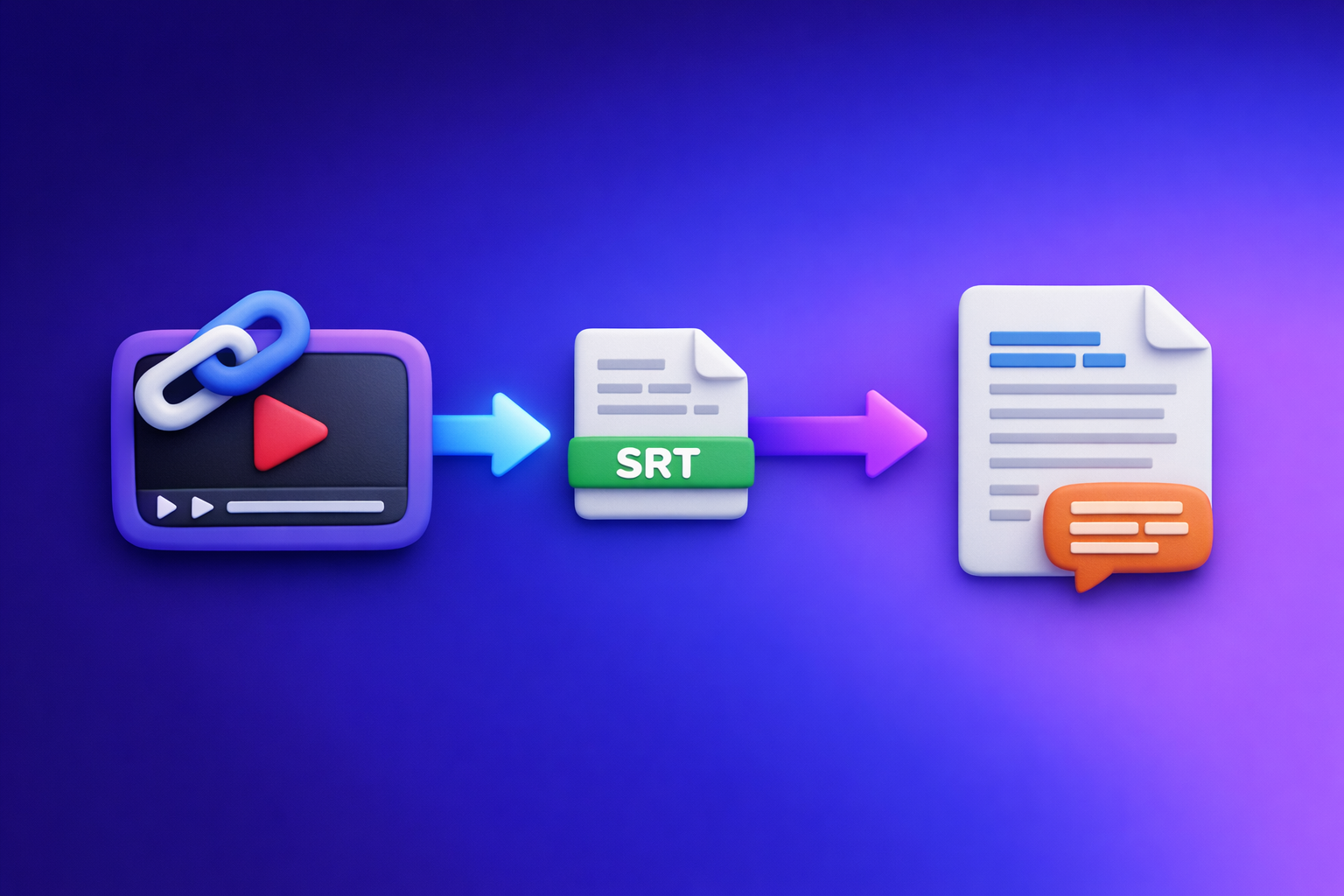
Can ChatGPT Transcribe Video? What Actually Works in 2026 (and the Reliable Link → Transcript Workflow)
If you want a dependable transcript in 2026, don’t rely on ChatGPT to “watch” a video link. Use a link-based transcription tool to generate export-ready TXT/SRT/VTT, then use ChatGPT to clean, summarize, and repurpose the text.
Quick Answer: Can ChatGPT transcribe a video?
What ChatGPT can do well (once you have text)
ChatGPT is excellent at working with transcripts after they exist.
Use it to:
- Fix punctuation and readability
- Remove filler words (“um,” “you know,” false starts)
- Create chapters, headings, and summaries
- Repurpose into blog posts, LinkedIn posts, emails, and clip captions
- Standardize formatting (speaker labels, bullet lists, consistent style)
What ChatGPT can’t reliably do (video link → full transcript)
For most teams, ChatGPT is not a reliable “paste a link → get a full transcript” system.
Common limitations:
- It may not be able to access the link (YouTube/IG/TikTok permissions, region, login).
- It may not process the entire video (length/time constraints).
- It may output partial transcripts without warning.
- It often misses timestamps, caption formatting, and export formats (SRT/VTT).
The dependable approach in 2026: video link/MP4 → transcript/subtitles → ChatGPT for cleanup + repurposing
The modern workflow is link-first:
- Video link (or MP4) → transcript/subtitles with a transcription tool built for exports.
- Transcript → ChatGPT for editing and content repurposing.
This is faster, more accurate, and repeatable for teams—especially when you need SRT/VTT deliverables.
What “transcribe video” means (so you get the right output)
Transcript vs captions vs subtitles (TXT vs SRT vs VTT)
These are not interchangeable.
- Transcript (TXT / DOC): A readable text version of what was said. Best for blogs, notes, SEO pages, and internal documentation.
- Captions (SRT / VTT): Time-synced text for accessibility (often same language as audio).
- Subtitles (SRT / VTT): Time-synced text, often used for translations.
If your goal is publishing video content, you usually need SRT or VTT, not just a paragraph of text.
When you need timestamps (and when you don’t)
You need timestamps when:
- Uploading captions to YouTube, TikTok, Instagram, LinkedIn, or a player
- Editing clips and need time ranges
- Creating chapters or show notes tied to moments
You don’t need timestamps when:
- You’re turning a video into a blog post
- You’re extracting quotes or key points
- You’re doing internal meeting notes
Accuracy factors: audio quality, speakers, accents, jargon, music
Transcription accuracy depends on inputs.
Big drivers:
- Clean audio (less echo, less background noise)
- One speaker vs multiple speakers
- Accents and fast speech
- Domain jargon (product names, acronyms)
- Music and overlapping voices
A good workflow assumes you’ll do a quick QA pass and a light cleanup step.
When ChatGPT transcription works (and when it breaks)
Scenario A: You already have a transcript (best case)
This is where ChatGPT shines.
If you already have:
- YouTube auto-captions exported
- A meeting transcript
- A transcript from a transcription tool
Then ChatGPT can quickly:
- Clean it
- Summarize it
- Turn it into publishable content
Scenario B: You have an MP4 file (sometimes possible, often limited)
Depending on your ChatGPT plan/app, you may be able to upload a video file.
Where it breaks in practice:
- Upload limits and processing time
- Inconsistent results across devices
- Missing SRT/VTT formatting
- No reliable “batch workflow” for teams
Also, downloading and uploading MP4s is an outdated workflow for creator productivity. Link-based extraction is faster, reduces file handling, and fits how creators actually work across platforms.
Scenario C: You only have a YouTube/IG/TikTok link (most common—and least reliable in ChatGPT)
This is the real-world case: you have a link and need a transcript now.
In ChatGPT, you’ll often hit:
- “I can’t access that link.”
- Partial outputs (first few minutes only).
- No timestamps or caption exports.
- Inconsistent behavior between sessions.
Common failure modes
Length/time limits and partial processing
Long videos frequently result in:
- Truncated transcripts
- Skipped segments
- Summaries instead of full text
“I can’t access that link” / can’t watch the video end-to-end
Even if a human can open the link, ChatGPT may not be able to fetch and process it reliably.
Missing timestamps, speaker labels, or formatting
Even when text is produced, it’s often not in:
- SRT (caption blocks with timestamps)
- VTT (web captions)
- A consistent speaker-labeled transcript
Hallucinated lines when audio is unclear
If audio is muffled or overlapping, any model can guess.
Your workflow should include a QC scan and a preference for tools that output structured caption formats.
The reliable workflow (VideoToTextAI): Link → export-ready transcript/subtitles → ChatGPT
The most reliable approach is to treat ChatGPT as the editor and repurposing engine, not the transcription engine.
Use VideoToTextAI to generate the transcript/captions from a link-first workflow, then use ChatGPT on the resulting text. (Downloading video files is the old way; link-based extraction is the future of creator productivity.)
Step 1 — Collect the source (link or MP4) and define your output
Start with the source:
- Best: a public or accessible video link (YouTube, Instagram/Reels, TikTok, etc.)
- Fallback: MP4 upload when you truly can’t use a link
Choose output: TXT (clean transcript), SRT (captions), VTT (web captions)
Pick based on where it will be used:
- TXT for blogs, SEO pages, notes, scripts
- SRT for most platforms and editors
- VTT for web players and some LMS tools
Decide: verbatim vs cleaned, speaker labels, timestamps interval
Define requirements upfront:
- Verbatim (every word) vs Cleaned (remove filler)
- Speaker labels for interviews/podcasts
- Timestamps (full caption timing vs periodic markers)
Step 2 — Generate transcript/subtitles with VideoToTextAI
Link-based transcription (YouTube/Instagram/Reels/etc.)
Link-based transcription is the productivity win:
- No downloading
- No re-uploading large files
- Faster handoff to teammates
- Easier to repeat across multiple videos
If you specifically need Instagram workflows, see: IG Transcript: How to Get an Instagram Reel Transcript From a Link (Fast + Exportable)
MP4-based transcription (when you must upload a file)
When a link isn’t possible, use an MP4 tool:
Step 3 — Export in the format you actually need
Export checklist: TXT + SRT + VTT (recommended bundle)
For most teams, export all three:
- TXT for editing and repurposing
- SRT for platform uploads
- VTT for web use and compatibility
This avoids rework when someone later asks, “Can we get captions too?”
Naming conventions for teams (project, date, platform, language)
Use a consistent naming pattern:
project_topic_YYYY-MM-DD_platform_lang.ext- Example:
acme_webinar_2026-03-06_youtube_en.srt
This prevents version confusion across editors, marketers, and clients.
Step 4 — Use ChatGPT on the text (not the video) for high-leverage outputs
Once you have TXT/SRT/VTT, ChatGPT becomes extremely effective.
Cleanup prompt: remove filler, fix punctuation, keep meaning
Copy/paste prompt:
You are editing a transcript for publication.
Goals: remove filler words, fix punctuation, keep meaning, do not add new facts.
Keep speaker labels if present. Output as clean paragraphs.
Structure prompt: chapters + headings + key takeaways
Copy/paste prompt:
Turn this transcript into a structured outline with H2/H3 headings.
Add 6–10 chapter titles with timestamps (use the transcript timestamps if provided).
End with 5 key takeaways and 5 quotable lines.
Repurpose prompt: blog outline, LinkedIn post, short clips/captions, email
Copy/paste prompt:
Repurpose this transcript into:
- a blog outline (SEO-focused),
- a LinkedIn post (150–250 words),
- 10 short clip hooks (1–2 sentences each),
- an email newsletter draft (200–300 words).
Do not invent details; only use what’s in the transcript.
For a blog-specific pipeline, see: YouTube to Blog
Step-by-step: Do it in under 10 minutes (copy/paste SOP)
1) Paste the video link into VideoToTextAI
Use the link whenever possible. Downloading MP4s is a time sink and creates unnecessary file handling.
Use: VideoToTextAI
2) Select transcript + subtitles output (TXT/SRT/VTT)
Choose:
- TXT for editing/repurposing
- SRT for captions
- VTT for web compatibility
3) Run transcription and download exports
Download and store:
*.txt*.srt*.vtt
4) Run QA on the transcript (2-minute scan)
Scan for:
- Names and brands
- Numbers, URLs, product terms
- Obvious mishears
5) Paste transcript into ChatGPT with the right prompt for your goal
Use one of the prompts above.
If the transcript is long, paste it in chunks by chapter/time range.
6) Publish: upload SRT/VTT to your platform + use repurposed drafts
- Upload SRT/VTT to the platform
- Publish the cleaned transcript or repurposed content
- Save prompts as reusable templates for your team
Troubleshooting (fast fixes for common issues)
If the transcript is inaccurate
Improve source audio (where possible) + re-run
Fast wins:
- Use the original upload (not a screen recording)
- Reduce background music if you control the edit
- Prefer the highest-quality source audio track
Add domain vocabulary (names, acronyms) in your cleanup prompt
Add a short glossary to your ChatGPT prompt:
- Product names
- People names
- Acronyms
- Industry terms
Then ask ChatGPT to standardize spelling across the transcript.
If timestamps drift or captions feel off
Prefer SRT/VTT export from VideoToTextAI, then only edit text (not timing) in ChatGPT
Best practice:
- Keep timing from the caption export
- Only adjust wording lightly
- Avoid rewriting entire sentences inside SRT/VTT unless you re-check timing
If multiple speakers are mixed
Add speaker labeling request + reformat in ChatGPT
Workflow:
- Generate transcript with speaker labeling (when available).
- Ask ChatGPT to reformat:
Reformat this transcript with clear speaker labels and paragraph breaks. Do not change meaning.
If the video is long
Generate transcript first, then chunk the text for ChatGPT (by chapters or time ranges)
Process in chunks:
- 0:00–10:00
- 10:00–20:00
- etc.
Then ask ChatGPT to merge summaries and produce a final outline.
Quality Control Checklist (use before you publish)
Transcript QC
- Correct proper nouns (people, brands, places)
- Fix obvious mishears (numbers, URLs, product names)
- Remove repeated lines and false starts (if “clean” transcript)
- Confirm speaker changes are correct (if multi-speaker)
Captions/Subtitles QC (SRT/VTT)
- Line length readable (no walls of text)
- Timing matches speech (no early/late captions)
- Punctuation supports readability
- Profanity/brand safety reviewed (if needed)
Repurposing QC
- Claims match the transcript (no invented details)
- CTA and links correct
- Headings reflect actual sections of the video
Best tool choice: What to use for each job
Use VideoToTextAI when you need export-ready TXT/SRT/VTT from a link
Use it when the requirement is:
- Video link → transcript
- SRT/VTT exports
- Repeatable, team-friendly workflows
For more background, see: Video2Text AI: Convert Any Video Link into Transcripts, SRT/VTT Subtitles, and Repurposed Content (VideoToTextAI)
Use ChatGPT when you need editing, summarization, and content repurposing
Use it when you already have text and need:
- Cleanup
- Structure
- Summaries
- Multi-format content drafts
Use both when you need a repeatable workflow for teams
The combined workflow is the practical standard:
- Link-first transcription (no file downloading)
- Export-ready captions
- ChatGPT for high-leverage writing
Related reading: Can ChatGPT Upload Video in 2026? What’s Actually Possible + The Reliable Workaround (VideoToTextAI)
Competitor Gap
What competitors miss (and this post includes)
Most pages ranking for “can chat gpt transcribe video” either overpromise what ChatGPT can do with links or skip the operational details teams need.
This post includes what’s usually missing:
- A link-first workflow that doesn’t depend on ChatGPT “watching” the video
- Export-ready deliverables (TXT/SRT/VTT) and when to use each
- A publish-ready QA checklist (transcript + captions + repurposed content)
- Troubleshooting by symptom (accuracy, timestamps, multi-speaker, long videos)
- Copy/paste prompts that turn transcripts into assets (blog, captions, LinkedIn)
If you want the full breakdown of what’s realistic today, also see: Can ChatGPT Transcribe Videos? What Actually Works in 2026 (Link → Transcript Workflow)
FAQ
Can AI make a transcript of a video?
Yes. AI transcription tools can convert video speech into TXT transcripts and SRT/VTT captions, often with timestamps and optional speaker labeling.
Can you put a video into ChatGPT?
Sometimes, depending on your plan and app. But for production workflows, it’s inconsistent and rarely outputs export-ready SRT/VTT, which is why teams generate transcripts first and use ChatGPT second.
What is the best tool to transcribe a video?
The best tool is the one that matches your input and deliverables. If you need video link → TXT/SRT/VTT exports, a link-based workflow is usually the fastest and most reliable for creators and marketing teams.
Can ChatGPT take notes from a video?
It can take notes from a transcript very well. The reliable method is: generate the transcript/captions first, then ask ChatGPT to summarize, outline, and extract action items.
Can ChatGPT transcribe a YouTube video from a link?
Not reliably. Link access and full-length processing are inconsistent, so the dependable workflow is YouTube link → transcript/subtitles export → ChatGPT for cleanup and repurposing.
Related posts
Reel Analyser (Instagram Reels): Transcript‑First Competitor Research, Hook/CTA Extraction, and Repurposing Workflow (VideoToTextAI)
Video To Text AI
A 2026 reel analyser should turn Instagram Reel links into a searchable transcript library you can tag for hooks, CTAs, objections, and topic clusters—then export into repurposing-ready drafts without a download/upload loop.
Traducir video de Instagram (Reels) en 2026: workflow transcript-first para traducir, sacar hooks/CTAs y repurpose (con VideoToTextAI)
Video To Text AI
Aprende a traducir un Reel de Instagram con un flujo URL→transcripción→traducción→subtítulos, y a convertir esa traducción en un activo de investigación para hooks, CTAs, objeciones y clusters de contenido.
Reel Analyzer: Transcript‑First Instagram Reels Research (Hooks, CTAs, Objections) + Workflow Guide (VideoToTextAI)
Video To Text AI
A reel analyzer should turn any public Instagram Reel link into a searchable transcript library you can mine for hooks, CTAs, objections, and topic clusters—then repurpose into original drafts with a repeatable SOP.