
videotorecipe: Convert Any Cooking Video Link Into a Written Recipe (Ingredients + Steps) with VideoToTextAI
 Video To Text AI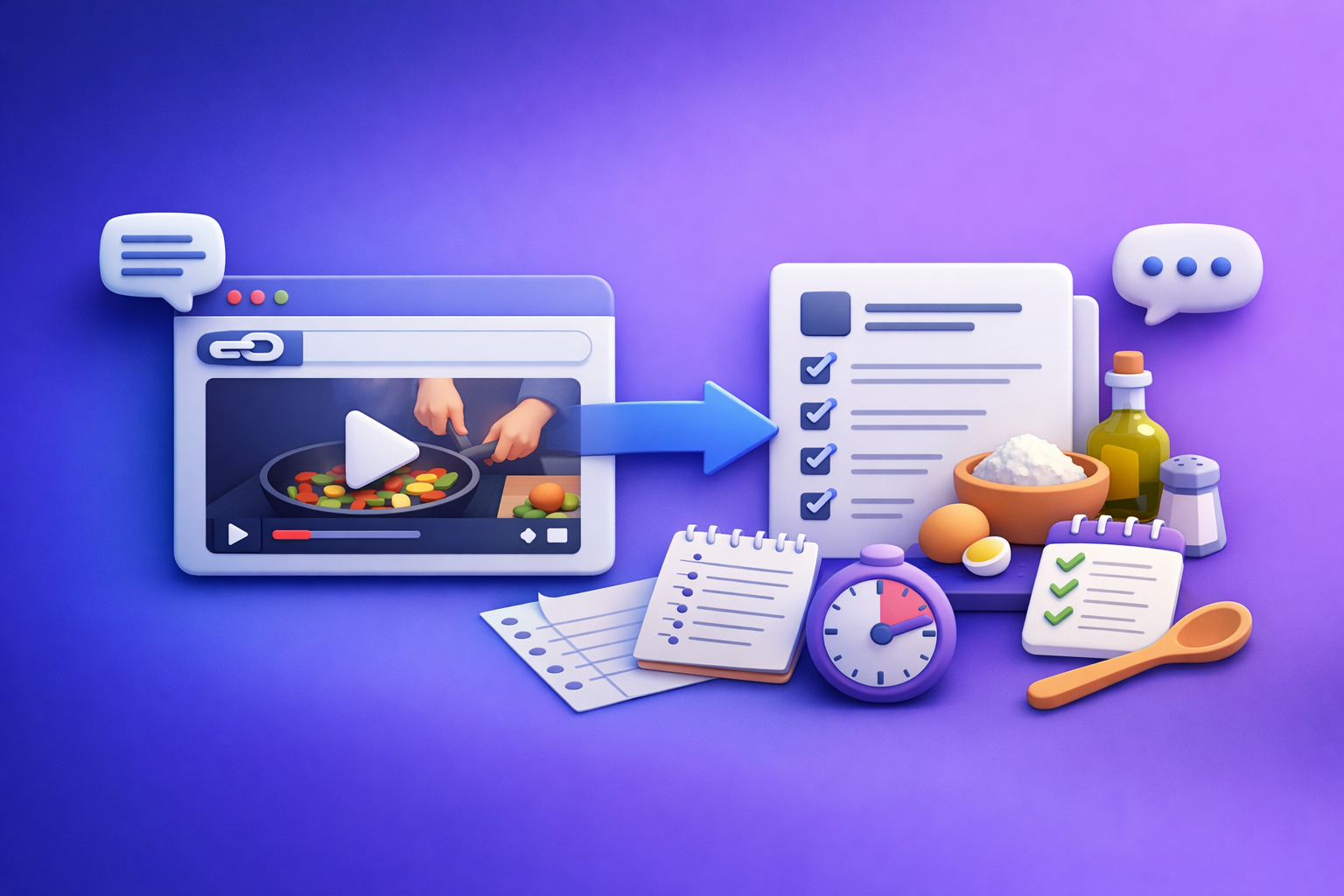
Convert a cooking video link into a clean written recipe by extracting a timestamped transcript first, then converting that transcript into a strict ingredients + steps schema. This transcript-first workflow is the fastest way to reduce wrong ingredients, missing quantities, and step-order mistakes.
VideoToTextAI is built for link-based video-to-text workflows (transcripts, subtitles, captions, and repurposing), because downloading video files is an outdated workflow—link-based extraction is the future of creator productivity.
What “videotorecipe” means (and what you should expect from the output)
“videotorecipe” is the process of turning a cooking video into a structured recipe you can actually cook from. The goal is not “a wall of text,” but a usable recipe card.
Video-to-recipe vs. “just a transcript”
A transcript answers: What was said?
A video-to-recipe output answers: What do I buy, and what do I do—step by step?
A proper videotorecipe output should:
- Extract ingredients and quantities from narration/on-screen text.
- Reorder actions into a logical cooking flow (without inventing steps).
- Normalize units, temperatures, and timings.
- Flag unknowns instead of guessing.
Best video sources for recipe extraction (YouTube, Instagram Reels, TikTok, MP4)
Best sources (most consistent results):
- YouTube: longer demos, clearer narration, fewer jump cuts.
- Instagram Reels / TikTok: great when on-screen text lists ingredients and amounts.
- MP4 uploads: useful when the video isn’t public, but still a more manual workflow.
Brand POV (important): Downloading MP4s to your desktop, renaming files, and re-uploading is slow and fragile. Link-based extraction keeps the workflow fast, repeatable, and scalable across many videos.
What a good output includes: ingredients, quantities, steps, timings, servings, notes
A “good” recipe output typically includes:
- Title (and optional source attribution line)
- Servings / yield
- Prep time / cook time / total time (if stated; otherwise flagged)
- Ingredients with quantities + units
- Steps with ordered instructions
- Temperatures (oven, oil, internal temp) and timings
- Notes (substitutions, storage, food safety, equipment)
When a video-to-recipe converter works best (and when it fails)
Works best: clear narration, on-screen ingredients, structured cooking demos
You’ll get the best videotorecipe results when the video has:
- Clear voiceover that states quantities (“1 cup,” “2 tbsp,” “350°F”).
- On-screen ingredient list (especially for short-form videos).
- A structured demo (mise en place → cook → finish → serve).
- Minimal jump cuts during critical steps (mixing, baking times, temps).
Common failure cases: no measurements, jump cuts, background music, vague “add some”
Expect issues when the video:
- Never states measurements (“add some salt,” “a splash of milk”).
- Uses heavy jump cuts that remove key steps.
- Has loud background music and minimal narration.
- Shows ingredients briefly without readable text.
- Combines multiple dishes rapidly (montage style).
How to decide if you need “recipe extraction” or “transcript + manual cleanup”
Use this decision rule:
- If the video states quantities + temps + times → do recipe extraction.
- If the video is mostly vibes/visuals → do transcript + manual cleanup and treat the recipe as a draft.
A practical hybrid is best: transcript-first, then recipe formatting, then a quick human QA pass.
Step-by-step: Turn a video link into a clean recipe with VideoToTextAI
This workflow is designed to minimize hallucinations and maximize repeatability.
Step 1 — Copy the public video URL (YouTube/Instagram) or upload MP4
Preferred input:
- Paste a public URL (YouTube, Instagram, TikTok).
Fallback input:
- Upload MP4 only when a link isn’t available.
Why this matters: Link-based extraction is faster than file handling and keeps your pipeline consistent across platforms.
Step 2 — Run a transcript-first extraction (to reduce hallucinations)
Start with a transcript, ideally with timestamps. This gives you:
- A verifiable source of truth (“the video said X at 02:14”).
- A way to catch missing steps caused by jump cuts.
- Better ingredient accuracy (names, brands, quantities).
If you’re building a repeatable workflow, transcript-first is the difference between “pretty output” and cookable output.
Related reading: Video to Text: Convert Any Video Link into a Transcript, Subtitles (SRT/VTT), and Repurposed Content
Step 3 — Convert transcript to recipe format (ingredients + steps)
Now transform the transcript into a strict recipe structure:
- Parse ingredient mentions into an Ingredients list.
- Convert actions into numbered steps.
- Preserve critical details: heat level, pan type, timing, temperatures.
For Instagram-specific workflows, see: How to Extract Written Recipes from Instagram Cooking Reels
Step 4 — Normalize measurements and servings (cups/grams, yields, cook times)
Normalization makes recipes usable across kitchens:
- Convert “a spoon” → keep as-is unless the video defines it.
- Standardize units: tsp, tbsp, cups, grams, ml.
- Standardize temps: °F/°C (keep original; optionally add conversion).
- Set servings/yield:
- If stated, use it.
- If not stated, flag as unknown (don’t invent).
Step 5 — Add missing context safely (only from the video; flag unknowns)
Add helpful context only when it’s supported by the transcript/video:
- If the video shows “bake until golden,” keep it as a conditional.
- If the video never states oven temp, write: “Oven temp: not stated in video.”
- If a quantity is implied but not stated, mark it estimated and explain why.
Rule: Never fill gaps with confident guesses. Flag unknowns so the recipe stays trustworthy.
Step 6 — Export and use the recipe (TXT/Doc) + optional subtitles (SRT/VTT)
Export options should match how you’ll use the output:
- Recipe text for docs, CMS, or notes.
- Subtitles (SRT/VTT) if you’re republishing or improving accessibility.
If you also need subtitle files, see: How to Generate Subtitles (SRT & VTT Files) for Your Instagram Reels
Primary CTA (exactly one link): Convert a video to a recipe from a link with VideoToTextAI: VideoToTextAI
Implementation: The exact prompt/spec to get consistent recipes every time
Consistency comes from enforcing a schema and rules. Below is a copy/paste spec you can reuse.
Recipe schema to enforce (copy/paste)
TASK: Convert the provided cooking video transcript into a written recipe.
SOURCE OF TRUTH: Use ONLY the transcript content. Do not invent ingredients, quantities, times, or temperatures.

OUTPUT FORMAT (Markdown):
# {Recipe Title}

## Yield
- Servings: {number or "Not stated"}
- Yield: {e.g., "12 cookies" or "Not stated"}

## Time
- Prep time: {minutes or "Not stated"}
- Cook time: {minutes or "Not stated"}
- Total time: {minutes or "Not stated"}

## Ingredients
List each ingredient on its own line:
- {quantity} {unit} {ingredient} {prep note if stated} {CONFIDENCE TAG}

## Equipment (only if stated or clearly shown)
- {item}

## Instructions
1. {step} (Time: {x} | Temp: {y} | Pan: {z}) {CONFIDENCE TAG}
2. ...

## Notes
- {substitutions, storage, safety notes} {CONFIDENCE TAG}

CONFIDENCE TAGS:
- [EXPLICIT] = directly stated in transcript
- [ON-SCREEN] = transcript indicates on-screen text OR clearly shown
- [ESTIMATED] = inferred from context; include a short reason
- [UNKNOWN] = missing from transcript; do not guess
Formatting rules (units, ranges, temperatures, pan sizes, timing)
Enforce these rules to reduce ambiguity:
- Units: tsp, tbsp, cup, oz, lb, g, kg, ml, L
- Ranges: write as “10–12 minutes”
- Temps: “350°F (175°C)” only if you can convert reliably; otherwise keep original
- Pan sizes: “9x13-inch”, “10-inch skillet” if stated/shown
- Heat levels: low / medium / medium-high / high
- Timing in steps: include when stated; otherwise [UNKNOWN]
Confidence flags: how to mark “estimated” vs “explicitly stated”
Use confidence tags to keep outputs honest:
- [EXPLICIT]: “Bake at 350°F for 25 minutes.”
- [ESTIMATED]: “Simmer 10 minutes” only if the transcript implies a simmer duration; add reason.
- [UNKNOWN]: “Oil temperature” if never stated.
This is the fastest way to make videotorecipe outputs usable in real kitchens without overpromising accuracy.
Optional: generate a grocery list + prep timeline from the same transcript
Once you have a clean ingredient list and steps, you can generate:
- Grocery list grouped by category (produce, dairy, pantry, spices).
- Prep timeline (T-20 chop, T-10 preheat, T+0 start cooking).
For repurposing workflows, see: Instagram Content Repurposing: How to Turn Reels into SEO Blog Posts
Troubleshooting: Fix the 7 most common videotorecipe issues
Missing quantities: how to extract from on-screen text + narration
Fix approach:
- Re-check transcript segments where ingredients are introduced (first 20–30% of video).
- Look for “overlay text” references in the transcript.
- If quantities are never stated, mark as [UNKNOWN] or [ESTIMATED] with a reason.
Ingredient name errors (brand names, spices, similar-sounding items)
Common causes: misheard words (“cumin” vs “cinnamon”), brand names, accents.
Fix approach:
- Use transcript timestamps to locate the mention.
- Prefer on-screen text over audio when they conflict.
- Keep brand names only if explicitly stated; otherwise use generic ingredient.
Step order mistakes caused by jump cuts
Fix approach:
- Rebuild steps based on cooking dependencies:
- Preheat before bake.
- Mix wet/dry before combining.
- Rest/chill before shaping if stated.
- If the video jumps, add a note: “Step order inferred due to jump cuts” [ESTIMATED].
Temperature/time omissions (oven vs stovetop vs air fryer)
Fix approach:
- Separate by method:
- Oven: temp + rack position if stated.
- Stovetop: burner level + pan type.
- Air fryer: temp + time + shake/flip cues.
- If missing, do not guess. Use [UNKNOWN].
Multi-recipe videos: splitting into separate recipes cleanly
Fix approach:
- Detect section boundaries:
- “Next recipe…”
- New ingredient set
- New plating/serving segment
- Output:
- Recipe A, Recipe B, each with its own ingredients and steps.
- Avoid merging ingredient lists across recipes.
Non-English videos: translate first vs extract first
Best practice:
- Extract transcript first in the original language, then translate.
- Then run recipe formatting on the translated transcript.
This preserves proper nouns and reduces translation drift.
“Looks good” videos with no instructions: what to do instead
If the video is mostly visuals:
- Output a timestamped transcript plus:
- A best-effort ingredient list with [UNKNOWN] quantities.
- A high-level method outline (not a precise recipe).
- Recommend manual completion or sourcing the creator’s written recipe.
Checklist: videotorecipe SOP (copy/paste)
Use this SOP to standardize outputs across videos and team members.
Input readiness checklist (link access, audio clarity, length, language)
- Video link is publicly accessible (no login wall).
- Audio is clear enough to transcribe (minimal music overlap).
- Video length is reasonable for extraction (short-form OK if text overlays exist).
- Language is identified (and translation plan decided if needed).
Transcript quality checklist (speaker clarity, timestamps, key terms)
- Transcript includes timestamps (preferred).
- Ingredient terms are spelled correctly (spot-check spices, brands).
- Key numbers captured: temps, times, quantities.
- Obvious transcription errors corrected before recipe formatting.
Recipe quality checklist (ingredients completeness, step clarity, safety notes)
- Every step references needed ingredients (no orphan ingredients).
- Steps are numbered, concise, and in logical order.
- Temps/times are included or flagged [UNKNOWN].
- Food safety notes included when relevant (e.g., chicken doneness) if stated.
Final QA checklist (servings, units, duplicates, missing steps)
- Servings/yield present or Not stated.
- Units normalized (tsp/tbsp/cups/grams).
- Duplicate ingredients merged (e.g., salt listed twice).
- No invented details; unknowns are flagged.
Use cases: What to do with the extracted recipe (beyond cooking)
Turn the recipe into a blog post (SEO format)
A structured recipe can become an SEO page with:
- Keyword-focused title + intro
- Ingredient list + steps
- Tips, substitutions, storage
- FAQ and schema-ready formatting
Workflow ideas: Instagram Reels to Text Hub: 10 Workflows to Transcribe, Summarize, Translate, and Repurpose (2026)
Create captions/subtitles for the original video (SRT/VTT)
Once you have the transcript, generating subtitles is a low-effort add-on:
- Improves accessibility
- Increases watch time (silent viewing)
- Enables multi-language versions
If you need a full walkthrough: How to Turn Any Video Link into a Transcript, Subtitles (SRT/VTT), and Repurposed Content (Step-by-Step)
Repurpose into a shopping list, meal plan, or newsletter snippet
From the same structured recipe, you can produce:
- A grocery list grouped by aisle
- A weekly meal plan with batch-prep notes
- A newsletter snippet (hook + ingredients + 3-step summary)
Competitor Gap
Most “videotorecipe” tools promise instant recipes from a link, but they skip the operational details that determine accuracy.
Where VideoToTextAI-style workflows win:
- Transcript-first workflow: competitors often jump straight to “recipe generation,” which increases wrong ingredients and missing steps.
- Repeatable schema + QA checklist: competitors rarely standardize output, so results vary wildly video-to-video.
- Troubleshooting for missing measurements and jump cuts: competitors omit the reality of short-form editing and vague narration.
- Exports beyond recipe text: transcript/subtitle outputs (SRT/VTT) and repurposing workflows matter if you’re a creator or marketer.
Strategic POV: Link-based extraction is the scalable path—it’s faster than downloading files, easier to automate, and better aligned with modern creator operations.
FAQ
Can AI convert a YouTube or Instagram cooking video into a written recipe?
Yes, especially when the video includes spoken measurements or on-screen ingredient text. For best results, use a transcript-first approach, then format into a strict recipe schema with unknowns flagged.
Why does my video-to-recipe output miss measurements or ingredients?
Because many cooking videos never state quantities, rely on jump cuts, or show text too briefly. Fix it by extracting a timestamped transcript first, then pulling quantities only from narration/on-screen text and marking anything else as [UNKNOWN] or [ESTIMATED].
What’s the best way to convert an MP4 cooking video into a recipe?
Upload the MP4 and run the same transcript-first workflow. That said, downloading and managing video files is an outdated workflow—link-based extraction is faster, cleaner, and easier to scale.
Is there a free videotorecipe tool, and what are the limitations?
Free tools can work for simple videos, but they often lack:
- Transcript-first controls
- Confidence flags
- Reliable handling of jump cuts and missing measurements
- Export formats for subtitles/repurposing
The limitation is usually trustworthiness, not just convenience.
How do I turn multiple recipes in one video into separate written recipes?
Split the transcript into sections using cues like “next recipe,” a new ingredient set, or a new plating segment. Then generate separate recipe outputs with distinct ingredients, steps, and yields to avoid merged lists and incorrect instructions.
Related posts
Reel Analyser (Instagram Reels): Transcript‑First Competitor Research, Hook/CTA Extraction, and Repurposing Workflow (VideoToTextAI)
Video To Text AI
A 2026 reel analyser should turn Instagram Reel links into a searchable transcript library you can tag for hooks, CTAs, objections, and topic clusters—then export into repurposing-ready drafts without a download/upload loop.
Traducir video de Instagram (Reels) en 2026: workflow transcript-first para traducir, sacar hooks/CTAs y repurpose (con VideoToTextAI)
Video To Text AI
Aprende a traducir un Reel de Instagram con un flujo URL→transcripción→traducción→subtítulos, y a convertir esa traducción en un activo de investigación para hooks, CTAs, objeciones y clusters de contenido.
Reel Analyzer: Transcript‑First Instagram Reels Research (Hooks, CTAs, Objections) + Workflow Guide (VideoToTextAI)
Video To Text AI
A reel analyzer should turn any public Instagram Reel link into a searchable transcript library you can mine for hooks, CTAs, objections, and topic clusters—then repurpose into original drafts with a repeatable SOP.