
Upload Video in ChatGPT (2026): What Works, Why It Fails, and the Production-Safe Link → Transcript Workflow
 Video To Text AI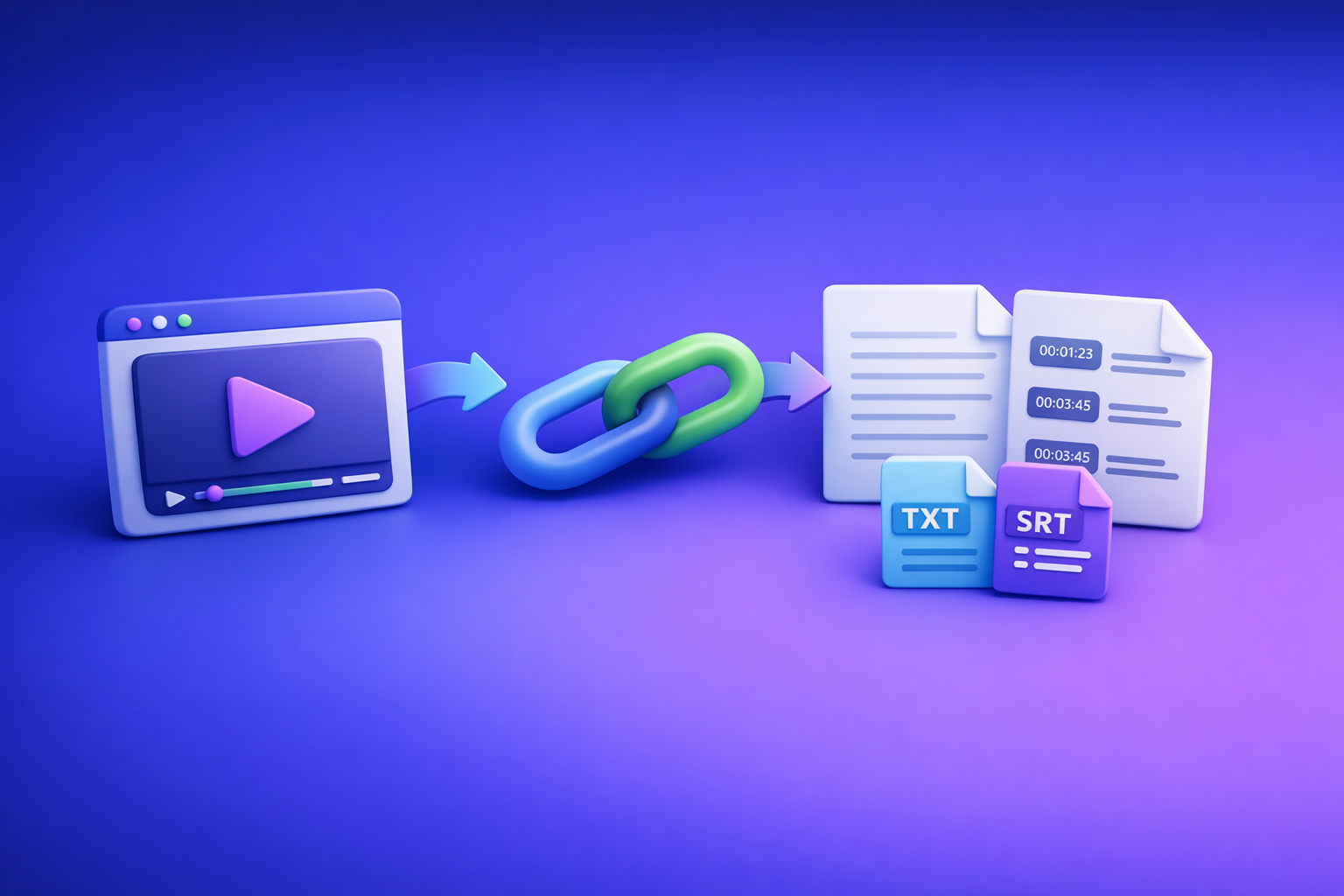
Upload Video in ChatGPT (2026): What Works, Why It Fails, and the Production-Safe Link → Transcript Workflow
If you need export-ready transcripts or captions, don’t rely on “upload video” in ChatGPT. The production-safe approach is link/MP4 → transcript (TXT) + captions (SRT/VTT) → ChatGPT-on-text for summaries, chapters, and repurposing.
TL;DR: The reliable way to “upload video” to ChatGPT
When native video upload is worth using (and when it isn’t)
Native upload is worth using when:
- You have a short clip (think: quick context, not a full episode).
- You only need analysis-only outputs (summary, topics, rough sequence).
- You can tolerate occasional failures and re-tries.
Native upload is not worth using when:
- You need SRT/VTT captions, timecodes, or a transcript you can ship.
- The video is long, high-res, or recorded on devices that produce tricky codecs.
- You’re working in a team and need repeatable, versionable deliverables.
The production-safe alternative: generate transcript/captions first, then use ChatGPT on text
For real workflows, treat video like a source asset and text like the working asset:
- Generate TXT transcript (editable, QA-friendly).
- Export SRT/VTT (caption-ready).
- Use ChatGPT on the transcript for rewriting, structuring, and repurposing.
This avoids the outdated “download → convert → upload → hope” loop. Link-based extraction is the future of creator productivity because it removes file handling, reduces failure points, and produces deterministic artifacts you can reuse.
What you’ll walk away with (TXT + SRT/VTT + repurposing prompts)
- A repeatable decision system (A/B/C) for video + ChatGPT
- A transcript QA checklist you can copy
- A caption spec checklist you can enforce
- A ChatGPT-on-text prompt pack for blog, LinkedIn, and shorts
What “upload video” in ChatGPT actually means in 2026
Availability differences (plan, client, region, rollout)
“Upload video” is not a universal feature you can count on. Availability commonly varies by:
- Plan tier (features roll out unevenly)
- Client (web vs desktop vs iOS/Android)
- Region and account flags
- Gradual rollout (some accounts see it, others don’t)
If your workflow depends on a button that may disappear, it’s not production-safe.
Upload vs link vs “analyze this” (what ChatGPT can and can’t do)
In practice, there are three modes people call “upload video”:
- Native upload: attach a file and ask questions about it.
- Link-based analysis: paste a URL and ask for a summary/outline.
- “Analyze this” without text: asking for verbatim dialogue or captions without providing a transcript.
What ChatGPT can do well (when it has reliable input):
- Summaries, outlines, topic grouping, rewriting, tone shifts, repurposing.
What it cannot reliably do from video alone:
- Verbatim transcripts, accurate timecodes, and caption exports (SRT/VTT) you can ship without QA.
Output reality: analysis-only vs export-ready deliverables (timecodes, captions, QA)
For production, you need artifacts that are:
- Deterministic (same input → stable output)
- Exportable (TXT + SRT/VTT)
- QA-able (names, numbers, jargon, speaker turns)
ChatGPT outputs are often analysis-only unless you provide the transcript/captions as text.
Can you upload a video to ChatGPT? (capability matrix)
| Goal | Native upload | Link-based “analysis” | Transcript-first (TXT + SRT/VTT) |
|---|---|---|---|
| Quick understanding of a short clip | ✅ | ✅ | ✅ |
| Accurate transcript you can publish | ⚠️ | ❌ | ✅ |
| Captions/subtitles (SRT/VTT) | ❌/⚠️ | ❌ | ✅ |
| Long-form reliability (30–120 min) | ❌ | ❌ | ✅ |
| Team workflow (versioning, reuse) | ⚠️ | ⚠️ | ✅ |
Native upload: typical constraints that break workflows
File size/time limits (why long videos fail)
Long videos fail because uploads hit:
- File size caps
- Duration limits
- Processing time ceilings
- Memory/timeouts during analysis
Even if it “works,” you may get partial results or vague summaries.
Supported formats and codec gotchas (MP4/MOV ≠ always accepted)
“MP4” and “MOV” are containers, not guarantees. Uploads can fail due to:
- HEVC/H.265 vs H.264 differences
- Variable frame rate recordings (common on phones)
- Audio codec mismatches
- Corrupt metadata or nonstandard encoding
Network/timeouts and “processing” stalls
Common failure pattern:
- Upload completes → “processing…” → stalls → error → you retry → same result.
This is why downloading and re-uploading files is an outdated workflow. It adds friction without improving deliverable quality.
Link-based “analysis”: why it’s inconsistent for transcription/captions
Link-based prompts can be fine for:
- High-level summaries
- Topic outlines
- Content ideas
But they’re inconsistent for:
- Verbatim dialogue
- Timecoded transcripts
- Captions you can export
If you need words-on-the-page accuracy, you need a transcript-first workflow.
Privacy/compliance considerations (what not to upload)
Avoid uploading or linking content that includes:
- Sensitive personal data (IDs, addresses, medical details)
- Confidential client calls without permission
- Regulated content requiring strict retention controls
For compliance-heavy workflows, prefer tools that produce exportable text artifacts you can store and audit.
Step-by-step: 3 ways to use ChatGPT with video (ranked by reliability)
Option A (fastest, lowest stakes): upload a short clip for quick understanding
Use this when you want quick context and can accept “analysis-only.”
Steps
- Open ChatGPT in a client that shows the attachment control.
- Attach the video file (keep it short; trim if needed).
- Prompt for analysis-only outputs (summary, key moments, topics).
- Verify claims against the video before using externally.
Best prompts for clip understanding
- “Summarize the main points with timestamps if available; if not, label by approximate sequence.”
- “List 10 key moments and what is said/done in each.”
When to stop and switch workflows
Switch if you hit any of these:
- Missing upload button
- Repeated failures
- Long duration
- You need SRT/VTT or a publishable transcript
Option B (better): use a video link for summarization + outline (not captions)
Use this when the video is public and you want structure, not verbatim text.
Steps
- Paste the public video URL.
- Ask for a structured outline (chapters, bullets, takeaways).
- Treat any quoted dialogue as unverified unless you provide a transcript.
What to ask for (outputs that don’t require perfect transcription)
- Chapter titles + bullet summaries
- Topic map and key takeaways
- Audience Q&A and objections
- Content angles and hook ideas
If you want a dedicated workflow for turning a video into written content, see: youtube to blog.
Option C (production-safe): Link/MP4 → transcript + SRT/VTT → ChatGPT-on-text (recommended)
This is the workflow you can run every time, especially for creators, marketers, and teams.
Steps (VideoToTextAI workflow)
- In VideoToTextAI, paste a video link or upload an MP4: VideoToTextAI
- Generate TXT transcript for editing/QA.
- Export SRT/VTT for captions/subtitles.
- Paste the transcript into ChatGPT for: summaries, chapters, blog drafts, social posts, translations.
- QA: spot-check names, numbers, and jargon; fix once in transcript, re-export captions.
If you’re starting from a local file, these tools map directly to the deliverables:
Why this works
- You get deterministic artifacts (TXT/SRT/VTT) you can ship, version, and reuse.
- ChatGPT is used where it’s strongest: rewriting and structuring text, not guessing dialogue.
- You avoid the outdated “download video files and re-upload them everywhere” workflow. Link-based extraction is faster, cleaner, and more scalable.
Troubleshooting: why ChatGPT video uploads fail (and fixes that work)
“I don’t see the upload button”
Fix checklist (client, plan, permissions, browser/app updates)
- Confirm you’re using a client that supports attachments (web vs mobile vs desktop differs).
- Update the app/browser to the latest version.
- Check workspace/admin policies (attachments may be disabled).
- Try a different client (e.g., desktop app vs web).
- If you need deliverables today, switch to Option C.
“Upload failed” / “processing error”
Fix checklist (trim, re-encode, smaller file, stable connection)
- Trim to a short clip and retry (test whether duration is the issue).
- Re-encode to H.264 + AAC in an MP4 container.
- Reduce resolution/bitrate (1080p → 720p).
- Upload on a stable connection (avoid spotty mobile networks).
- If you need captions/transcripts, stop retrying and run Option C.
“It summarized wrong / made up dialogue”
Fix checklist (provide transcript, constrain prompts, require quotes only from provided text)
- Provide the transcript and say: “Only quote from the transcript below.”
- Ask for uncertainty labeling: “If you’re not sure, say ‘unknown.’”
- Require evidence: “Cite the exact line(s) you used from the transcript.”
“I need a transcript with timecodes”
Fix: generate SRT/VTT first (VideoToTextAI), then use ChatGPT for formatting/cleanup
- Generate SRT/VTT first (timecodes included).
- Use ChatGPT to clean punctuation, normalize speaker labels, or create chapters from timestamps.
- Keep the SRT/VTT as the source of truth for timing.
Implementation: production-safe deliverables (transcript + captions + repurposing)
Deliverable 1: Clean transcript (TXT)
QA rules (names, numbers, acronyms, speaker labels)
Spot-check these first (they cause the most downstream errors):
- Proper nouns: names, brands, locations
- Numbers: prices, dates, metrics, counts
- Acronyms/jargon: industry terms, product names
- Speaker turns: who said what (especially interviews/podcasts)
For podcast-style workflows, also see: podcast transcription.
Formatting standard (headings, paragraphs, speaker turns)
Use a consistent standard so ChatGPT can repurpose cleanly:
- Title
- Section headings every 2–5 minutes of content
- Short paragraphs (1–3 sentences)
- Speaker labels (if applicable):
HOST:/GUEST:
Deliverable 2: Captions/subtitles (SRT/VTT)
Caption constraints to enforce (line length, reading speed, punctuation)
Enforce a simple spec:
- Max 2 lines per caption
- ~32–42 characters per line (language-dependent)
- Avoid long unbroken sentences
- Use punctuation to improve readability
- Keep captions aligned to natural speech pauses
Common caption errors to catch (overlong lines, missing breaks, timing drift)
- Overlong lines that cover the screen
- Missing line breaks (hard to read on mobile)
- Timing drift after edits (fix by re-exporting from the corrected transcript)
- Inconsistent casing for acronyms and product names
Deliverable 3: Repurposed content using ChatGPT-on-text
Below are copy/paste prompts designed to work only from provided transcript text.
Blog post prompt (from transcript)
You are a technical SEO editor. Using the transcript below, write a 1,200–1,800 word blog post with: H2/H3 structure, short paragraphs, bullets, and a concise conclusion.
Requirements: keep claims faithful to the transcript; if a detail is missing, omit it. Add a “Key Takeaways” bullet list near the top.
Transcript:
[PASTE TXT]
LinkedIn post prompt (from transcript)
Turn the transcript below into 3 LinkedIn posts (each 120–220 words).
Constraints: one clear hook in the first 2 lines, 3–5 bullets max, one practical takeaway, no invented stats, and keep terminology consistent with the transcript.
Transcript:
[PASTE TXT]
Short-form clips prompt (hooks + timestamps from transcript/captions)
Using the transcript and (if provided) SRT/VTT timestamps, propose 8 short clips.
For each clip: start/end timestamp, a 6–10 word hook, and a one-sentence description of what the viewer learns.
Only use moments that are explicitly present in the text.
Transcript/SRT:
[PASTE]
Checklist: “Upload video” workflow you can run every time
Decision checklist (choose A/B/C in under 60 seconds)
- Need export-ready transcript/captions? → Option C
- Short clip, internal analysis only? → Option A
- Public link, outline/ideas only? → Option B
Execution checklist (Option C)
- Paste link or upload MP4 in VideoToTextAI
- Export TXT + SRT/VTT
- QA transcript (names/numbers/jargon)
- Re-export captions after edits
- Use ChatGPT on transcript for summaries/chapters/repurposing
- Final spot-check against video before publishing
For related implementation guidance, you can cross-reference:
- ChatGPT “Upload Video” Feature: What Actually Works in 2026 (and the Production-Safe Link → Transcript Workflow)
- Upload Video to ChatGPT (2026): What Actually Works, Why Uploads Fail, and the Production-Safe Link → Transcript Workflow
- Give Me the Text: How to Extract Text From Any Video Link (Transcripts, Captions, and Repurposing) with VideoToTextAI
Competitor Gap
What competitors miss (and what this post adds)
Most “upload video” guides stop at “try again” advice. This post adds:
- Troubleshooting that maps failures to specific fixes (button missing, processing stalls, hallucinated dialogue).
- A reusable, production-safe workflow that outputs TXT + SRT/VTT before ChatGPT.
- Copy/paste checklists + prompt templates designed for deliverables, not demos.
Templates to include in the post (ready to copy)
“Transcript QA” checklist template
- Correct names (people, brands, places)
- Verify numbers (prices, dates, metrics)
- Normalize acronyms/jargon (consistent spelling/casing)
- Fix speaker labels (who said what)
- Remove filler only if it doesn’t change meaning
- Add section headings every 2–5 minutes
- Spot-check against video for any high-risk segments
“Caption spec” checklist template
- Max 2 lines per caption
- 32–42 chars/line target
- Break on natural pauses
- Punctuation for readability
- No timing drift after transcript edits (re-export)
- Consistent casing for product names/acronyms
“ChatGPT-on-text” prompt pack (blog, LinkedIn, shorts)
- Blog: “Write SEO structure from transcript; no invented details; include key takeaways.”
- LinkedIn: “3 variants; hook + bullets; one takeaway; no invented stats.”
- Shorts: “8 clips; timestamps; hook; one-sentence learning; only from text.”
FAQ
Can I upload a video on ChatGPT?
Sometimes, but it depends on your plan/client/rollout. Even when available, it’s best for short clips and analysis-only outputs, not transcripts or captions.
Can I upload a video to ChatGPT to analyze?
Yes, for understanding and summarization. For anything that requires verbatim accuracy (quotes, captions, compliance), generate a transcript first and analyze the text.
Can ChatGPT watch videos you upload to it?
In supported clients, it can analyze certain uploaded videos. It’s not consistently reliable for export-ready deliverables like timecoded transcripts or SRT/VTT captions.
Why won’t ChatGPT let me upload videos?
The most common reasons are missing feature rollout, file size/duration limits, codec incompatibility, network timeouts, or processing stalls. If you need a repeatable workflow, use a transcript-first approach and treat ChatGPT as a text repurposing engine.
Related posts
Reel Analyser (Instagram Reels): Transcript‑First Competitor Research, Hook/CTA Extraction, and Repurposing Workflow (VideoToTextAI)
Video To Text AI
A 2026 reel analyser should turn Instagram Reel links into a searchable transcript library you can tag for hooks, CTAs, objections, and topic clusters—then export into repurposing-ready drafts without a download/upload loop.
Traducir video de Instagram (Reels) en 2026: workflow transcript-first para traducir, sacar hooks/CTAs y repurpose (con VideoToTextAI)
Video To Text AI
Aprende a traducir un Reel de Instagram con un flujo URL→transcripción→traducción→subtítulos, y a convertir esa traducción en un activo de investigación para hooks, CTAs, objeciones y clusters de contenido.
Reel Analyzer: Transcript‑First Instagram Reels Research (Hooks, CTAs, Objections) + Workflow Guide (VideoToTextAI)
Video To Text AI
A reel analyzer should turn any public Instagram Reel link into a searchable transcript library you can mine for hooks, CTAs, objections, and topic clusters—then repurpose into original drafts with a repeatable SOP.