
ChatGPT “Upload Video” Feature: What Actually Works in 2026 (and the Production-Safe Link → Transcript Workflow)
 Video To Text AI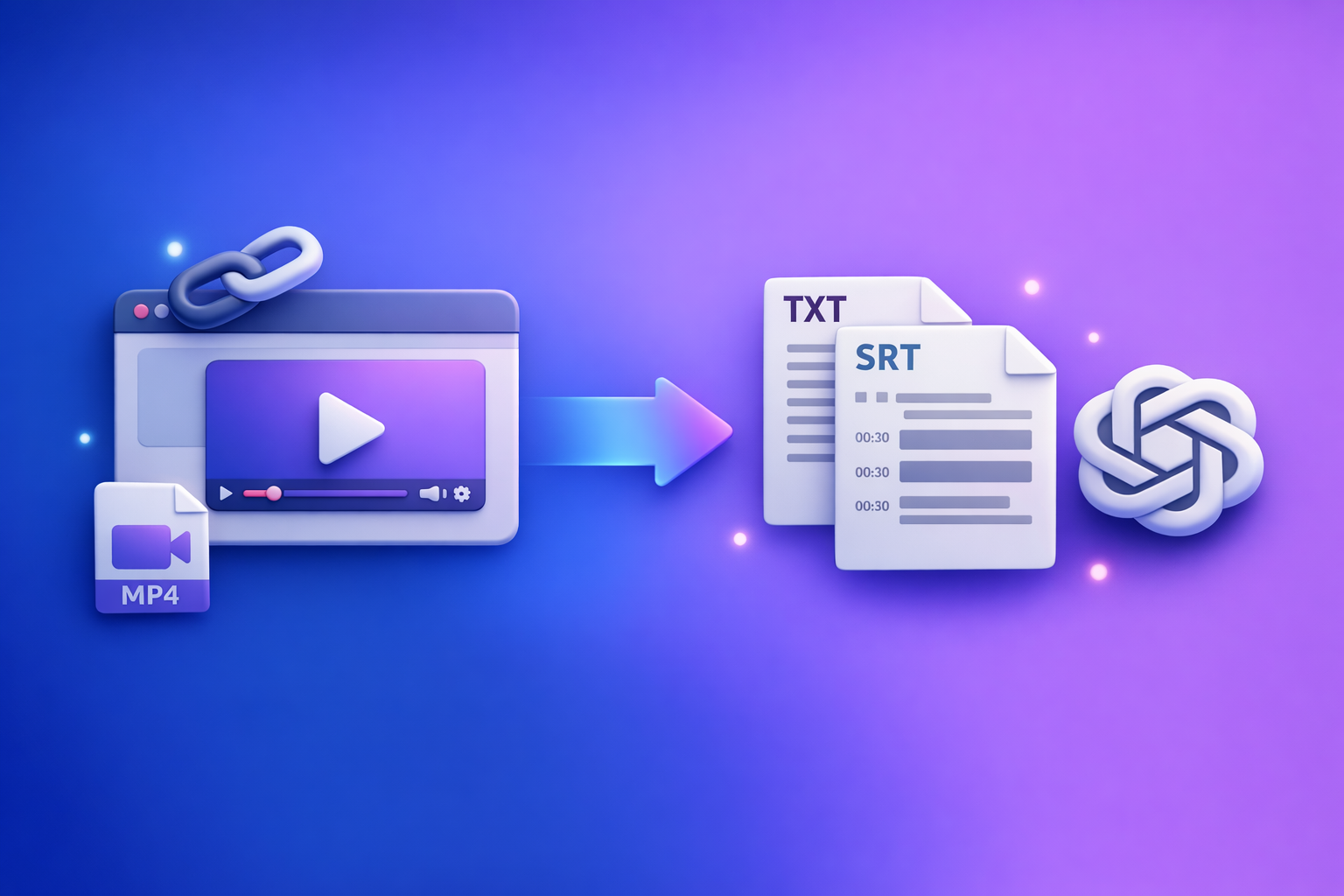
ChatGPT’s “upload video” feature is not a production-safe way to get transcripts, SRT/VTT captions, or repeatable deliverables in 2026. The reliable workflow is link/MP4 → export-ready TXT + SRT/VTT → ChatGPT-on-text for summaries, chapters, and repurposing.
Why people search “ChatGPT upload video feature” (and what they’re really trying to do)
Most searches aren’t about “uploading” as a novelty. They’re about getting usable outputs from video with minimal friction.
Goal 1: “Watch this video and tell me what happens”
Typical needs:
- A summary for stakeholders
- A scene list or “what happened when”
- Q&A about what’s said or shown
This can work for short clips, but it’s fragile when you need accuracy you can audit.
Goal 2: “Give me a transcript I can export (TXT/SRT/VTT)”
This is where teams hit reality:
- Editors need TXT as a source of truth.
- Platforms need SRT/VTT with timecodes.
- Teams need consistent formatting and repeatability.
Goal 3: “Turn this video into captions + repurposed content”
The real objective is usually:
- Captions that sync and meet platform rules
- Repurposed assets (blog, social, email) that match the transcript
- A workflow that scales without “it worked yesterday” surprises
Quick answer: Can ChatGPT upload and analyze videos?
Yes, sometimes—but reliability depends on your account and the exact workflow.
When the upload button appears (and why it sometimes doesn’t)
The attachment/upload UI can vary based on:
- Client (web vs. iOS vs. Android)
- Plan/workspace entitlements and admin controls
- Region and staged rollouts
- Temporary feature flags and experiments
If your team needs a stable process, don’t build production around a button that may not exist tomorrow.
What ChatGPT can do reliably vs. what breaks in real workflows
Reliable (when it works):
- High-level summaries of short clips
- Extracting visible on-screen text when frames are clear
- Basic Q&A about obvious content
Breaks in production:
- Long videos (timeouts, size limits, processing failures)
- Inconsistent transcript formatting
- Missing or unusable timecodes for SRT/VTT
- Link access failures (Drive/Dropbox permissions)
The key constraint: production deliverables require deterministic artifacts (TXT + SRT/VTT)
If you’re shipping content, you need artifacts that are:
- Exportable (TXT, SRT, VTT)
- Auditable (spot-checkable against timestamps)
- Reusable (repurposing, search, documentation)
That’s why “upload and hope” fails as a team workflow.
What “upload video” means in practice (file vs. link)
People say “upload,” but they usually mean one of two things: local file upload or link sharing. The failure modes are different.
Uploading a local file (MP4/MOV) in ChatGPT: what to expect
What you can expect:
- Upload may succeed for shorter clips.
- Analysis may be approximate and not export-ready.
- Output may be missing strict caption constraints (line length, CPS/WPM, speaker turns).
Also note: MP4 ≠ always compatible. MP4 is a container; codec details matter.
Sharing a link (YouTube/Drive/Dropbox): why access fails
Link-based access fails when:
- The link is private or requires login
- The URL uses expiring tokens
- The player is embedded behind scripts or “request access” flows
- The link is region-restricted or blocked by policy
In practice, “here’s a Drive link” is often not machine-accessible.
Why “it worked yesterday” happens (client, plan, rollout, limits)
Common causes:
- App update changed attachment behavior
- Workspace policy toggled file tools
- Rollout/feature flag changed
- You hit new limits (duration, size, rate limits)
This is why teams move to export-first workflows.
What works vs. what fails (real constraints teams hit)
Works best for
- Short clips for quick understanding
- High-level summaries when accuracy isn’t audited
- Extracting visible on-screen text (clear frames, large fonts)
Fails most often because of
- File size/duration limits and timeouts
- Unsupported codecs/containers (H.265, variable audio codecs, odd containers)
- Link permissions (private Drive/Dropbox, expiring tokens)
- Region/account availability differences
- No export-ready timecodes (SRT/VTT) or inconsistent formatting
If your deliverable is “captions that sync,” you need a workflow designed for that outcome.
How to upload a video to ChatGPT (when you still want to try)
If you’re experimenting or doing a one-off, here’s the least painful way to test.
Desktop (web): upload steps + settings to check
- Confirm you’re in a chat that supports attachments (paperclip/plus icon visible).
- Attach MP4/MOV via the paperclip.
- Ask for a specific output (summary, scene list, Q&A) rather than “transcribe.”
- Validate with 2–3 timestamped spot checks (names, numbers, key claims).
Prompt example (desktop):
- “Summarize the video in 8 bullets, then list 5 key moments with timestamps you observed. If unsure, write
unclear.”
iPhone/iOS: upload steps + common iOS blockers
Upload options vary by app version and share-sheet behavior.
Common blockers:
- iOS share-sheet sends a compressed or re-encoded version
- Background upload interruptions (switching apps pauses uploads)
- Large files trigger silent failures on cellular networks
Practical fix:
- Keep the app foregrounded during upload.
- Prefer Wi‑Fi for anything beyond a short clip.
Android: upload steps + common Android blockers
Common blockers:
- Storage permission issues (file picker can’t see the video)
- Upload failures on mobile networks for large files
- Vendor-specific “battery optimization” killing background tasks
Practical fix:
- Grant storage permissions.
- Disable battery optimization for the app during upload.
- Use Wi‑Fi for large files.
The production-safe workflow (recommended): Link/MP4 → TXT + SRT/VTT → ChatGPT-on-text
If you need consistent deliverables, treat ChatGPT as a text transformation engine, not your ingestion layer.
Brand POV: Downloading and shuffling video files between tools is an outdated workflow. Link-based extraction is the future of creator productivity because it’s faster, repeatable, and easier to operationalize across teams.
Why this workflow is repeatable (QA, exports, reuse)
- You ship artifacts (TXT, SRT, VTT) that editors and platforms accept.
- You can audit accuracy before generating downstream content.
- ChatGPT is used where it’s strongest: turning text into structured outputs.
Outputs you can ship
- Transcript (TXT)
- Subtitles/captions (SRT/VTT)
- Chapters/timestamps (derived from transcript)
- Blog post, LinkedIn post, X thread, email, show notes (from transcript)
Step-by-step implementation (VideoToTextAI → ChatGPT)
This is the workflow teams use when they can’t afford rework.
Step 1 — Choose your input type (link vs. file)
- Use a public video URL when possible (fastest, most scalable).
- Use MP4 upload when the video is private/offline.
If you’re still downloading videos “just to upload them somewhere else,” that’s the bottleneck you should remove.
Step 2 — Generate export-ready artifacts in VideoToTextAI
Generate the artifacts first, then reuse them everywhere:
- Create transcript (TXT)
- Create captions/subtitles (SRT and/or VTT)
- Confirm language and speaker labeling needs
If you want the cleanest handoff to editors and platforms, this is the step that makes everything deterministic.
Use the tool pages as needed:
Step 3 — Do a fast accuracy pass (2–5 minutes)
Don’t “prompt” your way out of bad input.
Spot-check:
- Names (people, products, companies)
- Numbers (prices, dates, metrics)
- Domain terms (medical/legal/technical vocabulary)
Fix obvious issues:
- Punctuation that changes meaning
- Speaker turns that confuse attribution
If audio is poor, re-run with better input rather than stacking prompts.
Step 4 — Run ChatGPT on the transcript (copy/paste prompts)
Paste the transcript (or sections) and request strict, structured outputs.
Prompt: summary + key points (for stakeholders)
You are summarizing a transcript. Output:
- 1-paragraph executive summary (max 90 words)
- 8 bullet key points (no fluff)
- 5 action items (imperative verbs)
If any detail is uncertain, writeunclearinstead of guessing.
Prompt: chapters with timestamps (for YouTube)
Create YouTube chapters from this transcript.
Rules:
- 8–12 chapters
- Each line:
MM:SS Title- Titles must be specific (no “Intro”)
- Use transcript timestamps if present; otherwise infer and mark
approx.
If you’re doing YouTube repurposing, also see: YouTube to blog
Prompt: caption cleanup rules (line length, reading speed, profanity policy)
Rewrite these captions for readability.
Constraints:
- Max 42 characters per line
- Max 2 lines per caption
- Keep timestamps unchanged
- Remove filler words where safe
- Apply profanity policy: replace strong profanity with
****
Output in SRT format only.
Prompt: repurposing pack (blog + LinkedIn + X + email)
Using only the transcript content, create:
- Blog outline (H2/H3) + 5 key takeaways
- LinkedIn post (120–180 words) + 3 hook options
- X thread (8 tweets) with a strong first tweet
- Email newsletter (subject + preview + 200–300 words)
Do not add facts not present in the transcript.
Prompt: SEO extraction (entities, FAQs, title variants, meta description)
Extract SEO assets from the transcript:
- Primary entities (people, products, places)
- 10 long-tail keywords
- 6 FAQs with concise answers
- 10 title variants (max 60 chars)
- 1 meta description (max 155 chars)
Use only transcript facts.
Step 5 — Publish and distribute (with correct file formats)
- Upload SRT/VTT to your platform (YouTube, TikTok, IG, LMS).
- Store TXT as the source of truth for future repurposing.
- Reuse the transcript for internal search, documentation, and training.
Related workflow reading:
- Give Me the Text: How to Extract Text From Any Video Link (Transcripts, Captions, and Repurposing) with VideoToTextAI
- TikTok to transcript
Copy/paste implementation checklist (no skipped steps)
Inputs checklist (before you start)
- Video link is accessible (or MP4 is available locally)
- Audio is clear (minimal music/overlap)
- Target language(s) confirmed
- Required outputs defined: TXT, SRT, VTT, summary, repurposed assets
VideoToTextAI run checklist
- Generate TXT transcript
- Export SRT (captions) and/or VTT (web subtitles)
- Verify timestamps align with playback (start, mid, end)
- Save a versioned “final transcript” for reuse
ChatGPT-on-text checklist
- Paste transcript (or sections) and request structured outputs
- Require headings, bullets, and strict formatting
- Ask for
unclearflags instead of guessing - Validate 5–10 claims against the transcript before publishing
Publishing checklist
- Upload captions file (SRT/VTT) and verify sync
- Add chapters (if applicable)
- Add excerpt + CTA pointing to your workflow
- Archive transcript + captions in your content repository
Troubleshooting: “ChatGPT video upload failed” and other blockers
If the upload button is missing
- Client/app version mismatch (update web/app)
- Account/plan/region rollout differences
- Workspace/admin restrictions (attachments disabled)
If you need predictable operations, don’t anchor your workflow to UI availability.
If the file upload fails
- Reduce duration or split the video
- Re-encode to standard MP4 (H.264 video + AAC audio) before retrying
- Switch networks (mobile → Wi‑Fi) and retry
If ChatGPT can’t access your link
- Fix permissions (public/unlisted vs. private)
- Avoid expiring links and “request access” flows
- Prefer direct video URLs over embedded players
If the transcript/analysis is inaccurate
- Don’t rely on “try again” prompting
- Generate transcript artifacts first, then run ChatGPT on text
- Spot-check with timestamps and correct the source transcript
Security & privacy: when not to upload video to ChatGPT
Avoid uploading
- Regulated data (health, finance), confidential client footage, internal meetings
- Videos containing personal identifiers you don’t need for the task
Safer approach
- Extract only the necessary text first (transcript)
- Share redacted excerpts with ChatGPT for transformation tasks
This is another reason export-first workflows win: you control what leaves your environment.
Competitor Gap
Most competitors frame this as “how to upload a video to ChatGPT.” That’s the wrong center of gravity for teams that ship content.
What this post adds:
- A deterministic, export-first workflow (TXT + SRT/VTT) instead of “upload and hope”
- A QA step that prevents publishing misheard or invented details
- Mobile-specific failure modes (iOS/Android) and link-permission diagnostics
- A copy/paste checklist that teams can operationalize (inputs → artifacts → prompts → publish)
If you want the deeper version of this exact workflow, see:
- ChatGPT “Upload Video” Feature (2026): What Actually Works, Why Uploads Fail, and the Production-Safe Link → Transcript Workflow
- Upload Video to ChatGPT (2026): What Actually Works, Why Uploads Fail, and the Production-Safe Link → Transcript Workflow
Recommended VideoToTextAI tools (pick your workflow)
For links and platforms:
- YouTube → transcript/repurpose: YouTube to blog
- TikTok → transcript: TikTok to transcript
For files and deliverables:
- MP4 → transcript (TXT): MP4 to transcript
- MP4 → SRT: MP4 to SRT
- MP4 → VTT: MP4 to VTT
If you want a link-first, export-ready workflow for transcripts, subtitles, captions, and repurposing, use VideoToTextAI: VideoToTextAI
FAQ
Does ChatGPT allow video uploads?
Sometimes. Availability depends on your plan, client/app, region, and rollout status, and it can change without notice.
Can ChatGPT watch videos you upload to it?
It can sometimes analyze short clips, but it’s not consistent enough for audited outputs like captions, transcripts, or compliance-sensitive summaries.
Why can’t I upload videos to ChatGPT anymore?
Most often it’s a client/app mismatch, a workspace/admin restriction, a rollout change, or you hit size/duration limits that weren’t obvious.
Can I upload a video to ChatGPT to analyze?
You can try for short, non-critical tasks (summary, Q&A). For production work, extract TXT + SRT/VTT first, then analyze the text.
Can I upload a video to ChatGPT and get a transcript?
You might get text, but it’s not reliably export-ready or timecoded. For deliverables, generate TXT + SRT/VTT first, then use ChatGPT to format, summarize, and repurpose.
Related posts
Reel Analyser (Instagram Reels): Transcript‑First Competitor Research, Hook/CTA Extraction, and Repurposing Workflow (VideoToTextAI)
Video To Text AI
A 2026 reel analyser should turn Instagram Reel links into a searchable transcript library you can tag for hooks, CTAs, objections, and topic clusters—then export into repurposing-ready drafts without a download/upload loop.
Traducir video de Instagram (Reels) en 2026: workflow transcript-first para traducir, sacar hooks/CTAs y repurpose (con VideoToTextAI)
Video To Text AI
Aprende a traducir un Reel de Instagram con un flujo URL→transcripción→traducción→subtítulos, y a convertir esa traducción en un activo de investigación para hooks, CTAs, objeciones y clusters de contenido.
Reel Analyzer: Transcript‑First Instagram Reels Research (Hooks, CTAs, Objections) + Workflow Guide (VideoToTextAI)
Video To Text AI
A reel analyzer should turn any public Instagram Reel link into a searchable transcript library you can mine for hooks, CTAs, objections, and topic clusters—then repurpose into original drafts with a repeatable SOP.