
ChatGPT “Upload Video” Feature (2026): What Actually Works, Why Uploads Fail, and the Production-Safe Link → Transcript Workflow
 Video To Text AI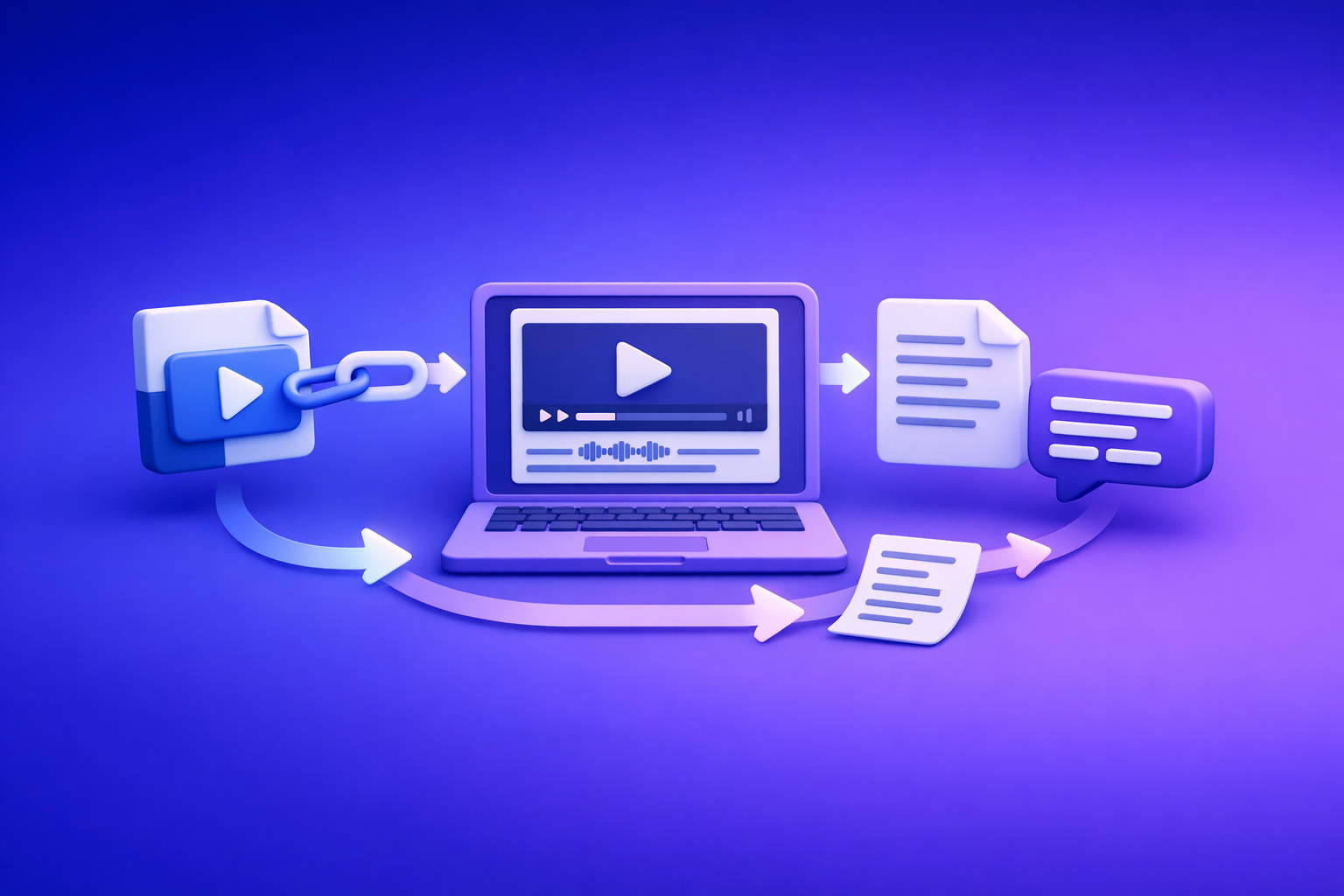
ChatGPT’s “upload video” feature is not a production-safe way to get transcripts, captions, or reliable analysis in 2026. The workflow that ships is video link (or MP4) → transcript/captions (TXT + SRT/VTT) → ChatGPT reasoning on text.
This is also why downloading video files is an outdated workflow for creator teams: it adds friction, breaks permissions, and creates version chaos. Link-based extraction is the future of creator productivity because it’s faster, repeatable, and easier to QA and share across tools.
What people mean by “ChatGPT upload video” (3 different capabilities)
1) Uploading a video file (MP4/MOV) into ChatGPT
This is the literal interpretation: you attach an MP4/MOV and ask ChatGPT to “watch” it.
What to expect in practice:
- Inconsistent availability (depends on plan/client/rollout).
- Frequent failures on longer videos, higher bitrates, or odd encodes.
- Non-deterministic outputs (you may not get export-ready artifacts like SRT/VTT).
2) Pasting a video link (YouTube/Drive/Instagram/TikTok) for analysis
This is what most users actually want: paste a link and get a transcript, summary, or insights.
Common reality:
- Links often fail due to permissions, geo-blocks, login walls, expiring URLs, or 403/robots.
- Even when a link loads, the model may not reliably extract a full transcript or timecodes.
If you want a link-first workflow that consistently produces transcripts/captions, use a dedicated pipeline like Give Me the Text: How to Extract Text From Any Video Link.
3) “Watching” video vs. extracting audio/transcript vs. analyzing frames (what you can and can’t expect)
People mix three tasks that have different reliability profiles:
- Extracting audio → transcript: best handled by transcription/caption tooling that outputs TXT/SRT/VTT.
- Analyzing frames (visual content): possible for short clips/screenshots, but not dependable for long-form “watch the whole video.”
- Reasoning on content (summaries, chapters, repurposing): best done by ChatGPT after you provide clean text.
The production-safe separation is simple: tools generate artifacts; ChatGPT generates decisions and drafts from those artifacts.
Quick answer: Can ChatGPT upload and analyze video reliably in 2026?
When it works (best-fit use cases)
ChatGPT video upload/link analysis can be “good enough” for:
- Short clips where you need quick context.
- Single-purpose questions (“What’s happening in this 20-second clip?”).
- Rough ideation when accuracy and export formats don’t matter.
When it fails (most common real-world scenarios)
It commonly fails for:
- Long videos (podcasts, webinars, courses).
- Private links (Drive, Loom, unlisted assets with restricted permissions).
- Social links (IG/TikTok) with login walls or unstable access.
- Anything requiring deliverables: transcripts, captions, subtitles, timecoded chapters.
The safe rule: use ChatGPT for reasoning on text; use a transcript/caption pipeline for deterministic artifacts
If you need something you can ship (TXT, SRT, VTT), treat ChatGPT as the second step, not the first.
- Step 1: generate deterministic artifacts (TXT + SRT/VTT).
- Step 2: use ChatGPT to summarize, structure, and repurpose from the text.
For a dedicated artifact workflow, see MP4 to Transcript, MP4 to SRT, and MP4 to VTT.
Requirements & limits that cause most failures (before you troubleshoot)
Account/client availability (plan, region, rollout, web vs. iOS vs. Android)
Most “it disappeared” reports come from:
- Feature rollouts that vary by region and account.
- Differences between web and mobile clients.
- Workspace/admin restrictions in team environments.
File constraints (size, duration, codec/container, bitrate, variable frame rate)
Even when uploads are supported, failures spike with:
- Very large files or long durations.
- Uncommon codecs/containers.
- Variable frame rate (VFR) phone recordings.
- High bitrate exports that time out.
Link constraints (permissions, geo-restrictions, login walls, expiring URLs, robots/403)
Link-based analysis fails when:
- The link requires login (Drive, social platforms).
- The URL expires (temporary shares).
- The content is geo-blocked.
- The server blocks automated fetching (403/robots).
Network + processing constraints (timeouts, stalled uploads, backgrounding on mobile)
Common causes:
- Mobile apps backgrounding during upload/processing.
- Unstable Wi‑Fi.
- Long processing timeouts.
Privacy/compliance constraints (what not to upload; redaction basics)
Don’t upload:
- Sensitive customer data, medical info, or confidential recordings without approval.
- Videos containing credentials, API keys, or private screens.
Basic redaction approach:
- Blur sensitive regions before processing.
- Remove segments with secrets.
- Prefer transcript workflows where you can redact text before sharing.
Step-by-step: Production-safe workflow (Video link/MP4 → TXT + SRT/VTT → ChatGPT-on-text)
Step 1 — Choose input type (link vs. file) based on where the video lives
Brand POV (production reality): downloading video files is an outdated workflow. If a video already lives online, process the link and keep the source of truth stable.
Decision tree: YouTube/public link vs. private Drive vs. social platforms vs. local MP4
- YouTube / public URL
- Use the link (fastest, least version chaos).
- If you need a blog output, start with YouTube to Blog.
- Private Drive / internal storage
- Prefer a share link that’s accessible to the processing tool (no login wall).
- If permissions are complex, export a controlled MP4 as a fallback.
- Instagram / TikTok
- Links often break due to login walls; use platform-specific extraction when possible:
- Local MP4
- Use the file only when there’s no stable link or you’re working from a final master.
Step 2 — Generate transcript + captions in VideoToTextAI (artifact-first)
Generate artifacts first, because they’re what you actually ship and QA.
Outputs to generate:
- TXT transcript for editing, search, and prompting.
- SRT for most caption upload workflows (YouTube, many editors).
- VTT for web players and platforms that prefer WebVTT.
Why you want all three:
- TXT is the source of truth for content work.
- SRT/VTT are timecoded deliverables that keep you honest and prevent hallucinated quotes.
Naming + versioning convention for teams:
video-title_v1_en_2026-04-16.txtvideo-title_v1_en_2026-04-16.srtvideo-title_v1_en_2026-04-16.vtt
Step 3 — QA the artifacts in 5 minutes (before you prompt ChatGPT)
Transcript QA:
- Verify proper nouns (names, brands, locations).
- Verify numbers (prices, dates, metrics).
- Check for missing intro/outro or repeated segments.
- Add speaker labels if needed.
Caption QA:
- Spot-check timing drift (especially after edits).
- Check line length and reading speed.
- Normalize punctuation and casing.
Step 4 — Use ChatGPT on the text (what it’s best at)
ChatGPT is strongest when you give it clean text and clear constraints.
Prompts that work reliably on transcripts (summary, chapters, titles, hooks, FAQs)
- Chapters (timecoded):
“Using the SRT below, create 8–12 chapters. Output:timestamp — chapter title — 1 sentence summary. Use only what’s in the captions.” - Summary:
“Summarize the transcript into 7 bullets. Flag anything unclear asUNKNOWN.” - Titles + hooks:
“Generate 10 YouTube titles and 10 hooks. Do not add claims not supported by the transcript.”
Prompts for repurposing (blog outline, LinkedIn post, X thread, email)
- “Turn this transcript into a blog outline with H2/H3s and key takeaways.”
- “Write a LinkedIn post with 1 strong POV, 3 bullets, and a CTA to watch the video (no new facts).”
- “Create a 12-tweet thread with one idea per tweet, quoting only from the transcript.”
Guardrails: cite timestamps from SRT/VTT; don’t “invent” missing audio
Add these instructions:
- “Use the transcript as the only source of truth.”
- “If something isn’t in the transcript, write
NOT IN SOURCE.” - “When quoting, include the timestamp from SRT/VTT.”
Step 5 — Export + publish (deliverables you can ship)
Deliverable checklist by platform:
- YouTube
- Upload SRT (or VTT) captions.
- Add chapters generated from timecodes.
- TikTok/IG
- Use captions for overlays; keep lines short and punchy.
- Blog/CMS
- Publish a cleaned transcript or a repurposed article drafted from it.
Implementation walkthrough (10–15 minutes): One video → transcript, captions, and repurposed content
Goal, inputs, and expected outputs
Goal:
- Produce export-ready transcript + captions.
- Generate repurposed assets without relying on fragile “upload video to ChatGPT.”
Inputs:
- A video link (preferred) or MP4.
Outputs:
TXTtranscriptSRT+VTTcaptions- Chapters + blog draft + social variants (from ChatGPT-on-text)
Walkthrough A: YouTube link → TXT + SRT/VTT → blog draft + chapters
- Paste the YouTube link into your transcript workflow.
- Export TXT + SRT + VTT.
- QA proper nouns and numbers (2–3 minutes).
- In ChatGPT, paste the TXT (or key sections) and request:
- Chapters referencing SRT timestamps
- Blog outline + first draft
- If you want a faster path from link to article structure, use YouTube to Blog.
Walkthrough B: Local MP4 → captions → multilingual subtitles (optional)
- Upload the MP4 to your transcript/caption tool.
- Export SRT/VTT for the base language.
- If you need multilingual subtitles:
- Translate from the TXT transcript (not from “watched video”).
- Rebuild captions with timecodes preserved (or regenerate per language if needed).
- Re-QA reading speed and line breaks for each language.
Walkthrough C: Instagram/TikTok link → transcript → hooks + post variants
- Use a platform-specific extractor:
- Export TXT and spot-check for missing sections (social audio can be messy).
- Prompt ChatGPT:
- “Generate 15 hooks in the creator’s voice.”
- “Create 5 caption variants: educational, contrarian, story, checklist, and question-led.”
Troubleshooting: “ChatGPT video upload failed” (fixes by symptom)
Symptom: No upload button / can’t attach video
Checks:
- Update the client/app (web vs iOS vs Android can differ).
- Confirm plan/feature rollout status.
- Check workspace/admin restrictions (especially in enterprise/team accounts).
Symptom: Upload stuck / processing failed / timeouts
Fixes:
- Trim the video to the needed segment.
- Compress and re-encode to MP4 (H.264 video + AAC audio).
- Avoid VFR; export constant frame rate if possible.
- Retry on desktop with stable internet.
Symptom: “Failed to fetch” / “403” / ChatGPT can’t access my link
Fixes:
- Make the link accessible without login.
- Remove geo restrictions where possible.
- Use a direct downloadable link (not a preview page).
- Avoid expiring URLs; generate a stable share link.
Symptom: Output is incomplete or inaccurate (missing words, wrong names)
Fixes:
- Generate transcript artifacts first (TXT + SRT/VTT), then prompt on text.
- Improve audio quality (reduce music, normalize levels).
- Add a glossary of names/brands and re-run transcription if supported.
Symptom: Captions out of sync after editing the video
Fixes:
- Regenerate captions from the final cut.
- Avoid editing after caption export; if you must, treat captions as versioned artifacts.
Checklists (copy/paste)
Input readiness checklist (link/file)
- Link is accessible without login, not geo-blocked, not expiring
- File is MP4 (H.264 video + AAC audio), reasonable bitrate, no corruption
- Audio is clear (single track preferred), minimal background music
- You have rights/permission to process the content
Transcript readiness checklist (TXT)
- Proper nouns verified (names, brands, locations)
- Numbers and units verified (prices, dates, measurements)
- Speaker changes marked (if needed)
- No missing intro/outro; no repeated segments
Caption readiness checklist (SRT/VTT)
- Timing matches the final cut (no drift)
- Line length and reading speed are platform-safe
- Punctuation and casing consistent
- Music/non-speech cues included only when required
ChatGPT-on-text checklist (safe prompting)
- Provide the TXT transcript (not the video) as the source of truth
- Require “unknown/unclear” flags for low-confidence sections
- Ask for outputs that reference timestamps (from SRT/VTT) when needed
- Keep a “do not change meaning” instruction for quotes and claims
Ship checklist (publish + repurpose)
- Upload captions (SRT/VTT) to the target platform
- Store transcript + captions with the video asset in your repo/drive
- Generate repurposed assets (blog, LinkedIn, email) from the transcript
- QA final outputs against the transcript for factual accuracy
Competitor Gap
What top-ranking pages miss (and what this post adds):
- A deterministic artifact-first pipeline (TXT + SRT/VTT) that survives ChatGPT upload/link failures
- A decision tree for link vs. file inputs across YouTube/Drive/IG/TikTok/local MP4
- Concrete QA steps for transcripts and timecoded captions (not just “try again”)
- Copy/paste checklists for production teams (inputs → QA → prompting → shipping)
- Clear separation of responsibilities: transcription/captioning vs. ChatGPT reasoning/repurposing
FAQ
Does ChatGPT allow you to upload videos?
Sometimes. Availability varies by plan, region, and client (web/iOS/Android), and it’s not dependable for long videos or export-ready outputs.
Why can’t I upload videos to ChatGPT anymore?
Most often it’s rollout changes, workspace restrictions, app version mismatches, or file constraints/timeouts. The durable fix is to stop depending on uploads and move to a link → transcript workflow.
Can I upload a video to ChatGPT to analyze?
For short clips, you may get basic analysis. For anything you need to ship (transcript, captions, chapters), generate TXT + SRT/VTT first and have ChatGPT work from the text.
Can you add videos from your camera roll to ChatGPT?
On some mobile clients, yes—when the feature is enabled. In practice, camera-roll videos are often VFR/high bitrate and fail more frequently than link-based workflows.
Can I upload a video to ChatGPT and get a transcript?
You might get a rough transcript, but it’s not consistently accurate, complete, or exportable. For production, generate transcript/caption artifacts first, then use ChatGPT for summaries and repurposing.
Recommended internal resources
- Give Me the Text: How to Extract Text From Any Video Link (Transcripts, Captions, and Repurposing) with VideoToTextAI
- MP4 to Transcript
- MP4 to SRT
- MP4 to VTT
- YouTube to Blog
- TikTok to Transcript
- Instagram to Text
If you want a production-safe, link-first workflow that outputs TXT + SRT/VTT and then lets ChatGPT do what it’s best at (reasoning and repurposing), use VideoToTextAI.
Related posts
Reel Analyser (Instagram Reels): Transcript‑First Competitor Research, Hook/CTA Extraction, and Repurposing Workflow (VideoToTextAI)
Video To Text AI
A 2026 reel analyser should turn Instagram Reel links into a searchable transcript library you can tag for hooks, CTAs, objections, and topic clusters—then export into repurposing-ready drafts without a download/upload loop.
Traducir video de Instagram (Reels) en 2026: workflow transcript-first para traducir, sacar hooks/CTAs y repurpose (con VideoToTextAI)
Video To Text AI
Aprende a traducir un Reel de Instagram con un flujo URL→transcripción→traducción→subtítulos, y a convertir esa traducción en un activo de investigación para hooks, CTAs, objeciones y clusters de contenido.
Reel Analyzer: Transcript‑First Instagram Reels Research (Hooks, CTAs, Objections) + Workflow Guide (VideoToTextAI)
Video To Text AI
A reel analyzer should turn any public Instagram Reel link into a searchable transcript library you can mine for hooks, CTAs, objections, and topic clusters—then repurpose into original drafts with a repeatable SOP.