
Can ChatGPT Transcribe Video? What Works in 2026 (Plus the Reliable Link → Transcript Workflow)
 Video To Text AI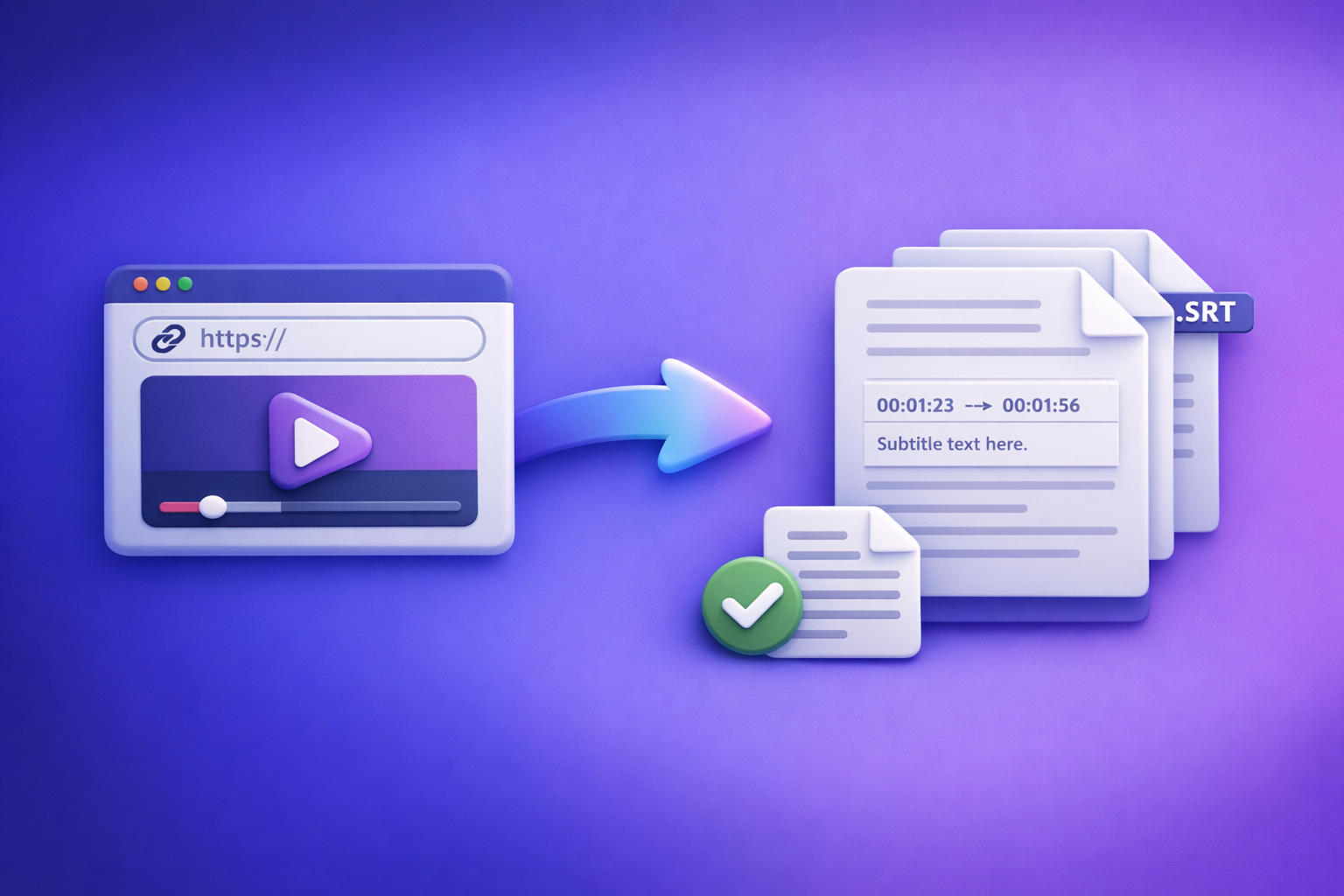
ChatGPT is best used after transcription—once you already have text. In 2026, the reliable workflow is video link/MP4 → export-ready transcript/subtitles (TXT/SRT/VTT) → ChatGPT for cleanup + repurposing.
Quick Answer (What You Can Expect From ChatGPT)
When ChatGPT can help with video transcription
ChatGPT is strong at text transformation, not guaranteed media ingestion.
Use it to:
- Fix punctuation and paragraphing in a raw transcript
- Standardize speaker names and formatting
- Summarize long transcripts into TL;DR + key takeaways
- Create chapters and timestamped outlines (when you provide timestamps)
- Repurpose into blog posts, newsletters, social posts, and clip ideas
When ChatGPT can’t reliably transcribe video (and why)
“Can chat gpt transcribe video” is a common query because people want one tool to do everything. In practice, ChatGPT is inconsistent for direct video transcription because:
- Link access isn’t guaranteed (auth, region locks, paywalls, platform restrictions)
- Media ingestion varies by plan/app and can change over time
- Long videos hit limits (duration, file size, rate limits, context windows)
- You need export-ready caption formats (SRT/VTT) that must be timestamp-accurate
If you need deterministic outputs (TXT/SRT/VTT you can publish), treat ChatGPT as the post-processing layer, not the transcription engine.
The most reliable 2026 workflow (recommended)
Recommended workflow:
- Video link/MP4 → deterministic transcript/subtitles (TXT/SRT/VTT) → ChatGPT for cleanup + repurposing
This is also the future of creator productivity: downloading video files is an outdated workflow. Link-based extraction is faster, easier to collaborate on, and avoids “where’s the latest file?” chaos.
For the end-to-end approach, see:
What “Transcribe Video” Actually Means (So You Pick the Right Tool)
“Transcribe video” can mean three different deliverables. If you pick the wrong one, you’ll redo work.
Transcript vs captions vs subtitles (and which file you need)
Transcript (TXT)
Best for reading, editing, and repurposing.
- Use when you need: blog posts, SEO pages, show notes, internal documentation
- Output: TXT (or DOC/Google Doc style text)
Captions (SRT)
Best for platforms that need timed captions.
- Use when you need: YouTube captions, most video editors, social uploads
- Output: SRT (timestamps + caption lines)
Web captions (VTT)
Best for web players and HTML5 video.
- Use when you need: website embeds, web apps, accessibility compliance
- Output: VTT (WebVTT format)
If you’re publishing video content, you typically want TXT + SRT (and sometimes VTT).
Accuracy drivers: audio quality, speakers, accents, jargon, music
Transcription accuracy is mostly determined by inputs, not prompts.
Key drivers:
- Audio clarity (noise, echo, compression artifacts)
- Speaker count (overlaps reduce accuracy)
- Accents + speed (fast speech increases errors)
- Domain jargon (product names, acronyms, technical terms)
- Music and sound effects (mask speech frequencies)
Privacy + permissions: public links vs private files
Link-based workflows are efficient, but permissions matter.
- Public/unlisted links are easiest for automated ingestion.
- Private links can work if sharing permissions allow access.
- Behind-login content usually requires an upload or a properly permissioned share link.
Can ChatGPT Transcribe a Video Link (YouTube/Drive/Instagram/TikTok)?
Why “paste a link” usually fails
Pasting a link into ChatGPT often fails for reasons unrelated to transcription quality:
- No guaranteed access to the media stream (ChatGPT may not fetch or decode it)
- Auth/paywalls/region locks block retrieval
- Long duration + rate limits make processing unreliable
Even if it works once, it may not be repeatable—bad for production workflows.
What to do instead (link-based workflow that works)
This is the modern approach: keep the video where it already lives and extract text from the link.
Step 1: Get a shareable link (without sending the file)
Aim for a link that opens cleanly.
- YouTube: public or unlisted URL
- Google Drive/Dropbox: share link with correct permissions
- Instagram/TikTok: post URL
Tip: open the link in an incognito window to confirm it’s accessible.
Step 2: Generate transcript + captions from the link in VideoToTextAI
Use a tool designed for link-based video-to-text and export-ready formats.
In VideoToTextAI:
- Choose outputs: Transcript (TXT) + Captions (SRT/VTT)
- Select language
- Enable speaker labels (if available for your content type)
This is where link-based extraction beats file downloads: no exporting, re-uploading, or version confusion.
Step 3: Export and verify
Do a fast, strict QC pass:
- Spot-check 60–90 seconds across the video (start/middle/end)
- Confirm timestamps align (for SRT/VTT)
- Note repeated errors (names, acronyms) for batch correction
Step 4: Paste transcript into ChatGPT for refinement
Now ChatGPT is in its ideal zone: text editing and content generation.
Use it for:
- Cleanup: punctuation, paragraphs, speaker names
- Summaries: TL;DR + key takeaways
- Repurposing: blog, LinkedIn, X, email, clips list
Related reading:
- Can ChatGPT Upload Video? What Works in 2026 (and the Reliable Link → Transcript Workflow)
- Can I Send U Videos? The Fastest Ways to Share Videos (Plus a Link-Based Workflow for Transcripts, Captions, and Repurposing)
Can ChatGPT Transcribe an MP4 Video File?
What “uploading video to ChatGPT” looks like in practice (and why it’s inconsistent)
Some ChatGPT experiences support media uploads, but production teams run into:
- File size/duration limits
- Inconsistent decoding (especially with variable frame rate or odd codecs)
- No guaranteed SRT/VTT export with clean timing
- Hard-to-repeat results across accounts, apps, and updates
If you need reliable deliverables, treat ChatGPT as the editor, not the transcriber.
Production-grade alternative: MP4 → transcript/subtitles first
Step-by-step: MP4 → TXT/SRT/VTT in VideoToTextAI
- Upload MP4 (or use a hosted link)
- Select transcript + subtitle formats needed (TXT/SRT/VTT)
- Generate outputs
- Download TXT/SRT/VTT
- Use ChatGPT on the text for edits and content outputs
If MP4 is your starting point, these tools map directly:
Step-by-Step: VideoToTextAI Link → Transcript → Captions → Repurpose (End-to-End)
This is the workflow you can standardize across YouTube, webinars, courses, podcasts, and social clips.
Step 1: Prepare the source video for best transcription
Small prep prevents big rework.
- Ensure clear audio track (reduce music, normalize volume if possible)
- Prefer single-channel speech over mixed tracks
- Confirm the video is the final cut (caption timing breaks when edits change)
Step 2: Run the link-based transcription in VideoToTextAI
- Paste the video URL
- Choose: transcript + subtitles/captions
- Set language (and translation if needed)
This is why we push link-based extraction: it’s faster than downloading, re-uploading, and managing file versions.
If you want to implement the workflow now, use VideoToTextAI: VideoToTextAI
Step 3: Quality control pass (fast but strict)
QC is where “usable” becomes “publishable.”
- Check names, acronyms, product terms
- Fix repeated errors once, then find/replace
- Validate caption timing:
- no overlaps
- readable line length
- adequate on-screen duration
Step 4: Repurpose with ChatGPT (templates that don’t waste tokens)
Below are copy/paste prompts designed to be short and predictable.
Prompt: Clean transcript + speaker formatting
You are editing a transcript for publication.
Rules:
- Keep wording faithful; do not add new facts.
- Add punctuation, paragraphs, and consistent capitalization.
- Format speakers as "SPEAKER 1:" / "SPEAKER 2:" (infer from context).
- Preserve any timestamps already present.

Here is the transcript:
[PASTE TXT]
Prompt: Create chapters + timestamps
Create 6–12 chapters for this video.
Output format:
- 00:00 Chapter title — 1 sentence summary

Use the timestamps already in the transcript. If timestamps are missing, propose approximate chapter titles only (no times).
Transcript:
[PASTE TXT]
Prompt: Turn transcript into a blog post outline + draft
Turn this transcript into a blog post.
Requirements:
- H2/H3 structure
- Short paragraphs (max 3 sentences)
- Bullets where helpful
- Include a concise intro and a practical conclusion
- Do not invent claims; only use what’s in the transcript

Transcript:
[PASTE TXT]
Prompt: Generate 10 short clips with hooks + time ranges
Suggest 10 short-form clips from this transcript.
For each clip provide:
- Hook (max 12 words)
- Why it works (1 sentence)
- Start–end timestamp range (use transcript timestamps)
- On-screen caption idea (1 sentence)

Transcript:
[PASTE TXT WITH TIMESTAMPS]
Prompt: Create platform-specific captions (IG/TikTok/YouTube Shorts)
Write platform-specific captions for 5 clips.
For each clip:
- TikTok caption (max 100 chars)
- IG Reels caption (1–2 sentences + 5 hashtags)
- YouTube Shorts title (max 55 chars)

Clip topics:
[PASTE CLIP LIST OR TRANSCRIPT EXCERPTS]
Troubleshooting: Common Failures and Fixes
“ChatGPT won’t open my video link”
Cause: No guaranteed access to the media stream.
Fix: Use a link-ingestion transcription workflow and export text, then paste into ChatGPT.
“Transcript is inaccurate”
Fixes that work:
- Improve audio (reduce noise/music, normalize volume)
- Re-run with correct language selection
- Add a glossary list (names/acronyms) during cleanup
- Split long videos into parts (reduces compounding errors)
“Captions are out of sync”
Cause: Source video changed (edits) or timing export mismatch.
Fix:
- Regenerate SRT/VTT from the final cut
- Confirm source video FPS/edits are final before publishing captions
“Multiple speakers are merged”
Fix:
- Enable speaker labeling (if available)
- Or post-process in ChatGPT with strict rules:
- “Do not change wording; only insert speaker breaks when clearly indicated.”
“Video is private / behind login”
Fix:
- Create a share link with correct permissions (test in incognito)
- Or upload MP4 directly to your transcription workflow
Checklist: Reliable Video Transcription in 10 Minutes
Input checklist (before you start)
- Shareable link works in an incognito window (or MP4 ready)
- Audio is clear (speech louder than music)
- Correct language selected
Output checklist (before you publish)
- TXT transcript spot-checked (start/middle/end)
- Names/terms corrected consistently
- SRT/VTT timing verified on one player
- Captions meet readability (line length + duration)
Repurposing checklist (after transcript is done)
- Summary + key points created
- Chapters/timestamps generated
- 3–5 derivative assets drafted (post, email, blog, clip list)
Competitor Gap
Most pages targeting “can chat gpt transcribe video” imply ChatGPT can do everything end-to-end. That advice breaks in real workflows.
What competitors miss (and what this post adds):
- Troubleshooting matrix for link access, private videos, and timing issues
- Deterministic workflow: link/MP4 → export-ready TXT/SRT/VTT → ChatGPT (not “ChatGPT does it all”)
- Copy/paste prompt pack for cleanup, chapters, and repurposing
- Execution checklist to prevent rework and caption sync errors
Also, many competitors still push download-and-upload as the default. That’s outdated. Link-based extraction is the scalable path for creators and teams shipping content weekly.
FAQ
Can ChatGPT extract text from a video?
Sometimes, if you provide the transcript or if your ChatGPT environment supports media input. For reliable results, generate TXT/SRT/VTT first, then use ChatGPT to edit and repurpose.
Which AI can transcribe video?
Use a transcription workflow that produces timestamped captions (SRT/VTT) plus a clean transcript (TXT). Then use ChatGPT for formatting, summaries, chapters, and content outputs.
Can you put a video into ChatGPT?
In some cases you can upload media, but it’s inconsistent across plans and apps and may not produce export-ready SRT/VTT. For production, transcribe first, then use ChatGPT on the text.
What’s the best way to transcribe a video?
Best practice in 2026: link/MP4 → transcript + captions export (TXT/SRT/VTT) → ChatGPT for cleanup and repurposing. This avoids file-download churn and produces publishable outputs.
Can ChatGPT transcribe a YouTube video?
Usually not from a pasted YouTube link due to access limitations. Use a link-based transcription workflow to generate TXT/SRT/VTT, then paste the transcript into ChatGPT.
Related internal resources:
Related posts
Reel Analyser (Instagram Reels): Transcript‑First Competitor Research, Hook/CTA Extraction, and Repurposing Workflow (VideoToTextAI)
Video To Text AI
A 2026 reel analyser should turn Instagram Reel links into a searchable transcript library you can tag for hooks, CTAs, objections, and topic clusters—then export into repurposing-ready drafts without a download/upload loop.
Traducir video de Instagram (Reels) en 2026: workflow transcript-first para traducir, sacar hooks/CTAs y repurpose (con VideoToTextAI)
Video To Text AI
Aprende a traducir un Reel de Instagram con un flujo URL→transcripción→traducción→subtítulos, y a convertir esa traducción en un activo de investigación para hooks, CTAs, objeciones y clusters de contenido.
Reel Analyzer: Transcript‑First Instagram Reels Research (Hooks, CTAs, Objections) + Workflow Guide (VideoToTextAI)
Video To Text AI
A reel analyzer should turn any public Instagram Reel link into a searchable transcript library you can mine for hooks, CTAs, objections, and topic clusters—then repurpose into original drafts with a repeatable SOP.