
Can ChatGPT Transcribe Video in 2026? What Works, What Fails, and the Reliable Link → Transcript Workflow
 Video To Text AI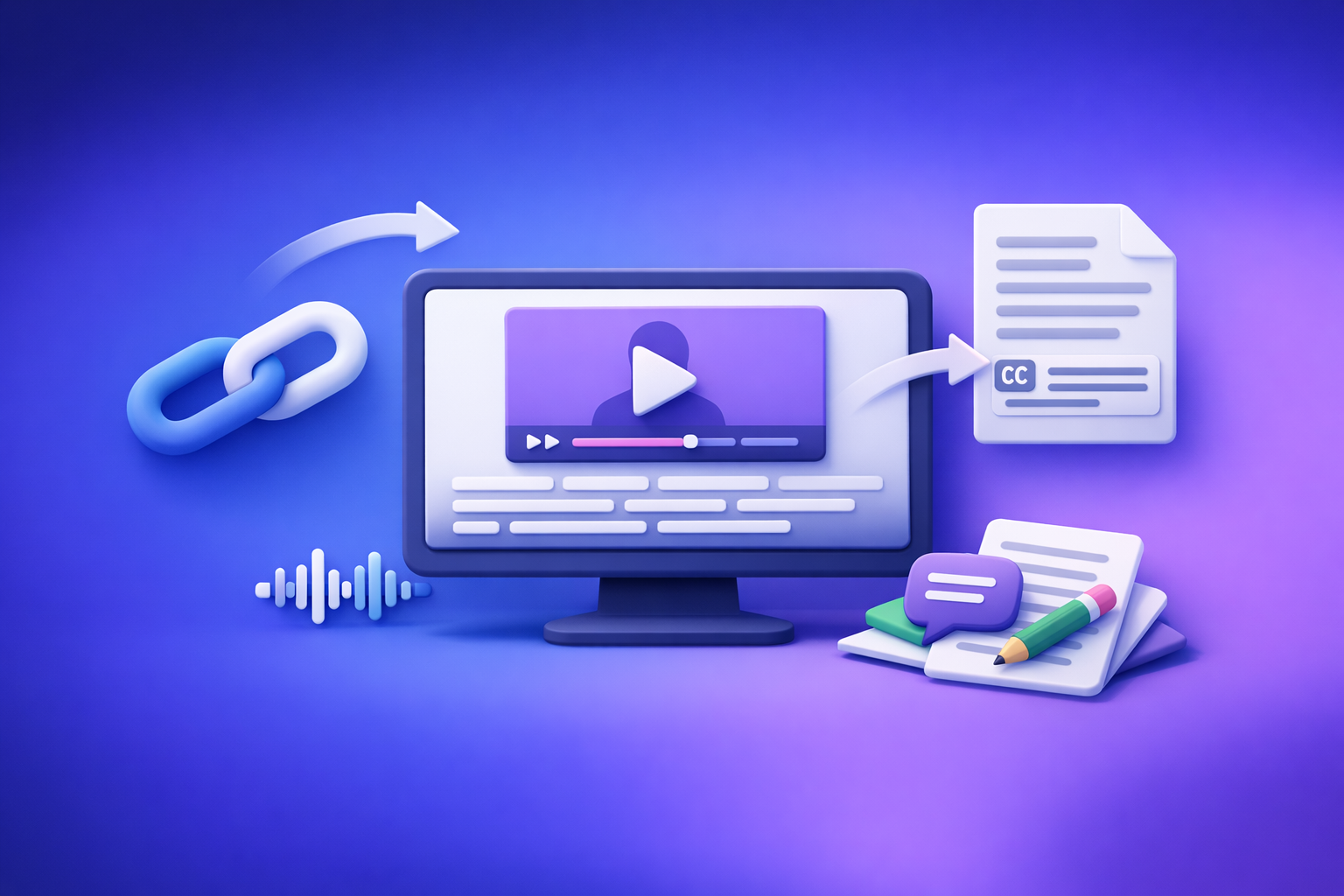
Can ChatGPT Transcribe Video in 2026? What Works, What Fails, and the Reliable Link → Transcript Workflow
If you need export-ready captions (SRT/VTT) or a reliable transcript, don’t use ChatGPT as the transcription engine—generate the transcript with a dedicated link-based tool first. Then use ChatGPT for cleanup, structure, chapters, and repurposing.
Quick Answer (for “can chat gpt transcribe video”)
When ChatGPT can transcribe video (and when it can’t)
ChatGPT can sometimes produce a transcript if you can upload a file and the interface supports audio/video processing. But it’s not deterministic across plans, devices, and sessions.
Use ChatGPT when you already have text (or can reliably extract it), and you want:
- Punctuation + casing fixes
- Speaker labels
- Summaries, notes, and outlines
- Repurposed content (blogs, threads, hooks)
Avoid ChatGPT as the transcription engine when you need:
- Guaranteed link ingestion (YouTube/TikTok/Instagram)
- Long-form transcription without timeouts
- Export-ready SRT/VTT with correct timestamps
The reliability problem: links, long videos, and export-ready captions
“Paste a link and transcribe” sounds simple, but it fails in real workflows because:
- Links can be private, age-gated, geo-blocked, or login-walled
- Long videos can hit timeouts or context limits
- Caption formats require strict timestamp + line-length rules that ChatGPT won’t consistently enforce without extra prompting and QA
Best-practice takeaway: transcribe with a dedicated tool, then use ChatGPT for cleanup + repurposing
The production-grade workflow in 2026 is:
- Video link → transcript/subtitles (TXT/SRT/VTT)
- ChatGPT → cleanup + structure + repurposing
This is also why downloading video files is an outdated workflow for most creator and marketing teams. Link-based extraction is faster, more scalable, and easier to operationalize.
What “Transcribe a Video” Actually Means (So You Get the Right Output)
Transcript vs subtitles vs captions (TXT vs SRT vs VTT)
“Transcription” can mean three different deliverables:
- Transcript (TXT / DOC): readable text for editing, search, and repurposing
- Subtitles (SRT/VTT): timed text for spoken dialogue (often same language)
- Captions (SRT/VTT): timed text that may include non-speech cues (e.g., [music])
If you’re publishing to platforms, you usually need SRT or VTT, not a plain transcript.
Timestamps, speaker labels, and formatting requirements
Common requirements that break “quick” workflows:
- Timestamps (start/end time per caption)
- Speaker labels (Speaker 1, Host, Guest)
- Line length + reading speed (so captions don’t overflow or flash too fast)
- Consistent formatting for editors and teams
Accuracy factors: audio quality, accents, multiple speakers, background music
Transcription accuracy depends heavily on input quality. Expect issues when you have:
- Low-volume speech or noisy rooms
- Heavy accents + fast speech
- Crosstalk (multiple people speaking)
- Loud background music or sound effects
If accuracy matters, prioritize the highest-quality audio source and the correct language setting.
Can ChatGPT Transcribe a Video Link (YouTube/TikTok/Instagram)?
Why “paste a link” is not deterministic
ChatGPT is not a guaranteed link-ingestion system for video platforms. Even if it can browse or access some URLs, that access can change based on:
- Platform restrictions
- Session permissions
- Region/account state
- Tool availability in your plan
For production workflows, “sometimes it works” is the same as “it breaks.”
Common failure modes
Link access restrictions (private, age-gated, geo-blocked)
If the video requires login, is private/unlisted, or is region-restricted, ChatGPT may not access the media stream. You’ll get partial output or a refusal.
Long-form videos and timeouts
Long videos can exceed processing limits or time out. You may end up chunking manually, which is slow and error-prone.
No export-ready SRT/VTT formatting
Even when ChatGPT outputs text, it often won’t produce clean, platform-ready SRT/VTT without multiple rounds of prompting and manual QA.
What to do instead: link → transcript pipeline, then ChatGPT
Use a deterministic pipeline:
- Link → export-ready TXT/SRT/VTT
- ChatGPT → cleanup + formatting + repurposing
If your goal is content marketing, you’ll also want workflows like YouTube to Blog that start from the link and end with publishable assets.
Can You Upload a Video to ChatGPT to Transcribe It?
What may work (depending on plan/app/UI) vs what breaks
In some setups, you can upload a video file and ask for transcription. In practice, teams run into inconsistent behavior across:
- Desktop vs mobile
- Different accounts/workspaces
- Feature rollouts and UI changes
Practical limitations to expect
File size/length limits
Uploads may fail or be rejected based on file size, duration, or bandwidth. Long recordings are the most likely to break.
Inconsistent availability across devices
A workflow that works on one device may not be available on another, which is a problem for teams.
Privacy/compliance constraints for client footage
Client footage often requires controlled handling. Uploading raw video into general-purpose chat tools may violate internal policies.
Decision rule: when to avoid ChatGPT as the transcription engine
Avoid ChatGPT for transcription when you need:
- Repeatable, team-wide output
- Guaranteed SRT/VTT exports
- Link-based processing at scale
- A workflow that doesn’t depend on UI availability
The Reliable Workflow: Video Link/MP4 → Export-Ready Transcript/Subtitles → ChatGPT
Step 1 — Generate the transcript from a link (fastest path)
Link-based extraction is the modern workflow because it eliminates:
- Downloading, renaming, and re-uploading files
- Storage bloat and version confusion
- Manual handoffs between tools
Supported sources to prioritize (YouTube, TikTok, Instagram, etc.)
Prioritize sources where your team already works:
- YouTube
- TikTok
- Other public video URLs
If you specifically need TikTok, use a purpose-built flow like TikTok to Transcript or the deeper guide TikTok Transcript: How to Extract, Generate, and Export Accurate Text (TXT/SRT/VTT).
Output selection: TXT for editing, SRT/VTT for publishing
Choose output based on the job:
- TXT: editing, search, summarization, blog drafting
- SRT: most editors/platforms, broad compatibility
- VTT: web-first workflows and some players
Step 2 — Use MP4 fallback when links fail
When to switch to MP4 (blocked links, downloads, private videos)
Use MP4 only when you must:
- Private/unlisted videos
- Geo-blocked or login-walled sources
- Internal recordings not hosted publicly
If you’re starting from a file, use MP4 to Transcript, MP4 to SRT, or MP4 to VTT.
How to choose SRT vs VTT for your platform
- Choose SRT if you want maximum compatibility across editors and platforms.
- Choose VTT if your publishing stack is web-first and expects VTT.
Step 3 — Clean up and structure the transcript with ChatGPT
Once you have a deterministic transcript, ChatGPT becomes extremely useful.
Fix punctuation, casing, and filler words without changing meaning
Use ChatGPT to:
- Add punctuation and sentence boundaries
- Fix casing (names, acronyms)
- Remove filler words only when it doesn’t change meaning
Add speaker labels and sections
Ask ChatGPT to:
- Identify speakers (if obvious)
- Add headings and sections
- Create a scannable structure for editors
Create chapters/timestamps (if needed)
If you already have timestamps (or time ranges), ChatGPT can help turn them into:
- Chapters
- Titles
- Key takeaways per segment
Step 4 — Repurpose into publishable assets
Blog post outline + draft
Turn the transcript into:
- SEO headings (H2/H3)
- A draft with examples and takeaways
- A FAQ section based on the content
Short-form clips captions + hooks
Extract:
- 10–20 clip candidates
- Hook lines per clip
- On-screen captions (short, readable)
LinkedIn/Twitter threads from key moments
Generate:
- A thread outline
- 5–10 post variants
- Quote cards and pull quotes
Step-by-Step: Do It with VideoToTextAI (Implementation)
VideoToTextAI is built for AI link-based video-to-text workflows—transcripts, subtitles, captions, and repurposing—without forcing you into the outdated “download everything first” process.
A) Link → transcript/subtitles in VideoToTextAI
1. Paste the video URL
Use the original link (YouTube/TikTok/Instagram). This keeps your workflow fast and avoids file handling.
2. Choose output format (TXT/SRT/VTT) + language
Pick:
- TXT for editing and repurposing
- SRT/VTT for publishing captions/subtitles
Set the correct language to reduce errors.
3. Export and save naming conventions (project, date, platform)
Use a consistent naming scheme:
client_project_YYYY-MM-DD_platform.ext
Example:acme_podcast_2026-03-16_youtube.srt
B) MP4 → transcript/subtitles in VideoToTextAI
1. Upload MP4
Use this only when links can’t be processed (private/blocked/internal).
2. Export SRT/VTT with timestamps
Export the format your platform expects. If unsure, start with SRT.
3. Quick QA pass (spot-check 3–5 segments)
Spot-check:
- Names and brands
- Numbers (prices, dates, metrics)
- Technical terms
C) ChatGPT post-processing prompts (copy/paste)
Use these prompts only after you have a real transcript from your transcription tool.
Prompt: clean transcript (no meaning changes)
You are an editor. Clean this transcript for readability without changing meaning.
Rules:
- Do not add new facts or “fill in” missing words.
- Keep wording faithful; only fix punctuation, casing, and obvious mishears.
- Remove filler words only when it does not change intent.
- Output as plain text with short paragraphs.

Transcript:
[PASTE TRANSCRIPT]
Prompt: convert transcript to SRT-friendly line lengths
Convert the following transcript into caption-friendly text blocks.
Rules:
- Do NOT invent timestamps.
- Keep each caption block to max 2 lines.
- Aim for 32–42 characters per line.
- Break on natural pauses.
- Output as numbered blocks WITHOUT timestamps (I will add timestamps later).

Transcript:
[PASTE TRANSCRIPT]
Prompt: generate chapters + titles from transcript
Create 6–12 chapters from this transcript.
Rules:
- Do not invent details not in the transcript.
- Provide: Chapter title + 1-sentence summary + key quote.
- If timestamps are included in the transcript, use them; if not, omit timestamps.

Transcript:
[PASTE TRANSCRIPT]
Prompt: create a blog post + SEO headings from transcript
Turn this transcript into an SEO blog post.
Rules:
- Keep claims grounded in the transcript.
- Create an H1, then H2/H3 sections with concise paragraphs and bullets.
- Add a short FAQ (4 questions) based on the transcript.
- Provide a meta title (<=60 chars) and meta description (<=155 chars).

Transcript:
[PASTE TRANSCRIPT]
Troubleshooting: Fix the Most Common Transcription Failures
If the transcript is inaccurate
Improve input: audio cleanup, remove music, use higher-quality source
Accuracy improves when you:
- Use the original upload (not a re-encoded copy)
- Reduce background music
- Prefer a clean mic track when available
Re-run with correct language and speaker settings
Common mistake: wrong language selection. Also confirm whether you need speaker separation.
If timestamps drift or captions look wrong
Choose SRT vs VTT correctly
If your platform expects one format and you upload the other, you can see drift or styling issues. Match the platform requirement.
Enforce caption line length + reading speed in post-processing
Even with correct timestamps, captions can look “wrong” if they’re too dense. Keep:
- Short lines
- Natural breaks
- Reasonable reading speed
If the link won’t process
Check privacy/region/login requirements
Confirm the link is:
- Publicly accessible
- Not age-gated behind login
- Not geo-blocked for your region
Use MP4 fallback workflow
If link access is blocked, switch to MP4 and proceed.
If ChatGPT “hallucinates” missing words
Rule: never ask ChatGPT to “fill gaps” without the source transcript
If the transcript is missing words, fix the transcription step—not the language model step.
Use ChatGPT only for formatting, summarizing, and restructuring
Treat ChatGPT as a post-production editor, not the source of truth.
Checklist: “Can ChatGPT Transcribe Video?” Decision + Execution
Choose your path
- Need export-ready captions (SRT/VTT) → use VideoToTextAI first
- Need a clean transcript for editing (TXT) → use VideoToTextAI first
- Only need notes/summary and already have a transcript → use ChatGPT
Before you transcribe
- Confirm language(s) and speaker count
- Prefer highest-quality audio source available
- Decide output: TXT vs SRT vs VTT
After you transcribe
- Spot-check accuracy (names, numbers, technical terms)
- Run ChatGPT cleanup prompt (no meaning changes)
- Export final files with consistent naming + versioning
Competitor Gap
What competitors miss (and this post covers)
Most pages ranking for “can chat gpt transcribe video” focus on “upload and hope.” That’s not a workflow you can scale.
This post fills the gaps with:
- Deterministic “link/MP4 → export-ready TXT/SRT/VTT” workflow instead of vague advice
- Clear decision rules for when ChatGPT is the wrong tool for transcription
- Troubleshooting playbook for link failures, timestamp drift, and accuracy issues
- Copy/paste prompts + an execution checklist to ship usable outputs today
For related implementation details, see Can ChatGPT Upload Video? What Works in 2026 (and the Reliable Link → Transcript Workflow) and the companion post Can ChatGPT Transcribe Video? What Works in 2026 (and the Reliable Link → Transcript Workflow).
FAQ
What is the best tool to transcribe a video?
The best tool is one that reliably produces the output you need (TXT/SRT/VTT) from a video link or MP4, with export-ready formatting. Use ChatGPT after transcription for cleanup and repurposing.
Can you put a video into ChatGPT?
Sometimes you can upload a video file, depending on your plan and interface. For production work, expect file limits, inconsistent availability, and policy constraints—so don’t build your pipeline around it.
Can ChatGPT read text from video?
ChatGPT can help interpret frames or extracted text in some interfaces, but it’s not a deterministic “video OCR + transcript + captions export” system. If you need reliable outputs, extract transcripts/captions with a dedicated tool first.
Can ChatGPT take notes from a video?
Yes—if you provide a transcript (or accurate extracted text). ChatGPT is excellent at turning transcripts into notes, summaries, action items, and content drafts.
If you want a workflow that treats links as the source of truth (instead of downloading files) and outputs TXT/SRT/VTT you can publish immediately, use VideoToTextAI.
Related posts
Reel Analyser (Instagram Reels): Transcript‑First Competitor Research, Hook/CTA Extraction, and Repurposing Workflow (VideoToTextAI)
Video To Text AI
A 2026 reel analyser should turn Instagram Reel links into a searchable transcript library you can tag for hooks, CTAs, objections, and topic clusters—then export into repurposing-ready drafts without a download/upload loop.
Traducir video de Instagram (Reels) en 2026: workflow transcript-first para traducir, sacar hooks/CTAs y repurpose (con VideoToTextAI)
Video To Text AI
Aprende a traducir un Reel de Instagram con un flujo URL→transcripción→traducción→subtítulos, y a convertir esa traducción en un activo de investigación para hooks, CTAs, objeciones y clusters de contenido.
Reel Analyzer: Transcript‑First Instagram Reels Research (Hooks, CTAs, Objections) + Workflow Guide (VideoToTextAI)
Video To Text AI
A reel analyzer should turn any public Instagram Reel link into a searchable transcript library you can mine for hooks, CTAs, objections, and topic clusters—then repurpose into original drafts with a repeatable SOP.