
Can ChatGPT Transcribe Video? What Works in 2026 + A Reliable Link → Transcript Workflow (VideoToTextAI)
 Video To Text AI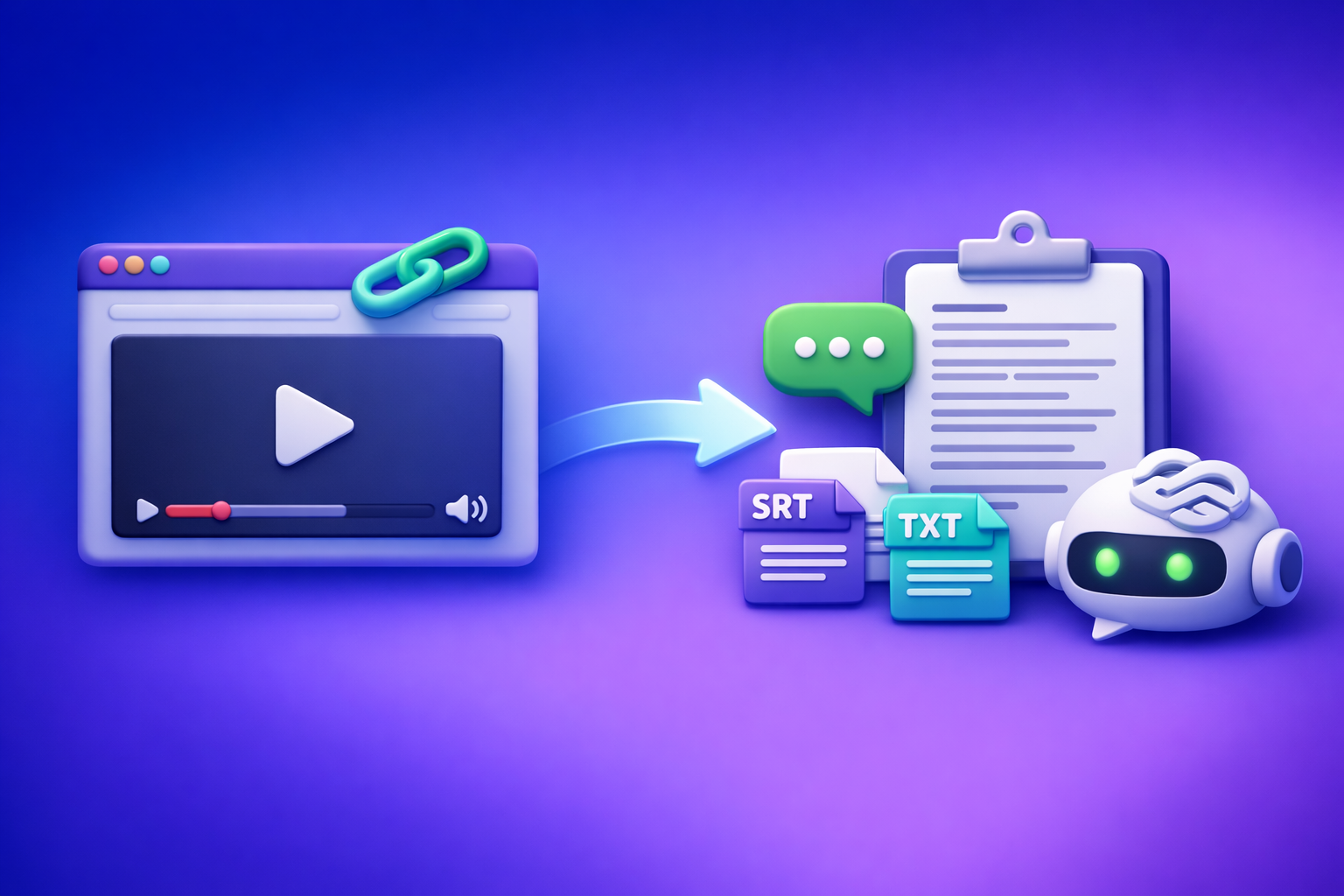
Can ChatGPT Transcribe Video? What Works in 2026 + A Reliable Link → Transcript Workflow (VideoToTextAI)
If you need an accurate transcript or export-ready captions, don’t start with ChatGPT—start with a link-based transcription workflow that outputs TXT/SRT/VTT, then use ChatGPT to polish. In 2026, the most reliable path is video link → transcript/captions export → ChatGPT cleanup + repurposing.
Quick Answer (and the limitation that matters)
Can ChatGPT transcribe a video by itself?
Sometimes, partially. ChatGPT can help with transcription-like tasks when you can provide it audio/video content in a supported way, but it’s not a deterministic “paste a link and get SRT” system.
What matters operationally: ChatGPT is best as a post-processing layer, not your source-of-truth transcription engine.
When it works: file-based audio/video + short clips + supported plans/apps
ChatGPT can work when:
- You can upload a short audio/video file in your ChatGPT experience.
- The clip is short enough to avoid timeouts, truncation, or size limits.
- You only need plain text, not strict caption formatting.
Even then, you still need QA for names, numbers, and missed segments.
When it fails: video links, long videos, export-ready captions (SRT/VTT), inconsistent UI/limits
ChatGPT often fails (or becomes inconsistent) when you need:
- Video link transcription (YouTube/Instagram/TikTok URLs)
- Long-form videos (podcasts, webinars, lectures)
- Export-ready captions with timestamps (SRT/VTT)
- Repeatable results across teams (UI changes, plan limits, model differences)
If your goal is publishing, the failure mode is expensive: one missing minute breaks the transcript, and timestamp drift breaks captions.
What “transcribe video” actually means (pick your output first)
Before you choose a tool, choose the deliverable. “Transcribe video” can mean very different outputs.
Transcript (TXT) vs subtitles/captions (SRT/VTT)
- TXT transcript: best for editing, searching, and repurposing into blogs/emails.
- SRT/VTT captions: best for publishing with timecodes and line breaks.
If you need captions, don’t settle for a plain transcript and try to “make it captions later.” You’ll waste time and introduce sync errors.
Timestamps, speaker labels, and formatting requirements
Decide what you need up front:
- Timestamps: none, periodic (every paragraph), or full caption timing.
- Speaker labels: essential for interviews, panels, podcasts.
- Formatting: paragraphing, punctuation, casing, filler word handling.
A good workflow produces a source-of-truth export you can version and reuse.
Accuracy drivers: audio quality, accents, crosstalk, music, background noise
Transcription accuracy is mostly determined by inputs:
- Clean audio (close mic, minimal reverb)
- One speaker at a time (crosstalk reduces accuracy)
- Low background music/noise
- Clear language selection (wrong language = missing sections)
ChatGPT can fix punctuation and readability, but it can’t reliably recover words that were never captured correctly.
The reliable 2026 workflow (recommended): Video link → export-ready transcript/captions → ChatGPT polish
Creator productivity is moving away from downloading files. Link-based extraction is the future because it’s faster, repeatable, and easier to automate across channels.
Step 1 — Start with a video link (YouTube/Instagram/TikTok/etc.)
What links typically work best (public, stable URLs)
Use:
- Public YouTube videos
- Public TikTok posts
- Public Instagram Reels
- Stable URLs that don’t require login
If you’re building a repeatable workflow, treat the URL as the “asset ID.”
What breaks link transcription (private videos, region locks, expiring URLs)
Common link failures:
- Private/unlisted content requiring authentication
- Region-locked videos
- Expiring URLs (temporary shares)
- Removed content or changed permissions
When a link fails, you need a fallback (covered below), but don’t default to downloading unless you must.
Step 2 — Generate the transcript/subtitles with VideoToTextAI
VideoToTextAI is designed for AI link-based video-to-text workflows that output transcripts, subtitles, captions, and repurposing-ready text.
Choose your export: TXT for editing, SRT/VTT for captions
Pick outputs based on your publishing plan:
- TXT: editing, SEO drafts, internal notes
- SRT: most video editors and platforms
- VTT: web players and accessibility workflows
If you’re unsure, export TXT + SRT as your default pair.
Set language + optional speaker detection (if available)
Before generating:
- Select the correct language
- Enable speaker detection if you need labeled dialogue
- Keep a consistent naming convention (Speaker 1, Host, Guest)
This reduces cleanup time later.
Export and save a “source-of-truth” file
Treat the export as canonical:
- Save the original TXT/SRT/VTT
- Version it (v1, v2 after edits)
- Use it for all repurposing outputs
This prevents “multiple conflicting transcripts” across teams.
Step 3 — Use ChatGPT for cleanup (not raw transcription)
ChatGPT is strongest at editing, structuring, and transforming text you already trust.
Prompt: fix punctuation, casing, and paragraphing without changing meaning
Use ChatGPT to improve readability while preserving content (prompt templates below).
Prompt: add headings + summary + key takeaways
This is where ChatGPT shines: turning raw speech into skimmable structure.
Prompt: create platform-specific outputs (threads, LinkedIn, email, blog)
Once you have a clean transcript, you can generate:
- A blog draft with H2/H3 structure
- A LinkedIn post + hook variations
- An email newsletter
- Short-form clip captions and titles
Step 4 — QA pass (fast but strict)
QA is what separates “usable” from “publish-ready.”
Spot-check timestamps (every 2–3 minutes)
For captions:
- Jump through the video every 2–3 minutes
- Confirm captions match the spoken line
- Watch for drift after edits
Verify names, numbers, and domain terms
Always verify:
- Names (people, companies, products)
- Numbers (pricing, dates, metrics)
- Acronyms and jargon
Confirm caption line length + reading speed (for SRT/VTT)
Basic caption hygiene:
- Keep lines short
- Avoid long unbroken sentences
- Ensure readable pacing (don’t cram)
Alternative workflow: MP4 → transcript when links fail (fallback)
Downloading video files is an outdated default, but it’s still a necessary fallback when links are blocked.
Step 1 — Download/export the MP4 (legally and with permission)
Only do this when:
- You own the content, or
- You have explicit permission, and
- The platform’s terms allow it
Step 2 — Convert MP4 to TXT/SRT/VTT with VideoToTextAI
Use the appropriate tool depending on output:
Step 3 — Send the transcript to ChatGPT for restructuring + repurposing
Paste the transcript in chunks if needed, then run cleanup and repurposing prompts.
Step-by-step: “Can ChatGPT transcribe a YouTube video?” (the deterministic method)
If your real question is “How do I get a YouTube transcript I can publish with captions?”, this is the method that doesn’t break.
Step 1 — Paste the YouTube link into VideoToTextAI
Use the URL as input and generate your transcript/captions from the link. This avoids the slow, brittle “download → upload → hope it works” loop.
If your end goal is content, you can also go straight to youtube to blog after transcription.
Step 2 — Export SRT/VTT for captions + TXT for editing
Export both:
- SRT/VTT for timed captions
- TXT for editing and repurposing
This gives you a clean separation between “publishing file” and “editing file.”
Step 3 — Ask ChatGPT to generate:
A clean transcript (no filler words, keep meaning)
Remove “um,” “you know,” and repeated phrases while preserving intent.
A chaptered outline with timestamps
Use your transcript timestamps (or add periodic markers) to create chapters.
A blog post draft + SEO title options
Turn the transcript into a structured draft with clear sections and a CTA.
For related workflows, see:
- Can ChatGPT Upload Video? What Works in 2026 (and the Reliable Link → Transcript Workflow)
- TikTok Transcript: How to Extract, Generate, and Export Accurate Text (TXT/SRT/VTT)
- Insta Transcript: How to Get an Instagram Reel Transcript From a Link (TXT/SRT/VTT) + Repurposing Workflow
Prompts that work (copy/paste)
Use these prompts after you have a transcript from a reliable source (TXT). This reduces hallucinations and missing sections.
Prompt 1 — Transcript cleanup (no hallucinations)
You are an editor. Clean up the transcript below for readability.
Rules:
- Do NOT add new facts or change meaning.
- Fix punctuation, casing, and paragraph breaks.
- Remove filler words (um, uh, like) only when it doesn’t change meaning.
- Keep speaker labels if present.
Return: cleaned transcript only.

TRANSCRIPT:
[paste transcript here]
Prompt 2 — Turn transcript into subtitles rules (line length + punctuation)
Convert the transcript into caption-friendly text.
Rules:
- Do NOT invent timestamps.
- Keep sentences short and easy to read.
- Prefer 1–2 lines per caption, with natural breaks.
- Keep proper nouns consistent.
Return: caption-ready text blocks (no timestamps).

TRANSCRIPT:
[paste transcript here]
Prompt 3 — Repurpose into a blog post with sections, bullets, and CTA
Turn this transcript into a blog post draft.
Requirements:
- Create an SEO-friendly title + 5 alternative titles.
- Use H2/H3 headings, short paragraphs, and bullet lists.
- Include a short summary, key takeaways, and a practical checklist.
- Keep claims grounded in the transcript; do not add statistics.
Return: markdown.

TRANSCRIPT:
[paste transcript here]
Prompt 4 — Extract hooks, quotes, and short clips list (with timestamps)
From the transcript below, extract:
1) 10 hooks (1–2 sentences each)
2) 10 quotable lines (verbatim)
3) A list of 8 short clip ideas

If timestamps exist in the transcript, include them. If not, do NOT fabricate timestamps—leave timestamp as "N/A".
Return in a table.

TRANSCRIPT:
[paste transcript here]
Troubleshooting (common mistakes competitors skip)
“ChatGPT won’t accept my video/link”
What’s happening:
- ChatGPT often can’t reliably ingest video links or long media in a consistent way.
Fix:
- Generate the transcript from the link first, then paste text in chunks.
- Keep each chunk small enough to avoid truncation, and label chunks (Part 1/Part 2).
“My transcript is missing sections”
Likely causes:
- Wrong language selection
- Link access issues (region lock, permissions)
- Audio dropouts
Fix:
- Re-run with the correct language.
- Confirm the link plays in an incognito session.
- Use the MP4 fallback only if the link cannot be accessed.
“Captions are out of sync”
Likely cause:
- Manually editing timestamps or converting a plain transcript into captions.
Fix:
- Export SRT/VTT directly from the transcription tool.
- Avoid manual timestamp edits; instead regenerate captions if you change the underlying transcript significantly.
“The transcript has wrong names/terms”
Fix:
- Provide a glossary and enforce it.
Example glossary prompt:
Apply this glossary consistently across the transcript:
- VideoToTextAI (not Video to Text AI)
- ACME Analytics (not Acme)
- Q3 FY2026 (exact)
Only change spelling/casing to match the glossary; do not change meaning.
Checklist: ship an accurate transcript + captions in 10 minutes
Inputs checklist
- Video link works in an incognito browser session
- Target language selected
- Desired output chosen: TXT + (SRT or VTT)
Transcription checklist
- Exported files saved (versioned)
- Quick scan for missing segments
- Spot-check 3 timestamp points
ChatGPT cleanup checklist
- Punctuation + paragraphs applied
- Names/numbers verified
- Summary + takeaways generated
Publishing checklist
- Captions pass line-length/readability rules
- Transcript matches final video version
- Repurposed assets exported (blog/social/email)
Competitor Gap
What top-ranking pages miss
- No deterministic “link → export-ready SRT/VTT” path (they over-focus on ChatGPT prompts)
- No troubleshooting matrix for link failures, private videos, and timestamp drift
- No execution checklist for QA + publishing
How this post fixes it
- Two reliable workflows (link-first + MP4 fallback) with export formats (TXT/SRT/VTT)
- Copy/paste prompts designed for cleanup/repurposing (where ChatGPT is strongest)
- A 10-minute checklist + strict QA steps to prevent unusable captions
FAQ
Can AI make a transcript of a video?
Yes. The most reliable approach is using a transcription tool to generate TXT/SRT/VTT, then using ChatGPT to edit and repurpose the transcript.
Can you put a video into ChatGPT?
Sometimes, depending on your plan/app and the UI. It’s not consistent for links or long videos, so treat ChatGPT as a post-processing tool after you have the transcript.
What is the best free way to transcribe a video?
If a platform provides a native transcript (sometimes YouTube does), it can be a starting point, but it’s often incomplete and not export-ready. For publishable captions, prioritize tools that export SRT/VTT and support link-based workflows.
Can ChatGPT read text from video?
In some supported experiences it can interpret content, but it’s not a reliable way to extract accurate, timed captions from a video link. Use a transcription export as your source-of-truth.
If you want the fastest link → transcript/captions workflow (without downloading files), use VideoToTextAI: VideoToTextAI
For more related guides, see:
Related posts
Reel Analyser (Instagram Reels): Transcript‑First Competitor Research, Hook/CTA Extraction, and Repurposing Workflow (VideoToTextAI)
Video To Text AI
A 2026 reel analyser should turn Instagram Reel links into a searchable transcript library you can tag for hooks, CTAs, objections, and topic clusters—then export into repurposing-ready drafts without a download/upload loop.
Traducir video de Instagram (Reels) en 2026: workflow transcript-first para traducir, sacar hooks/CTAs y repurpose (con VideoToTextAI)
Video To Text AI
Aprende a traducir un Reel de Instagram con un flujo URL→transcripción→traducción→subtítulos, y a convertir esa traducción en un activo de investigación para hooks, CTAs, objeciones y clusters de contenido.
Reel Analyzer: Transcript‑First Instagram Reels Research (Hooks, CTAs, Objections) + Workflow Guide (VideoToTextAI)
Video To Text AI
A reel analyzer should turn any public Instagram Reel link into a searchable transcript library you can mine for hooks, CTAs, objections, and topic clusters—then repurpose into original drafts with a repeatable SOP.