
Can ChatGPT Transcribe Videos? What Works in 2026 (and the Reliable Link → Transcript Workflow)
 Video To Text AI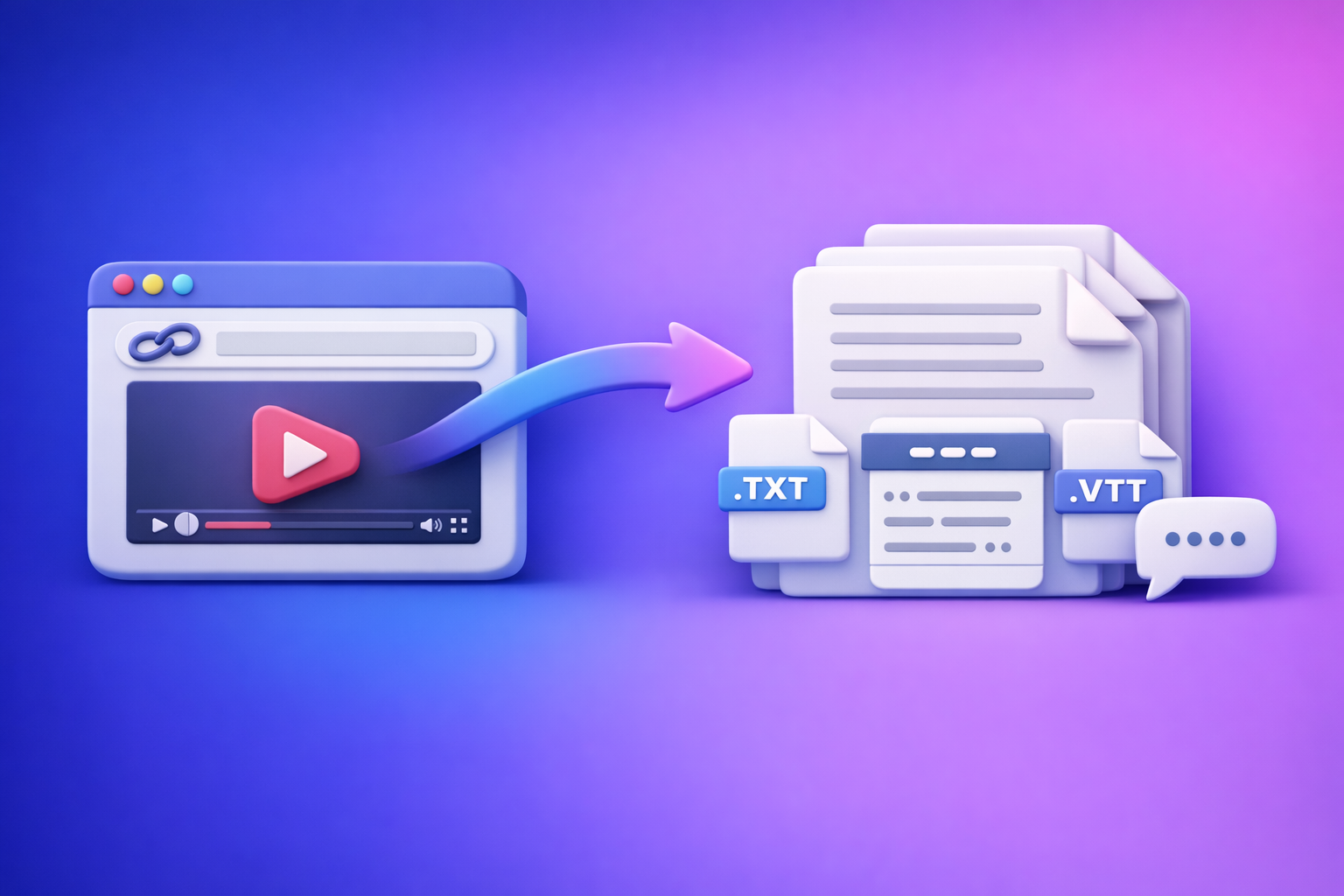
ChatGPT is not the most reliable way to transcribe a video from a link in 2026. The reliable workflow is video link → export-ready transcript/subtitles (TXT/SRT/VTT) → ChatGPT for cleanup, chapters, summaries, and repurposing.
This matters because “download the file, upload the file, hope it works” is an outdated workflow. Link-based extraction is the future of creator productivity: faster, repeatable, and easier to scale across YouTube, Instagram, podcasts, webinars, and internal libraries.
What people mean by “ChatGPT transcribing a video”
Video link vs. video file vs. existing transcript (why results differ)
When someone asks “can chat gpt transcribe videos,” they usually mean one of these:
- A video link (YouTube/IG/TikTok URL) and they want a full transcript.
- A video file (MP4/MOV) they want transcribed.
- An existing transcript/captions they want cleaned up or reformatted.
Results differ because ChatGPT is primarily a text model. If it doesn’t have direct access to the audio track (or a transcript), it can’t “hear” the video—so it may guess, summarize a description, or fail.
“Transcribe” vs. “summarize” vs. “take notes” (set the right expectation)
These are different tasks:
- Transcribe: word-for-word (or near-verbatim) text of what was said.
- Summarize: a shorter version of the content (not suitable for captions).
- Take notes: structured bullets, action items, key points.
ChatGPT is excellent at summarize and notes once you provide accurate text. It’s less dependable for true transcription from a link.
Can ChatGPT transcribe videos directly in 2026? (Reality check)
When it can work (limited scenarios)
ChatGPT can sometimes help with transcription when:
- Short clips with clear audio and a supported upload interface.
- You already have captions/transcript and want:
- punctuation fixes
- speaker labels
- paragraphing
- removing filler words
In other words: ChatGPT is strongest when it starts from text.
When it doesn’t work reliably (most common cases)
These are the failure-prone scenarios you’ll see most:
- Pasting a YouTube/IG/TikTok link and expecting a full transcript.
- Long videos (webinars, podcasts, lectures), especially multi-topic.
- Multi-speaker audio, cross-talk, or poor mic quality.
- Heavy accents, background music, or noisy environments.
- Permissioned links, region blocks, paywalled content, or restricted embeds.
Even if it works once, it may not work the next time. That’s why production teams treat “upload and pray” as non-deterministic.
What to use ChatGPT for (best-fit tasks)
Use ChatGPT after transcription for:
- Formatting (paragraphs, punctuation, readability)
- Speaker labeling (when you have diarization or clear turns)
- Chaptering (YouTube-style timestamps + titles)
- Summaries (executive summary, TL;DR, key takeaways)
- Repurposing (blog drafts, social posts, email sequences)
- SEO drafts (headings, FAQs, meta descriptions)
If you’re building a repeatable content engine, this is where ChatGPT shines.
What not to use ChatGPT for (failure-prone tasks)
Avoid using ChatGPT as your primary method for:
- End-to-end link-based transcription
- Timecode generation from scratch (caption sync issues)
- Long-form transcription without a transcript-first workflow
If you need export-ready captions (SRT/VTT) that sync, start with a transcription tool that outputs timecodes deterministically.
The reliable workflow: video link → export-ready transcript/subtitles → ChatGPT
This is the workflow we recommend at VideoToTextAI: link-first extraction, then use ChatGPT for the high-value editorial layer.
Step 1: Start with a video link (or MP4 when you must)
Prioritize sources that are public links you can open in a browser:
- YouTube videos
- Instagram Reels (public)
- TikTok (public)
- Public webinar replays
- Hosted videos with accessible URLs
Switch to MP4 only when necessary:
- Private content behind login
- Restricted embeds that block extraction
- Internal recordings you can’t expose via link
If you do need file upload tools, keep these handy:
Brand POV: downloading files as the default is slow and brittle. Link-based workflows are faster to run, easier to standardize, and better for teams shipping content weekly.
Step 2: Generate transcript + captions in export formats (TXT/SRT/VTT)
Generate outputs based on what you’re publishing:
- TXT for editing, SEO, and repurposing.
- SRT for subtitles (timecoded, widely supported).
- VTT for web players and some platforms.
If you’re turning YouTube into written content, a dedicated flow helps:
Step 3: Quality-check the transcript before you repurpose
Do a fast QA pass before you feed anything into ChatGPT.
- Spot-check timestamps (SRT/VTT): verify a few lines match the spoken words.
- Fix names/brands/terms: keep a custom vocabulary list (people, products, acronyms).
- Confirm speaker turns: if multi-speaker, ensure turns aren’t merged.
This prevents “silent failures” like missing segments or drift that only shows up after you publish.
Step 4: Use ChatGPT on the transcript (not the video)
Paste the transcript (or upload the TXT) and run targeted prompts.
Prompts for cleanup (paste transcript)
- Prompt: “Fix punctuation, remove filler words, keep meaning, preserve speaker labels. Do not paraphrase technical terms. Output as clean paragraphs.”
Prompts for chapters + titles (YouTube-style)
- Prompt: “Create chapters with timestamps every 2–5 minutes; use action-oriented titles. Keep titles under 50 characters. Output in YouTube chapter format.”
Prompts for captions/subtitles improvements
- Prompt: “Shorten lines to max 42 characters, keep timing, avoid paraphrasing. Preserve SRT numbering and timestamps.”
Important: ChatGPT can edit caption text, but don’t ask it to invent timestamps. Use your transcription export for timecodes.
Prompts for repurposing
- Prompt: “Turn this transcript into: (1) blog outline with H2/H3, (2) LinkedIn post, (3) 10 short clip hooks, (4) 5-email nurture sequence. Keep claims factual and tied to the transcript.”
If you want a deeper transcript-first strategy, see:
Step 5: Export and publish (fast paths)
Once ChatGPT outputs are ready, ship them:
- Blog post draft + SEO headings (then human edit)
- Captions upload (SRT/VTT to YouTube/IG/players)
- Social posts + hooks + quote cards (from transcript highlights)
For Instagram-specific workflows, this is useful:
Step-by-step: Transcribe a YouTube video with a link (fastest path)
Inputs you need (copy/paste)
- Video URL
- Target language
- Output format: TXT + SRT (or VTT)
Execution steps (link → transcript)
- Paste the YouTube link into your transcription workflow.
- Select TXT + SRT (or VTT) exports.
- Run transcription.
- Download exports and store them in a project folder (video title + date).
If your goal is written content, you can also use:
Post-processing steps (transcript → publish-ready)
- Run a QA pass (names, jargon, timestamps).
- Send the cleaned transcript to ChatGPT for chapters + summary + repurposing.
- Publish captions and content.
If you want a broader reality check on what ChatGPT can/can’t do, reference:
Step-by-step: Transcribe an Instagram Reel (link-based)
What’s different about Reels (common failure points)
Reels are harder than long-form YouTube because of:
- Music overlays masking speech
- Fast cuts and jump edits
- Short phrases and slang
- On-screen text that viewers “read” but isn’t spoken
If you need the on-screen text too, treat it as a separate extraction step (OCR or manual capture). Don’t assume “transcription” includes it.
Execution steps (link → transcript/subtitles)
- Paste the Reel link into a link-based workflow.
- Export SRT for captions + TXT for repurposing.
- QA: verify the first 10 seconds + last 10 seconds for truncation.
For a dedicated guide:
Repurpose outputs (what to generate immediately)
From a single Reel transcript, generate:
- Hook variants (5–10) for A/B testing
- LinkedIn post (story + takeaway + CTA)
- Blog draft (or recipe/itinerary if relevant)
Troubleshooting: why your “ChatGPT video transcription” fails (and fixes)
Problem: “I pasted a link and ChatGPT guessed the content”
What happened: ChatGPT didn’t access the audio, so it inferred from context.
- Fix: generate transcript from the link first; only then use ChatGPT.
Problem: “Upload worked once, then stopped”
What happened: upload support varies by interface, file size, and system constraints.
- Fix: treat uploads as non-deterministic; keep a transcript-first workflow.
Problem: “Transcript is missing sections”
What happened: the tool processed a preview, hit a limit, or the source stream failed.
- Fix: re-run with higher accuracy mode (if available), check source playback, use MP4 fallback.
Problem: “Captions are out of sync”
What happened: timestamps were altered or regenerated.
- Fix: export SRT/VTT from the transcription tool; avoid re-timestamping in ChatGPT.
Problem: “Multiple speakers are merged”
What happened: diarization wasn’t enabled or audio overlap confused the model.
- Fix: re-run with diarization (if available) or add speaker labels during cleanup.
Checklist: Reliable video → text workflow (copy/paste)
Before you transcribe
- Link opens in a browser without login
- Audio is audible (no heavy music masking speech)
- Pick outputs: TXT + SRT (or VTT)
During transcription
- Confirm language selection
- Confirm full duration processed (not a preview)
- Export files immediately (TXT/SRT/VTT)
After transcription (QA)
- Spot-check 3 sections: start, middle, end
- Fix names/terms (brand list)
- Validate timestamps (if captions)
Repurposing with ChatGPT
- Cleanup prompt applied
- Chapters + summary generated
- Content outputs created (blog/social/email)
Competitor Gap
What competitors miss (and this post includes)
Most posts answering “can chat gpt transcribe videos” stop at “upload an MP4” or “try a plugin.” That’s not a production workflow.
This post includes what’s usually missing:
- A deterministic link → export-ready TXT/SRT/VTT → ChatGPT workflow (not “hope the upload works”)
- A QA process to prevent silent failures (truncation, missing segments, timestamp drift)
- A reusable prompt pack for cleanup, chapters, captions, and repurposing
- Troubleshooting mapped to specific failure modes (links, uploads, permissions, length)
If you want to implement a link-first workflow end-to-end, use VideoToTextAI: VideoToTextAI
FAQ
Can ChatGPT transcribe text from video?
It can in limited cases (short uploads, supported interfaces), but it’s not reliable from pasted links. For consistent results, generate a transcript (TXT/SRT/VTT) first, then use ChatGPT to clean and repurpose.
Is there an AI that can transcript a video?
Yes. Dedicated transcription tools can process video links or files and export TXT/SRT/VTT. ChatGPT is best used after transcription for editing, structure, and content outputs.
Can you put a video into ChatGPT?
Sometimes you can upload a video file, but it’s inconsistent across interfaces and file sizes. For repeatable workflows, use a transcript-first approach and provide ChatGPT the transcript.
Can ChatGPT take notes from a video?
Yes—when you provide the transcript (or accurate captions). ChatGPT is strong at notes, summaries, chapters, and repurposing when it starts from text.
Related posts
Reel Analyser (Instagram Reels): Transcript‑First Competitor Research, Hook/CTA Extraction, and Repurposing Workflow (VideoToTextAI)
Video To Text AI
A 2026 reel analyser should turn Instagram Reel links into a searchable transcript library you can tag for hooks, CTAs, objections, and topic clusters—then export into repurposing-ready drafts without a download/upload loop.
Traducir video de Instagram (Reels) en 2026: workflow transcript-first para traducir, sacar hooks/CTAs y repurpose (con VideoToTextAI)
Video To Text AI
Aprende a traducir un Reel de Instagram con un flujo URL→transcripción→traducción→subtítulos, y a convertir esa traducción en un activo de investigación para hooks, CTAs, objeciones y clusters de contenido.
Reel Analyzer: Transcript‑First Instagram Reels Research (Hooks, CTAs, Objections) + Workflow Guide (VideoToTextAI)
Video To Text AI
A reel analyzer should turn any public Instagram Reel link into a searchable transcript library you can mine for hooks, CTAs, objections, and topic clusters—then repurpose into original drafts with a repeatable SOP.