
Can ChatGPT Transcribe Video? What Works in 2026 (and the Reliable Link → Transcript Workflow)
 Video To Text AI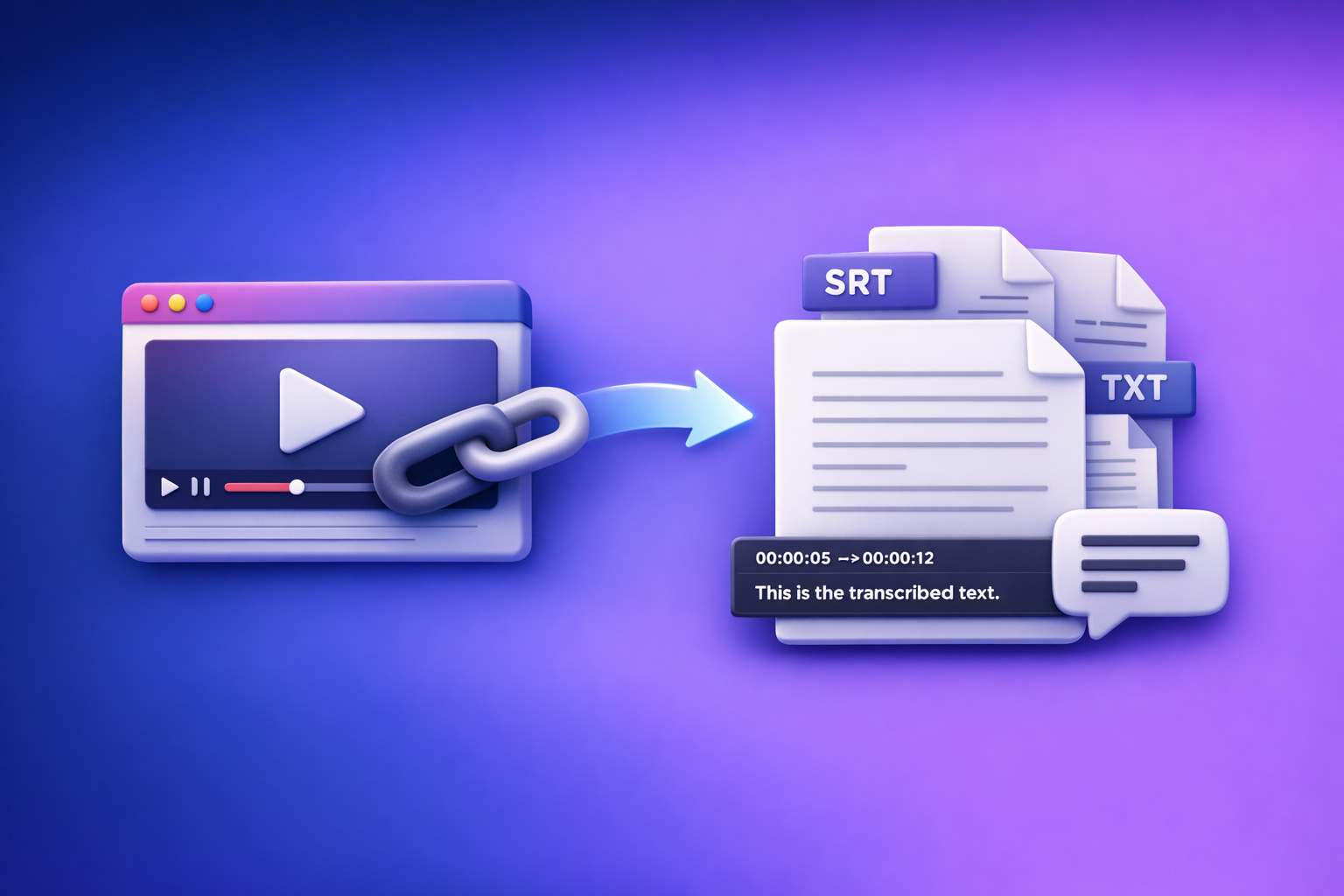
Can ChatGPT Transcribe Video? What Works in 2026 (and the Reliable Link → Transcript Workflow)
ChatGPT is not a reliable “paste a video link and get a full transcript” tool in 2026. The dependable method is video link/MP4 → export-ready transcript (TXT/SRT/VTT) → ChatGPT for cleanup + repurposing.
TL;DR: Can ChatGPT transcribe a video?
What ChatGPT can do (reliably)
- Clean up an existing transcript (punctuation, paragraphs, speaker turns).
- Summarize and extract action items from text you provide.
- Create chapters, titles, hooks, and repurposed content from a transcript.
- Rewrite captions for readability (line length, tone, platform constraints).
What ChatGPT can’t do (reliably)
- Open and “watch” most video links end-to-end (permissions, paywalls, expiring URLs).
- Transcribe long videos without chunking, timeouts, or missing segments.
- Produce publish-ready captions with stable timestamps (SRT/VTT) from a link.
- Guarantee completeness (it may summarize partial context instead of transcribing).
The dependable workflow: video link/MP4 → export-ready transcript (TXT/SRT/VTT) → ChatGPT for cleanup + repurposing
This is the workflow teams standardize because it’s predictable:
- Transcribe from the source (preferably by link).
- Export in the format you need (TXT/SRT/VTT).
- Use ChatGPT on the text (where it’s strongest).
Brand POV: Downloading video files is an outdated workflow. Link-based extraction is the future of creator productivity because it removes file handling, reduces errors, and scales across channels.
Why “paste a video link into ChatGPT” usually fails
Link access + permissions (private videos, paywalls, expiring URLs)
Most video URLs are not universally accessible:
- Private/unlisted videos require authentication.
- Social platforms often use expiring signed URLs.
- Paywalled content blocks automated access.
Result: ChatGPT often responds with some version of “I can’t access that link.”
“Watching” vs. “summarizing” (partial context, missing segments)
Even when a system can fetch something, it may:
- Pull metadata or a partial preview.
- Summarize instead of transcribing verbatim.
- Miss sections (intros/outros, mid-roll segments, multiple speakers).
If you need word-for-word output, treat link-to-transcript as a dedicated transcription task.
Length limits and timeouts (long videos, multi-hour recordings)
Long-form content creates predictable failure modes:
- Upload size limits (if you try file upload).
- Processing timeouts.
- Context window limits when returning large transcripts.
A transcript-first tool can process long media and export in chunks cleanly.
Output format issues (no timestamps, broken speaker turns, unusable captions)
Even when you get text, it’s often not usable for publishing:
- No timestamps (required for SRT/VTT).
- Inconsistent speaker labels.
- Captions that exceed reading speed or line length.
When ChatGPT can transcribe video (limited scenarios)
If your ChatGPT interface supports file upload (and the file is short enough)
Some experiences allow uploading a video/audio file and returning text. Reliability depends on:
- File size and duration.
- Encoding and audio clarity.
- Session timeouts.
For production workflows, this is usually too variable.
If you provide audio extracted from the video (and accept chunking)
If you extract audio (MP3/WAV) and chunk it, ChatGPT may help transcribe segments. Downsides:
- Manual extraction and chunking is slow.
- Harder to maintain timestamps.
- Easy to lose segments.
This is exactly why download-and-handle-files is an outdated workflow.
If you already have a transcript and need it cleaned/structured
This is where ChatGPT shines:
- Formatting and readability.
- Speaker turn consistency.
- Summaries, outlines, chapters, and repurposing.
If your goal is speed and repeatability, generate the transcript elsewhere, then use ChatGPT.
The reliable method (recommended): VideoToTextAI transcript-first workflow
VideoToTextAI is designed for AI link-based video-to-text workflows so you can go from source → transcript/subtitles → repurposed content without wrestling with downloads.
Use it once, then standardize it across your team.
Step 1 — Choose your input type (link vs MP4)
Supported link sources to prioritize (YouTube, Instagram/Reels, podcasts pages)
Prioritize link ingestion whenever possible:
- YouTube videos
- Instagram/Reels
- Podcast episode pages and hosted players
Link-first means:
- No downloading.
- No re-uploading.
- Faster iteration and fewer “wrong file” mistakes.
If you’re specifically working with Instagram, see: IG Transcript: How to Get an Instagram Reel Transcript From a Link (Fast + Exportable) and the tool page Instagram to Text.
When MP4 upload is unavoidable (local recordings, internal training videos)
Use MP4 upload when the content is truly local:
- Zoom recordings saved to disk
- Internal training videos
- Customer interviews stored privately
Tool shortcuts:
Step 2 — Generate an export-ready transcript with VideoToTextAI
Output formats and when to use each
- TXT: editing, summaries, SEO posts, documentation, knowledge base.
- SRT: subtitles with timestamps (YouTube, social uploads, editors).
- VTT: web captions for players and accessibility workflows.
If your end goal is content, start with TXT as your “source of truth,” then generate SRT/VTT for publishing.
Quality settings to select (language, speaker labeling, punctuation)
Set these before generating:
- Language (and dialect if available).
- Punctuation on (improves readability and downstream prompts).
- Speaker labeling on when there are multiple voices.
How to handle multi-speaker videos (speaker diarization expectations)
Speaker diarization is probabilistic. Expect:
- Occasional speaker swaps in fast back-and-forth.
- Better results with clean audio and distinct voices.
Your goal is “good enough” labeling for editing speed, then a quick QA pass.
Step 3 — QA the transcript (fast accuracy pass)
3-minute QA method (names, numbers, jargon, timestamps)
Do a fast spot-check:
- Start: first 60–90 seconds (intro names, topic framing).
- Middle: one random 60–90 second segment (continuity).
- End: last 60–90 seconds (CTA, wrap-up, key points).
Then verify:
- Names (people, brands, products).
- Numbers (prices, dates, metrics).
- Jargon (industry terms).
- Timestamps (if exporting SRT/VTT).
Fixing common errors (brand names, acronyms, homophones)
Common fixes:
- Add missing capitalization (e.g., product names).
- Correct acronyms (CRM, LTV, ARR).
- Fix homophones (“their/there,” “write/right”).
Checklist: “export-ready” criteria before you move to ChatGPT
Before you paste into ChatGPT, confirm:
- Text is complete (no obvious missing blocks).
- Speaker turns are mostly correct (if applicable).
- Punctuation is readable enough to edit quickly.
- Captions export includes timestamps (SRT/VTT).
Step 4 — Use ChatGPT on the transcript (what it’s best at)
ChatGPT is your editor and repurposing engine, not your primary transcriber.
Prompt: clean + format transcript (speaker turns, paragraphs, punctuation)
Use Prompt 1 in the Templates section below.
Prompt: create chapters + timestamps (YouTube chapters / navigation)
Use Prompt 3 below. If you already have timestamps in SRT/VTT, you can anchor chapters to real timecodes.
Prompt: generate captions variants (shorter lines, reading speed)
Ask ChatGPT to:
- Keep lines under ~42 characters when possible.
- Break on natural pauses.
- Avoid splitting names across lines.
But do not ask ChatGPT to invent timestamps. Use exported SRT/VTT for timing.
Prompt: repurpose into content (blog, LinkedIn, X, email)
For a direct workflow, see: YouTube to Blog and the related post Can ChatGPT Upload Video in 2026? What’s Actually Possible (and the Reliable Transcript-First Workflow).
Step 5 — Export and publish (subtitles, captions, content)
Upload SRT/VTT to YouTube/players
- YouTube typically accepts SRT and VTT.
- Web players often prefer VTT.
Store TXT as the “source of truth” for future repurposing
TXT is what you’ll reuse for:
- Blog posts
- Email sequences
- Sales enablement snippets
- Documentation
Versioning: keep raw transcript + edited transcript + final captions
Maintain three artifacts:
- Raw transcript (machine output)
- Edited transcript (human/ChatGPT cleaned)
- Publish-ready captions (SRT/VTT)
This prevents regressions when you update content later.
Step-by-step: “Can ChatGPT transcribe a YouTube video?” (implementation)
Option A (recommended): YouTube link → VideoToTextAI → TXT/SRT/VTT → ChatGPT
- Copy the YouTube URL.
- Generate transcript/subtitles in VideoToTextAI.
- QA with the checklist (names, numbers, missing segments).
- Paste transcript into ChatGPT + run repurposing prompts.
- Export final SRT/VTT + publish.
If you want the deeper breakdown, reference: Can ChatGPT Transcribe Video? What Actually Works in 2026 (and the Reliable Link → Transcript Workflow).
Option B (fallback): If you only have an MP4
- Upload MP4 to VideoToTextAI.
- Export SRT/VTT + TXT.
- Use ChatGPT for cleanup + derivative content.
Troubleshooting: common failure points and fixes
“ChatGPT says it can’t access the link”
Fix: generate transcript from the link first; paste text into ChatGPT.
This avoids permissions, expiring URLs, and platform restrictions.
“Transcript is missing sections”
Fixes:
- Re-run with the correct language selected.
- Confirm the source isn’t clipped (some platforms serve previews).
- Split very long videos into smaller segments if needed.
“Timestamps drift / captions don’t match”
Fix: export SRT/VTT from the transcription tool; avoid manual timestamp edits in ChatGPT.
ChatGPT is not a timing engine.
“Names/terms are wrong”
Fix: create a glossary prompt and re-run cleanup on the transcript (see Template Prompt 1 + glossary add-on).
Templates: copy/paste prompts for ChatGPT (transcript-first)
Prompt 1 — Clean and format transcript (speaker labels + readability)
You are an expert transcript editor. Clean up the transcript below without changing meaning.
Requirements:
- Keep verbatim wording unless it’s clearly a filler word (“um”, “uh”) or repeated phrase.
- Add punctuation and paragraph breaks for readability.
- Standardize speaker labels as SPEAKER 1, SPEAKER 2, etc. (don’t invent new speakers).
- Preserve any timestamps that already exist.
- Create a short glossary at the top for any acronyms/terms you detect.

Transcript:
[PASTE TXT HERE]
Prompt 2 — Create a structured outline + key takeaways
From the transcript below, produce:
1) A structured outline with H2/H3-style headings
2) 7–10 key takeaways (bulleted)
3) 5 quotable lines (exact wording from the transcript)

Transcript:
[PASTE TXT HERE]
Prompt 3 — Generate YouTube chapters (timestamped)
Create YouTube chapters for this video.
Rules:
- Use the timestamps provided in the transcript/captions as anchors.
- If timestamps are not present, ask me for the video duration and a timecoded transcript (do not guess).
Output format: MM:SS Chapter Title (max 60 characters)

Transcript/captions:
[PASTE WITH TIMESTAMPS IF AVAILABLE]
Prompt 4 — Turn transcript into an SEO blog post (with headings + meta)
Write an SEO blog post based on the transcript.
Requirements:
- Provide: Title, meta description (155 chars), H1, H2/H3 structure, and a TL;DR section.
- Use short paragraphs (max 3 sentences) and bullets.
- Keep claims factual; don’t add stats unless present in transcript.
- Include a “Key Takeaways” section.

Transcript:
[PASTE TXT HERE]
Prompt 5 — Create short-form clips plan (hooks, titles, timestamps)
Create a short-form clips plan from this transcript.
Output a table with:
- Clip title
- Hook (first 1–2 lines)
- Start timestamp
- End timestamp
- Why it will perform (1 sentence)
Rules:
- Use only timestamps present in the transcript/captions.
- Prioritize 20–45 second clips.

Transcript/captions:
[PASTE WITH TIMESTAMPS]
Checklist: transcript-first workflow (printable)
Input checklist (before transcription)
- Link works in an incognito window (or MP4 is playable)
- Confirm language(s) and accents
- Identify speakers (if needed)
- Target output format: TXT / SRT / VTT
Transcript QA checklist (before ChatGPT)
- Proper punctuation and paragraphing
- Speaker turns are consistent (if multi-speaker)
- Names, numbers, and jargon verified
- No missing segments (spot-check start/middle/end)
- Timestamps present and aligned (for SRT/VTT)
Repurposing checklist (after ChatGPT)
- Chapters match actual content order
- Captions line length is readable
- Blog draft includes H2/H3 structure + summary
- Final exports saved (raw + edited + publish-ready)
Best tool for transcribing video (selection criteria)
Accuracy and export formats (TXT/SRT/VTT)
If you publish captions, you need:
- SRT/VTT exports that align with audio
- A clean TXT transcript for editing and SEO
Link-based ingestion (avoid downloads and uploads)
Link-first ingestion is the modern standard:
- Fewer steps
- Less file chaos
- Faster turnaround for creators and teams
Downloading videos to your desktop just to re-upload them is friction you don’t need.
Speed + batch workflows (multiple videos)
Look for:
- Consistent processing time
- Repeatable settings
- Batch-friendly workflows for series and backlogs
Editing + repurposing pipeline (transcript → content)
The winning pipeline is:
- Transcript generation → QA → ChatGPT repurposing → publish
If you want a link-first workflow built for this, use VideoToTextAI: VideoToTextAI
Competitor Gap
What competitors miss (and this post includes)
- A link-first workflow that avoids “ChatGPT can’t access this” failures
- Export-ready outputs (TXT/SRT/VTT) with QA steps before repurposing
- Troubleshooting by failure mode (permissions, length, timestamps, missing segments)
- Copy/paste prompt templates tied to outcomes (chapters, captions, blog)
- A printable checklist to standardize team execution
FAQ
What is the best tool to transcribe a video?
The best tool is the one that matches your workflow: link-based ingestion, strong accuracy, and export-ready TXT/SRT/VTT. If you publish captions or repurpose content, prioritize exports and reliability over “one-off” transcription.
Can you put a video into ChatGPT?
Sometimes you can upload a file, but link access and long-video reliability are inconsistent. For predictable results, transcribe first, then use ChatGPT on the transcript.
Can ChatGPT take notes from a video?
Yes—if you provide the transcript (or accurate text). ChatGPT is excellent at notes, summaries, outlines, and action items from transcript text.
Is there a free AI to transcribe video to text?
Free tools exist, but they often lack stable link ingestion, timestamps, or clean exports. If you need publish-ready captions and a repeatable pipeline, use a transcript-first tool and reserve ChatGPT for editing and repurposing.
Related posts
Reel Analyser (Instagram Reels): Transcript‑First Competitor Research, Hook/CTA Extraction, and Repurposing Workflow (VideoToTextAI)
Video To Text AI
A 2026 reel analyser should turn Instagram Reel links into a searchable transcript library you can tag for hooks, CTAs, objections, and topic clusters—then export into repurposing-ready drafts without a download/upload loop.
Traducir video de Instagram (Reels) en 2026: workflow transcript-first para traducir, sacar hooks/CTAs y repurpose (con VideoToTextAI)
Video To Text AI
Aprende a traducir un Reel de Instagram con un flujo URL→transcripción→traducción→subtítulos, y a convertir esa traducción en un activo de investigación para hooks, CTAs, objeciones y clusters de contenido.
Reel Analyzer: Transcript‑First Instagram Reels Research (Hooks, CTAs, Objections) + Workflow Guide (VideoToTextAI)
Video To Text AI
A reel analyzer should turn any public Instagram Reel link into a searchable transcript library you can mine for hooks, CTAs, objections, and topic clusters—then repurpose into original drafts with a repeatable SOP.