
ChatGPT “Upload Video” Feature (2026): What Works, Limits, Fixes, and a Production-Safe Video-to-Text Workflow
 Video To Text AI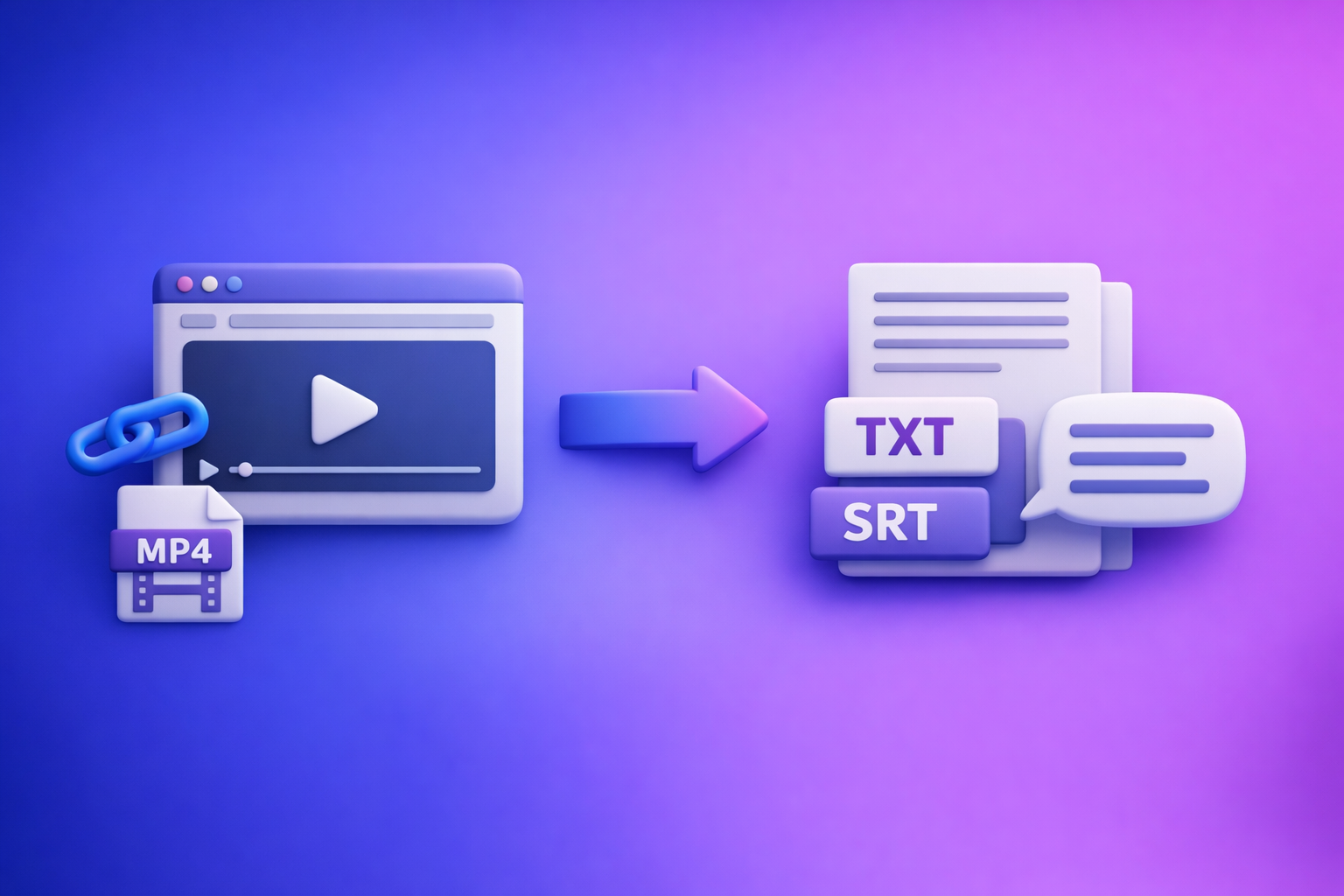
ChatGPT “Upload Video” Feature (2026): What Works, Limits, Fixes, and a Production-Safe Video-to-Text Workflow
If you need publish-ready transcripts (TXT) and captions (SRT/VTT), don’t rely on the ChatGPT “upload video” feature—use an artifact-first workflow: link/MP4 → TXT + SRT/VTT → ChatGPT-on-text. The fastest, most repeatable path is link-based extraction (stop downloading files by default), then use ChatGPT for rewriting and repurposing on verified text.
Who this guide is for (and what you’ll ship)
This is for creators, marketers, educators, agencies, and ops teams who need deliverables—not just “it understood the clip.”
If you need “understanding” vs “deliverables”
- Understanding (analysis-only): “What happens in this clip?” “What are the key points?”
- Deliverables (production): clean transcript, exportable captions, repurposed drafts you can hand to an editor or client.
ChatGPT can be useful for the first category. It’s inconsistent for the second.
Outputs this post targets: TXT transcript, SRT/VTT captions, repurposed drafts
You’ll leave with a workflow that reliably produces:
- TXT transcript (editable, promptable, searchable)
- SRT/VTT captions (upload-ready for platforms and editors)
- Repurposed drafts (blog outline, social posts, hooks, email draft)
What people mean by “ChatGPT upload video” (3 different capabilities)
“Upload video” gets used to describe three different things. Mixing them up is why troubleshooting feels random.
1) Uploading a video file into ChatGPT (MP4/MOV)
This is the literal “attach a file” experience. It may appear in some accounts/surfaces and not others.
2) Pasting a video link (YouTube/Drive/Instagram/TikTok) and asking questions
This is “fetch the URL and analyze it.” It often fails due to permissions, login walls, expiring links, or blocked access.
3) “Watching” video vs extracting speech vs generating timecodes (not the same)
These are separate jobs:
- Watching/understanding: visual + audio interpretation (best-effort)
- Extracting speech: transcription accuracy and completeness
- Generating timecodes: stable timestamps for captions and editing workflows
A model can “understand” a clip and still be bad at export-ready timecodes. That’s why production workflows should be artifact-first.
Can ChatGPT watch videos you upload reliably in 2026?
Not reliably enough to build a production pipeline around it.
Availability is not deterministic (plan, rollout, region, surface)
Video upload and link ingestion can vary by:
- Plan entitlement
- Region
- Web vs iOS vs Android
- Workspace policy (Teams/Enterprise)
- Model/surface changes pushed without notice
Why “it worked yesterday” happens (model/surface changes, policy, client updates)
Common causes:
- The app updated and changed attachment behavior
- Your workspace admin changed data controls
- The model/surface you selected no longer supports that media path
- The link you used expired or became private
When ChatGPT is good enough (analysis-only use cases)
Use it when you only need:
- A quick summary
- A list of topics
- A rough Q&A about a short clip
- A first-pass interpretation (not a deliverable)
When it’s the wrong tool (export-ready transcripts, captions, timecodes, QA)
Avoid relying on it when you need:
- TXT transcript you can edit and reuse
- SRT/VTT captions with stable timestamps
- Repeatable outputs across a team
- QA-able artifacts (names, numbers, jargon, speaker turns)
Requirements & limits that cause most “video upload failed” issues
Most failures are not “mystical.” They’re predictable constraints.
Account/surface requirements
Web vs iOS vs Android differences (what to check before troubleshooting)
Check:
- Are you on web or mobile?
- Is the attachment button present?
- Are you using a model/surface that supports attachments?
If you’re blocked, don’t stall your project—use the ship-now fallback workflow below.
Workspace policy restrictions (Teams/Enterprise) and what they look like
Typical signals:
- “Add files is unavailable”
- “Attachments disabled for…”
- Upload UI missing entirely
If you see those, assume policy until proven otherwise.
File constraints (common failure triggers)
Container/codec mismatches, duration, size, bitrate, audio track issues
Frequent triggers:
- Uncommon codecs inside MP4/MOV containers
- Very long duration files
- High bitrate / huge file size
- Multiple audio tracks or corrupted audio streams
- Screen recordings with odd encoding settings
Link constraints (why pasted URLs fail)
Login walls, permissions, expiring links, geo restrictions, robots/403
Links fail when:
- The video requires login (Drive, Loom, IG private)
- The link expires (signed URLs)
- The content is geo-blocked
- The host blocks automated fetching (403/robots)
Processing constraints
Timeouts, backgrounding on mobile, stalled processing, partial ingestion
Common patterns:
- Mobile app backgrounding kills processing
- Long uploads time out
- Partial ingestion leads to incomplete outputs
Step-by-step: Production-safe workflow (Link/MP4 → TXT + SRT/VTT → ChatGPT-on-text)
This is the workflow we recommend at VideoToTextAI: stop downloading video files as your default. Link-based extraction is the future of creator productivity because it’s faster, easier to QA, and easier to reuse across teams.
Step 1 — Choose your input path (link-first, MP4 when required)
Link-first inputs: YouTube, TikTok, Instagram, Reels, podcasts
Use link-first when the video already lives online:
- YouTube videos
- TikTok/Instagram/Reels
- Hosted webinars/podcasts
- Client review links (when publicly accessible)
MP4 inputs: camera roll exports, screen recordings, client-provided files
Use MP4 when you must:
- Camera roll exports
- Screen recordings
- Raw client files not hosted anywhere
Step 2 — Generate artifacts in VideoToTextAI (the “artifact-first” approach)
Artifact-first means you generate stable files first, then do creative work on top.
Exactly one CTA: Use VideoToTextAI to generate TXT + SRT/VTT from a link or MP4, then repurpose safely on text: VideoToTextAI
Create a clean transcript (TXT) for editing + prompting
Goal: a transcript you can:
- edit quickly
- paste into ChatGPT
- store in docs/KB
- reuse for future content
Create captions (SRT/VTT) for publishing
Goal: caption files that are:
- export-ready
- compatible with platforms and editors
- timestamped for real workflows
Optional: create summaries and repurposed drafts from the transcript
Once you have verified text, repurposing becomes deterministic:
- blog draft
- newsletter
- short-form hooks
- LinkedIn/Twitter threads
- YouTube description + chapters (from transcript sections)
Step 3 — QA in 5 minutes before you ask ChatGPT to rewrite anything
This step prevents publishing errors that are expensive to fix later.
Transcript QA: names, numbers, jargon, missing sections, speaker turns
Scan for:
- Proper nouns (names, brands, locations)
- Numbers (prices, dates, stats)
- Jargon (industry terms)
- Missing chunks (mid-video gaps)
- Speaker turns (if needed for interviews)
Caption QA: timing drift, line length, punctuation, readability
Check:
- Timing aligns with the cut (no drift)
- Line length is readable (no walls of text)
- Punctuation supports comprehension
- Key moments aren’t garbled
Step 4 — Use ChatGPT on verified text (what it’s best at)
ChatGPT is strongest when you give it clean inputs and strict output formats.
Prompts: summarize, outline, extract hooks, generate posts, rewrite for tone
Use prompts like:
- “Summarize this transcript into 7 bullets for an exec update.”
- “Create a blog outline with H2/H3s and a CTA section.”
- “Extract 10 hooks and 5 contrarian takes from this transcript.”
- “Rewrite in a direct, technical tone for a SaaS audience.”
Guardrails: keep timestamps/caption structure separate from rewriting
Do not ask ChatGPT to rewrite your SRT/VTT directly unless you’re prepared to fix formatting.
Best practice:
- Rewrite from TXT transcript
- Keep caption files as separate artifacts
- If you must edit captions, do it with strict constraints (no timestamp changes)
Step 5 — Ship deliverables (what to export + where to use them)
TXT → docs/knowledge base
Use TXT for:
- internal documentation
- searchable knowledge bases
- client deliverables
- SEO content briefs
SRT/VTT → YouTube, TikTok/IG workflows, editors, LMS platforms
Use SRT/VTT for:
- YouTube caption upload
- editor handoff (Premiere/Final Cut workflows)
- LMS platforms that accept VTT
- accessibility compliance workflows
Implementation walkthrough (10–15 minutes): One video → transcript, captions, repurposed content
Walkthrough A: Start from a video link
Input: paste URL → generate TXT + SRT/VTT → copy transcript into ChatGPT
Output: blog draft + 5 social posts + captions file
Steps:
- Paste the public video URL into your workflow.
- Generate TXT transcript and SRT/VTT captions.
- Do the 5-minute QA (names, numbers, missing chunks).
- Paste the verified transcript into ChatGPT and request:
- blog outline + draft
- 5 social posts
- 10 hooks
If you want a dedicated path for this, see YouTube to Blog.
Walkthrough B: Start from an MP4
Input: upload MP4 → generate TXT + SRT/VTT → QA → ChatGPT repurposing
Output: corrected transcript + publish-ready captions
Steps:
- Upload the MP4.
- Export:
- QA transcript + captions.
- Use ChatGPT to repurpose the verified transcript into drafts.
Troubleshooting: “ChatGPT video upload failed” (fixes by symptom)
Symptom: No upload button / can’t attach video
Fix sequence:
- Confirm you’re on the right model/surface for attachments
- Confirm your plan entitlement
- Check workspace policy (Teams/Enterprise)
- Try a clean browser profile (extensions can break uploads)
Ship-now fallback: skip uploads entirely and run link/MP4 → TXT + SRT/VTT, then paste text into ChatGPT. For deeper diagnosis, see “Add Files” Button Unavailable in ChatGPT: Why It Happens + Fixes (and a Ship-Now Workflow).
Symptom: “Add files is unavailable” / “Attachments disabled for …”
What it usually means (policy vs entitlement vs surface)
Most often:
- Workspace policy disables attachments
- Your surface/model doesn’t support attachments
- Your account lacks the entitlement in that region
Fast isolation steps (1–2 minutes)
- Test on web vs mobile
- Switch networks (corp VPNs can interfere)
- Try a personal account vs workspace account (if allowed)
Symptom: Upload stuck / processing failed / timeouts
Reduce file complexity: re-encode, shorten, extract audio, retry on web
Try:
- Re-encode to a standard MP4 (H.264/AAC)
- Shorten the clip
- Extract audio only (when your goal is speech)
- Retry on web (more stable than mobile backgrounding)
Avoid retries: generate transcript/captions externally and paste text
If you’re burning time on retries, you’re in the wrong workflow. Generate artifacts first, then use ChatGPT on text.
Symptom: ChatGPT can’t access my link (403/failed to fetch)
Fix permissions: public access, non-expiring link, no login wall
Make sure:
- Link is public
- No login required
- No expiring token
- Not geo-blocked
Alternative: use VideoToTextAI link ingestion + export artifacts
If the host blocks fetching, don’t fight it—use a workflow designed for link ingestion and export artifacts.
Symptom: Output is incomplete or inaccurate
Why it happens (partial ingestion, audio issues, long duration)
Common causes:
- partial processing
- low-quality audio
- long videos causing truncation
- multiple speakers + crosstalk
Fix: artifact-first transcript + targeted corrections + re-prompt on text
- Generate a transcript artifact
- Correct the specific segments (names/numbers)
- Re-prompt ChatGPT with the corrected text only
Symptom: Captions out of sync after editing the video
Fix: regenerate SRT/VTT from the final cut (don’t “patch” timestamps)
If the edit changed timing, regenerate captions from the final cut. Patching timestamps manually is slow and error-prone.
Checklists (copy/paste)
Practical checklist section
Input readiness checklist (link/file)
- Link is publicly accessible (no login wall), not expiring, not geo-blocked
- Video has a clear audio track (no muted sections, no heavy music masking speech)
- If MP4: standard codec/container, reasonable bitrate, single primary audio track
- You know the required outputs: TXT transcript, SRT/VTT captions, repurposed drafts
Transcript readiness checklist (TXT)
- Proper nouns verified (names, brands, locations)
- Numbers verified (dates, prices, stats)
- Sections complete (no missing mid-video chunks)
- Formatting consistent (paragraphs, speaker labels if needed)
Caption readiness checklist (SRT/VTT)
- Timing aligned to final cut (no drift)
- Line length readable (no walls of text)
- Punctuation supports comprehension
- No censored/garbled words in key moments
ChatGPT-on-text checklist (safe + repeatable)
- Paste only verified transcript text (not raw video)
- Provide explicit output format (blog outline, LinkedIn post, hooks list, etc.)
- Keep captions separate from rewriting prompts (avoid timestamp corruption)
- Ask for “quotes + section headers + CTA” to speed publishing
VideoToTextAI vs Competitors
The key difference isn’t “who can transcribe.” It’s who supports a production workflow that survives ChatGPT upload/link failures and ships export-ready artifacts.
Competitors compared (researched)
- Reduct Video
- Otter AI
- Zapier (transcription software roundup context)
- NYT Wirecutter (transcription services context)
Comparison criteria (what this section will evaluate)
- Workflow speed: URL → transcript/captions → repurposed drafts
- Export readiness: clean TXT + ship-ready SRT/VTT (not just “a transcript exists”)
- Repeatability: deterministic outputs vs feature rollouts/availability
- Repurposing depth: transcript → blog/social assets (not only summaries)
- Team usability: shareable artifacts and handoff to editors/clients
Comparison table (based on publicly visible positioning in the research set)
| Tool | Link-based ingestion (paste URL) | Transcript export | Caption exports (SRT/VTT) | Repurposing focus | Team/collab focus | Best fit |
|---|---|---|---|---|---|---|
| VideoToTextAI | Yes (core workflow) | Yes (TXT) | Yes (SRT/VTT) | Yes (transcript → drafts) | Yes (artifact handoff) | Creators/teams shipping transcripts + captions + repurposed content |
| Reduct Video | No strong public signal | Yes | Weak public signal | Limited public signal | Yes | Teams needing collaborative transcript-centric review/editing |
| Otter AI | No strong public signal | Yes | Weak public signal | Limited public signal | Yes | Meeting-style transcription and notes workflows |
| Zapier (roundup context) | N/A (roundup) | N/A | N/A | N/A | N/A | Researching tools; not a transcription product itself |
Where VideoToTextAI fits
Best when you need link-based ingestion + exportable deliverables
VideoToTextAI is built around link-first input and artifact exports (TXT + SRT/VTT). That’s the operational difference between “it analyzed my clip” and “we shipped captions today.”
Best when ChatGPT uploads are blocked or inconsistent
When ChatGPT’s upload/link access is nondeterministic, you need a workflow that doesn’t break. Artifact-first means you can still repurpose content even if uploads are disabled.
Best when you need captions (SRT/VTT) plus repurposing from the same source text
Captions and repurposed drafts should come from the same verified transcript. That reduces drift, rework, and publishing mistakes.
Fair note: tools like Reduct can be better for teams that primarily want a collaborative transcript/video workspace. If your main goal is export-ready captions + repurposing, prioritize artifact exports and link-first ingestion.
Competitor Gap
What top-ranking pages/forums miss
- They conflate video understanding with deliverable generation.
- They don’t provide an artifact-first workflow that survives upload failures.
- They skip QA steps that prevent publishing incorrect transcripts/captions.
- They don’t explain link-access failure modes (permissions/login/403) clearly.
What this post adds (differentiators)
- Deterministic link/MP4 → TXT + SRT/VTT pipeline
- A 5-minute QA routine before repurposing
- Symptom-based troubleshooting + ship-now fallback that avoids uploads entirely
If you want the expanded workflow version, see A Production-Safe Link-Based Video-to-Text Workflow (Transcripts, SRT/VTT Captions, and Repurposing). For the canonical post URL, see ChatGPT “Upload Video” Feature (2026): What Works, Limits, Fixes, and a Production-Safe Video-to-Text Workflow.
FAQ
Will ChatGPT let me upload a video?
Sometimes. Availability depends on plan, region, surface (web/iOS/Android), and workspace policy.
If you need to ship deliverables, don’t wait on entitlements—generate TXT + SRT/VTT first, then use ChatGPT on the verified text.
Can ChatGPT watch videos that I upload?
It can sometimes analyze video, but “watching” is not the same as producing export-ready transcripts and captions.
For production, treat ChatGPT as a repurposing layer on top of verified transcript artifacts.
Can you upload videos from your camera roll to ChatGPT?
Sometimes on mobile, but mobile backgrounding and file constraints make it unreliable for longer clips.
If you’re starting from camera roll, MP4 → transcript/captions artifacts first is the safer path.
What video format can I upload to ChatGPT?
Formats and limits vary, but failures often come from codec/container mismatches, large files, long duration, and audio track issues.
If you hit repeated failures, stop retrying uploads and switch to an artifact-first workflow.
Internal Link Plan
- ChatGPT “Upload Video” Feature (2026): What Works, Limits, Fixes, and a Production-Safe Video-to-Text Workflow
- “Add Files” Button Unavailable in ChatGPT: Why It Happens + Fixes (and a Ship-Now Workflow)
- “Attachments Disabled for” ChatGPT: What It Means, Why It Happens, and How to Fix It (Ship-Now Workflow)
- A Production-Safe Link-Based Video-to-Text Workflow (Transcripts, SRT/VTT Captions, and Repurposing)
- MP4 to Transcript
- MP4 to SRT
- MP4 to VTT
- YouTube to Blog
Related posts
Reel Analyser (Instagram Reels): Transcript‑First Competitor Research, Hook/CTA Extraction, and Repurposing Workflow (VideoToTextAI)
Video To Text AI
A 2026 reel analyser should turn Instagram Reel links into a searchable transcript library you can tag for hooks, CTAs, objections, and topic clusters—then export into repurposing-ready drafts without a download/upload loop.
Traducir video de Instagram (Reels) en 2026: workflow transcript-first para traducir, sacar hooks/CTAs y repurpose (con VideoToTextAI)
Video To Text AI
Aprende a traducir un Reel de Instagram con un flujo URL→transcripción→traducción→subtítulos, y a convertir esa traducción en un activo de investigación para hooks, CTAs, objeciones y clusters de contenido.
Reel Analyzer: Transcript‑First Instagram Reels Research (Hooks, CTAs, Objections) + Workflow Guide (VideoToTextAI)
Video To Text AI
A reel analyzer should turn any public Instagram Reel link into a searchable transcript library you can mine for hooks, CTAs, objections, and topic clusters—then repurpose into original drafts with a repeatable SOP.