
ChatGPT “Upload Video” Feature (2026): What Works, Why Uploads Fail, and the Production-Safe Link → Transcript Workflow
 Video To Text AI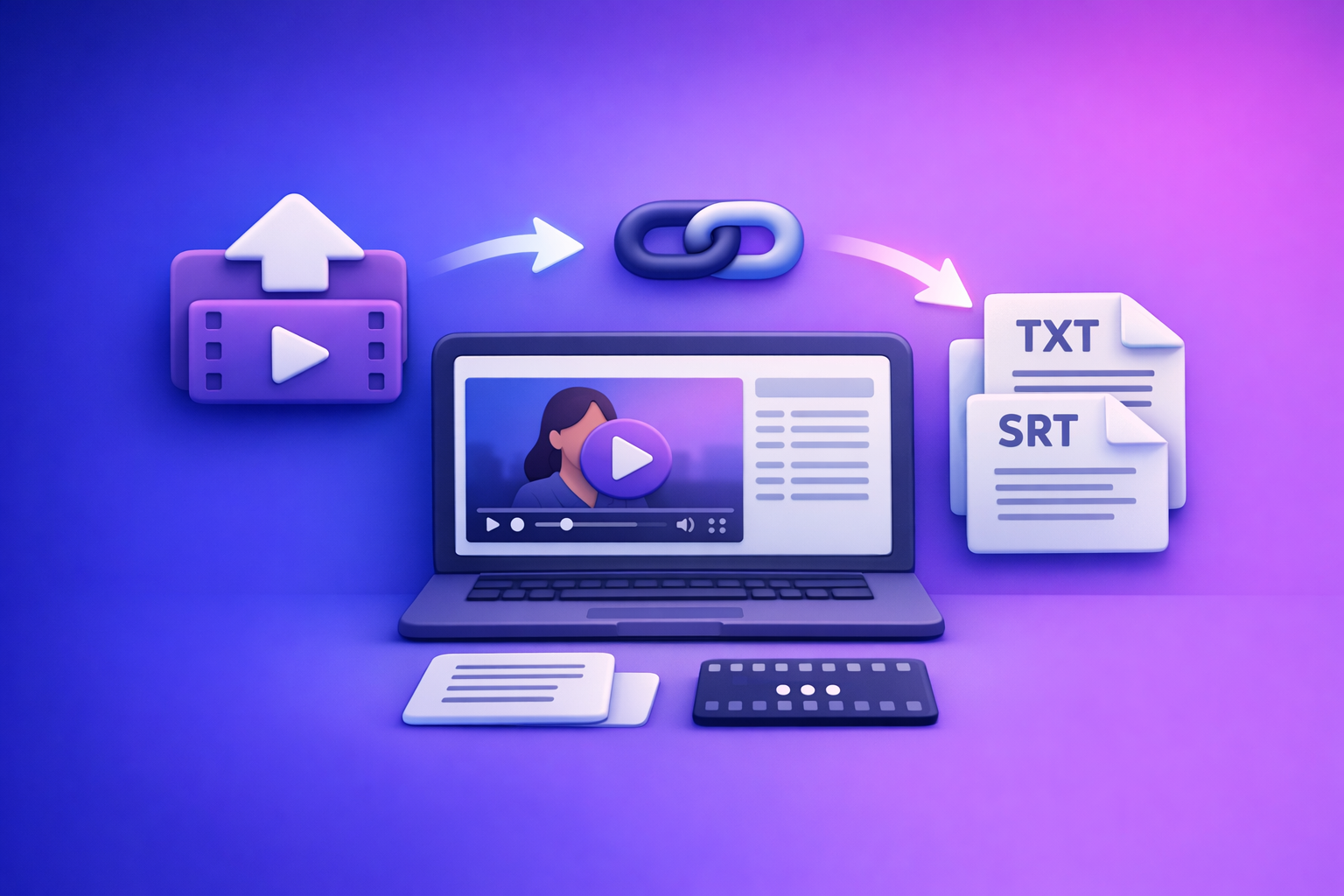
ChatGPT’s “upload video” feature is fine for quick, low-stakes understanding of short clips—but it’s not production-safe for transcripts, captions, or repeatable publishing workflows. The reliable approach in 2026 is video link (or MP4) → exportable transcript/captions (TXT/SRT/VTT) → ChatGPT on text.
ChatGPT “Upload Video” Feature (2026): What Works, Why Uploads Fail, and the Production-Safe Link → Transcript Workflow
Quick Answer: Can ChatGPT Upload Video in 2026?
What “upload video” can mean (and why users talk past each other)
When people say “chatgpt upload video feature”, they usually mean one of these different capabilities:
- File upload (MP4/MOV) via an attachment/paperclip button
- Pasting a video link (YouTube/Drive/Instagram/TikTok) and expecting ChatGPT to access it
- “Watching” video (frames) vs. analyzing extracted audio/text
- Getting a transcript vs. getting summaries/notes from a clip
These are not the same thing, and each fails for different reasons.
When ChatGPT video upload is worth using (and when it’s not)
Worth using when you need fast, informal help:
- Short clip comprehension (“what happened here?”)
- Quick idea extraction (“list the main points”)
- Low-risk internal notes
Not worth using when you need deliverables:
- Export-ready transcripts
- Timecoded captions/subtitles (SRT/VTT)
- Repeatable team workflows with QA gates
- Anything you need to publish, localize, or hand off to editors
If you ship content, artifact-first beats button-first every time.
What Actually Works: Real-World Scenarios (Works vs Often Fails)
Works most reliably
The most reliable pattern is:
- Link/MP4 → transcript/captions in a dedicated tool → ChatGPT on text
Why it works: you create deterministic artifacts (TXT/SRT/VTT) that can be edited, reviewed, versioned, and reused.
Also reliable:
- Short clips with clean audio for quick analysis
- Text-first prompting (paste transcript, ask for structure)
Often fails or is inconsistent
Common failure scenarios for “upload video”:
- Long videos / large files (timeouts, processing limits, stalled jobs)
- Unstable networks (mobile switching Wi‑Fi/LTE, VPNs, captive portals)
- Social links with restrictions (Instagram/TikTok auth, geo blocks, private accounts)
- Corporate/managed accounts where attachments are disabled by policy
If your workflow depends on a feature that may disappear based on account policy, it’s not production-safe.
Supported Formats, Limits, and Common Failure Modes (What to Check First)
Formats users try (and why “supported” still fails)
People usually try:
- MP4
- MOV
Even when the container is “supported,” uploads can still fail due to:
- Codec mismatches (video/audio codec not handled consistently)
- Variable frame rate edge cases
- Audio track issues (missing track, unusual channel layout, low bitrate, corruption)
If your goal is text output, you don’t want to debug codecs inside a chat app.
Limits that break first
The first things that typically break:
- File size (large uploads fail or never finish)
- Duration (long videos time out or return partial output)
- Processing timeouts (especially on mobile or weak connections)
Mobile-specific constraints (common with “upload video feature iPhone/Android” searches):
- iOS/Android backgrounding can interrupt uploads
- Low storage can block temporary file handling
- App version differences can hide or change attachment behavior
Common symptoms to map to root causes
Use this quick mapping:
- Missing/greyed upload button → plan/rollout/app version/workspace policy
- “Upload failed” / stuck processing → size/duration/network/codec issues
- Link can’t be accessed → private/auth-required/geo-restricted content
- Output incomplete/inaccurate → poor audio, long duration, or “best effort” extraction
Step-by-Step: Production-Safe Workflow (Video Link/MP4 → TXT/SRT/VTT → ChatGPT)
This is the workflow teams standardize because it’s repeatable and debuggable.
Step 1 — Choose your input type (fastest path)
- Use a shareable URL when possible (YouTube/Instagram/TikTok)
- Use MP4 when:
- the link is private/auth-required
- the platform blocks extraction
- you need to process a local file (camera roll export)
Brand POV: downloading videos just to re-upload them is an outdated loop. Link-based extraction is the future because it removes friction, reduces file handling errors, and speeds up creator throughput.
Step 2 — Generate deterministic artifacts (transcript + captions)
Create outputs you can ship:
- TXT transcript (editing, analysis, SEO, repurposing)
- SRT/VTT captions (timecoded deliverables)
If you only generate “a summary,” you can’t reliably QA, edit, or reuse the source.
Step 3 — QA the artifacts before prompting ChatGPT
Do a fast QA pass:
- Spot-check 2–3 sections across the video
- Verify proper nouns (names, brands, products)
- Verify numbers (prices, dates, metrics)
- Confirm speaker labels if needed
Fix obvious errors once in the source transcript. Don’t “prompt” your way out of bad text.
Step 4 — Use ChatGPT where it’s strongest (post-processing on text)
ChatGPT is excellent at transforming clean text into structured assets:
- Summaries, chapters, hooks, titles, outlines
- Repurposing into blog/social/email scripts
- Extracting structured data (tables, action items, FAQs)
For transcript generation and timecodes, rely on exportable artifacts first.
Implementation Walkthrough (10–15 Minutes): From Video to Publishable Assets with VideoToTextAI
A. Link → Transcript/Captions in VideoToTextAI
- Open VideoToTextAI (single CTA): https://videototextai.com
- Paste the video URL (or upload MP4 if required)
- Select output(s): TXT + SRT + VTT (based on destination)
- Run transcription and export files
If you’re starting from a file, these tool pages help standardize outputs:
If you’re starting from a platform link, use link-first workflows:
B. Transcript → Content Repurposing in ChatGPT (copy/paste prompts)
Paste your cleaned transcript into ChatGPT, then use prompts like these.
Prompt: chapters (use time markers if present)
Create 8–12 chapters for this transcript.
Rules:
- Output as a table: Start time | End time | Chapter title | 1-sentence summary
- Use the transcript’s time markers when available; do not invent timestamps.
- Keep titles under 60 characters.
Prompt: key takeaways + supporting quotes
Extract 10 key takeaways.
For each takeaway, include:
- 1 sentence takeaway
- 1 supporting quote from the transcript (verbatim)
- The timestamp (if present in the transcript line)
Return as bullets.
Prompt: blog outline + draft + SEO titles
Turn this transcript into:
1) An SEO outline (H2/H3)
2) A 1,200–1,800 word draft
3) 10 SEO title options (<= 60 chars)
Constraints:
- Use short paragraphs (max 3 sentences)
- Add a practical checklist section
- Do not add facts not present in the transcript
Prompt: short-form clips (hooks + captions + CTA variants)
Generate 12 short-form clip ideas from this transcript.
For each:
- Hook (<= 12 words)
- On-screen caption (<= 90 characters)
- Suggested CTA (3 variants)
- Best segment timestamp range (only if transcript includes time markers)
C. Caption delivery checklist (platform-ready)
- SRT for most editors/platforms
- VTT for web players and some LMS tools
- After any video edits (cuts, trims), re-export captions to keep sync
Troubleshooting: “ChatGPT Video Upload Failed” (Fixes by Symptom)
I don’t see the upload button
Likely causes:
- Feature not enabled for your plan/region/client
- App version mismatch (web vs iOS vs Android)
- Managed workspace policy disables attachments
Fallback path (production-safe):
- link/MP4 → transcript/captions → ChatGPT-on-text
If you’re seeing policy-style errors, this guide helps triage similar attachment issues:
Upload stuck / processing failed
Fixes in order:
- Shorten the clip (export a smaller segment)
- Re-encode to a standard MP4 with a clean audio track
- Switch networks (avoid VPN/captive portals)
- Avoid mobile backgrounding during upload
If you need deterministic output, don’t debug uploads inside ChatGPT—export artifacts first.
ChatGPT can’t access my link (YouTube/Instagram/Drive)
Common causes:
- Private/unlisted with restricted access
- Age-restricted content
- Geo-blocked content
- Auth-required social platforms (Instagram/TikTok)
Instead of download → upload loops (slow and fragile), use link-based extraction where supported, or upload the MP4 directly to your transcription workflow.
Transcript is missing words / names are wrong
Do this:
- Improve source audio if possible (reduce noise, increase voice clarity)
- Re-run transcription
- Correct proper nouns once in the transcript
- Then feed the corrected transcript to ChatGPT for repurposing
Checklist: Do This Instead of Relying on ChatGPT Video Upload
Inputs
- Use a shareable URL when possible; otherwise export MP4
- Confirm the video is accessible without login/geo blocks (if using URL)
- Prefer link-based extraction over download/re-upload loops (faster, fewer failures)
Processing (artifact-first)
- Generate TXT transcript + SRT/VTT captions
- Spot-check 2–3 sections for accuracy (names, numbers, jargon)
- Fix obvious transcript errors once (source-of-truth)
ChatGPT usage (text-first)
- Summarize + extract chapters + create repurposed assets from transcript
- Keep prompts deterministic (format requirements, length, structure)
- Ask for quotes verbatim and avoid invented timestamps
Quality control
- Validate caption sync after edits
- Store transcript/captions as reusable artifacts for future repurposing
VideoToTextAI vs Competitors
Downloading video files to shuttle them between tools is an outdated workflow. The operational advantage in 2026 is URL-first processing + export-ready artifacts (TXT/SRT/VTT) + a repeatable QA gate, then using ChatGPT for text transformation.
Below is a fair comparison using only competitors present in the research set.
| Tool | URL-first workflow (paste link) | Export-ready artifacts (TXT/SRT/VTT) | Best fit | Where it can be better |
|---|---|---|---|---|
| VideoToTextAI | Yes (link-based workflows) | Yes (artifact-first: transcript + captions) | Fast link → transcript/captions → ChatGPT-on-text repurposing; repeatable team deliverables | Not positioned as a design suite or full transcript-based video editor |
| Canva | No strong public signal for paste-a-link workflow (upload-centric) | Weak evidence for export-ready subtitle workflow in research snapshot | Design + simple captioning inside a visual suite | Better if you need an all-in-one design environment |
| Reduct Video | No strong public signal for paste-a-link workflow | Weak evidence for export-ready subtitle workflow in research snapshot | Transcript-based collaboration and editing/search in a video archive | Better for teams that need transcript-centric video editing and collaboration |
| PCMag buyer’s guide (benchmark) | Not a tool; editorial list | Not applicable | Good for broad market orientation and vendor discovery | Not a workflow solution |
Why VideoToTextAI wins for production workflows (based on research signals):
- Workflow speed: URL-first reduces download/upload loops and the failure points that come with them.
- Exports: Artifact-first outputs (TXT/SRT/VTT) are what editors and platforms actually consume.
- Repurposing: Clean transcript artifacts make ChatGPT repurposing deterministic (chapters, blogs, clips) instead of “best effort” video interpretation.
- Repeatability: Teams can standardize QA (spot-check names/numbers) and reuse artifacts as a source of truth.
Fair note: if your primary need is designing assets (Canva) or collaborative transcript-based video editing (Reduct), those tools can be better suited for that narrower job.
Competitor Gap
What top-ranking pages miss
Most pages ranking for “chatgpt upload video feature” blur three separate problems:
- Video upload capability (button exists or not)
- Link access (can the model fetch the URL?)
- Transcript generation (do you get export-ready TXT/SRT/VTT?)
They also skip the operational reality: production teams need deterministic artifacts and QA gates, not a fragile one-click upload.
What this post adds
- A clear separation of upload vs link access vs transcript generation
- A deterministic artifact-first workflow (TXT/SRT/VTT) with QA steps
- Troubleshooting mapped symptom → root cause → fallback path
- Mobile-specific considerations (iPhone/Android backgrounding, network switching)
Related internal references for deeper workflow context:
- ChatGPT “Upload Video” Feature (2026): What Works, Why Uploads Fail, and the Production-Safe Link → Transcript Workflow
- Upload Video to ChatGPT (2026): What Actually Works, Why Uploads Fail, and the Production-Safe Link → Transcript Workflow
FAQ
Does ChatGPT allow video uploads?
Sometimes. Availability varies by plan, client/app version, region, and managed workspace policy, and uploads can still fail due to file size/duration/network/codec issues.
Can ChatGPT watch videos that I upload?
For short clips, it may provide useful analysis, but for production deliverables it’s more reliable to extract transcript/captions first and then use ChatGPT on the text.
Can I upload a video to ChatGPT to analyze?
Yes in some accounts, but analysis quality and completion can be inconsistent on long videos. For repeatable results, use link/MP4 → TXT/SRT/VTT → ChatGPT-on-text.
Can I upload videos from my camera roll to ChatGPT?
Sometimes, depending on iOS/Android app behavior and account permissions. Mobile uploads are also more prone to backgrounding/network interruptions—export artifacts first if you need publishable output.
Can you upload videos to ChatGPT for free?
Free access and upload capability vary by rollout and account type. If uploads aren’t available (or fail), the reliable fallback is transcript/captions artifacts + ChatGPT repurposing.
Related posts
Reel Analyser (Instagram Reels): Transcript‑First Competitor Research, Hook/CTA Extraction, and Repurposing Workflow (VideoToTextAI)
Video To Text AI
A 2026 reel analyser should turn Instagram Reel links into a searchable transcript library you can tag for hooks, CTAs, objections, and topic clusters—then export into repurposing-ready drafts without a download/upload loop.
Traducir video de Instagram (Reels) en 2026: workflow transcript-first para traducir, sacar hooks/CTAs y repurpose (con VideoToTextAI)
Video To Text AI
Aprende a traducir un Reel de Instagram con un flujo URL→transcripción→traducción→subtítulos, y a convertir esa traducción en un activo de investigación para hooks, CTAs, objeciones y clusters de contenido.
Reel Analyzer: Transcript‑First Instagram Reels Research (Hooks, CTAs, Objections) + Workflow Guide (VideoToTextAI)
Video To Text AI
A reel analyzer should turn any public Instagram Reel link into a searchable transcript library you can mine for hooks, CTAs, objections, and topic clusters—then repurpose into original drafts with a repeatable SOP.