
Can ChatGPT Transcribe Video in 2026? What Works, What Fails, and the Reliable Link → Transcript Workflow
 Video To Text AI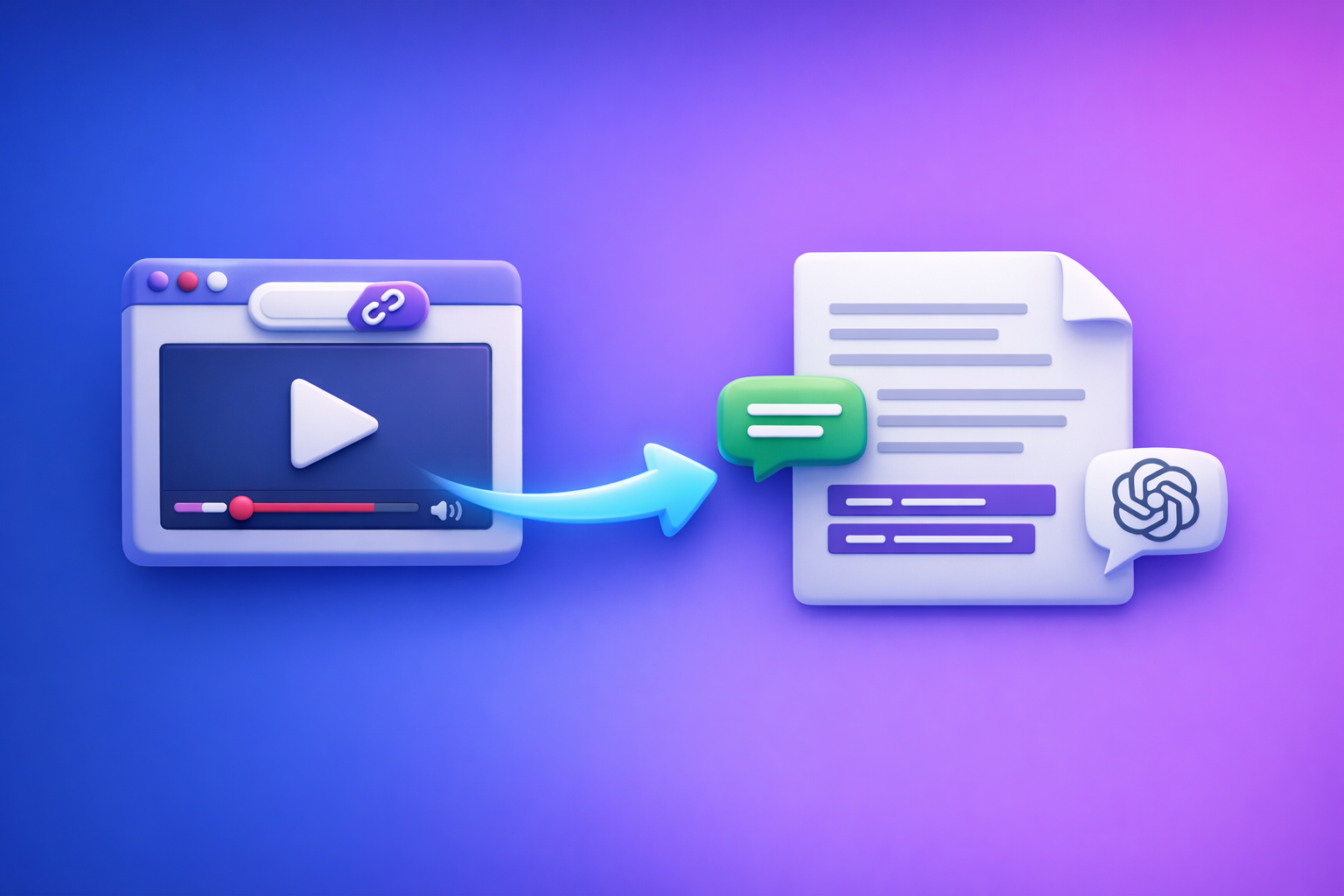
Can ChatGPT Transcribe Video in 2026? What Works, What Fails, and the Reliable Link → Transcript Workflow
If you need a dependable transcript, don’t rely on ChatGPT to “transcribe this video link.” Use a link-based transcription workflow to generate TXT/SRT/VTT, then use ChatGPT to clean, summarize, and repurpose the text.
This matters because downloading video files is an outdated workflow for creators and teams. The future is link-based extraction: paste a URL, generate transcript/subtitles, publish and repurpose—without juggling files.
Quick Answer (For “Can ChatGPT Transcribe Video?”)
What ChatGPT can do reliably
ChatGPT is reliable when the input is already text (or when you provide a transcript). It’s excellent at:
- Cleaning transcripts (punctuation, paragraphing, removing filler)
- Summarizing and extracting key takeaways
- Creating chapters and titles from timestamps
- Repurposing into blogs, newsletters, and social posts
- Generating caption variants (shorter lines, better readability)
What ChatGPT cannot do reliably (and why results vary by plan/app)
“Transcribe video” inside ChatGPT is not deterministic because capabilities vary by:
- Client (web vs mobile vs desktop app)
- Account features (upload availability, multimodal support)
- File constraints (size, duration, codecs)
- Link access (private videos, geo restrictions, login walls)
- Processing stability (timeouts, partial outputs)
Even when it works, you can still see missing sections, merged speakers, or invented words if the model can’t fully process the audio.
The production-grade workaround: video link/MP4 → transcript/subtitles → ChatGPT on text
A reliable workflow looks like this:
- Generate transcript + captions from a video link or MP4 (TXT + SRT/VTT).
- Spot-check and fix obvious errors (names, numbers, jargon).
- Use ChatGPT on the transcript for summaries, chapters, and repurposing.
This is how teams standardize output across videos—without depending on whether ChatGPT can open a link or accept an upload today.
What “Transcribe Video” Actually Means (So You Export the Right Format)
Transcript vs captions vs subtitles (and when you need each)
These are related but not interchangeable:
-
Transcript (TXT): full text of what was said, usually without strict timing.
Use it for editing, analysis, SEO content, and repurposing. -
Captions (SRT/VTT): timed text aligned to audio, typically same language as the video.
Use it for accessibility and engagement (especially on YouTube). -
Subtitles (SRT/VTT): timed text that may be translated into another language.
Use it for localization and international audiences.
Common export formats: TXT, SRT, VTT (and where they’re used)
- TXT: best for docs, editing, and feeding into ChatGPT.
- SRT: widely used for YouTube and many editors/players.
- VTT: common for web players and HTML5 video.
If you only export one format, you’ll end up redoing work later. Export TXT + SRT/VTT by default.
Accuracy factors: audio quality, speakers, accents, jargon, music
Transcription accuracy is mostly determined by inputs, not “prompting”:
- Clean audio beats any model upgrade
- Multiple speakers require diarization (speaker separation)
- Accents + fast speech increase error rate
- Domain jargon (product names, acronyms) needs a review pass
- Background music and cross-talk reduce accuracy dramatically
Can ChatGPT Extract Text From a Video Link?
Why a “YouTube/Drive link → transcript” is not deterministic in ChatGPT
ChatGPT is not guaranteed to:
- Access the link (permissions, login, region locks)
- Fetch the media stream
- Extract audio cleanly
- Process the entire duration without truncation
So “can chat gpt transcribe video” from a link is best treated as sometimes possible, not a workflow you can operationalize.
When it might work (and the limitations you should expect)
It might work when:
- The link is public and easily accessible
- The video is short
- The audio is clear
- Your client/account supports the needed features
Limitations to expect:
- Partial transcripts
- Missing timestamps
- No consistent SRT/VTT export
- Unclear speaker separation
The reliable alternative: use a dedicated link-based transcription workflow first
If your goal is repeatable output (especially for teams), use a tool designed for:
- Link ingestion (YouTube/TikTok/Reels/public URLs)
- Export formats (TXT/SRT/VTT)
- Long-form processing without manual chunking
This is exactly why link-based workflows are replacing “download the MP4 and hope it uploads.”
Can You Put a Video Into ChatGPT?
Upload support varies by client (web vs mobile) and account features
Whether you can upload video depends on:
- Which ChatGPT client you’re using
- Whether your account has file upload enabled
- What file types are supported in your environment
You can’t build a production process on “it worked on my phone once.”
Practical constraints: file size, duration, processing time, failures
Common blockers:
- Upload limits (size/duration)
- Unsupported codecs/containers
- Long processing times
- Timeouts and partial results
If you’re transcribing weekly content, these failures become a tax on your team.
If upload works: what to ask for (and what not to expect)
If you do upload successfully, ask for:
- A verbatim transcript with speaker labels if possible
- A summary and key points
- A list of unclear segments to review
Don’t expect:
- Perfect timestamps
- Reliable SRT/VTT formatting
- Consistent results across different videos
Step-by-Step: Reliable Video → Transcript Workflow (VideoToTextAI)
This workflow is designed for creators and teams who want repeatable outputs and link-first productivity.
Step 1 — Choose your input method (link vs MP4)
Link inputs: YouTube, TikTok, Instagram Reels, public URLs
Link-based input is the modern default because it:
- Eliminates file downloads and re-uploads
- Preserves source-of-truth URLs for teams
- Speeds up batch processing and repurposing
If you’re working from social platforms, start with link tools like tiktok to transcript or instagram to text.
MP4 inputs: local files, screen recordings, exports from editors
Use MP4 when the video isn’t publicly accessible or is internal-only. For that, start with mp4 to transcript.
Step 2 — Generate export-ready text outputs
Create a clean transcript (TXT) for editing and analysis
Export TXT when you want:
- Editing in Docs/Notion
- Searchable archives
- Feeding ChatGPT for repurposing
Create captions/subtitles (SRT/VTT) for publishing
Export timed captions for publishing:
- mp4 to srt for YouTube and many editors
- mp4 to vtt for web players
Step 3 — Quality pass (fast, systematic)
Fix speaker labels, timestamps, and obvious mishears
Do a quick pass focused on high-impact errors:
- Names (people, companies, products)
- Numbers (pricing, dates, metrics)
- Domain terms (acronyms, features)
- Speaker labels (Speaker 1/2 → real names)
Add punctuation and paragraphing for readability
Even accurate transcripts can be hard to read. Add:
- Sentence punctuation
- Paragraph breaks every 2–4 sentences
- Headings for topic shifts (optional)
Step 4 — Use ChatGPT on the transcript (not the video)
This is where ChatGPT is strongest and most consistent.
Summaries and key takeaways
Use the transcript to generate:
- Executive summary
- Bullet takeaways
- Action items (if it’s a meeting/webinar)
Chapters/timestamps and titles
If you have timestamps (from SRT/VTT), ChatGPT can:
- Group segments into chapters
- Propose chapter titles
- Create a YouTube description outline
Repurposing: blog post, LinkedIn post, Twitter/X thread, newsletter
For a direct path from video to SEO content, use a workflow like youtube to blog.
Step 5 — Final deliverables and where to publish
YouTube captions (SRT), web players (VTT), blogs/docs (TXT)
Publish with the right format:
- SRT → YouTube captions
- VTT → web embeds/players
- TXT → blog posts, docs, knowledge base
For deeper guidance, see Can ChatGPT Transcribe Video? What Works in 2026 (and the Reliable Link → Transcript Workflow) and Can ChatGPT Upload Video? What Works in 2026 (and the Reliable Link → Transcript Workflow).
ChatGPT Prompts That Work After You Have the Transcript
Use these prompts after you’ve generated TXT/SRT/VTT.
Prompt: clean up transcript without changing meaning
You are editing a transcript. Fix punctuation, capitalization, and paragraph breaks.
Do not change meaning. Do not add new facts.
Keep speaker labels. Remove filler words only when it improves readability.
Here is the transcript:
[PASTE TXT]
Prompt: create chapters + timestamped outline
Create a chapter outline from this transcript.
If timestamps are present, keep them and group into 6–12 chapters.
For each chapter: timestamp range, title, 2 bullet points of what’s covered.
Transcript:
[PASTE SRT OR VTT OR TIMESTAMPED TEXT]
Prompt: generate captions optimized for readability (line length rules)
Rewrite these captions for readability.
Rules: max 42 characters per line, max 2 lines per caption, keep meaning, keep timing order.
Return in SRT format.
Captions:
[PASTE SRT]
Prompt: repurpose into a blog post with headings + SEO meta
Turn this transcript into a blog post.
Requirements:
- Use H2/H3 headings
- Add a short intro (2–3 sentences) and a conclusion
- Include a meta title (<=60 chars) and meta description (<=155 chars)
- Keep claims factual; don’t invent details not in the transcript
Transcript:
[PASTE TXT]
Prompt: extract quotes, hooks, and short clips plan
From this transcript, extract:
1) 10 punchy quotes (<=20 words)
2) 10 hooks for short-form clips (<=12 words)
3) A clip plan: 8 clips with start/end timestamps and a 1-sentence premise
Transcript:
[PASTE TIMESTAMPED TEXT]
Troubleshooting: Why Your “ChatGPT Transcribe Video” Attempt Failed
Problem: ChatGPT won’t open the link
Common causes:
- Video is private/unlisted without access
- Requires login (Drive, platform accounts)
- Geo/age restrictions
- The client can’t fetch media from that domain
Fix: Use a dedicated link-based transcription workflow first, then paste the transcript into ChatGPT.
Problem: upload button missing / upload fails
Common causes:
- Your plan/client doesn’t support uploads
- File exceeds size/duration limits
- Unsupported codec/container
Fix: Export audio/video in a standard format (MP4/H.264 + AAC) or skip uploads entirely and use link-first transcription.
Problem: transcript is incomplete or hallucinated
Common causes:
- Partial processing (timeouts)
- Noisy audio
- Model “fills gaps” when it can’t hear clearly
Fix: Transcribe with a tool that outputs deterministic text, then spot-check three sections (start/middle/end) before repurposing.
Problem: timestamps are wrong or missing
Common causes:
- ChatGPT output isn’t designed as caption export
- The input lacked timing data
Fix: Generate SRT/VTT first, then ask ChatGPT to improve readability while keeping the structure.
Problem: multiple speakers are merged
Common causes:
- Overlapping speech
- No diarization
- Similar voices
Fix: Use speaker-aware transcription, then manually correct speaker labels for the first 2–3 minutes (it often sets the pattern for the rest).
Fixes: what to change in input, settings, and workflow
- Prefer link-based ingestion over downloads and uploads
- Reduce background music and normalize audio levels
- Provide language + speaker count upfront
- Always export TXT + SRT/VTT
- Use ChatGPT for editing/repurposing, not as the transcription engine
Checklist: Fast, Repeatable Video → Text Execution
Input checklist (before transcription)
- Confirm link accessibility (public/unlisted) or MP4 is playable
- Prefer a clean audio track; reduce background music if possible
- Note language(s) and speaker count
Output checklist (after transcription)
- Export TXT + SRT/VTT (don’t rely on one format)
- Spot-check 60–90 seconds across 3 points (start/middle/end)
- Verify names, numbers, and domain terms
Repurposing checklist (with ChatGPT)
- Summary + key points
- Chapters + titles
- 3–5 social posts
- Blog draft + meta title/description
- CTA and links back to the original video
Competitor Gap
What competitors miss (and what this post adds)
Most “can chat gpt transcribe video” answers stop at “upload it” or “paste a link,” which fails in real production. This post adds:
- Deterministic workflow that doesn’t depend on ChatGPT upload/link parsing
- Troubleshooting matrix for link failures, upload limits, and transcript quality
- Copy-paste prompt pack tied to specific deliverables (TXT/SRT/VTT)
- Execution checklist to standardize results across videos and teams
“Do this, not that” guidance
Don’t: ask ChatGPT to “transcribe this YouTube link”
You’ll get inconsistent access, inconsistent outputs, and no reliable caption exports.
Do: generate transcript/subtitles first, then use ChatGPT for editing/repurposing
This is the scalable approach—and it aligns with where creator productivity is going: link-first workflows, not file wrangling.
Best Tool Choice: Which AI Can Transcribe Video?
When ChatGPT is enough (short audio, already-text inputs)
Use ChatGPT when you already have:
- A transcript from another source
- Short, clean audio converted to text elsewhere
- A need for summaries, structure, and repurposing
When you need a dedicated transcription workflow (links, exports, captions)
Use a dedicated workflow when you need:
- Video links (YouTube/TikTok/Reels/public URLs)
- Long-form content without chunking
- SRT/VTT exports for publishing
- Repeatability across a team
Why VideoToTextAI fits link-based creator/team workflows
VideoToTextAI is built around the modern reality: downloading video files is an outdated workflow. Link-based extraction is faster, easier to standardize, and better for teams who publish frequently.
If you want a reliable link → transcript/subtitles pipeline, use VideoToTextAI: VideoToTextAI
FAQ
Can ChatGPT extract text from a video?
Sometimes, but it’s inconsistent across links, clients, and account features. For reliable results, transcribe with a dedicated tool first, then use ChatGPT on the transcript.
Which AI can transcribe video?
Dedicated transcription tools are best for video links and caption exports (SRT/VTT). ChatGPT is best for transcript cleanup, summaries, chapters, and repurposing.
Can you put a video into ChatGPT?
Upload support varies by client and plan, and uploads can fail due to size/duration/codec limits. Even when upload works, a transcript-first workflow is more repeatable.
Can ChatGPT take notes from a video?
Yes—if you provide the transcript (or timestamped captions). Paste TXT/SRT/VTT and ask for notes, action items, and a structured outline.
Related posts
Reel Analyser (Instagram Reels): Transcript‑First Competitor Research, Hook/CTA Extraction, and Repurposing Workflow (VideoToTextAI)
Video To Text AI
A 2026 reel analyser should turn Instagram Reel links into a searchable transcript library you can tag for hooks, CTAs, objections, and topic clusters—then export into repurposing-ready drafts without a download/upload loop.
Traducir video de Instagram (Reels) en 2026: workflow transcript-first para traducir, sacar hooks/CTAs y repurpose (con VideoToTextAI)
Video To Text AI
Aprende a traducir un Reel de Instagram con un flujo URL→transcripción→traducción→subtítulos, y a convertir esa traducción en un activo de investigación para hooks, CTAs, objeciones y clusters de contenido.
Reel Analyzer: Transcript‑First Instagram Reels Research (Hooks, CTAs, Objections) + Workflow Guide (VideoToTextAI)
Video To Text AI
A reel analyzer should turn any public Instagram Reel link into a searchable transcript library you can mine for hooks, CTAs, objections, and topic clusters—then repurpose into original drafts with a repeatable SOP.