
Can ChatGPT Transcribe Videos? What Actually Works in 2026 (Plus a Reliable Link → Transcript Workflow)
 Video To Text AI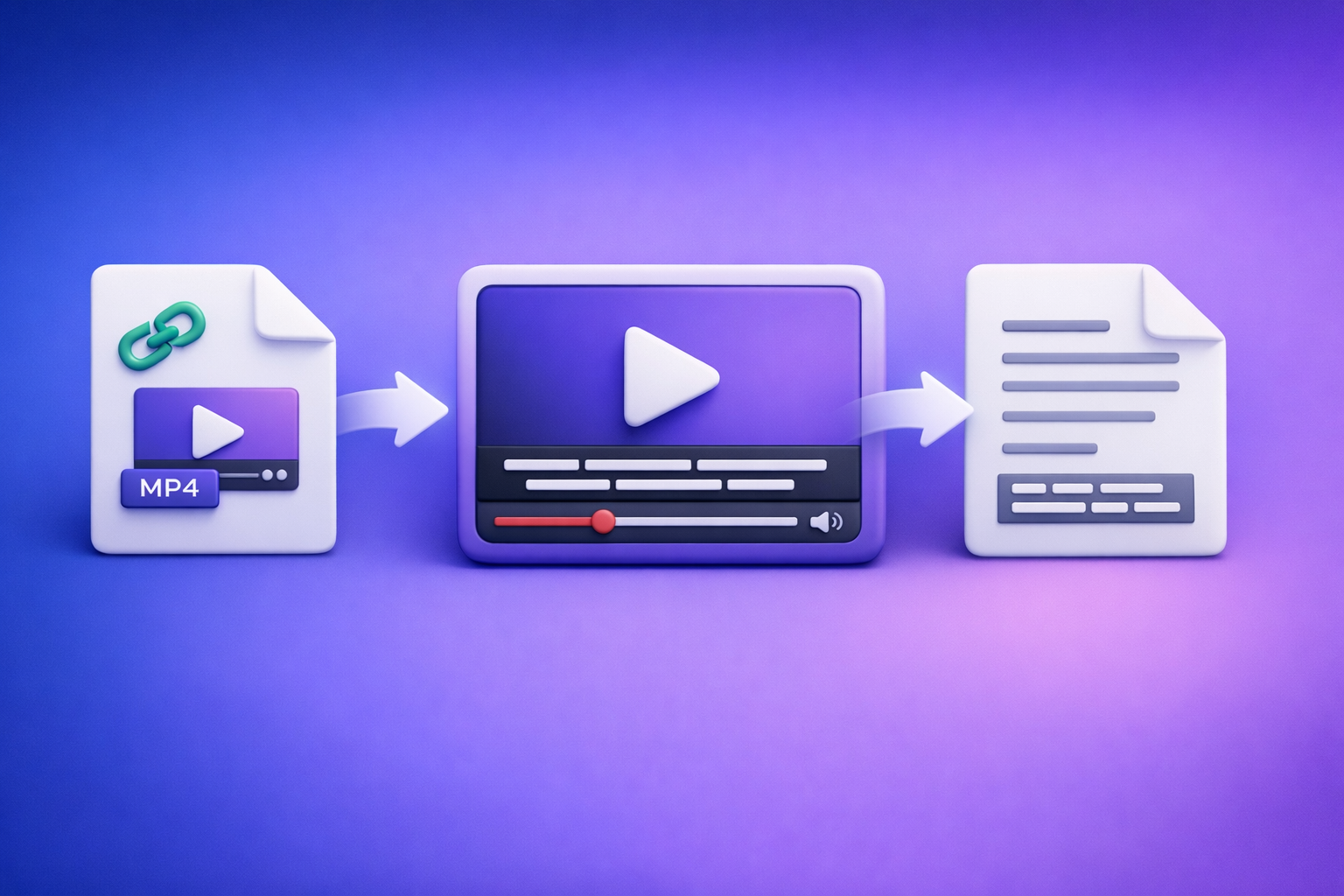
Can ChatGPT Transcribe Videos? What Actually Works in 2026 (Plus a Reliable Link → Transcript Workflow)
If you want a reliable transcript, don’t start by pasting a video link into ChatGPT—start by generating export-ready TXT/SRT/VTT from the video source. Then use ChatGPT for cleanup, structure, chapters, and repurposing.
Quick Answer (So You Don’t Waste Time)
What ChatGPT can do well
ChatGPT is excellent when it receives text (or properly formatted subtitle files) and you want to:
- Clean up grammar and punctuation without changing meaning
- Create chapters, summaries, and key takeaways
- Extract quotes, action items, and FAQs
- Repurpose into blogs, emails, and social posts
Where ChatGPT fails for “video → transcript”
For most teams, “ChatGPT transcribe video” breaks down because:
- Links aren’t deterministic: a pasted YouTube/Drive link may not be accessible, readable, or supported in your session.
- Uploads are inconsistent: file upload support varies by plan, device, and client, and limits can change.
- Exports aren’t production-ready: you often need SRT/VTT rules, timestamps, and line breaks that ChatGPT won’t generate accurately from scratch.
The reliable workflow: video link/MP4 → export-ready transcript/subtitles → ChatGPT
The production-grade approach in 2026 is:
- Use a link-based transcription workflow (downloading files is increasingly outdated).
- Export TXT/SRT/VTT depending on where the text will be used.
- Paste the transcript into ChatGPT for formatting + repurposing.
This is faster, repeatable, and easier to QA.
What “Transcribe a Video” Really Means (Pick Your Output)
Transcript (TXT) vs subtitles (SRT) vs captions (VTT)
“Transcription” can mean different deliverables. Pick the output first:
- TXT transcript: best for editing, blogs, notes, and search indexing.
- SRT subtitles: numbered captions with timestamps; common for YouTube and many editors.
- VTT captions: web-friendly captions; common for HTML5 players and some platforms.
When you need timestamps, speaker labels, or line-length rules
Decide upfront if you need:
- Timestamps (required for subtitles/captions and chapters)
- Speaker labels (podcasts, interviews, meetings)
- Line-length rules (readability: short lines, sensible breaks)
- Reading speed constraints (caption QA for accessibility)
If you need any of the above, start with SRT/VTT rather than plain text.
Common platforms and their preferred formats (YouTube, TikTok, Instagram, podcasts)
Typical format preferences:
- YouTube: SRT (subtitles) + TXT for blog repurposing
- TikTok / Instagram Reels: usually burned-in captions via editors; SRT helps as a base
- Podcasts: TXT with speaker labels; timestamps optional but useful for show notes
- Web players: VTT is often the cleanest fit
Can ChatGPT Transcribe Videos Directly?
Scenario A: “I have a video link (YouTube/Drive/Dropbox)”
Why “paste a link into ChatGPT” is not deterministic
Even in 2026, link handling is inconsistent because:
- The link may require login, be region-locked, or expire.
- The session may not have the right tool access to fetch and decode the media.
- You can’t count on consistent timestamped exports (SRT/VTT) from a link alone.
If you need a workflow you can repeat across a team, “paste link into ChatGPT” is a gamble.
What to do instead (link-based transcription tool first)
Use a tool designed for link → transcript/subtitles first, then bring the text to ChatGPT.
This is the core productivity shift: stop downloading videos as a default. Link-based extraction is the future because it reduces file handling, version confusion, and upload failures.
Scenario B: “I have an MP4 file”
Why uploads are inconsistent across plans/clients
MP4 uploads can work, but they’re not stable across:
- Desktop vs mobile clients
- Plan tiers and feature rollouts
- Organization policies (blocked uploads, storage constraints)
File size/duration limits and why they break workflows
Long videos fail in predictable ways:
- Upload timeouts
- Size caps
- Processing limits
- Partial outputs with missing sections
If you’re transcribing webinars, trainings, or podcasts, you need a workflow that supports long-form reliably.
Scenario C: “I only need a summary, not a transcript”
When ChatGPT is enough (and when it isn’t)
ChatGPT can be enough if:
- You already have notes or a rough transcript
- You only need a high-level summary and don’t care about exact wording
It’s not enough if:
- You need quotes, compliance, or exact phrasing
- You need captions/subtitles with timestamps
- You’re repurposing into SEO content where accuracy matters
The Production-Grade Workflow (Recommended): Link/MP4 → Transcript/Subtitles → ChatGPT
Step 1 — Collect the source video the right way
Best sources: YouTube URL, public share link, or MP4 export
Preferred inputs (in order):
- YouTube URL (fastest for creators)
- Public share link (Drive/Dropbox with correct permissions)
- MP4 export (when links aren’t possible)
If you’re still downloading and re-uploading files for every step, that’s an outdated workflow that slows teams down.
Avoid: screen recordings with system audio issues, low-bitrate re-uploads
Avoid sources that destroy audio quality:
- Screen recordings with missing system audio
- Re-uploads with low bitrate or heavy compression
- Videos with loud music over speech
Garbage audio creates garbage transcripts—no model fixes that.
Step 2 — Generate export-ready text with VideoToTextAI
Choose input: link vs MP4
Use link input whenever possible. It’s faster, cleaner, and easier to standardize across a team.
Use MP4 only when the video can’t be shared as a stable link.
Choose output: TXT / SRT / VTT (and when to pick each)
Pick the output based on the destination:
- TXT: editing, blogs, docs, knowledge base
- SRT: YouTube subtitles, most video editors
- VTT: web captions, HTML5 players
If you’re unsure, export SRT + TXT so you have both timestamps and editable text.
Quality levers: language, punctuation, speaker detection (if available), timestamps
Before generating, set:
- Language (don’t rely on auto-detect if the audio is mixed)
- Punctuation (on, for readability)
- Speaker detection (for interviews/podcasts)
- Timestamps (required for SRT/VTT and chapters)
Use one deterministic pipeline, then let ChatGPT do what it’s best at: rewriting and structuring text.
CTA: Generate export-ready transcripts and subtitles from a video link in minutes with VideoToTextAI.
Step 3 — Verify accuracy fast (2-minute review method)
Spot-check technique: first 60s + a dense section + ending CTA
Don’t read the whole transcript line-by-line. Instead:
- Check the first 60 seconds (names, context, audio quality)
- Check a dense technical section (jargon, acronyms, numbers)
- Check the ending CTA (URLs, offers, next steps)
If those three pass, the rest is usually safe.
Fix the 5 most common errors (names, acronyms, numbers, homophones, jargon)
Fast fixes that prevent embarrassing mistakes:
- Names: people, brands, product names
- Acronyms: expand or standardize (e.g., “SLA,” “MRR”)
- Numbers: pricing, dates, metrics
- Homophones: “their/there,” “site/sight,” etc.
- Jargon: domain terms that models mishear
Step 4 — Use ChatGPT for cleanup + structure (not raw transcription)
Prompt: clean transcript without changing meaning
Use this when you have TXT:
- Prompt:
“Clean up this transcript for readability. Preserve meaning and technical terms. Fix punctuation, remove filler words only when it doesn’t change intent, and keep paragraph breaks short. Output as markdown.”
Prompt: add chapters with timestamps (from SRT/VTT)
Use this when you have SRT/VTT:
- Prompt:
“Using the timestamps in this SRT/VTT, create 6–12 chapters with titles. Keep timestamps inMM:SSformat and make chapter titles specific and SEO-friendly.”
Prompt: extract key quotes, takeaways, and action items
Use this for repurposing:
- Prompt:
“Extract 10 quotable lines (verbatim), 7 key takeaways, and 5 action items. Keep quotes exactly as written and include the nearest timestamp if present.”
Step 5 — Repurpose into publishable assets
Blog post outline + draft
Turn the transcript into a structured article:
- H2/H3 outline
- A first draft with scannable sections
- A short FAQ section based on questions mentioned in the video
If your goal is “YouTube to blog,” start from a transcript, not from a summary. (See: youtube to blog)
Social posts (LinkedIn/X) + hooks
Generate multiple variants:
- 3 hooks (contrarian, data-driven, story)
- 3 post bodies (short, medium, long)
- 1 thread outline for X
Email summary + subject lines
Useful for webinar follow-ups:
- 1 short recap
- 1 “key takeaways” version
- 5 subject lines (benefit-led, curiosity-led, direct)
SEO metadata: title options + meta description + FAQ candidates
Have ChatGPT produce:
- 5 title options
- 2 meta descriptions (155–160 chars)
- 6 FAQ candidates based on the transcript language
Step-by-Step: “Can ChatGPT Transcribe a YouTube Video?” (Fastest Reliable Method)
Step 1 — Paste the YouTube link into VideoToTextAI
Use the public YouTube URL. This avoids the outdated “download the MP4, re-upload it, hope it works” loop.
Step 2 — Export SRT/VTT for timestamps (or TXT for editing)
- Choose SRT/VTT if you need captions, chapters, or timing.
- Choose TXT if you’re editing into an article or doc.
Related tools you may use next:
Step 3 — Paste transcript into ChatGPT for formatting + repurposing
ChatGPT is the second step, not the first:
- Clean the transcript
- Add headings and chapters
- Extract quotes and takeaways
Step 4 — Publish: subtitles to YouTube + blog/social from the same transcript
One transcript becomes multiple assets:
- Upload SRT to YouTube
- Publish the blog draft
- Schedule social posts and email recap
Troubleshooting: Why Your “ChatGPT Video Transcription” Attempt Fails
Link issues
Private links, expiring links, region locks, login walls
Common failure modes:
- Drive/Dropbox links that require login
- Links that expire after a short time
- Region-locked content
- “Unlisted” videos shared without correct permissions
Fix: use a stable public/share link or export an MP4 once (only when necessary).
Audio issues
Music-heavy tracks, cross-talk, low volume, echo
Transcription accuracy drops when:
- Music competes with speech
- Multiple people talk over each other
- Voices are too quiet
- Rooms are echoey
Fix: improve source audio when possible, or accept that you’ll need more manual correction.
Length/size issues
Long videos, large MP4s, chunking strategy (by time ranges)
If you must work from MP4 and it’s long:
- Split by time ranges (e.g., 0–20, 20–40, 40–60 minutes)
- Keep naming consistent:
webinar_part-01.srt,part-02.srt - Merge transcripts after QA
For podcasts, use a workflow built for long-form (see: podcast transcription).
Output issues
No timestamps, broken line breaks, missing speaker turns
Symptoms and fixes:
- No timestamps: export SRT/VTT, not TXT
- Broken line breaks: reformat in ChatGPT, but don’t regenerate timing
- Missing speakers: enable speaker detection (or add labels during review)
Checklist: Reliable Video → Text in Under 10 Minutes
Inputs
- Video link is public/shareable (or MP4 is accessible locally)
- Audio is clear (no clipping; voices louder than music)
- Correct language selected
Outputs
- Exported the right format (TXT/SRT/VTT)
- Spot-checked 3 sections for accuracy
- Fixed names / numbers / acronyms
Repurposing
- Generated chapters + summary in ChatGPT
- Extracted 5–10 quotable lines
- Produced 1 blog draft + 3 social variants
Competitor Gap
What competitors typically miss (and what this post adds)
Most pages ranking for “can chat gpt transcribe videos” lean on “try uploading it” or “paste the link,” which isn’t a deterministic workflow.
This post adds:
- Deterministic workflow for links (not “maybe upload it to ChatGPT”)
- Troubleshooting by failure mode (link/audio/length/output)
- Export-format decision tree (TXT vs SRT vs VTT)
- Copy-paste prompt pack for cleanup, chapters, and repurposing
Prompt Pack (ready to use)
Prompt 1 — Clean transcript (preserve meaning)
“Rewrite this transcript for clarity and readability. Preserve meaning, technical accuracy, and intent. Keep paragraphs to 1–3 sentences. Remove filler words only when safe. Do not add new claims.”
Prompt 2 — Create chapters from timestamps
“Create 8–12 chapters using the timestamps in this SRT/VTT. Output a list of MM:SS — Title. Titles should be specific, not generic, and reflect what’s actually said.”
Prompt 3 — Turn transcript into an SEO blog post (with headings + meta)
“Turn this transcript into an SEO blog post targeting the keyword: can chat gpt transcribe videos. Use H2/H3 headings, short paragraphs, bullets, and bold key points. Include a meta title (60 chars) and meta description (155–160 chars). Add a 4-question FAQ based on the content.”
Prompt 4 — Generate subtitles QA checklist (timing/line length/reading speed)
“Create a subtitle QA checklist for this SRT/VTT: max 2 lines, ~32–42 chars per line, avoid awkward line breaks, ensure timing matches speech, and flag segments with reading speed issues. Output as a checklist.”
Best Tool Choice by Use Case (Decision Table)
| Use case | Best input | Best output | ChatGPT role | Notes |
|---|---|---|---|---|
| Creators (YouTube/TikTok/IG Reels) | YouTube link | SRT + TXT | Hooks, chapters, repurposing | Link-first avoids constant downloads and re-uploads. |
| Marketing teams (webinars, demos, case studies) | Share link or MP4 | TXT + SRT | Blog drafts, email follow-ups, FAQs | Standardize naming + spot-check dense sections. |
| Podcasters | MP4/MP3 export or stable link | TXT (speaker labels) | Show notes, quotes, summaries | Accuracy hinges on clean multi-speaker audio. |
| Support/ops (training videos, SOPs) | Share link | TXT + VTT | SOP formatting, step extraction | VTT helps for internal players; TXT for docs. |
FAQ
Can ChatGPT extract text from a video?
ChatGPT can work with text you provide and may support some media inputs depending on your setup, but it’s not a consistent “video link → transcript” system. For reliable results, generate TXT/SRT/VTT first, then use ChatGPT to refine.
Is there an AI that can transcript a video?
Yes—many AI tools can transcribe video. The key is choosing one that supports link-based inputs and export-ready formats (TXT/SRT/VTT) so you can publish subtitles and repurpose content without manual rework.
Can you put a video into ChatGPT?
Sometimes, but it’s inconsistent across plans/clients and often fails on long files. If you need repeatable output for teams, treat ChatGPT as the post-processing layer, not the transcription engine.
What’s the best way to transcribe a video?
Use a deterministic workflow: video link/MP4 → export-ready transcript/subtitles → ChatGPT. This avoids the outdated download-first approach and makes creator productivity scale.
Internal Link Plan
Related posts
Reel Analyser (Instagram Reels): Transcript‑First Competitor Research, Hook/CTA Extraction, and Repurposing Workflow (VideoToTextAI)
Video To Text AI
A 2026 reel analyser should turn Instagram Reel links into a searchable transcript library you can tag for hooks, CTAs, objections, and topic clusters—then export into repurposing-ready drafts without a download/upload loop.
Traducir video de Instagram (Reels) en 2026: workflow transcript-first para traducir, sacar hooks/CTAs y repurpose (con VideoToTextAI)
Video To Text AI
Aprende a traducir un Reel de Instagram con un flujo URL→transcripción→traducción→subtítulos, y a convertir esa traducción en un activo de investigación para hooks, CTAs, objeciones y clusters de contenido.
Reel Analyzer: Transcript‑First Instagram Reels Research (Hooks, CTAs, Objections) + Workflow Guide (VideoToTextAI)
Video To Text AI
A reel analyzer should turn any public Instagram Reel link into a searchable transcript library you can mine for hooks, CTAs, objections, and topic clusters—then repurpose into original drafts with a repeatable SOP.