
Can ChatGPT Transcribe Videos? What Works in 2026 (and the Reliable Link → Transcript Workflow)
 Video To Text AI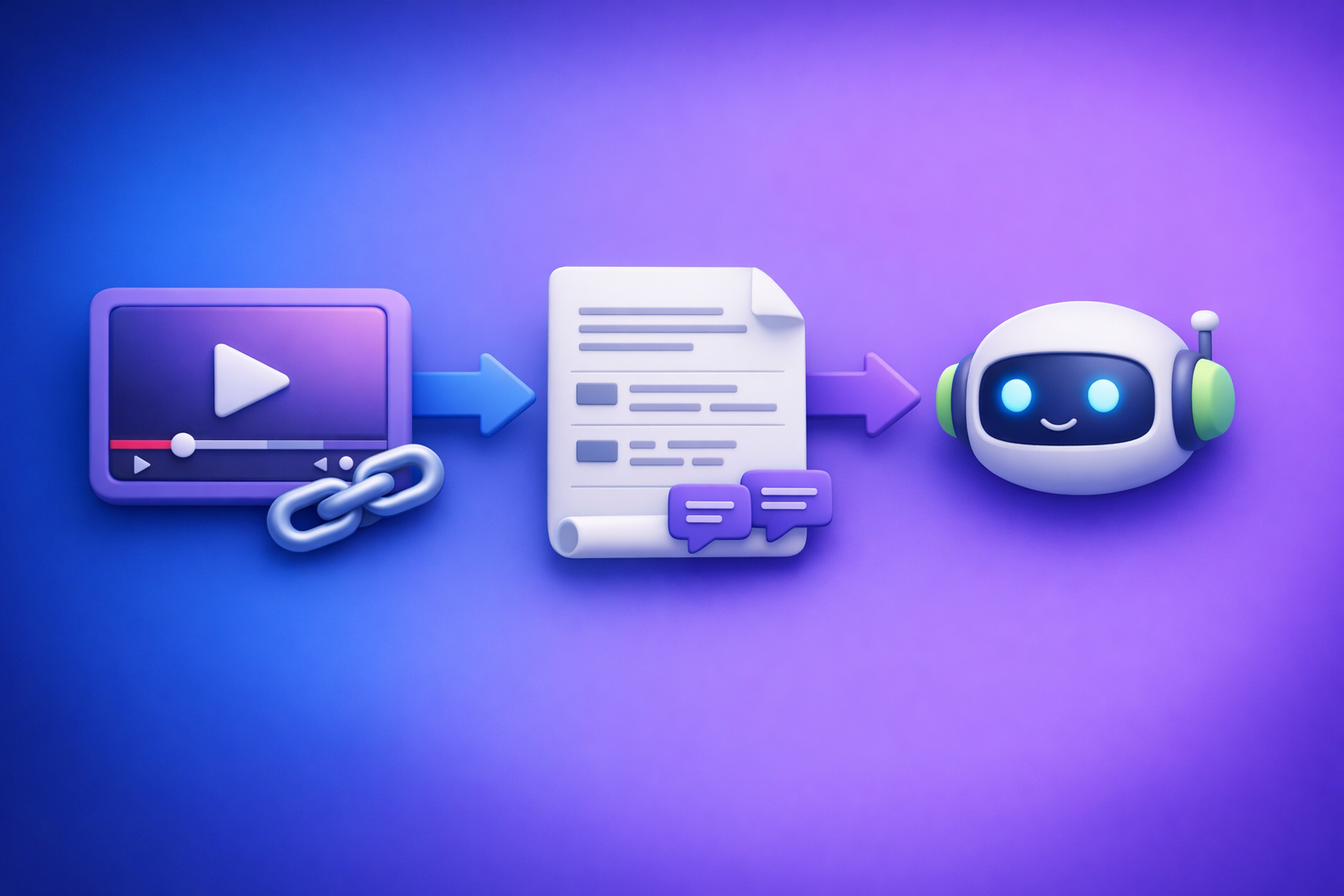
ChatGPT is great at editing and repurposing text, but it’s not a reliable way to transcribe a video link into an accurate transcript. The dependable 2026 workflow is Video link/MP4 → transcript/subtitles → ChatGPT for cleanup, chapters, and content assets.
Quick Answer: Can ChatGPT Transcribe Videos?
What ChatGPT can do reliably (text-in → text-out)
ChatGPT is consistently strong when you give it text and ask for transformations.
Use it to:
- Clean up a transcript (punctuation, readability, remove filler words)
- Summarize and extract key takeaways
- Create chapters, titles, and timestamped outlines (from an existing transcript)
- Generate repurposed content (blog posts, social posts, emails) from the transcript
What ChatGPT cannot do reliably (video link/file → accurate transcript)
ChatGPT is not a production-grade “paste a YouTube link and get a full transcript” tool.
Common limitations:
- A video URL is not the audio. ChatGPT usually can’t fetch and decode the audio track from arbitrary links.
- Upload support varies by client/app, plan, and model capabilities.
- Long videos can hit timeouts, context limits, or partial processing.
- Even when it “works,” you may not get export-ready subtitle formats (SRT/VTT) with correct timing.
When it “works” vs. when it fails (limits, clients, formats, length)
It may appear to work when:
- You already have a transcript (e.g., copied captions) and paste it in.
- You upload a short file in a supported client and the model successfully processes it.
It often fails when:
- You paste a link and expect the model to “watch” it.
- The file is long, has multiple speakers, poor audio, or mixed languages.
- You need accurate timestamps and subtitle-safe line breaks.
If your goal is publishable captions or a trustworthy transcript, treat ChatGPT as the post-production editor, not the transcription engine.
How Video Transcription Actually Works (So You Choose the Right Tool)
Transcription vs. summarization vs. “watching” a video
These are different tasks:
- Transcription: converting spoken audio into text, ideally with speaker turns and timestamps.
- Summarization: compressing existing text into shorter text.
- “Watching”: interpreting visuals + audio; not required for most transcript/caption workflows.
Most creator workflows only need audio → text plus timing metadata for subtitles.
Why video links are not the same as accessible audio
A video link points to a hosted resource behind:
- streaming protocols
- platform permissions
- region/account restrictions
- separate audio tracks
- adaptive bitrate formats
That’s why “paste link into ChatGPT” is unreliable. A transcription workflow needs a system designed to extract audio from the link, then run speech-to-text, then format outputs.
Brand POV (and the reality in 2026): Downloading files is an outdated workflow. Link-based extraction is faster, more scalable, and better aligned with creator productivity—especially when you’re processing multiple videos per week.
What “production-grade” outputs mean (TXT vs. SRT vs. VTT)
If you’re publishing or repurposing, you need export-ready formats:
- TXT: best for editing, SEO drafts, and knowledge base content
- SRT: common subtitle format with timestamps; widely supported by editors and platforms
- VTT: web-friendly captions format; common for HTML5 players and some platforms
A “good transcript” isn’t just words—it’s timing, structure, and portability.
The Reliable 2026 Workflow (Recommended): Video Link/MP4 → Transcript/Subtitles → ChatGPT
Step 1: Start with a video URL or MP4 (YouTube, TikTok, Instagram, podcasts)
Prefer a link-first workflow whenever possible:
- YouTube links for long-form content
- TikTok/Instagram links for short-form
- Podcast episode links when available
- MP4 only when links fail or you need deterministic inputs
If you’re building a repeatable pipeline, start here: tiktok to transcript and instagram to text.
Step 2: Generate export-ready transcript + captions in VideoToTextAI
Use VideoToTextAI to turn a link (or MP4) into transcripts, subtitles, and captions that you can ship.
Choose output format based on the job:
- TXT for editing and repurposing
- SRT/VTT for publishing subtitles/captions
Set options that affect accuracy and usability:
- Language selection (don’t leave it ambiguous for bilingual audio)
- Speaker labeling when you have interviews, podcasts, or panels
This is the step where you want reliability and repeatability—not experimentation.
Step 3: Use ChatGPT to polish and repurpose the transcript
Once you have a real transcript, ChatGPT becomes a force multiplier.
Use it to:
- Clean up filler words without changing meaning
- Create chapters/timestamps from the transcript structure
- Generate derivative assets:
- blog post draft
- LinkedIn post
- tweet thread
- email newsletter
For a direct repurposing workflow, see: youtube to blog.
Step-by-Step: Transcribe a Video Link with VideoToTextAI (Fast, Repeatable)
Step 1: Paste the video link into VideoToTextAI
Copy the URL from YouTube/TikTok/Instagram and paste it into VideoToTextAI.
This is the modern workflow: link in, assets out. Downloading and re-uploading files is friction you don’t need.
Step 2: Select your deliverable (Transcript / Subtitles / Captions)
Pick based on where the output will live:
- Transcript for editing, SEO, documentation
- Subtitles/Captions for publishing and accessibility
If you know you’ll publish, generate both TXT + SRT/VTT so you don’t redo work later.
Step 3: Export in the format you need (TXT, SRT, VTT)
Export:
- TXT for editing and repurposing
- SRT for most editors/platforms
- VTT for web players and caption pipelines
If you’re starting from MP4, these tool pages map cleanly to deliverables: mp4 to transcript, mp4 to srt, and mp4 to vtt.
Step 4: QA the transcript (2-minute accuracy pass)
Do a fast spot-check before you hand it to ChatGPT or publish it.
Spot-check names, numbers, acronyms, and domain terms
Focus on high-risk errors:
- proper nouns (people, brands, product names)
- numbers (pricing, dates, metrics)
- acronyms (SaaS terms, technical abbreviations)
- industry vocabulary (medical, legal, finance)
Fix obvious punctuation and speaker turns
Quick fixes improve downstream repurposing:
- add missing sentence breaks
- correct speaker labels if needed
- remove obvious repeated phrases caused by crosstalk
Step 5: Send the cleaned transcript to ChatGPT with a purpose-built prompt
Use prompts that preserve meaning and keep terminology consistent.
Prompt: transcript cleanup (preserve meaning + terminology)
You are editing a transcript for clarity without changing meaning.
Rules:
- Preserve all names, product terms, and acronyms exactly as written.
- Remove filler words (um, uh, like) only when it doesn’t change intent.
- Keep technical terms and numbers unchanged.
- Output: cleaned transcript in the same structure, with paragraphs max 3 sentences.

Transcript:
[PASTE TRANSCRIPT]
Prompt: subtitle line-length optimization (for SRT/VTT)
Optimize the following subtitles for readability.
Rules:
- Keep timestamps unchanged.
- Max 42 characters per line, max 2 lines per caption.
- Avoid splitting names and key phrases across lines.
- Do not paraphrase unless necessary for line length.

Subtitles (SRT/VTT):
[PASTE SRT OR VTT]
Prompt: content repurposing pack (blog + social + hooks)
Create a repurposing pack from this transcript.
Deliverables:
1) Blog outline (H2/H3) + a 900-1200 word draft
2) 10 hooks for short-form clips
3) 5 LinkedIn posts (different angles)
4) 1 email newsletter (subject lines + body)
Constraints:
- Use the speaker’s original claims; don’t invent facts.
- Keep paragraphs short (max 3 sentences).
- Include a clear CTA placeholder (no links).

Transcript:
[PASTE TRANSCRIPT]
Step-by-Step: Transcribe an MP4 (When Links Fail or You Need Determinism)
When to use MP4 upload instead of a link
Use MP4 when:
- the platform blocks extraction (private, restricted, paywalled)
- you need a specific cut/version (edited file, not the public link)
- you’re handling internal recordings (sales calls, trainings)
- you need deterministic inputs for compliance or archiving
Even then, treat MP4 as the exception. Link-based extraction is the future of creator productivity because it removes file wrangling from the workflow.
Step 1: Export/download MP4 in a compatible format
Keep it simple:
- standard MP4 container
- clear audio track
- avoid double-encoded audio when possible
Step 2: Run MP4 → transcript/subtitles in VideoToTextAI
Generate:
- TXT transcript for editing
- SRT/VTT for captions
Step 3: Export + repurpose with ChatGPT
After export:
- do the 2-minute QA pass
- run cleanup + repurposing prompts
- publish captions and schedule content
Common Failure Modes (and Fixes) When Trying to Use ChatGPT for Video Transcription
“I pasted a YouTube link and it guessed” → use link-to-transcript tooling first
If the model can’t access the audio, it may hallucinate or produce generic output.
Fix:
- generate a real transcript first, then use ChatGPT for editing
- if your goal is blogging, start with youtube to blog
“Upload worked once, then stopped” → client differences + size/time limits
Different apps (mobile/desktop/web) can behave differently.
Fix:
- don’t build production workflows on inconsistent upload behavior
- use a dedicated transcription workflow for repeatability
“Transcript is missing sections” → chunking, timeouts, audio track issues
Missing sections usually come from:
- long duration + timeouts
- silent segments or music-only sections
- multiple audio tracks where the wrong track is selected
Fix:
- use a transcription tool that handles long-form processing
- spot-check timestamps across the timeline
“Captions don’t sync” → use SRT/VTT export and validate timestamps
If you need captions to align, you need timestamped outputs.
Fix:
- export SRT or VTT
- validate in your target player/editor before publishing
“Accuracy is bad” → improve source audio + correct language + glossary pass
Fix accuracy at the source:
- reduce background noise
- ensure the correct language is selected
- do a quick glossary pass for brand terms and names
Use Cases: What to Generate After You Have the Transcript
Subtitles/captions for publishing (SRT/VTT)
Publishable captions improve:
- watch time (silent autoplay)
- accessibility
- retention on short-form platforms
SEO blog post from a video (outline → draft → on-page optimization)
A transcript is an SEO asset when you:
- extract a clean outline (H2/H3)
- answer “People Also Ask” questions
- add internal links and a clear CTA
Short-form clips plan (hooks + pull quotes + chapter highlights)
From one transcript, generate:
- 10 hooks
- 10 pull quotes
- 5 clip concepts mapped to chapters
Knowledge base / SOPs from walkthrough videos
Turn internal videos into:
- SOPs with steps and screenshots placeholders
- onboarding docs
- support articles
Checklist: Link/MP4 → Transcript → Captions → Repurposed Content (Copy/Paste)
Inputs checklist (before you start)
- Video URL or MP4 file ready
- Target language(s) confirmed
- Required output: TXT / SRT / VTT
- Brand terms + names list (for accuracy)
Transcription checklist (VideoToTextAI)
- Generate transcript
- Export TXT + SRT/VTT (if publishing captions)
- Spot-check 5–10 timestamps across the video
- Fix names/numbers/acronyms
- Confirm speaker labels (if needed)
Repurposing checklist (ChatGPT)
- Clean transcript (no meaning drift)
- Create chapters + titles
- Produce: blog draft + meta title + meta description
- Produce: 5–10 social posts + 10 hooks
- Produce: summary + key takeaways + CTA
Competitor Gap
Troubleshooting-first structure (what competitors skip)
Most pages either say “yes” or “no” and stop there. A production workflow needs a decision tree and fixes.
This guide includes:
- Clear decision tree: link vs. MP4 vs. “don’t use ChatGPT for this step”
- Concrete failure modes: timeouts, format limits, sync issues (with fixes)
- Export-ready deliverables (TXT/SRT/VTT) instead of “just summarize”
Reusable templates (what competitors don’t provide)
Decision tree: “Should I use ChatGPT or a transcription workflow?”
- Need accurate transcript + captions → use a transcription workflow first
- Need SRT/VTT timestamps → transcription workflow first
- Already have a transcript and need cleanup/repurposing → ChatGPT
- Need repeatability at scale (weekly content) → link-based workflow
QA checklist for transcript accuracy (names, numbers, terminology)
- Verify top 10 proper nouns
- Verify all numbers (prices, dates, metrics)
- Verify acronyms and product terms
- Spot-check beginning/middle/end timestamps
- Confirm speaker turns (if multi-speaker)
Prompt pack for cleanup, chapters, subtitles, and repurposing
Use the prompts above as your baseline, then standardize them per channel (blog vs. captions vs. email).
FAQ
Can ChatGPT transcribe text from video?
ChatGPT can help if you provide the transcript text (or if your client supports uploads and it successfully processes the file), but it’s not dependable for video links. For consistent results, generate the transcript first, then use ChatGPT to edit and repurpose.
Is there an AI that can transcript a video?
Yes—dedicated video-to-text tools are built for audio extraction, speech recognition, and export formats like TXT/SRT/VTT. For link-first workflows (faster than downloading files), use a link-based transcription pipeline.
Can you put a video into ChatGPT?
Sometimes, depending on the client and plan, you can upload a video file. Reliability varies, and it’s not ideal for production workflows that require consistent exports and timestamps.
What’s the best way to transcribe a video?
Best practice in 2026 is: video link → transcript/subtitles (TXT/SRT/VTT) → ChatGPT for cleanup, chapters, and repurposing. If you want a link-based workflow designed for creators and teams, use VideoToTextAI.
Internal Link Plan
Related posts
Reel Analyser (Instagram Reels): Transcript‑First Competitor Research, Hook/CTA Extraction, and Repurposing Workflow (VideoToTextAI)
Video To Text AI
A 2026 reel analyser should turn Instagram Reel links into a searchable transcript library you can tag for hooks, CTAs, objections, and topic clusters—then export into repurposing-ready drafts without a download/upload loop.
Traducir video de Instagram (Reels) en 2026: workflow transcript-first para traducir, sacar hooks/CTAs y repurpose (con VideoToTextAI)
Video To Text AI
Aprende a traducir un Reel de Instagram con un flujo URL→transcripción→traducción→subtítulos, y a convertir esa traducción en un activo de investigación para hooks, CTAs, objeciones y clusters de contenido.
Reel Analyzer: Transcript‑First Instagram Reels Research (Hooks, CTAs, Objections) + Workflow Guide (VideoToTextAI)
Video To Text AI
A reel analyzer should turn any public Instagram Reel link into a searchable transcript library you can mine for hooks, CTAs, objections, and topic clusters—then repurpose into original drafts with a repeatable SOP.