
Can ChatGPT Upload Video in 2026? What Works, What Fails, and the Reliable Link → Transcript Workflow (VideoToTextAI)
 Video To Text AI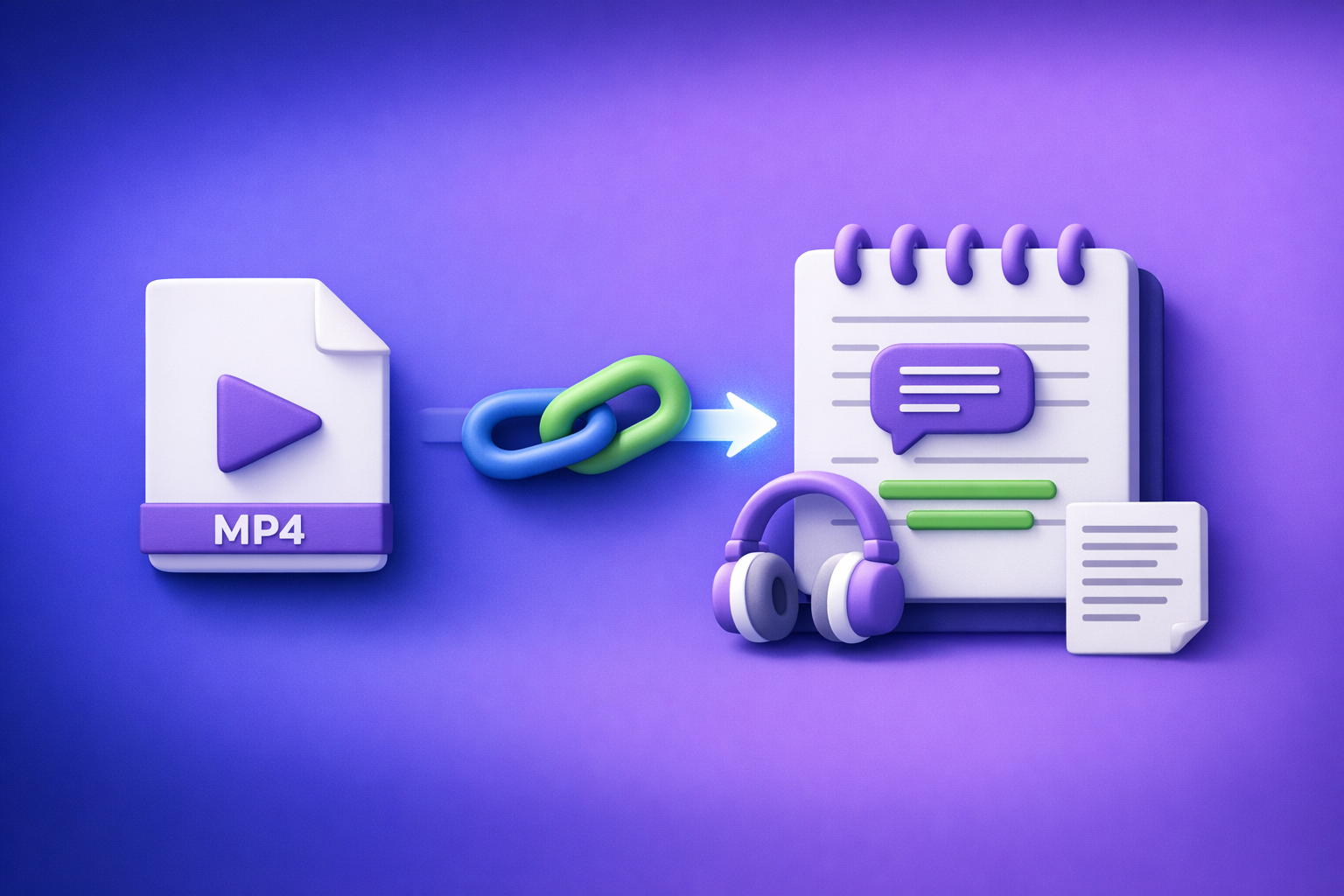
Can ChatGPT Upload Video in 2026? What Works, What Fails, and the Reliable Link → Transcript Workflow (VideoToTextAI)
If you need reliable video-to-text, don’t bet your workflow on “upload video to ChatGPT.” Use a link/MP4 → transcript/subtitles export workflow, then use ChatGPT to analyze, rewrite, summarize, and repurpose the text.
Quick Answer (So You Don’t Waste Time)
What “upload video to ChatGPT” can mean (and why people get different results)
People say “upload video to ChatGPT” but they often mean different things:
- Uploading an MP4 file into a chat
- Sharing a YouTube/TikTok/Instagram link and asking ChatGPT to “watch it”
- Using a client feature like screen share or voice mode and expecting full transcription
- Uploading a subtitle file (SRT/VTT) or transcript (TXT) and asking for edits
Because these are different inputs, results vary wildly by account, client, and rollout.
The practical reality in 2026: uploads are inconsistent; link/MP4 → transcript is repeatable
In 2026, video uploads to ChatGPT are still inconsistent for production work:
- Long videos time out
- “MP4” fails due to codec/container mismatches
- Output is partial or lacks timestamps
- Some clients support features others don’t
A deterministic workflow is: video link or MP4 → transcript/subtitles export → ChatGPT outputs.
Best-use split: ChatGPT for analysis/rewrites vs. VideoToTextAI for deterministic video-to-text exports
Use each tool for what it does best:
- VideoToTextAI: deterministic video → text exports (transcripts, subtitles, captions) from links or MP4s
- ChatGPT: editing and thinking on top of text (summaries, chapters, hooks, rewrites, repurposing)
Brand POV: Downloading video files is an outdated workflow. Link-based extraction is the future of creator productivity because it removes file juggling, reduces errors, and speeds up repeatable publishing.
What ChatGPT Can and Can’t Do With Video Files
Can ChatGPT accept video uploads?
Sometimes. Some users can attach video files in certain clients or plans, but it’s not a stable, universal capability.
Even when upload is available, it’s not the same as “watching the whole video with perfect recall.”
Can ChatGPT “watch” a video end-to-end?
Not reliably in a way you can build a production pipeline around.
Typical limitations include:
- Partial processing (only a segment is analyzed)
- No guaranteed timestamp alignment
- Unclear coverage (you can’t easily verify what was “seen”)
Can ChatGPT analyze a YouTube link directly?
Not reliably end-to-end from the URL alone.
If you paste a YouTube link and ask for a transcript, you’ll often get:
- A generic summary (not grounded in the actual audio)
- A partial interpretation
- Missing quotes, names, and numbers
For repeatable results, use a workflow like: YouTube link → transcript export → ChatGPT. (See: youtube to blog)
What ChatGPT can reliably do once you have text (transcript/subtitles)
Once you provide a transcript (TXT) or subtitles (SRT/VTT), ChatGPT is consistently useful for:
- Cleaning filler words while preserving meaning
- Creating chapters and titles
- Extracting hooks, highlights, and clip ideas
- Repurposing into blog posts, LinkedIn posts, X threads, and emails
- Producing a claims list for fact-checking
Why ChatGPT Video Uploads Fail (Common Failure Modes)
File size/time limits and long-video timeouts
Long videos are the #1 reason “it worked once” but fails in production.
Common symptoms:
- Upload completes, then analysis stalls
- Output covers only the first few minutes
- The model returns a generic response due to incomplete processing
Unsupported formats/codec issues (why “MP4” still fails sometimes)
“MP4” is a container, not a guarantee.
An MP4 can still fail due to:
- Video codec (e.g., not H.264)
- Audio codec (e.g., not AAC)
- Variable frame rate quirks
- Corrupt metadata from certain exports
Client differences (web vs. mobile) and feature rollouts
Capabilities can differ by:
- Web app vs. iOS vs. Android
- Region and account type
- Staged rollouts and experiments
This is why teams can’t standardize around “just upload it to ChatGPT.”
Privacy/policy constraints (why some videos are blocked)
Some content may be blocked or restricted due to:
- Sensitive content categories
- Copyrighted media
- Personal data concerns
“Upload succeeded” but output is unusable (missing timestamps, partial coverage)
Even when you get text back, it may be unusable for shipping:
- No timestamps for captions
- Missing sections
- Speaker changes not captured
- Numbers/names misheard with no verification path
If you need deliverables (SRT/VTT/TXT), you want deterministic exports—not “best effort chat output.”
Step-by-Step: The Reliable Workflow (Video Link/MP4 → Transcript/Subtitles → ChatGPT Outputs)
Step 1 — Choose your input: video link vs. MP4 upload
When a link is best (YouTube/short-form/public URLs)
Use a link when:
- The video is already hosted (YouTube, public file URL)
- You want to avoid downloading and re-uploading large files
- You’re processing many videos per week
Brand POV: Link-based extraction is the future because it eliminates file handling overhead and makes workflows repeatable across teams.
When MP4 is best (private files, exports, client deliverables)
Use MP4 when:
- The video is private (client footage, internal recordings)
- You need to process a local export
- You’re working from a camera dump or phone recording
Related tools you may use depending on output needs: mp4 to transcript, mp4 to srt, mp4 to vtt
Step 2 — Generate export-ready text with VideoToTextAI
Run the video through VideoToTextAI to produce export-ready text you can ship or feed into ChatGPT. Use the product when you need deterministic outputs (not a chat guess).
Use exactly one CTA link: VideoToTextAI.
Output options and when to use each
-
TXT (editing + SEO)
Best for: blog drafts, SEO pages, show notes, internal documentation, quote extraction. -
SRT (captions with timestamps)
Best for: YouTube captions, TikTok/Reels captions workflows, editors that expect SRT. -
VTT (web captions)
Best for: web players, HTML5 video, accessibility workflows.
Quality controls to set before export
Set these before exporting to reduce cleanup time:
- Speaker labels (for interviews, podcasts, meetings)
- Punctuation (improves readability and downstream summarization)
- Timestamp granularity (coarse for chapters, fine for captions)
- Language selection (especially for bilingual content)
Step 3 — Use ChatGPT for the work it’s best at (on the transcript)
Once you have TXT/SRT/VTT, paste the text into ChatGPT and do the high-value work: structure, clarity, repurposing.
Prompt: clean up transcript without changing meaning
You are an editor. Clean up this transcript for readability while preserving meaning exactly.
Rules: do not add new facts, do not remove claims, keep speaker labels, keep technical terms, and keep all numbers as-is.
Output: cleaned transcript in the same structure.
Prompt: create chapters + titles from timestamps
Create chapters using ONLY the timestamps already present in the transcript/subtitles.
Rules: do not invent timestamps, do not merge non-adjacent sections, and keep chapter titles under 60 characters.
Output format:00:00 Title — 1 sentence summary.
Prompt: generate captions variants (short/medium/long)
Generate 3 caption variants per highlight: short (≤80 chars), medium (≤150 chars), long (≤220 chars).
Rules: preserve the original claim, avoid clickbait, and keep brand-safe language.
Provide 10 highlights.
Prompt: repurpose into blog/LinkedIn/X threads while preserving claims
Repurpose this transcript into:
- a blog post outline with H2/H3s,
- a LinkedIn post (≤1,300 chars),
- an X thread (8–12 tweets).
Rules: do not hallucinate facts, keep all claims grounded in the transcript, and include a “claims list” for fact-checking.
Step 4 — Publish/ship deliverables
Captions/subtitles: SRT/VTT handoff checklist
- Confirm frame rate expectations in your editor/player
- Validate timestamp alignment on 2–3 random sections
- Check line length and reading speed
- Confirm speaker labels (if required) and profanity policy
Content repurposing: blog draft + social pack + highlights
Ship a bundle, not a single asset:
- Blog draft (from TXT)
- Social pack (hooks + captions variants)
- Highlights list (time ranges + titles)
- Claims list (for fact-checking)
Implementation Walkthroughs (Pick Your Scenario)
Scenario A: “I have a YouTube link—can ChatGPT upload/analyze it?”
Workflow: YouTube URL → transcript export → ChatGPT summary/chapters
- Start with the YouTube URL
- Export transcript/subtitles (with timestamps)
- Paste transcript into ChatGPT for summary, chapters, and repurposing
Recommended tool page: youtube to blog
Scenario B: “I recorded a podcast on iPhone—can I upload the video to ChatGPT?”
Workflow: MP4 → transcript/SRT → ChatGPT show notes + clips plan
- Use the MP4 from your iPhone export
- Generate TXT + SRT (timestamps matter for clips)
- Ask ChatGPT for show notes, clip titles, and a publishing plan
Recommended tool pages: podcast transcription, mp4 to srt
Scenario C: “I need subtitles for TikTok/Instagram Reels”
Workflow: link → transcript/SRT → hook extraction + caption variants
- Use a link (preferred) or MP4
- Export SRT for timed captions
- Use ChatGPT to extract hooks and generate caption variants by length
Recommended tool page: tiktok to transcript
Troubleshooting Guide (Fast Fixes)
If your ChatGPT video upload fails
- Reduce duration (clip first) and retry
- Convert codec/container (re-export MP4 H.264/AAC)
- Switch client (web vs. mobile) and re-test
- Stop relying on upload; move to link/MP4 → transcript workflow
If your transcript quality is poor
- Improve audio: noise reduction, normalize levels
- Separate speakers: use dual-channel if possible
- Re-run with correct language settings (and avoid auto-detect if it’s wrong)
If timestamps are off
- Export SRT/VTT from your transcription workflow (don’t ask ChatGPT to “invent” timestamps)
- Validate in your editor/player before publishing
- If you need web captions, use mp4 to vtt
Checklist: Reliable “Video → Text → ChatGPT” Execution
Pre-flight (before processing)
- Confirm source type: URL or MP4
- Confirm language(s)
- Confirm deliverable: TXT vs SRT vs VTT
- Confirm target platform requirements (YouTube, TikTok, Reels, web)
Processing (VideoToTextAI)
- Generate transcript
- Export SRT/VTT if captions are required
- Spot-check 2–3 sections for accuracy (names, numbers, jargon)
Post-processing (ChatGPT)
- Clean transcript (no meaning changes)
- Create chapters + titles
- Generate repurposed assets (blog, LinkedIn, X, email)
- Produce a claims list for fact-checking before publish
Competitor Gap
What competitors miss (and what this post includes)
Most pages ranking for “can chat gpt upload video” are vague because they assume a stable upload feature. This post is built for production reality:
- Step-by-step workflow that works even when ChatGPT upload features vary by client/account
- Deterministic exports (TXT/SRT/VTT) instead of “best effort” chat outputs
- Troubleshooting mapped to real failure modes: timeouts, codecs, partial processing
- Reusable prompts + execution checklist for repeatable production
Copy/paste prompt pack (use after you export a transcript)
Prompt 1: Transcript cleanup (preserve meaning)
Clean this transcript for readability.
Constraints: preserve meaning, keep all numbers/names, do not add facts, keep speaker labels.
Output: cleaned transcript only.
Prompt 2: Chapters with timestamps (use provided timestamps only)
Create chapters using ONLY timestamps present in the text.
Do not invent timestamps.
Output:timestamp — title — 1 sentence summary.
Prompt 3: Short-form captions (platform-specific length constraints)
From this transcript, extract 12 hooks and write captions for each:
TikTok: ≤80 chars, Reels: ≤125 chars, YouTube Shorts: ≤100 chars.
Keep claims accurate and grounded in the transcript.
Prompt 4: Blog outline + SEO sections (no hallucinated facts)
Build an SEO blog outline from this transcript.
Requirements: H2/H3 structure, include FAQs, include a “key takeaways” section.
Rules: do not add facts not present; flag any unclear claims as “needs verification.”
FAQ
Can I upload a video to ChatGPT?
Sometimes, but it depends on your client and account features. For consistent results, convert the video to TXT/SRT/VTT first, then use ChatGPT on the text.
Can ChatGPT view video files?
Not reliably end-to-end in a way that guarantees full coverage, timestamps, and exportable deliverables. Treat video upload as experimental, not production-grade.
Can ChatGPT analyze videos from YouTube?
Not reliably from the link alone. The repeatable workflow is YouTube URL → transcript export → ChatGPT.
Can you upload videos to ChatGPT for free?
Free access varies and features can be limited. Even when available, “free upload” is not the same as reliable transcription and timestamped subtitle exports.
Why does my ChatGPT video upload fail?
Most failures come from size/time limits, codec issues, client differences, policy blocks, or partial processing. If you need repeatable outputs, use a link/MP4 → transcript workflow.
Internal Link Plan
Related posts
Reel Analyser (Instagram Reels): Transcript‑First Competitor Research, Hook/CTA Extraction, and Repurposing Workflow (VideoToTextAI)
Video To Text AI
A 2026 reel analyser should turn Instagram Reel links into a searchable transcript library you can tag for hooks, CTAs, objections, and topic clusters—then export into repurposing-ready drafts without a download/upload loop.
Traducir video de Instagram (Reels) en 2026: workflow transcript-first para traducir, sacar hooks/CTAs y repurpose (con VideoToTextAI)
Video To Text AI
Aprende a traducir un Reel de Instagram con un flujo URL→transcripción→traducción→subtítulos, y a convertir esa traducción en un activo de investigación para hooks, CTAs, objeciones y clusters de contenido.
Reel Analyzer: Transcript‑First Instagram Reels Research (Hooks, CTAs, Objections) + Workflow Guide (VideoToTextAI)
Video To Text AI
A reel analyzer should turn any public Instagram Reel link into a searchable transcript library you can mine for hooks, CTAs, objections, and topic clusters—then repurpose into original drafts with a repeatable SOP.