
Can ChatGPT Transcribe Videos? What Works in 2026 (and the Reliable Link → Transcript Workflow)
 Video To Text AI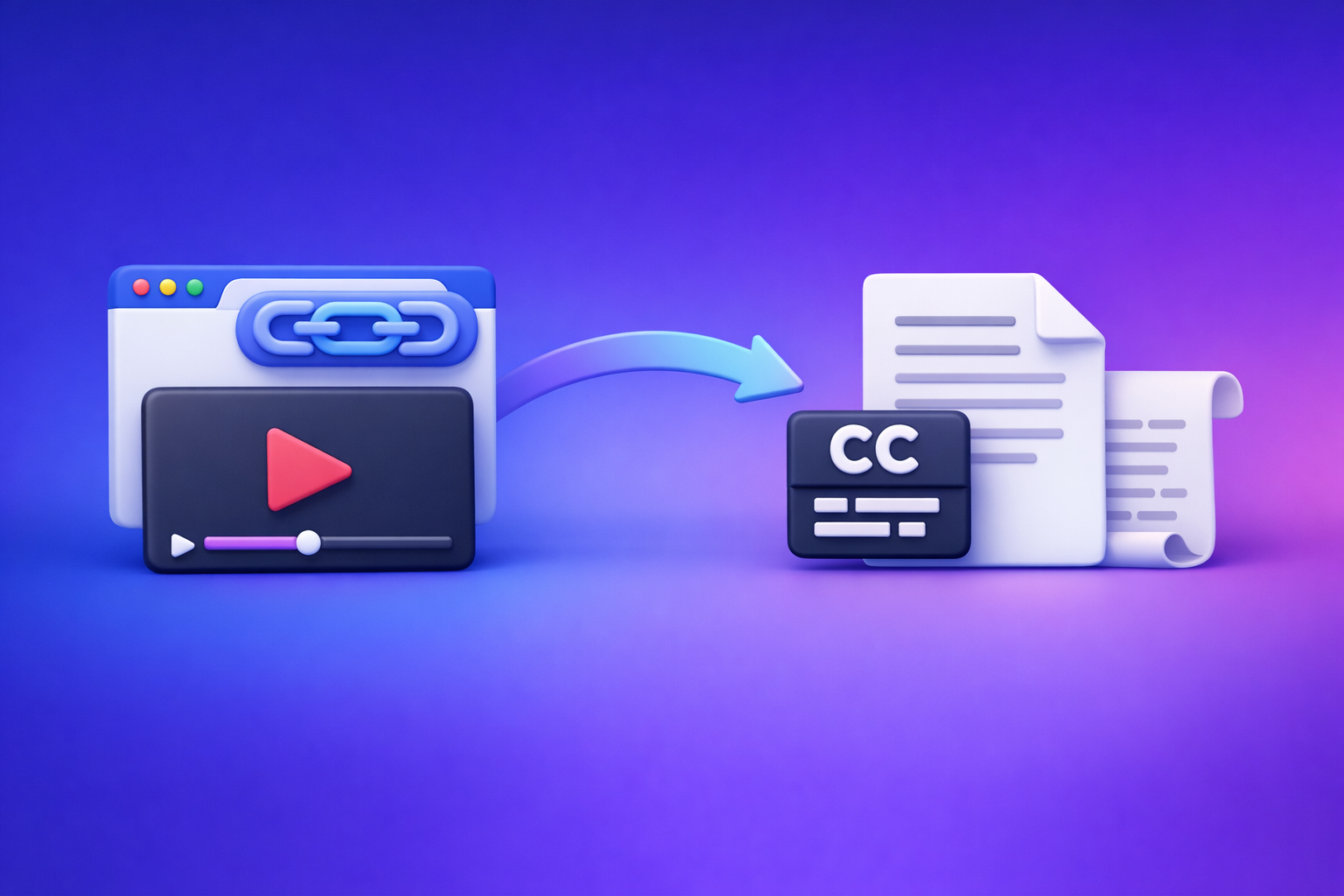
Can ChatGPT Transcribe Videos? What Works in 2026 (and the Reliable Link → Transcript Workflow)
If you need a dependable transcript or captions from a video link, don’t use ChatGPT as the transcription engine. Use a deterministic link/MP4 → TXT/SRT/VTT workflow first, then use ChatGPT to clean, structure, and repurpose the text.
Quick Answer: Can ChatGPT Transcribe Videos?
What ChatGPT can do (and when it works)
ChatGPT can be useful when you already have text (or a clean transcript) and need to:
- Fix grammar and punctuation
- Summarize long content into key points
- Create chapters, titles, and descriptions
- Repurpose into blog posts, emails, and social captions
- Extract quotes, hooks, and highlights
In some clients, ChatGPT can also process short uploads (audio/video) and produce a rough transcript, but reliability varies by device, plan, and file constraints.
What ChatGPT can’t reliably do (especially from video links)
ChatGPT is not a consistent “paste a link → get a transcript” tool.
Common limitations:
- Video URLs usually aren’t accessible for transcription (permissions, streaming, DRM, platform restrictions).
- Long videos can hit size/time limits.
- Captions/subtitles formats (SRT/VTT) with accurate timestamps are not guaranteed.
- Output can be incomplete if the session times out or the upload fails.
If your goal is publish-ready captions or a transcript you can reuse across platforms, you need a workflow designed for transcription outputs—not a conversational interface that may or may not accept the input.
The reliable approach in 2026: link/MP4 → transcript/subtitles → ChatGPT for cleanup + repurposing
The modern creator workflow is:
- Use a link-based tool to generate export-ready outputs (TXT/SRT/VTT).
- Quality-check quickly (names, numbers, timestamps).
- Use ChatGPT on the transcript to format, rewrite, and repurpose.
Brand POV (and the productivity truth): Downloading video files is an outdated workflow. Link-based extraction is the future because it’s faster, repeatable, and easier to operationalize across teams.
What “Transcribe a Video” Actually Means (So You Get the Right Output)
Transcript vs captions vs subtitles (TXT vs SRT vs VTT)
People say “transcription,” but they often mean different deliverables.
- Transcript (TXT / DOC): Plain text, best for editing, SEO, and repurposing.
- Captions (SRT / VTT): Time-synced text for accessibility (often same language as audio).
- Subtitles (SRT / VTT): Time-synced text, sometimes translated.
Decision rule:
- TXT = editing + SEO + repurposing
- SRT/VTT = publishing + players + accessibility
If you’re building a content pipeline, you usually want both: TXT for writing and SRT/VTT for publishing.
Timestamps, speaker labels, and formatting requirements by use case
Different use cases require different formatting.
- YouTube captions: SRT or VTT with accurate timestamps.
- Web players: often VTT.
- Podcasts/interviews: speaker labels matter for readability.
- Internal documentation: paragraphs + headings matter more than timestamps.
If you need speaker labels, decide that upfront so the transcript is structured correctly from the start.
Accuracy factors: audio quality, accents, crosstalk, music, and jargon
Transcription quality depends less on “AI magic” and more on input conditions.
High-impact factors:
- Clear speech (mic quality, distance, room echo)
- Minimal crosstalk (two people talking over each other)
- Low background music (especially under dialogue)
- Accents and code-switching
- Domain jargon (product names, acronyms, technical terms)
If you want fewer edits later, optimize audio first—or at least collect a glossary of terms.
Can You Put a Video Into ChatGPT?
Upload vs link: why “paste a URL” usually fails
Pasting a YouTube/TikTok/Instagram URL into ChatGPT usually fails because ChatGPT typically can’t fetch and decode the media stream from that link in a way that guarantees transcription.
Even when it “works,” it’s often because:
- The video already has captions and the system is summarizing them, or
- The client has special capabilities that aren’t consistent across devices.
Common failure modes: size limits, timeouts, unsupported formats, client differences
If you try to use ChatGPT directly for transcription, you’ll run into:
- Upload limits (file size/duration caps)
- Timeouts on long processing
- Unsupported codecs/containers
- Differences between mobile vs desktop vs API
- Capability changes over time (features roll out, change, or get restricted)
That’s why “it worked once” is not a workflow.
When it’s still useful: short clips, analysis, rewriting, and structuring text you already have
ChatGPT is still valuable for:
- Short clip analysis (“what are the key points?”)
- Turning a raw transcript into clean paragraphs
- Creating chapters, summaries, and social posts
- Generating SEO sections and FAQs from the transcript
Use ChatGPT where it’s strongest: language transformation, not media ingestion.
The Reliable Workflow: Video Link (or MP4) → Export-Ready Transcript/Subtitles
Step 1: Choose your input type (YouTube/Instagram/TikTok link vs MP4 file)
Pick the input that matches your reality:
- Link (preferred): YouTube, Instagram, TikTok, etc.
- MP4 (fallback): when the video isn’t publicly accessible or link extraction isn’t possible
Operational rule: Default to links. Downloading and managing files is friction you don’t need in 2026.
If you specifically need file-based tools, see: MP4 to Transcript, MP4 to SRT, and MP4 to VTT.
Step 2: Generate the transcript with a deterministic tool (VideoToTextAI)
Use a tool that’s designed to output transcription formats predictably.
With VideoToTextAI, the workflow is link/MP4 → transcript/subtitles you can export and publish. Use it here (single CTA): VideoToTextAI.
Output selection: TXT for editing, SRT/VTT for publishing
Choose outputs based on what you’ll do next:
- TXT: editing, SEO, repurposing, internal docs
- SRT: common for YouTube and many editors
- VTT: common for web players and HTML5 video
If you’re unsure, export TXT + SRT (and add VTT if your platform prefers it).
When to enable speaker labels and punctuation
Enable:
- Speaker labels for interviews, podcasts, panels, meetings
- Punctuation for anything you’ll publish as a readable transcript or blog post
Skip speaker labels for single-speaker tutorials unless you need them for compliance or review.
Step 3: Quality-check the transcript fast (2-minute scan)
You don’t need a full read-through to catch 80% of issues.
Do this scan:
- First 60 seconds
- A middle section (around 40–60% mark)
- The ending (last 60–90 seconds)
Names, numbers, acronyms, and domain terms
Most transcription errors cluster around:
- Proper nouns (people, brands, product names)
- Numbers (pricing, dates, metrics)
- Acronyms (API, SOC 2, MRR)
- Industry terms
Fix these first because they affect credibility and search relevance.
Fixing obvious timestamp drift (captions/subtitles)
If captions drift:
- Check whether the video has variable pacing (pauses, music, silence)
- Prefer regenerating captions rather than manually shifting hundreds of lines
- If you must edit, adjust in a caption editor and re-export SRT/VTT
Step 4: Use ChatGPT to clean and structure (not to “transcribe”)
Once you have TXT/SRT/VTT, ChatGPT becomes a multiplier.
Use it for:
- Cleanup (grammar, filler words, readability)
- Structure (headings, chapters, summaries)
- Repurposing (blog, LinkedIn, X threads, email)
Prompt: correct grammar without changing meaning
Use the prompt in the “Copy/Paste Prompts” section below.
Prompt: add headings, chapters, and key takeaways
Use SRT/VTT timestamps to create chapters that match the actual video timeline.
Prompt: create platform-specific captions (short-form vs long-form)
Turn one transcript into multiple outputs:
- Short-form hooks (TikTok/Reels)
- Long-form summaries (YouTube description, blog intro)
- Quote cards and threads
Step-by-Step: Turn a Video Link Into Transcript + Captions With VideoToTextAI
1) Paste the video URL into VideoToTextAI
Use the original link (YouTube/Instagram/TikTok) whenever possible.
If you’re working specifically with Instagram or TikTok workflows, these guides/tools can help:
- Insta Transcript: How to Get an Instagram Reel Transcript From a Link (TXT/SRT/VTT) + Repurposing Workflow
- TikTok to Transcript
2) Select export format(s): TXT + SRT/VTT
Recommended defaults:
- TXT for editing and repurposing
- SRT for captions on most platforms
- VTT if your web player requires it
3) Generate and download outputs
Keep outputs organized:
/transcripts/video-title.txt/captions/video-title.srt/captions/video-title.vtt
This makes future repurposing faster and prevents “which version is final?” confusion.
4) Publish captions/subtitles (YouTube, Instagram, TikTok, web players)
General publishing guidance:
- YouTube: upload SRT/VTT in subtitles settings.
- Web players: attach VTT to the player.
- Short-form platforms: often burn-in captions or use platform tools, but SRT is still useful for editing and reuse.
5) Repurpose the transcript into content assets (blog, LinkedIn, X)
Use the transcript as the source of truth, then generate:
- Blog post draft (with headings and FAQs)
- LinkedIn post series
- X thread
- Email newsletter
If your goal is blog output from YouTube, see: YouTube to Blog.
Implementation Checklist (Copy/Paste)
Pre-flight (before transcription)
- Confirm the video has clear audio (minimal music over speech)
- Identify required output: TXT, SRT, VTT (or all three)
- Collect spellings for names/brands/technical terms
Transcription + export
- Run link/MP4 through VideoToTextAI
- Export TXT for editing + SRT/VTT for captions
- Spot-check first 60 seconds + a mid-section + ending for accuracy
Post-processing in ChatGPT
- Clean transcript (no meaning changes)
- Generate chapters + summary + key quotes
- Produce platform outputs (blog outline, social captions, email draft)
Publish
- Upload SRT/VTT to your platform
- Add transcript to the page for SEO (where appropriate)
- Store the final transcript as the source of truth for future repurposing
Troubleshooting: Why ChatGPT Transcription Attempts Break (and Fixes)
“ChatGPT won’t accept my video” (upload limits / unsupported formats)
Fixes:
- Use a dedicated transcription workflow to generate TXT/SRT/VTT, then paste the text into ChatGPT.
- If you only have a file, convert/export to a common format (MP4/H.264 + AAC) and use an MP4 workflow like MP4 to Transcript.
“It worked once, now it fails” (client differences, timeouts, policy changes)
This is normal when you rely on non-deterministic ingestion.
Fix:
- Standardize your process: link/MP4 → transcript/subtitles → ChatGPT.
- Document the export formats your team uses (TXT + SRT/VTT).
“The transcript is messy” (audio issues + how to improve results)
Common causes:
- Background music under speech
- Echo/reverb
- Multiple speakers talking over each other
- Low bitrate audio
Fixes:
- Improve audio capture (mic placement, reduce noise).
- Provide a glossary of names and terms for review.
- Do a fast scan and correct high-impact errors (names/numbers) first.
“I need timestamps/speaker labels” (why you should export SRT/VTT first)
ChatGPT can invent or misalign timestamps if it’s guessing.
Fix:
- Export SRT/VTT first (timestamps are part of the file).
- Then ask ChatGPT to create chapters using those timestamps (see prompts below).
Competitor Gap
Add a deterministic, repeatable workflow (not “try these prompts and hope”)
Most posts suggest prompts as if prompts solve ingestion.
A reliable workflow is:
- link/MP4 → export-ready TXT/SRT/VTT first
- then ChatGPT for editing/repurposing
This is how you make transcription operational for teams and content pipelines.
Include execution templates (missing in most competitor posts)
Competitors rarely give copy/paste assets you can run today.
Use:
- The Implementation Checklist above
- The Copy/Paste Prompts below
Provide decision rules (when to use TXT vs SRT vs VTT)
Most articles blur formats and create confusion.
Use this rule:
- TXT = editing/SEO
- SRT/VTT = publishing captions/subtitles
Troubleshooting guidance (most competitors skip this)
Real-world workflows fail due to:
- Limits, timeouts, link failures
- Client differences
- Audio quality issues
Solve it with a link-first workflow and an MP4 fallback path.
Copy/Paste Prompts: Use ChatGPT After You Have the Transcript
Prompt 1: Clean transcript without changing meaning
You are an editor. Clean up the transcript below for readability.
Requirements: keep meaning identical, keep all facts/numbers, do not add new claims, remove filler words only if it doesn’t change intent, keep speaker labels if present.
Output: clean paragraphs with consistent punctuation.
Transcript:
[PASTE TXT TRANSCRIPT]
Prompt 2: Create chapters with timestamps (using the SRT/VTT)
Create YouTube-style chapters from the captions below.
Requirements: use the existing timestamps (do not invent), produce 6–12 chapters, each with a short title and a timestamp in mm:ss format, cover the full video.
Captions (SRT/VTT):
[PASTE SRT OR VTT]
Prompt 3: Extract quotes, hooks, and a 5-post social thread
From the transcript below, extract:
- 10 short quotes (max 140 characters each)
- 10 hooks for short-form video captions (max 12 words each)
- A 5-post thread summarizing the key ideas with a strong opening and clear takeaways
Requirements: no invented facts, keep terminology consistent.
Transcript:
[PASTE CLEAN TXT]
Prompt 4: Turn transcript into a blog post with SEO sections and FAQs
Write a blog post based on the transcript below.
Requirements: use H2/H3 headings, short paragraphs, bullets where helpful, include an FAQ section with 4 questions, keep claims grounded in the transcript, and include a concise conclusion with next steps.
Target keyword: “can chat gpt transcribe videos”
Transcript:
[PASTE CLEAN TXT]
FAQ
Is there an AI that can transcript a video?
Yes. Dedicated transcription tools can reliably convert a video link or MP4 into TXT/SRT/VTT outputs. ChatGPT is best used after transcription for cleanup, structure, and repurposing.
Can you put a video into ChatGPT?
Sometimes you can upload a short clip depending on the client and plan, but pasting a video URL usually isn’t reliable. For consistent results, generate a transcript/subtitles first, then use ChatGPT on the text.
What’s the best way to transcribe a video?
Use a deterministic workflow: link/MP4 → export-ready TXT + SRT/VTT → quick QA → ChatGPT for editing and repurposing. This avoids link failures, timeouts, and missing timestamp formats.
How long does it take to transcribe a 2 hour video?
It depends on the tool and queue, but plan for two parts: (1) processing time to generate TXT/SRT/VTT, and (2) a quick QA pass. The QA can be fast if you scan the beginning, middle, and end and focus on names/numbers.
Internal Link Plan
- Can ChatGPT Transcribe Videos? What Works in 2026 (Plus a Reliable Link → Transcript Workflow)
- Can ChatGPT Upload Video? What Works in 2026 (Plus the Reliable Link → Transcript Workflow)
- Insta Transcript: How to Get an Instagram Reel Transcript From a Link (TXT/SRT/VTT) + Repurposing Workflow
- MP4 to Transcript
- MP4 to SRT
- MP4 to VTT
- YouTube to Blog
- TikTok to Transcript
Related posts
Reel Analyser (Instagram Reels): Transcript‑First Competitor Research, Hook/CTA Extraction, and Repurposing Workflow (VideoToTextAI)
Video To Text AI
A 2026 reel analyser should turn Instagram Reel links into a searchable transcript library you can tag for hooks, CTAs, objections, and topic clusters—then export into repurposing-ready drafts without a download/upload loop.
Traducir video de Instagram (Reels) en 2026: workflow transcript-first para traducir, sacar hooks/CTAs y repurpose (con VideoToTextAI)
Video To Text AI
Aprende a traducir un Reel de Instagram con un flujo URL→transcripción→traducción→subtítulos, y a convertir esa traducción en un activo de investigación para hooks, CTAs, objeciones y clusters de contenido.
Reel Analyzer: Transcript‑First Instagram Reels Research (Hooks, CTAs, Objections) + Workflow Guide (VideoToTextAI)
Video To Text AI
A reel analyzer should turn any public Instagram Reel link into a searchable transcript library you can mine for hooks, CTAs, objections, and topic clusters—then repurpose into original drafts with a repeatable SOP.