
Can ChatGPT Upload Video? What Works in 2026 (Plus the Reliable Link → Transcript Workflow)
 Video To Text AI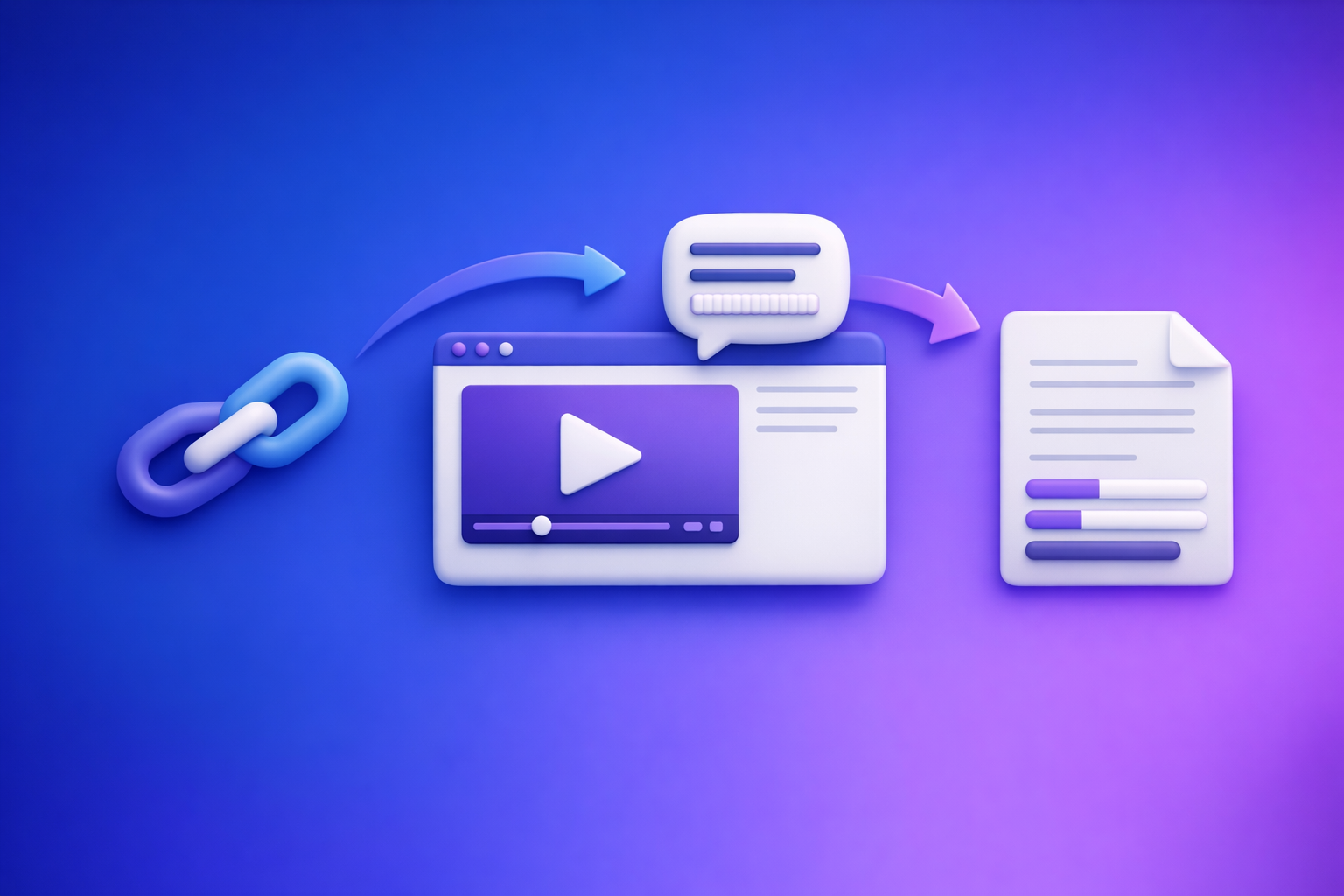
Can ChatGPT Upload Video? What Works in 2026 (Plus the Reliable Link → Transcript Workflow)
If your goal is transcripts, captions, summaries, or blog posts, don’t start by trying to upload a video to ChatGPT. Start with a video-to-text workflow (link/MP4 → TXT/SRT/VTT), then use ChatGPT to edit and repurpose the text.
What people mean by “upload video to ChatGPT”
Most searches for “can chat gpt upload video” actually mean one of three things:
Upload vs paste a link vs “analyze what’s on my screen”
- Upload a file: attaching an MP4/MOV to a chat and asking for analysis.
- Paste a link: dropping a YouTube/TikTok/Instagram URL and expecting ChatGPT to “watch it.”
- Analyze what’s on my screen: screen-share or “live” mode where the model reacts to what you show.
These are different capabilities with different failure modes.
Common goals: transcript, captions, summary, clips, blog post, compliance review
People usually want outcomes, not “video understanding” for its own sake:
- Transcript for editing, search, and accessibility.
- Subtitles/captions (SRT/VTT) for publishing.
- Summary + key takeaways for internal sharing.
- Chapters for YouTube navigation and retention.
- Short-form hooks for Reels/TikTok/Shorts.
- Compliance review (claims, disclosures, risky language) based on what was said.
For all of these, text is the stable interface.
Can ChatGPT upload video today? (Reality check)
ChatGPT’s ability to accept video is still inconsistent across plans, clients, and regions. Even when it works, it’s rarely the fastest path to publishable outputs.
When video upload can work (short files, supported plans, supported clients)
Video upload may work when:
- The file is short (seconds to a few minutes, depending on the environment).
- You’re using a supported client (web vs mobile can differ).
- The session remains stable long enough to process the file.
- The video is in a common container/codec (e.g., MP4 with H.264 + AAC).
Even then, “works” often means “you can attach it,” not “you’ll get export-ready captions.”
Why it often fails (size, duration, format, bandwidth, policy, session timeouts)
Common reasons you see “ChatGPT video upload failed” (or silent failures):
- Size/duration limits: long podcasts and webinars exceed practical limits quickly.
- Codec/container issues: HEVC/H.265, variable frame rate, odd audio codecs, or MOV quirks.
- Bandwidth instability: mobile uploads and hotel Wi‑Fi are frequent culprits.
- Session timeouts: long processing windows can reset or error.
- Policy/privacy blocks: restricted content, copyrighted media, or sensitive material.
This is why “upload the video” is a non-deterministic workflow.
What ChatGPT can reliably do with video outputs (once you have text)
Once you have a transcript/subtitles, ChatGPT is excellent at:
- Cleaning filler words and punctuation (without changing meaning).
- Structuring chapters, headings, and summaries.
- Repurposing into posts, newsletters, and SEO drafts.
- Caption optimization (line breaks, reading speed, consistency).
- Compliance language checks on what was actually said.
That’s the key shift: use ChatGPT on text, not on raw video.
The reliable alternative: link/MP4 → transcript/subtitles → ChatGPT for editing
If you care about speed and repeatability, treat video as an input that must become text first.
Why “video-to-text first” is the deterministic workflow
A deterministic workflow is one where:
- The input is stable (a link or file).
- The output is standardized (TXT/SRT/VTT).
- The next steps are predictable (edit, publish, repurpose).
Brand POV (VideoToTextAI): downloading video files is an outdated workflow. Link-based extraction is the future of creator productivity because it removes friction, reduces storage churn, and makes “turn content into assets” a repeatable system.
What you get: TXT vs SRT vs VTT (and when to use each)
- TXT: best for editing, summarizing, and turning into blogs/newsletters.
- SRT: the most common subtitle format for editors and platforms.
- VTT: common for web players and some caption pipelines; supports additional metadata.
If your goal is publishing captions, start with SRT/VTT. If your goal is writing, start with TXT.
Step-by-step: turn any video into text with VideoToTextAI (link-based)
This is the fastest path when your content lives on a platform (YouTube, TikTok, Instagram, etc.). It avoids the “download → re-upload” loop that slows teams down.
Step 1 — Copy the video URL (YouTube/Instagram/TikTok/other supported sources)
Grab the URL from the platform and decide your output:
- Transcript for editing (TXT)
- Captions for publishing (SRT/VTT)
- Both (recommended)
If you’re starting from YouTube and want written content, see: youtube to blog.
Step 2 — Generate transcript + timestamps
Generate a transcript with timestamps so you can:
- Create chapters
- Quote accurately
- Build clips later (even if you’re not clipping today)
For platform-specific workflows, these are common starting points:
Step 3 — Export the right format (TXT/SRT/VTT)
Export based on where the text will go next:
- TXT → ChatGPT cleanup, blog drafts, newsletters
- SRT → YouTube uploads, editors, most caption tools
- VTT → web players, some LMS/corporate tools
If you already know you need captions from a file, see: mp4 to srt or mp4 to vtt.
Step 4 — Quality pass: speaker labels, punctuation, terminology
Do a quick QA pass before you repurpose:
- Add speaker labels (Host/Guest) if it’s an interview.
- Fix proper nouns (names, brands, product terms).
- Normalize acronyms (e.g., “SOC 2,” “ARR,” “LTV”).
- Confirm punctuation so summaries don’t misread intent.
This step is where “good enough” becomes publishable.
Step 5 — Repurpose: captions, blog, newsletter, LinkedIn post
Once you have clean text, you can generate:
- Chapters + key takeaways
- Short-form caption sets with hooks
- SEO blog drafts with internal links and CTAs
- Sales enablement snippets (objection handling, proof points)
If you want the broader “upload vs transcribe” comparison, reference: Can ChatGPT Transcribe Videos? What Works in 2026 (Plus a Reliable Link → Transcript Workflow).
Step-by-step: if you only have a file (MP4) instead of a link
Sometimes you’re working with raw recordings (Zoom exports, camera files, webinars). The workflow is the same—just start from MP4.
Step 1 — Upload MP4 and generate transcript
Upload the MP4 and generate a transcript with timestamps. If you’re comparing tools, prioritize:
- Timestamp accuracy
- Speaker separation
- Export formats (TXT/SRT/VTT)
A direct starting point: mp4 to transcript.
Step 2 — Export SRT/VTT for captions, TXT for editing
Export both when possible:
- TXT for ChatGPT editing and repurposing
- SRT/VTT for captions and publishing
This prevents rework later.
Step 3 — Create translated subtitles (optional) and re-export
If you publish globally, translation is easiest after you have clean source captions:
- Translate from cleaned transcript (not raw audio)
- Re-export SRT/VTT per language
- Keep naming consistent (e.g.,
video.en.srt,video.es.srt)
How to use ChatGPT after you have the transcript (copy/paste prompts)
Use these prompts by pasting your transcript (or a section) and specifying the output format you need.
Clean up a transcript without changing meaning (prompt)
Prompt:
You are an editor. Clean up the transcript below for readability without changing meaning.
Requirements: keep all facts, preserve speaker intent, remove filler words, fix punctuation, and keep timestamps if present.
Output: cleaned transcript with speaker labels.
Transcript:
[PASTE]
Convert transcript → chapters + key takeaways (prompt)
Prompt:
Create YouTube-style chapters from this transcript.
Requirements: 6–12 chapters, each with a timestamp (mm:ss) and a benefit-driven title.
Then list 8–12 key takeaways as bullets.
Transcript:
[PASTE]
Convert transcript → short-form captions with hooks (prompt)
Prompt:
Turn this transcript into 12 short-form caption options for TikTok/Reels/Shorts.
Requirements: each starts with a strong hook, 1–2 sentences max, no hashtags, write in a direct creator voice.
Also suggest the best timestamp range for each caption if timestamps exist.
Transcript:
[PASTE]
Convert transcript → SEO blog outline + draft (prompt)
Prompt:
Create an SEO blog post from this transcript.
Requirements:
- Provide an outline (H2/H3) first, then a draft.
- Include a concise intro, short paragraphs, and bullets.
- Add a “Key takeaways” section and a short FAQ.
- Keep claims grounded in the transcript; don’t invent stats.
Transcript:
[PASTE]
Convert transcript → SRT/VTT fixes (line length, reading speed) (prompt)
Prompt:
Improve these subtitles for readability.
Requirements: max 42 characters per line, max 2 lines per caption, avoid breaking names/phrases, keep timing unchanged unless a caption exceeds 6 seconds.
Output: corrected SRT (or VTT) only.
Subtitles:
[PASTE]
Troubleshooting: “ChatGPT video upload failed” (fast fixes)
If you still want to try uploading video directly, use this as a quick diagnostic.
File constraints: duration, size, codec/container (what to change)
Try these changes before re-uploading:
- Convert to MP4 (H.264 video + AAC audio).
- Reduce resolution to 720p (often enough for analysis).
- Trim to the exact segment you need (e.g., 60–180 seconds).
- If audio is the main point, export audio-only (smaller, faster).
Platform constraints: web vs mobile differences
Common patterns:
- Mobile uploads fail more often on unstable networks.
- Web may handle larger files more consistently.
- Some features appear in one client before another.
If you need reliability, don’t bet your workflow on client-specific behavior.
Privacy/policy constraints: why some videos are blocked
Uploads/analysis can be blocked when content includes:
- Sensitive personal data
- Restricted or explicit content
- Copyrighted media in ways the system won’t process
- Faces/identities in contexts that trigger safety rules
If the content is sensitive, default to transcribing what you’re allowed to process and working from the text.
Workaround decision tree: link → transcript, MP4 → transcript, or screen-share notes
Use this decision tree:
- If you have a public URL → extract transcript from the link → use ChatGPT on text.
- If you only have a file → generate transcript from MP4 → use ChatGPT on text.
- If you can’t process the media (policy/privacy) → take manual notes or a redacted transcript → use ChatGPT to structure and rewrite.
For the full “what works in 2026” breakdown, see: Can ChatGPT Upload Video? What Works in 2026 (and the Reliable Link → Transcript Workflow).
Checklist: fastest path to “video → publishable text assets” (10 minutes)
This is the execution checklist teams use to ship assets fast.
Inputs checklist (link/MP4, language, speaker count, target outputs)
- Video input: link (preferred) or MP4
- Language(s): source + any translations needed
- Speaker count: 1 / 2 / panel
- Target outputs: TXT, SRT, VTT, chapters, blog, social captions
Transcript QA checklist (names, acronyms, timestamps, speaker turns)
- Names and brands spelled correctly
- Acronyms normalized (SOC 2, ARR, etc.)
- Speaker turns correct (Host vs Guest)
- Timestamps present and roughly aligned
- Obvious mishears fixed (product terms, numbers)
Caption QA checklist (max chars/line, line breaks, timing sanity check)
- Max 42 chars/line, max 2 lines
- Line breaks follow natural phrases
- No captions longer than ~6 seconds without a split
- No rapid-fire captions that are unreadable
- Consistent punctuation and casing
Repurposing checklist (title, hooks, CTA, internal links, publish)
- Benefit-driven title + 2–3 alternative hooks
- Chapters + key takeaways included
- One clear CTA (match the platform)
- Add internal links where relevant
- Publish + store transcript/subtitles for reuse
Competitor Gap
Most pages ranking for “can chat gpt upload video” stop at “maybe you can upload” and leave you with a fragile process. A better approach is to ship a deterministic workflow that produces export-ready assets every time.
- Deterministic workflow: link/MP4 → export-ready TXT/SRT/VTT → ChatGPT for editing (not guessing).
- Troubleshooting by failure mode: size vs format vs policy vs session timeouts, with a clear decision tree.
- Reusable prompts: cleanup, captions, chapters, SEO drafts, and subtitle formatting fixes.
- 10-minute checklist: a repeatable execution path for creators and teams.
If you want the link-first workflow end-to-end, use VideoToTextAI: VideoToTextAI
FAQ
Can you put a video into ChatGPT?
Sometimes you can attach a short video file, but it’s not consistently reliable across clients and file types. For predictable results, convert the video to TXT/SRT/VTT first and use ChatGPT on the text.
Why can’t you upload a video to ChatGPT?
Failures typically come from file size/duration limits, unsupported codecs/containers, bandwidth issues, session timeouts, or policy restrictions. A transcript-first workflow avoids these bottlenecks.
Can ChatGPT handle video?
ChatGPT can help with video-related tasks best when the video is represented as text outputs (transcripts/subtitles) and metadata (chapters, timestamps). That’s where it’s most consistent for editing and repurposing.
Can ChatGPT analyze videos from YouTube?
Not reliably from a link alone in all contexts. The dependable method is: YouTube link → transcript/subtitles → ChatGPT for summaries, chapters, captions, and blog drafts.
Can you upload videos to ChatGPT for free?
Capabilities vary by plan and client, and “free” access may not include stable media upload features. Even when uploads are available, link/MP4 → transcript → ChatGPT remains the most reliable production workflow.
Related posts
Reel Analyser (Instagram Reels): Transcript‑First Competitor Research, Hook/CTA Extraction, and Repurposing Workflow (VideoToTextAI)
Video To Text AI
A 2026 reel analyser should turn Instagram Reel links into a searchable transcript library you can tag for hooks, CTAs, objections, and topic clusters—then export into repurposing-ready drafts without a download/upload loop.
Traducir video de Instagram (Reels) en 2026: workflow transcript-first para traducir, sacar hooks/CTAs y repurpose (con VideoToTextAI)
Video To Text AI
Aprende a traducir un Reel de Instagram con un flujo URL→transcripción→traducción→subtítulos, y a convertir esa traducción en un activo de investigación para hooks, CTAs, objeciones y clusters de contenido.
Reel Analyzer: Transcript‑First Instagram Reels Research (Hooks, CTAs, Objections) + Workflow Guide (VideoToTextAI)
Video To Text AI
A reel analyzer should turn any public Instagram Reel link into a searchable transcript library you can mine for hooks, CTAs, objections, and topic clusters—then repurpose into original drafts with a repeatable SOP.