
Can ChatGPT Transcribe Videos? What Works in 2026 (Plus a Reliable Link → Transcript Workflow)
 Video To Text AI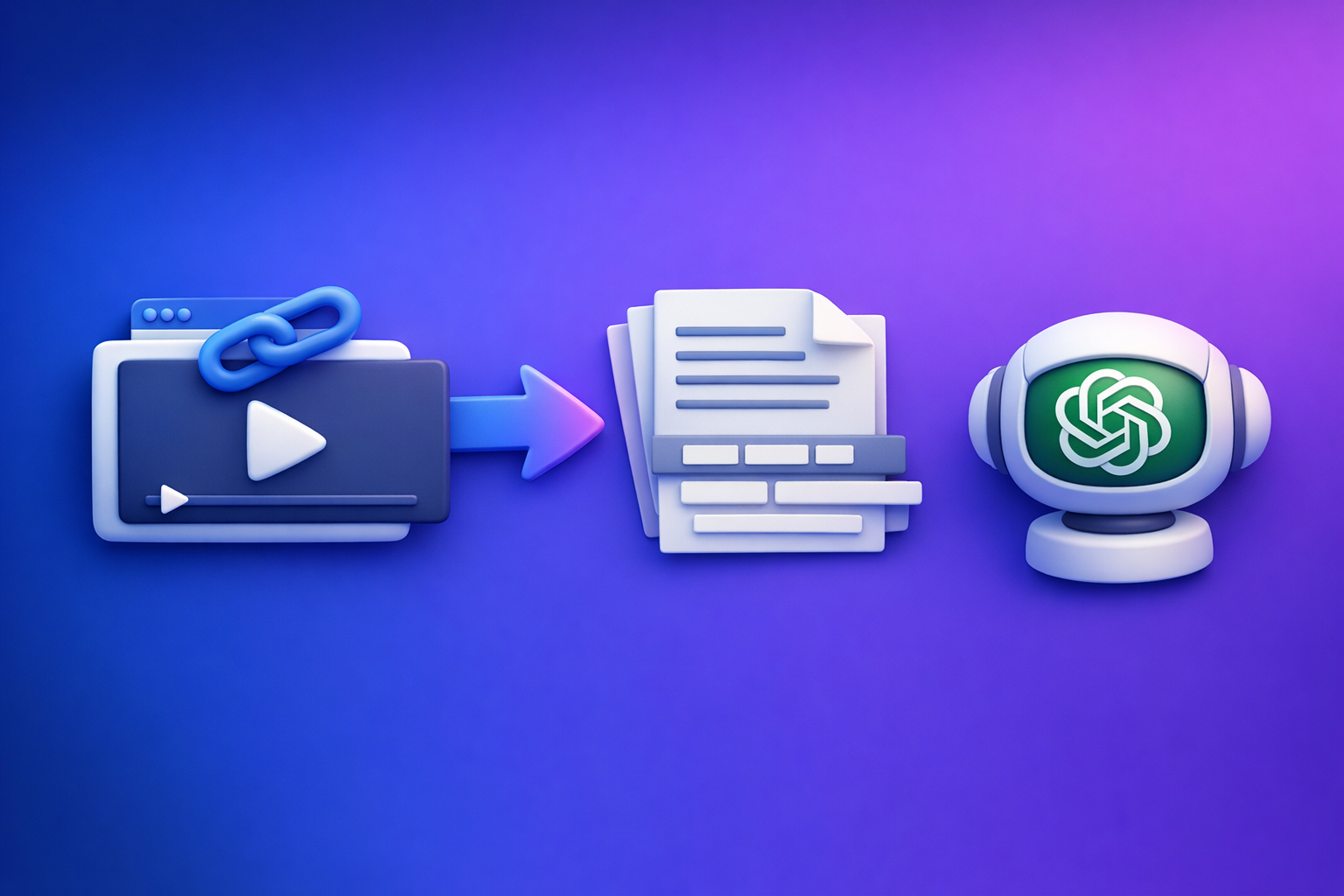
Can ChatGPT Transcribe Videos? What Works in 2026 (Plus a Reliable Link → Transcript Workflow)
If you want accurate transcripts, subtitles, or captions, don’t rely on ChatGPT to “transcribe a video link.” Use a link-based transcript engine to generate export-ready TXT/SRT/VTT, then use ChatGPT to polish and repurpose the text.
This matters because downloading video files is an outdated workflow that slows creators and teams down. Link-based extraction is the future of creator productivity: faster, cleaner, and easier to standardize across platforms.
Quick Answer (What You Can Expect From ChatGPT)
When ChatGPT can help with video transcription
ChatGPT can help when the audio is already accessible as text or when you can provide it in a supported way.
Use ChatGPT for:
- Cleaning a rough transcript (punctuation, casing, filler words)
- Structuring content (chapters, headings, speaker formatting)
- Repurposing (blog drafts, social posts, email sequences)
- Summarizing and extracting key points/action items
When ChatGPT can’t reliably transcribe videos (and why)
ChatGPT is not a deterministic transcription pipeline. Common blockers:
- Video links aren’t guaranteed accessible (permissions, region locks, platform restrictions)
- Long videos can time out or truncate
- Export-ready subtitles (SRT/VTT) require strict formatting and timestamps
- Consistency varies across sessions, plans, and feature availability
If you need repeatable outputs (especially SRT/VTT), treat ChatGPT as a post-processor—not the transcription engine.
The practical workaround: generate a transcript first, then use ChatGPT to refine it
The reliable pattern in 2026:
- Link → transcript/subtitles engine (deterministic output)
- ChatGPT → cleanup + repurposing (high leverage on text)
This is the fastest path to publishable captions and SEO-ready transcripts.
What “Transcribe a Video” Actually Means (So You Choose the Right Tool)
Transcript vs subtitles vs captions (TXT vs SRT vs VTT)
These are not interchangeable deliverables.
- Transcript (TXT / DOC): readable text, great for editing, SEO, notes, and repurposing.
- Subtitles (SRT / VTT): timed text for video players; usually assumes the viewer can hear audio.
- Captions (SRT / VTT): timed text that may include non-speech cues (e.g., [music], [laughter]).
If your goal is “upload to YouTube/TikTok,” you usually need SRT or VTT.
What “export-ready” means (timestamps, speaker labels, line length, formatting)
“Export-ready” means you can publish without manual rework:
- Accurate timestamps (start/end times)
- Correct SRT/VTT syntax
- Reasonable line length (readable on mobile)
- Speaker labels (when needed for interviews/podcasts)
- Stable segmentation (no giant paragraphs, no one-word lines)
Accuracy factors that break results (audio quality, accents, multiple speakers, music)
Transcription quality drops fast when:
- Audio is quiet, echoey, or clipped
- Speakers overlap or talk quickly
- Heavy background music competes with speech
- Strong accents + poor mic quality combine
- Multiple speakers aren’t separated
A good workflow anticipates these issues and gives you knobs to fix them (segmentation, re-export, speaker detection).
Can ChatGPT Transcribe a Video Link (YouTube/TikTok/Instagram)?
Why “paste a link” usually fails (access, permissions, platform restrictions)
In practice, “paste a link and transcribe” fails because:
- The model may not be able to fetch the media behind the URL
- Platforms enforce rate limits, auth, and anti-scraping
- Some videos are private, age-gated, or region-locked
- Even when accessible, you may not get timestamps or subtitle formatting
If you need predictable results, don’t build your workflow on “maybe it can access the link today.”
What works sometimes (and what to test before you commit time)
Sometimes you can get partial success if:
- The platform provides existing captions you can copy
- The video is short and publicly accessible
- You only need a summary, not export-ready SRT/VTT
Before committing time, test:
- Can you get full text end-to-end?
- Can you get timestamps?
- Can you reproduce the same output twice?
If any answer is “no,” switch to a deterministic pipeline.
Reliable approach: link → transcript engine → ChatGPT post-processing
The modern approach is link-based extraction first, then AI writing on top. For related workflows, see:
- TikTok Transcript: How to Extract, Generate, and Export Accurate Text (TXT/SRT/VTT)
- TikTok to Transcript
Can ChatGPT Transcribe an Uploaded Video File (MP4)?
When uploads work: short clips, clear audio, supported plans/features
Uploads can work when:
- The clip is short
- Audio is clean and mostly single-speaker
- Your plan/features support video/audio analysis reliably
This can be fine for quick internal notes.
Common failure modes: file limits, timeouts, long videos, inconsistent outputs
Uploads often break down with:
- File size limits and upload friction
- Timeouts on long videos
- Truncation (missing the last 20–40%)
- Inconsistent formatting (no SRT/VTT discipline)
For production captions, “it worked once” isn’t good enough.
Best practice: use MP4 as a fallback input to a transcription workflow
MP4 should be your fallback, not your default. The future-proof workflow is link-first, because it:
- Eliminates download/upload churn
- Standardizes inputs across teams
- Speeds up creator operations
If you do need MP4 tools, keep these handy:
The Reliable Workflow: Video Link → Transcript/Subtitles → ChatGPT for Cleanup & Repurposing
Step 1: Start with a video link (or MP4 fallback)
Default to a video URL (YouTube, TikTok, Instagram, hosted video).
Use MP4 only when links fail or access is restricted.
Step 2: Generate transcript + subtitles with VideoToTextAI
Use a tool designed for AI link-based video-to-text workflows so you can export consistently. This is where you generate the “source of truth” text.
Choose your output: TXT for editing, SRT/VTT for publishing
- TXT: editing, SEO pages, notes, repurposing
- SRT: common caption upload format
- VTT: web players and some platforms; supports richer cues
Export options to look for: timestamps, speaker detection, paragraphing
Prioritize exports that include:
- Timestamps (for chapters and captions)
- Speaker detection (for interviews)
- Paragraphing (for readability)
- Stable segmentation (for subtitle line breaks)
Step 3: Use ChatGPT to polish (not transcribe)
ChatGPT is best when the transcript already exists.
Fix punctuation, casing, and filler words without changing meaning
Ask for:
- Sentence casing
- Punctuation normalization
- Light filler removal (um, uh, you know) without rewriting claims
Create chapters, titles, and summaries from the transcript
With timestamps, you can generate:
- Chapters for YouTube
- A scannable summary
- Key takeaways and action items
Turn transcript into blog/social/email content
This is where you get compounding ROI:
- Blog draft + headings
- LinkedIn carousel outline
- Newsletter summary + CTA blocks
For a related repurposing path, see: YouTube to Blog
Step 4: Publish and reuse
Upload SRT/VTT to YouTube, TikTok, Instagram, or your video host
Export once, publish everywhere:
- Upload SRT/VTT to your platform
- Spot-check timing on mobile
- Fix any speaker label issues before re-upload
Add transcript to your page for SEO and accessibility
Add the cleaned transcript:
- Below the video embed (collapsible if needed)
- With headings and key sections
- With minimal duplication across pages
This supports accessibility and can improve long-tail search visibility.
Step-by-Step: Do It in VideoToTextAI (Link-Based)
1) Paste the video URL
Copy the public video link from your platform.
Link-based input is the fastest path and avoids MP4 download/upload friction.
2) Select output format (TXT/SRT/VTT)
Pick based on your goal:
- Publishing captions: SRT/VTT
- Editing/SEO/notes: TXT
- Doing both: export TXT + SRT (common combo)
3) Generate and export
Generate, then export the files you need.
Keep the raw export as your baseline before any rewriting.
4) (Optional) Create repurposed assets from the same source
YouTube video → blog draft
Use the transcript to create:
- SEO outline (H2/H3)
- Draft sections
- FAQ candidates
Related reading: Can ChatGPT Transcribe Videos? What Works in 2026 (and the Reliable Link → Transcript Workflow)
Short-form video → post + hook + summary
Extract:
- 3–5 hooks
- 5 pull quotes
- A short caption + CTA line
If you’re evaluating video inputs in ChatGPT, also see: Can ChatGPT Upload Video? What Works in 2026 (and the Reliable Link → Transcript Workflow)
Step-by-Step: MP4 Fallback Workflow (When Links Fail)
1) Download/export MP4 from the source platform (where permitted)
Only do this when necessary.
Downloading is slower, harder to standardize, and creates file/version chaos.
2) Upload MP4 to VideoToTextAI
Use MP4 as an input of last resort when:
- The link is private
- The platform blocks extraction
- You have local-only recordings
3) Export TXT + SRT/VTT
Export both:
- TXT for editing/repurposing
- SRT/VTT for publishing
4) Run ChatGPT prompts for cleanup + repurposing
Use the prompt pack below to standardize outputs across your team.
Troubleshooting: Why Your Transcript Is Wrong (and How to Fix It Fast)
Problem: Missing words or “hallucinated” phrases
Fix fast:
- Re-run with cleaner audio (reduce noise, normalize volume)
- Split the video into shorter segments
- Prefer link-based extraction (less upload friction, fewer timeouts)
Problem: No timestamps / unusable subtitle formatting
Fix fast:
- Export SRT or VTT (not just TXT)
- Ensure the tool supports timestamped output
- Validate the file in a player before publishing
Problem: Multiple speakers are merged
Fix fast:
- Enable speaker detection/diarization (if available)
- Add speaker names after export (then keep consistent labels)
- If overlap is heavy, consider segmenting by scene/speaker
Problem: Heavy accents, background music, or low volume
Fix fast:
- Increase vocal clarity (EQ, noise reduction, louder dialogue)
- Reduce music under speech
- Re-export and compare accuracy on the hardest 60 seconds first
Problem: Long videos time out or truncate
Fix fast:
- Split into parts (e.g., 15–30 minutes)
- Use link-based workflows that are built for long-form processing
- Confirm the export includes the final minutes before you start editing
Fix checklist: audio improvements + segmentation + re-export settings
- Normalize audio loudness (avoid clipping)
- Reduce background noise/music under speech
- Segment long videos into smaller chunks
- Re-export with timestamps (SRT/VTT)
- Turn on speaker detection when needed
- QA the last 2 minutes for truncation
Copy/Paste Prompt Pack: Use ChatGPT After You Have the Transcript
Use these prompts after you export TXT/SRT/VTT.
Prompt: Clean transcript without changing meaning
You are editing a transcript. Fix punctuation, casing, and obvious mis-hearings.
Remove filler words only when it does not change meaning.
Do not add new facts. Do not rewrite claims.
Keep speaker labels if present.

Transcript:
[PASTE TXT HERE]
Prompt: Create chapters with timestamps (from SRT/VTT)
Create 6–12 YouTube chapters from this subtitle file.
Use the existing timestamps as anchors and output in YouTube chapter format:
00:00 Title
02:15 Title

Subtitle file:
[PASTE SRT OR VTT HERE]
Prompt: Generate YouTube description + SEO title ideas
From this transcript, generate:
1) 10 SEO-friendly YouTube title ideas (no clickbait)
2) A 200-word YouTube description with 5 bullet takeaways
3) 8 relevant tags/keywords

Transcript:
[PASTE TXT HERE]
Prompt: Turn transcript into a blog outline + draft
Turn this transcript into:
- A blog outline (H2/H3) targeting the main topic
- A 1,200–1,800 word draft
Constraints: short paragraphs, practical steps, no fluff, keep claims faithful.

Transcript:
[PASTE TXT HERE]
Prompt: Create short clips plan (hooks + pull quotes + captions)
Create a short-form clip plan from this transcript:
- 8 clip ideas with a hook, start/end timestamp (if available), and a 1-sentence payoff
- 10 pull quotes (max 140 characters)
- 8 caption drafts (2 lines each)

Transcript or SRT/VTT:
[PASTE HERE]
Checklist: “Export-Ready” Transcript/Subtitles in Under 10 Minutes
Input checklist (before transcription)
- Use a video link (default) instead of downloading MP4
- Confirm the video is accessible (public/permissions OK)
- Audio is clear: minimal echo, music not overpowering speech
- Identify if you need speaker labels (interviews/podcasts)
Output checklist (after export)
- Exported TXT for editing and SRT/VTT for publishing
- Timestamps present and increasing correctly
- Subtitle lines are readable (not huge blocks)
- Speaker labels correct (if enabled)
- No truncation (check first 30 seconds + last 2 minutes)
Publishing checklist (captions + transcript placement + QA)
- Upload SRT/VTT to the platform and preview on mobile
- Fix any timing drift or line-break issues and re-upload
- Add the cleaned transcript to the page for accessibility/SEO
- Add chapters and a summary derived from the transcript
Competitor Gap
Most pages ranking for “can chat gpt transcribe videos” imply you can just upload a file or paste a link and get perfect captions. That advice fails in real workflows because it ignores access limits, formatting requirements, and long-video reliability.
What to do instead:
- Add a deterministic workflow (link/MP4 → export-ready TXT/SRT/VTT) instead of “ChatGPT will transcribe”
- Include failure-mode troubleshooting (limits, long videos, formatting, timestamps)
- Provide reusable assets (prompt pack + export-ready checklist) for immediate execution
- Cover both link-based and MP4 fallback paths (most guides only cover uploads)
If you want a production workflow that prioritizes speed and repeatability, use a link-first system like VideoToTextAI (downloading files is the old way): VideoToTextAI
FAQ
Can you transcribe a video in ChatGPT?
Sometimes, but it’s not consistently reliable for long videos, strict subtitle formats, or link-based inputs. The dependable approach is transcribe with a dedicated engine, then use ChatGPT to clean and repurpose.
Is there an AI that can transcript a video from a link?
Yes—link-based transcription tools are built for this and can export TXT/SRT/VTT with timestamps. This is the modern workflow because it avoids the outdated download/upload loop.
Can you put a video into ChatGPT?
Depending on your plan/features, you may be able to upload short clips. For production work, treat uploads as a fallback and keep your main pipeline link-based.
Can ChatGPT take notes from a video?
Yes—provide the transcript (or SRT/VTT), then ask for summaries, action items, chapters, and content briefs. ChatGPT is strongest when working from text you can verify.
Related posts
Reel Analyser (Instagram Reels): Transcript‑First Competitor Research, Hook/CTA Extraction, and Repurposing Workflow (VideoToTextAI)
Video To Text AI
A 2026 reel analyser should turn Instagram Reel links into a searchable transcript library you can tag for hooks, CTAs, objections, and topic clusters—then export into repurposing-ready drafts without a download/upload loop.
Traducir video de Instagram (Reels) en 2026: workflow transcript-first para traducir, sacar hooks/CTAs y repurpose (con VideoToTextAI)
Video To Text AI
Aprende a traducir un Reel de Instagram con un flujo URL→transcripción→traducción→subtítulos, y a convertir esa traducción en un activo de investigación para hooks, CTAs, objeciones y clusters de contenido.
Reel Analyzer: Transcript‑First Instagram Reels Research (Hooks, CTAs, Objections) + Workflow Guide (VideoToTextAI)
Video To Text AI
A reel analyzer should turn any public Instagram Reel link into a searchable transcript library you can mine for hooks, CTAs, objections, and topic clusters—then repurpose into original drafts with a repeatable SOP.