
Can ChatGPT Transcribe Videos? What Works in 2026 (and the Reliable Link → Transcript Workflow)
 Video To Text AI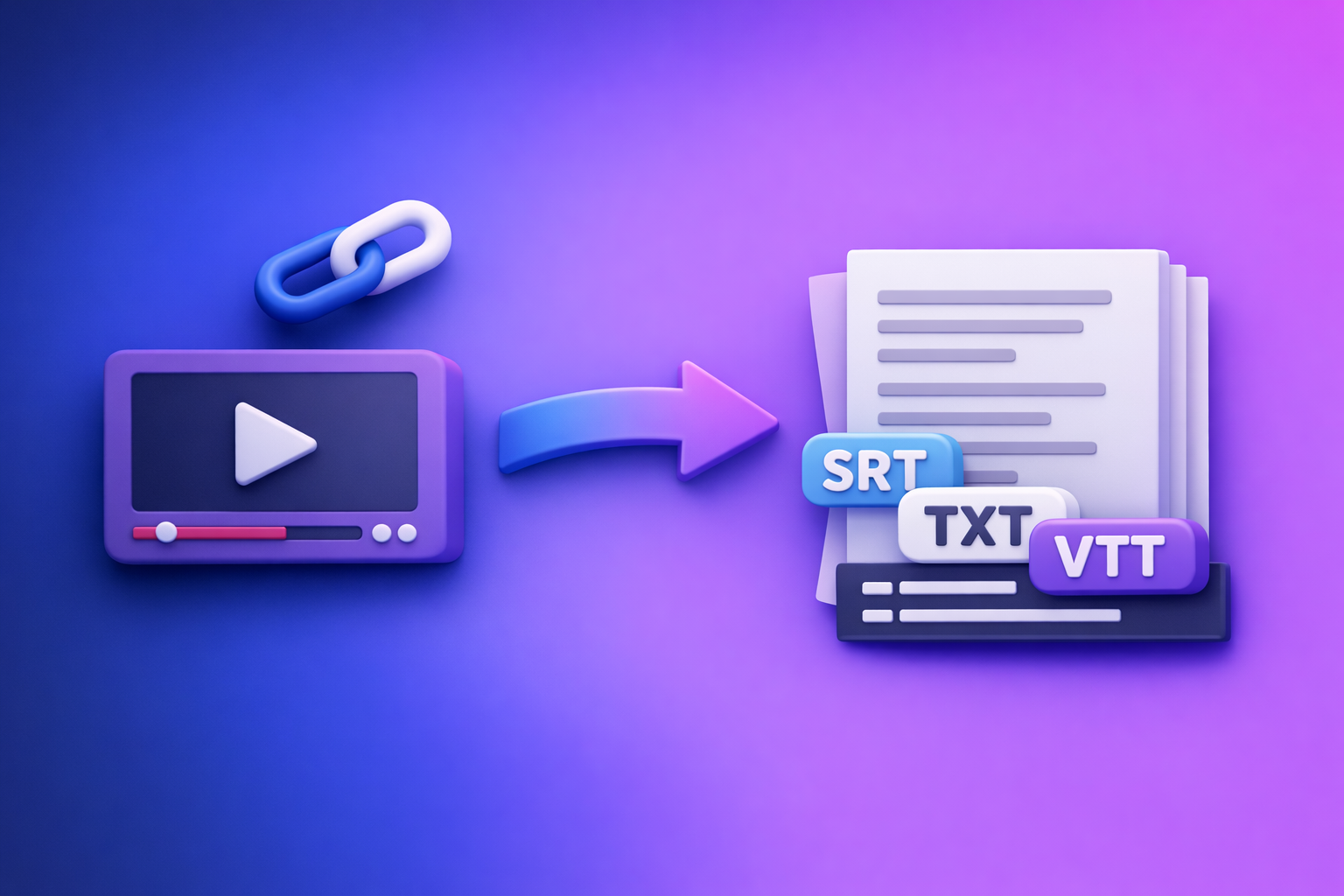
ChatGPT is great at editing text, but it’s not the most reliable way to transcribe videos from a link or produce export-ready captions. In 2026, the dependable workflow is: transcribe with a deterministic link → transcript tool, export TXT/SRT/VTT, then use ChatGPT to clean and repurpose.
Quick Answer: Can ChatGPT Transcribe Videos?
What ChatGPT can do well (after you have text)
ChatGPT performs best when you already have a transcript or captions file.
Use it to:
- Fix punctuation and casing
- Remove filler words (without changing meaning)
- Summarize and extract key takeaways
- Rewrite for blog/newsletter/social formats
- Create chapters and titles from timestamps (if provided)
Where ChatGPT is unreliable for video transcription (links, long files, exports)
For “video transcription” end-to-end, ChatGPT is often inconsistent because:
- It may not be able to access or “watch” a link
- Upload features vary by plan, UI, region, and limits
- Long videos can cause timeouts or partial outputs
- It’s not designed as a deterministic exporter for SRT/VTT timing
The practical takeaway: use a deterministic transcriber first, then ChatGPT for cleanup/repurposing
If your goal is accurate text + export formats, treat ChatGPT as the post-production editor, not the transcription engine.
Best practice in 2026: link-based extraction first (fast, scalable, creator-friendly), then ChatGPT for polish.
What “Transcribe a Video” Actually Means (Transcript vs Captions vs Subtitles)
Transcript (TXT): best for reading, SEO, notes, repurposing
A TXT transcript is the cleanest input for:
- Blog posts and SEO pages
- Research notes and highlights
- Quote extraction
- Script rewrites and content repurposing
If you’re doing “YouTube to blog,” start with TXT. (See: youtube to blog)
Captions/Subtitles (SRT/VTT): best for publishing and accessibility
SRT and VTT include timestamps, so they’re built for:
- YouTube captions
- TikTok/IG editing workflows
- Accessibility compliance
- Searchable video libraries
If you need publishing-ready captions, export SRT/VTT, not just plain text. (See: mp4 to srt and mp4 to vtt)
When you need timestamps and speaker labels (and when you don’t)
You typically need:
- Timestamps when publishing captions, creating chapters, or syncing subtitles
- Speaker labels for interviews, podcasts, panels, and sales calls
You can skip both when:
- You only need a readable transcript for internal notes or a blog draft
Ways People Try to Use ChatGPT to Transcribe Videos (and What Happens)
Method 1: Paste a video link into ChatGPT
Why it often fails (access, permissions, “can’t watch”, inconsistent tool access)
This is the most common attempt—and the least reliable.
Typical failure modes:
- The model can’t access external URLs or the page requires login
- The video is geo-restricted, private, age-gated, or behind a paywall
- The UI/tooling available to the user doesn’t include link ingestion
- The output becomes a guess, summary, or hallucinated “transcript”
When it can work (rare cases) and what to verify
It can work in limited scenarios if:
- The environment truly has browsing/media access
- The video is publicly accessible
- You can confirm it’s actually extracting audio, not inferring content
Verification checklist:
- Ask for verbatim quotes from minute markers
- Compare the first 30 seconds against the actual audio
- Confirm names, numbers, and proper nouns
Method 2: Upload a video file to ChatGPT
Common blockers: file limits, timeouts, plan/UI differences, long videos
Uploading MP4s is still a fragile workflow:
- File size limits vary
- Long videos can time out
- Upload UI differs across accounts
- Export formats (SRT/VTT) aren’t guaranteed
From a productivity standpoint, downloading and uploading files is an outdated workflow—especially for creators managing dozens of links per week. Link-based extraction is the future because it eliminates manual file handling and keeps workflows fast.
Accuracy risks: diarization, punctuation, timestamps
Even when upload works, you may still see:
- Weak speaker diarization (who said what)
- Inconsistent punctuation and paragraphing
- Missing or unusable timestamps for captions
Method 3: Provide audio/video → get transcript → use ChatGPT to refine
Why this is the most reliable workflow in 2026
This is the workflow that holds up under real production constraints:
- Deterministic transcription tool produces consistent outputs
- You export TXT/SRT/VTT reliably
- ChatGPT then improves readability and generates content variants
If you want repeatable results, separate:
- Transcription + exports
- Editing + repurposing
The Reliable Workflow (VideoToTextAI): Link/MP4 → Export-Ready Transcript/Captions → ChatGPT
VideoToTextAI is built for AI link-based video-to-text workflows—so you can go from URL to transcript/captions without the “download, rename, upload, wait” loop. Link-based extraction is the future of creator productivity because it removes file friction and scales across platforms.
Use it as your deterministic base, then bring the exported text into ChatGPT.
One-step start: https://videototextai.com
Step-by-step: transcribe from a link (YouTube/TikTok/Instagram/Reels)
- Copy the video URL (YouTube, TikTok, IG, Reels, etc.)
- Paste into VideoToTextAI
- Choose output: TXT (reading/SEO) vs SRT/VTT (captions/subtitles)
- Generate and export your file(s)
If your use case is TikTok specifically, keep a dedicated workflow: tiktok to transcript and the guide: TikTok Transcript: How to Extract, Generate, and Export Accurate Text (TXT/SRT/VTT)
Step-by-step: transcribe from an MP4 (fallback when links fail)
Links are the modern default, but you still want a fallback path.
- Download/export MP4 (only when needed)
- Upload to VideoToTextAI
- Export TXT/SRT/VTT
- Spot-check and publish
Tools for this path:
Step-by-step: use ChatGPT to clean + repurpose (after export)
Once you have a clean base transcript/captions file, ChatGPT becomes extremely effective.
Prompt: clean transcript (remove filler, fix punctuation, keep meaning)
Copy/paste your TXT transcript and use:
Prompt:
You are an editor. Clean this transcript for readability without changing meaning.
- Remove filler words (um, uh, like)
- Fix punctuation and capitalization
- Keep technical terms and names intact
- Preserve paragraph breaks by topic
Output: clean transcript only.
Prompt: create chapters + titles from timestamps
Use this when you have timestamps (or SRT/VTT):
Prompt:
Create YouTube-style chapters from this transcript with timestamps.
- Use concise titles (3–7 words)
- Don’t invent topics not present
- Prefer chapter breaks at natural transitions
Output: timestamp + chapter title list.
Prompt: generate captions variants (short, medium, platform-specific)
Use this after exporting SRT/VTT (or after extracting caption text):
Prompt:
Rewrite these captions into 3 variants:
- Short (punchy, minimal words)
- Medium (balanced clarity)
- Platform-specific for TikTok (fast, hook-forward)
Rules: keep meaning, keep names/numbers accurate, avoid adding claims.
Prompt: repurpose into blog/LinkedIn/X threads without changing facts
Use this for content repurposing at scale:
Prompt:
Repurpose this transcript into:
- A blog post outline with H2/H3s
- A LinkedIn post (max 250 words)
- An X thread (8–12 tweets)
Constraints: do not add new facts, keep claims conservative, preserve original intent.
For related reading on what works/doesn’t with uploads, see: Can ChatGPT Upload Video in 2026? What Works, What Fails, and the Reliable Link → Transcript Workflow (VideoToTextAI)
Implementation Checklist (Copy/Paste)
Before transcription
- Confirm you need TXT (reading/SEO) or SRT/VTT (captions/subtitles)
- Identify language(s) and whether you need speaker labels
- Decide if you’ll use link (default) or MP4 fallback
- Collect proper nouns (names, brands, acronyms) to verify after export
During transcription
- Export TXT for editing + SRT/VTT for publishing (when needed)
- Spot-check:
- First 60 seconds
- A mid-section
- The ending
- Verify names, numbers, jargon, and any compliance-sensitive statements
After transcription (ChatGPT post-processing)
- Normalize formatting:
- Headings, bullets, short paragraphs
- Create:
- Summary, key takeaways, chapters, quotes, hooks
- Generate platform outputs:
- Blog, newsletter, LinkedIn, X, scripts
- Keep a “source of truth”:
- Store the exported TXT/SRT/VTT and only edit copies
Troubleshooting: Why ChatGPT/Links Fail (and How to Fix Fast)
“ChatGPT can’t access the link” → use VideoToTextAI link workflow or MP4 fallback
If ChatGPT can’t open the URL, don’t fight it.
Fix:
- Use a link → transcript workflow first
- If the platform blocks extraction, use the MP4 fallback path
“Transcript has no timestamps” → export SRT/VTT from VideoToTextAI
If you need captions, timestamps are non-negotiable.
Fix:
- Export SRT or VTT (not just TXT)
- Use TXT only for reading/repurposing
“Captions drift / timing is off” → regenerate SRT/VTT and avoid manual re-timing in ChatGPT
ChatGPT is not a timing engine.
Fix:
- Regenerate SRT/VTT from the transcriber
- Avoid “editing timestamps by hand” unless you’re using a caption editor
“Multiple speakers are messy” → export clean base transcript first, then ask ChatGPT to label speakers
Speaker labeling is easiest when the base text is accurate.
Fix:
- Export the best available transcript
- Then prompt ChatGPT:
Label speakers as Speaker 1, Speaker 2. Don’t guess names. Keep wording unchanged.
“Accuracy is low” → improve source audio, reduce background noise, re-export, then refine
Garbage in, garbage out still applies.
Fix order:
- Improve audio (or choose a cleaner source)
- Re-export transcript/captions
- Then use ChatGPT for readability edits
Best Practices for Higher Accuracy Transcripts and Captions
Audio quality rules that matter (mic distance, noise, music)
Prioritize:
- Mic close to speaker (consistent volume)
- Minimal background noise and reverb
- Lower music volume under speech
- Avoid overlapping speakers when possible
Handling jargon, names, and acronyms (custom glossary approach)
Create a simple glossary before you start:
- Product names
- People names
- Industry acronyms
- Location names
Then spot-check those terms in the export and correct once, consistently.
When to keep verbatim vs when to edit for readability
Use verbatim when:
- Legal/compliance accuracy matters
- You’re quoting a speaker precisely
- You need court-style fidelity
Edit for readability when:
- Publishing a blog post
- Creating educational content
- Turning speech into skimmable text
Rule: don’t change claims, only improve clarity.
Accessibility basics: line length, reading speed, and caption segmentation
For captions:
- Keep lines short and readable
- Break on natural phrases (not mid-word)
- Avoid overly dense blocks
- Prefer consistent punctuation to support comprehension
Competitor Gap
Most pages ranking for “can chat gpt transcribe videos” stop at “try this GPT” and ignore production realities.
What competitors miss (and what you should implement):
- A deterministic workflow (not a best-effort chat interaction) with export-ready TXT/SRT/VTT
- A real step-by-step process plus an MP4 fallback when links break
- Troubleshooting mapped to failure modes:
- access/permissions, limits/timeouts, timestamps, diarization
- Reusable assets:
- a practical checklist and copy/paste prompts for cleanup + repurposing
If you want the full workflow reference, keep this bookmarked: Can ChatGPT Transcribe Videos? What Works in 2026 + The Reliable Link → Transcript Workflow (VideoToTextAI)
FAQ
Is there an AI that can transcript a video?
Yes. Dedicated transcription tools can convert a video link or MP4 into accurate text and export formats like TXT, SRT, and VTT. ChatGPT is best used after that step to edit and repurpose the transcript.
Can you put a video into ChatGPT?
Sometimes. Upload support depends on your plan/UI and file limits, and long videos can fail or time out. For consistent results, transcribe with a dedicated tool first, then paste the exported text into ChatGPT.
What’s the best way to transcribe a video?
In 2026, the best workflow is link-based transcription (fast, scalable, no file handling) with export-ready TXT/SRT/VTT, followed by ChatGPT for cleanup and content repurposing. Downloading video files is a fallback—not the default.
Can ChatGPT subtitle a video?
ChatGPT can help rewrite caption text, but it’s not a reliable subtitle generator with accurate timestamps. Export SRT/VTT from a transcription tool, then use ChatGPT to refine wording while keeping timing intact.
Related posts
Reel Analyser (Instagram Reels): Transcript‑First Competitor Research, Hook/CTA Extraction, and Repurposing Workflow (VideoToTextAI)
Video To Text AI
A 2026 reel analyser should turn Instagram Reel links into a searchable transcript library you can tag for hooks, CTAs, objections, and topic clusters—then export into repurposing-ready drafts without a download/upload loop.
Traducir video de Instagram (Reels) en 2026: workflow transcript-first para traducir, sacar hooks/CTAs y repurpose (con VideoToTextAI)
Video To Text AI
Aprende a traducir un Reel de Instagram con un flujo URL→transcripción→traducción→subtítulos, y a convertir esa traducción en un activo de investigación para hooks, CTAs, objeciones y clusters de contenido.
Reel Analyzer: Transcript‑First Instagram Reels Research (Hooks, CTAs, Objections) + Workflow Guide (VideoToTextAI)
Video To Text AI
A reel analyzer should turn any public Instagram Reel link into a searchable transcript library you can mine for hooks, CTAs, objections, and topic clusters—then repurpose into original drafts with a repeatable SOP.