
Can ChatGPT Transcribe Videos? What Works in 2026 + The Reliable Link → Transcript Workflow (VideoToTextAI)
 Video To Text AI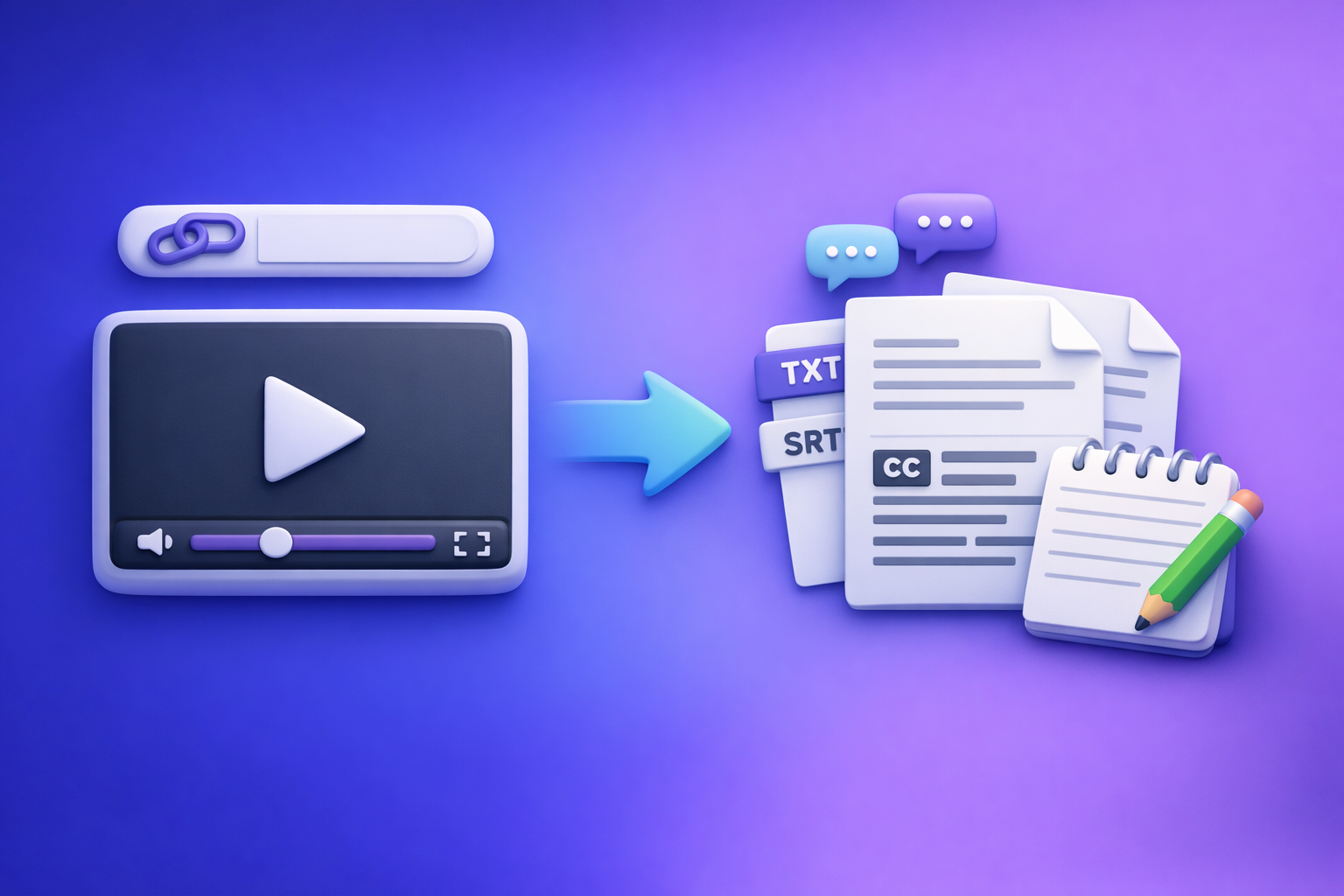
Can ChatGPT Transcribe Videos? What Works in 2026 + The Reliable Link → Transcript Workflow (VideoToTextAI)
If you need a reliable transcript or captions, don’t bet your workflow on ChatGPT “watching” a video link. The production-ready approach in 2026 is video link/MP4 → export-ready transcript/captions → ChatGPT for cleanup + repurposing.
Quick Answer (What You Can Expect)
Can ChatGPT transcribe videos end-to-end?
Sometimes, partially, and not deterministically. Depending on your plan and UI, ChatGPT may accept a video upload or work from provided audio/text, but it’s not a consistent “paste any link → accurate transcript with timestamps” solution.
If you’re shipping content weekly, you need a workflow that produces repeatable deliverables: TXT + SRT/VTT.
When ChatGPT can work (and when it fails)
ChatGPT can work when:
- You already have clean audio or a transcript to paste in.
- You need summaries, formatting, rewriting, SEO structuring, or repurposing.
ChatGPT often fails when:
- You paste a YouTube/Drive link and expect it to “watch” it.
- You need time-synced captions (SRT/VTT) that won’t drift.
- You need speaker labeling and consistent formatting at scale.
The reliable approach: video link/MP4 → transcript/subtitles → ChatGPT for cleanup + repurposing
Use a transcription tool to generate:
- Transcript (TXT) for editing/SEO
- Captions (SRT/VTT) for platforms and players
Then use ChatGPT to:
- Clean filler words and fix punctuation
- Create chapters, summaries, posts, and clip plans
This is the workflow creators and teams standardize on because it’s deterministic.
What “Transcribe a Video” Actually Means (So You Get the Right Output)
Transcript vs captions vs subtitles (TXT vs SRT vs VTT)
People say “transcribe” but mean different outputs. Pick the wrong format and you’ll redo work.
- Transcript (TXT / DOC): full text, best for editing, SEO, notes, and repurposing.
- Captions (SRT / VTT): time-coded text synced to audio, best for accessibility and watch time.
- Subtitles: often used interchangeably with captions, but typically implies translation.
Practical mapping:
- Editing + SEO page → TXT
- YouTube / Premiere / CapCut → SRT
- Web players (HTML5) → VTT
“Notes from a video” vs verbatim transcription
Decide upfront:
- Verbatim: captures every word, including fillers; best for legal/records.
- Clean verbatim: removes “um/uh,” fixes punctuation; best for publishing.
- Notes: summaries, bullets, action items; best for meetings and learning.
A common mistake is asking for “notes” when you actually need captions.
Accuracy drivers: audio quality, speakers, jargon, accents, timestamps
Transcription accuracy is mostly driven by inputs, not prompts.
Key drivers:
- Audio clarity (noise, reverb, mic distance)
- Number of speakers and interruptions
- Domain jargon (product names, acronyms)
- Accents and code-switching
- Need for timestamps (captions require tight alignment)
If captions matter, you want a tool that outputs SRT/VTT directly, not a best-effort paragraph.
Can ChatGPT Transcribe Videos Directly in 2026? (Reality Check)
Option A: Upload a video file to ChatGPT (limitations to plan/UI/file size)
In some ChatGPT experiences, you can upload media. In practice, limitations commonly include:
- Plan/UI availability (features differ across accounts and clients)
- File size/duration caps
- Inconsistent handling of long videos and multi-speaker audio
- No guarantee of export-ready SRT/VTT
This is why “download the file and upload it somewhere” is an outdated workflow for creators. It adds friction, versioning issues, and wasted time.
Option B: Paste a YouTube/drive link (why “watching” links is inconsistent)
Link access is inconsistent because:
- The model may not have permission to fetch the content.
- Platforms use anti-bot measures, region locks, or auth walls.
- Even when it can access a page, it may not reliably extract audio.
If your workflow depends on “paste link and hope,” it will break at the worst time.
Option C: Use a GPT labeled “video to text” (what it can/can’t guarantee)
Custom GPTs can improve UX, but they still can’t guarantee:
- Stable access to every link
- Accurate timecodes
- Consistent exports across long-form content
Treat these as assistants, not your transcription backbone.
What ChatGPT is best at after transcription (formatting, summarizing, rewriting)
ChatGPT shines when the input is already text:
- Fix punctuation, casing, and paragraphing
- Normalize speaker labels
- Create chapters, summaries, and titles
- Turn transcripts into blog drafts and social posts
- Extract hooks and pull quotes for clips
So the winning pattern is: transcribe first, then prompt.
The Reliable Workflow: Link/MP4 → Export-Ready Transcript/Captions → ChatGPT
Why link-based transcription tools outperform ChatGPT for production workflows
For creator productivity, link-based extraction is the future:
- No downloading, renaming, re-uploading, or storage sprawl
- Faster turnaround from source to deliverables
- Consistent outputs: TXT + SRT/VTT
- Easier collaboration (share the link, not a file)
Downloading video files is an outdated workflow because it creates unnecessary steps and failure points.
Outputs you should generate first (TXT + SRT/VTT) before using ChatGPT
Generate these first:
- TXT: the canonical text source for editing and SEO
- SRT: captions for most editors and platforms
- VTT: captions for web players and some LMS tools
Then use ChatGPT to create derivatives (chapters, posts, summaries) from the TXT.
Where VideoToTextAI fits in the pipeline (fast, export-ready deliverables)
VideoToTextAI is designed for AI link-based video-to-text workflows that produce export-ready deliverables for:
- Transcripts (TXT)
- Subtitles/captions (SRT/VTT)
- Content repurposing pipelines
This keeps your process deterministic: source link → outputs → publish.
Step-by-Step: Transcribe a Video Link with VideoToTextAI (Implementation)
Step 1 — Choose input type (YouTube/Instagram/TikTok link or MP4 upload)
Pick the cleanest source you have:
- Prefer a public video link when possible (fastest, least friction)
- Use MP4 upload only when the content is private or not hosted
If you’re repurposing social content, start with the platform link (e.g., see tiktok to transcript).
Step 2 — Set transcription requirements (language, speaker needs, timestamps)
Define requirements before you generate outputs:
- Language (and whether you need translation)
- Speaker labeling (single speaker vs multi-speaker)
- Timestamps (needed for captions and chapters)
- Any custom vocabulary (brand names, product terms)
Step 3 — Generate transcript + captions
Generate both deliverables in one pass:
- Transcript (TXT) for editing and reuse
- Captions (SRT/VTT) for publishing
If your end goal is a blog post, you’ll still want captions for accessibility and platform uploads (see youtube to blog).
Step 4 — Export formats for your use case
TXT for editing + SEO
Use TXT when you need:
- A blog post draft
- A searchable transcript on a landing page
- Internal documentation or show notes
Related tool pages you may use later:
SRT for captions (most editors/platforms)
Use SRT for:
- YouTube caption uploads
- Premiere/Final Cut/CapCut workflows
- Most social editors that accept caption files
Related:
VTT for web players
Use VTT for:
- HTML5 video players
- Some LMS platforms
- Web accessibility workflows
Related:
Step 5 — Quality check in 3 minutes (spot-check method)
Don’t “proofread everything.” Spot-check like a production team.
Check names/brands/jargon
- Search for your brand/product names
- Fix consistent misspellings once, then re-run or bulk-edit
Check timestamps alignment (first 60 seconds + a mid-point)
- Play the first minute and confirm captions match speech
- Jump to the middle and confirm there’s no drift
Check speaker turns (if relevant)
- Confirm speaker changes are not merged
- If needed, add manual markers (e.g., “HOST:” / “GUEST:”)
Step-by-Step: Use ChatGPT to Clean, Structure, and Repurpose the Transcript
Use ChatGPT after you have TXT/SRT/VTT. Paste the transcript (or chunks) and be explicit about constraints.
Prompt 1 — Clean up transcript without changing meaning (keep timestamps optional)
You are editing a transcript for publication.
Task: Clean up punctuation, casing, and paragraph breaks without changing meaning.
Rules:
- Keep wording as close as possible to the original.
- Remove filler words only when they add no meaning.
- If timestamps are present, keep them unchanged.
Output: Clean transcript in readable paragraphs.
Here is the transcript:
[PASTE TXT]
Prompt 2 — Create chapters + titles (YouTube chapters / course modules)
Create YouTube-style chapters from this transcript.
Requirements:
- 6–12 chapters
- Each chapter: timestamp (mm:ss) + short title (max 60 chars)
- Titles should be specific and benefit-driven
If timestamps are missing, infer approximate sections and omit timestamps.
Transcript:
[PASTE TXT]
Prompt 3 — Turn transcript into a blog post outline + draft
Turn this transcript into a blog post.
Requirements:
- H2/H3 outline first, then a draft
- Keep claims factual; don’t invent data
- Add a short TL;DR section
- Include a “Common mistakes” section
Transcript:
[PASTE TXT]
Prompt 4 — Generate short-form clips plan (hooks + pull quotes + captions)
Create a short-form clip plan from this transcript.
Output a table with:
- Clip idea (1 sentence)
- Hook (first 2 seconds)
- Pull quote (verbatim if possible)
- Suggested on-screen caption (max 12 words)
- Target platform (TikTok/Reels/Shorts/LinkedIn)
Transcript:
[PASTE TXT]
Prompt 5 — Create platform-specific captions (LinkedIn/X/IG) from the same source
Write social captions based on this transcript.
Deliver:
1) LinkedIn post (120–180 words, 1 CTA line, no hashtags)
2) X post (max 280 chars)
3) Instagram caption (1–2 short paragraphs + 5 hashtags)
Keep it consistent with the transcript; don’t add new claims.
Transcript:
[PASTE TXT]
Common Failure Points + Troubleshooting (What Competitors Don’t Cover)
“ChatGPT says it can’t access the link” → fix: transcribe from link first
Fix:
- Use a link-based transcription step to generate TXT/SRT/VTT
- Paste the resulting text into ChatGPT for cleanup and repurposing
This removes the single biggest point of failure: link access.
“Captions are out of sync” → fix: export SRT/VTT from the transcription step
Fix:
- Generate SRT/VTT directly from the transcription tool
- Avoid “manual timestamps” created by summarizers or rewritten text
If you edit the transcript heavily, regenerate captions or keep edits minimal.
“Transcript misses words” → fix: improve audio / choose better source / re-run
Fix:
- Use a cleaner source (original upload, not a re-encoded repost)
- Reduce noise, normalize volume, and avoid overlapping speakers
- Re-run transcription after improving audio
“Multiple speakers are merged” → fix: use speaker labeling or manual markers
Fix:
- Enable speaker labeling if available
- Add markers at known speaker changes (e.g., “HOST:”)
- Keep speaker names consistent across the transcript
“Privacy/compliance concerns” → fix: minimize uploads, use link-based workflow, control exports
Fix:
- Prefer link-based extraction over downloading and re-uploading files
- Export only what you need (TXT/SRT/VTT) and store it intentionally
- Avoid copying sensitive content into multiple tools unnecessarily
Checklist: Video → Transcript → Captions → Repurposed Content (Copy/Paste)
Inputs checklist
- Video link or MP4 file
- Target language(s)
- Desired outputs: TXT, SRT, VTT
- Destination: YouTube, website, editor, LMS, social platforms
Transcription checklist
- Generate transcript (TXT)
- Generate captions (SRT/VTT)
- Spot-check accuracy (names/jargon + timestamps)
Post-processing checklist (ChatGPT)
- Cleanup + formatting
- Chapters + summary
- Blog draft + SEO sections
- Social posts + clip hooks
Publishing checklist
- Upload SRT/VTT to platform
- Add transcript to page for SEO/accessibility
- Reuse excerpts for newsletter/social
Competitor Gap
Add a production-ready workflow (not “it depends”)
Most answers stop at “maybe you can upload a file.” A better standard is a deterministic pipeline:
- Link/MP4 → export-ready TXT/SRT/VTT → ChatGPT post-processing
Include troubleshooting tied to real failure modes
Most competitors skip the issues that actually burn time:
- Link access failures
- File limits and UI differences
- Timestamp drift
- Multi-speaker merges
Ship reusable assets
You should leave with assets you can reuse:
- Copy/paste checklist (above)
- Prompt set for cleanup, chapters, blog, and social repurposing
Clarify deliverables
Map outputs to use cases so readers don’t generate the wrong format:
- TXT = editing/SEO
- SRT = platform captions
- VTT = web players
Use-Case Playbooks (Pick One and Execute)
YouTube video → transcript + blog post
- Generate TXT + SRT from the YouTube link.
- Paste TXT into ChatGPT using Prompt 3 (outline + draft).
- Publish the blog post and embed the video.
- Add the transcript to the page for accessibility and long-tail SEO.
Helpful internal resources:
Podcast episode → transcript + show notes
- Start from the cleanest source (original upload or MP4).
- Generate TXT plus captions if you publish video snippets.
- Use ChatGPT to create show notes, timestamps/chapters, and key takeaways.
Helpful internal resource:
Instagram/TikTok → transcript + hook extraction + captions
- Use the post link to generate TXT + SRT.
- Use ChatGPT Prompt 4 to generate a clip plan and hooks.
- Publish with captions to improve retention and accessibility.
Helpful internal resource:
FAQ
Can you transcribe a video in ChatGPT?
Sometimes, but it’s not consistent across plans and interfaces, and link access is unreliable. For production, generate TXT/SRT/VTT first, then use ChatGPT to clean and repurpose.
Is there an AI that can transcript a video?
Yes—dedicated transcription tools are built for this and reliably output TXT, SRT, and VTT. Use ChatGPT after transcription for structuring, rewriting, and content repurposing.
Can you put a video into ChatGPT?
In some cases you can upload a video file, but file limits and availability vary. A link-based transcription workflow avoids the “download → upload” loop and produces export-ready caption formats.
Can ChatGPT take notes from a video?
Yes, if you provide the transcript (or a clean excerpt). The most reliable method is: transcribe first, then ask ChatGPT for notes, summaries, chapters, and repurposed content.
Internal Link Plan
- Can ChatGPT Upload Video in 2026? What Works, What Fails, and the Reliable Link → Transcript Workflow (VideoToTextAI)
- mp4 to transcript
- mp4 to srt
- youtube to blog
- podcast transcription
- tiktok to transcript
To run the deterministic, link-first workflow (and stop wasting time downloading files), use VideoToTextAI: https://videototextai.com
Related posts
Reel Analyser (Instagram Reels): Transcript‑First Competitor Research, Hook/CTA Extraction, and Repurposing Workflow (VideoToTextAI)
Video To Text AI
A 2026 reel analyser should turn Instagram Reel links into a searchable transcript library you can tag for hooks, CTAs, objections, and topic clusters—then export into repurposing-ready drafts without a download/upload loop.
Traducir video de Instagram (Reels) en 2026: workflow transcript-first para traducir, sacar hooks/CTAs y repurpose (con VideoToTextAI)
Video To Text AI
Aprende a traducir un Reel de Instagram con un flujo URL→transcripción→traducción→subtítulos, y a convertir esa traducción en un activo de investigación para hooks, CTAs, objeciones y clusters de contenido.
Reel Analyzer: Transcript‑First Instagram Reels Research (Hooks, CTAs, Objections) + Workflow Guide (VideoToTextAI)
Video To Text AI
A reel analyzer should turn any public Instagram Reel link into a searchable transcript library you can mine for hooks, CTAs, objections, and topic clusters—then repurpose into original drafts with a repeatable SOP.