
Can ChatGPT Transcribe Video? What Actually Works in 2026 (Link → Transcript Workflow)
 Video To Text AI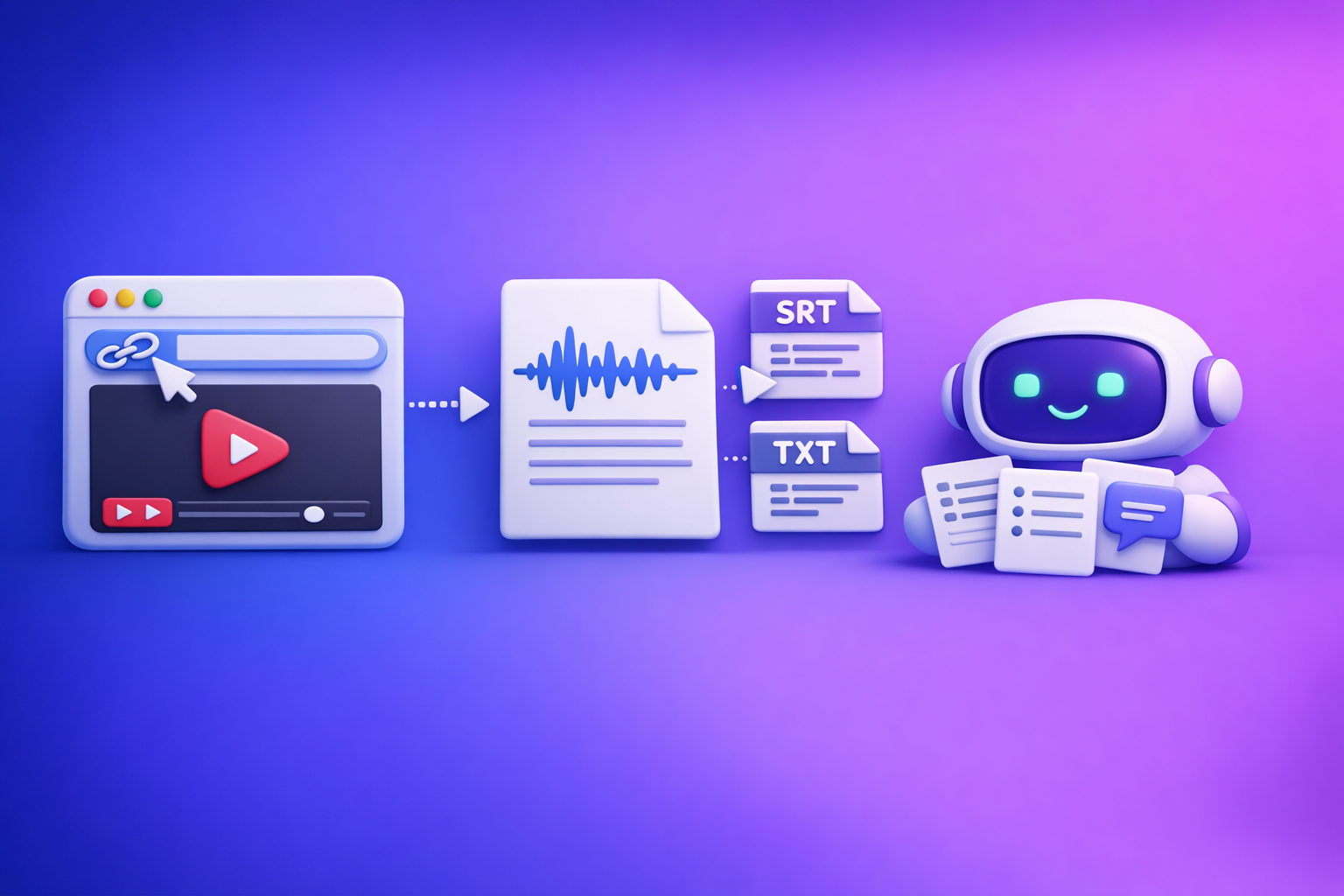
Can ChatGPT Transcribe Video? What Actually Works in 2026 (Link → Transcript Workflow)
If you want a reliable transcript in 2026, don’t ask ChatGPT to “watch a video link”—generate an export-ready transcript first, then use ChatGPT to format and repurpose it. The fastest workflow is video link/MP4 → transcript/captions (TXT/SRT/VTT) → ChatGPT for summaries, chapters, captions, and SEO drafts.
Quick Answer (What ChatGPT Can and Can’t Do)
ChatGPT is excellent at working with text you already have. It’s inconsistent as a video → transcript engine, especially when the input is a link.
What “transcribe video” means (file vs link vs live audio)
“Transcribe video” can mean three different jobs:
- Video file transcription (MP4/MOV): You upload a file and get text back.
- Video link transcription (YouTube/TikTok/Reels/Drive): You paste a URL and expect the tool to fetch audio and transcribe.
- Live audio transcription: Real-time meeting or microphone capture.
In 2026, link-based extraction is the future of creator productivity because it avoids downloading, re-uploading, and version chaos. Downloading video files is increasingly an outdated workflow for most marketing and creator teams.
When ChatGPT can help (after you already have text)
ChatGPT is best used after transcription, for example:
- Cleaning up punctuation and paragraphing
- Creating summaries, key takeaways, and action items
- Turning transcripts into chapters, hooks, and social posts
- Drafting blog outlines and SEO sections from the transcript
Why ChatGPT is not a reliable video → transcript engine (common failure points)
Common reasons “ChatGPT transcribe video” attempts fail:
- Link access issues: login walls, private permissions, geo restrictions
- Streaming fetch limitations: the model can’t reliably “watch” arbitrary URLs
- File limits/timeouts: long videos fail mid-processing
- Accuracy constraints: overlapping speakers, noise, accents, music beds
- No export-ready captions: you need SRT/VTT for syncing, not just plain text
Can ChatGPT Transcribe a Video Directly?
Sometimes, but it’s not dependable as your primary transcription workflow—especially for link-based content.
Option A: Uploading a video file to ChatGPT (when it’s available)
If your ChatGPT plan and region support video uploads, you may be able to upload a file and request a transcript.
Typical limitations: plan/region availability, file size, duration, timeouts
Expect variability in:
- Availability: features differ by plan, workspace settings, and region
- File size and duration caps: long videos can fail or be truncated
- Timeouts: uploads and processing can stall on weak connections
- Repeatability: the same file may produce different results across runs
This is why file-based upload workflows are increasingly outdated for high-volume creator teams. They’re slower, harder to standardize, and fragile at scale.
Accuracy constraints: speaker overlap, background noise, accents
Even when upload works, accuracy drops with:
- Crosstalk and interruptions
- Echoey rooms and HVAC noise
- Heavy accents or code-switching
- Music under dialogue (common in Reels/TikTok)
Option B: Pasting a video link (YouTube/Drive/social)
This is what most people try first: “Here’s a link—transcribe it.”
Why “watch this link” often fails (permissions, streaming, blocked fetch)
Link transcription fails because:
- The link requires login (Drive, private YouTube, membership content)
- The platform blocks automated fetching or uses tokenized streaming
- The content is region-locked or age-gated
- The model can’t reliably access external media streams in your environment
What to do instead: extract transcript/captions first, then use ChatGPT
Use a dedicated link-based workflow to generate:
- TXT for editing and content writing
- SRT/VTT for captions and publishing
Then paste the transcript into ChatGPT for repurposing.
The Reliable Workflow: Video Link/MP4 → Export-Ready Transcript → ChatGPT for Output
This workflow is repeatable, fast, and built for modern creator operations: links first, exports second, ChatGPT last.
Step 1: Choose your input type (video link vs MP4)
Pick the input that matches how you work today:
- Video link: best for creators and marketers repurposing published content
- MP4 upload: best when you own the raw file (webinars, interviews, podcasts)
If you’re still downloading videos just to re-upload them elsewhere, that’s the bottleneck. Link-based extraction is the future because it eliminates unnecessary file handling.
Supported sources to prioritize (YouTube, TikTok, Instagram Reels, podcasts)
Prioritize sources that match your distribution channels:
- YouTube long-form and Shorts
- TikTok
- Instagram Reels
- Podcast video episodes and webinar replays
For related workflows, see: youtube to blog, tiktok to transcript, and instagram to text.
Permissions checklist (public link, no login wall, correct sharing settings)
Before you transcribe any link, confirm:
- The link opens in an incognito window
- It’s public or “anyone with the link”
- No age gate, paywall, or “sign in to confirm” prompt
- Correct platform URL (not a shortened link that breaks access)
Step 2: Generate the transcript/captions with VideoToTextAI
Use a tool designed for AI link-based video-to-text workflows so you can go from URL → exports without manual downloading. VideoToTextAI is built for transcripts, subtitles, captions, and content repurposing from links and files, with export formats that plug into your publishing stack.
Output formats and when to use each:
- TXT (editing, notes, blogs): best for writing and SEO drafts
Related: mp4 to transcript - SRT (subtitles with timestamps): best for synced captions in editors
Related: mp4 to srt - VTT (web captions): best for web players and accessibility
Related: mp4 to vtt
Quality settings to decide up front
Decide these before you run transcription to avoid rework:
- Language: set the correct language (and dialect if available)
- Speaker labels: enable if you need “Speaker 1 / Speaker 2” separation
- Timestamp granularity:
- Full timestamps for captions and editing
- Paragraph-level for blogs and notes
Step 3: Validate and clean the transcript (fast QA pass)
A quick QA pass prevents downstream content errors (especially in quotes and stats).
60-second accuracy scan (names, numbers, jargon, key quotes)
Scan for:
- Proper nouns (people, brands, products)
- Numbers (pricing, dates, metrics, “2026” vs “2020”)
- Industry jargon and acronyms
- The 2–3 quotes you’ll reuse in captions or a blog
Fix the 5 most common transcript errors (and how to spot them)
- Homophones: “their/there,” “site/sight”
- Spot by scanning headings and key claims.
- Brand term drift: product names get “normalized” incorrectly
- Spot by searching for your brand terms.
- Numbers misheard: “fifteen” becomes “fifty”
- Spot by checking any sentence with a metric.
- Speaker attribution errors: wrong speaker label after interruptions
- Spot where dialogue is rapid or overlapping.
- Punctuation/paragraphing: long run-on blocks
- Spot by reading the first 30 seconds and a mid-section.
Step 4: Use ChatGPT to repurpose the transcript (what it’s best at)
Once you have clean text, ChatGPT becomes a high-leverage editor and repurposing engine.
Turn transcript into a summary + key takeaways
Ask for:
- 5–10 bullet takeaways
- A 2–3 sentence executive summary
- Action items (if it’s a meeting/webinar)
Create chapters/timestamps from the transcript
If you exported SRT/VTT, you already have timestamps. If you exported TXT, you can still create chapters by referencing time markers (if included) or by sectioning based on topic shifts.
Generate captions, hooks, and social posts from the transcript
Best outputs:
- 10 short hooks (first line variants)
- 5 caption options per platform (TikTok, Reels, LinkedIn)
- Quote cards (short, punchy lines)
Produce a blog post outline + draft from the transcript
Use the transcript to generate:
- SEO outline (H2/H3)
- FAQ section
- Pull quotes and examples
- A first draft you can fact-check and refine
Step-by-Step: Link → Transcript in VideoToTextAI (Implementation Walkthrough)
This is the repeatable process you can hand to a teammate.
1) Copy the video URL (or upload MP4)
- For links: copy the canonical URL (YouTube watch URL, TikTok share URL, Reel URL).
- For files: upload MP4 when the content isn’t publicly accessible.
If you have a link, don’t download the video “just in case.” Link-based extraction is faster and avoids duplicate files.
2) Run transcription and select export format (TXT/SRT/VTT)
Choose exports based on your downstream needs:
- Need a blog + editing? Export TXT
- Need synced captions? Export SRT
- Need web captions? Export VTT
- Need both writing and captions? Export TXT + SRT
3) Export and store the files (naming convention + folder structure)
Use a naming convention that scales:
YYYY-MM-DD__source__title__lang.ext
Example:2026-03-13__youtube__pricing-webinar__en.srt
Suggested folder structure:
/content/transcripts/txt//content/captions/srt//content/captions/vtt//content/repurposed/
4) Paste transcript into ChatGPT with a structured prompt
Keep prompts specific and output-driven. Include constraints like tone, length, and formatting.
Prompt template: clean + format transcript
You are an editor. Clean up this transcript without changing meaning.
Rules:
- Fix punctuation, paragraph breaks, and obvious mis-hearings.
- Preserve technical terms and brand names exactly as written: [PASTE BRAND TERMS LIST].
- Keep speaker labels if present.
Output:
1) Clean transcript
2) A list of any unclear lines you could not confidently fix

Transcript:
[PASTE TRANSCRIPT]
Prompt template: chapters + timestamped outline
Create a chapter list from this transcript.
Rules:
- 6–12 chapters
- Each chapter: title + 1 sentence summary
- If timestamps exist, use them. If not, estimate relative positions (start/middle/end).
Output in markdown.

Transcript:
[PASTE TRANSCRIPT OR SRT/VTT CONTENT]
Prompt template: blog post + SEO sections from transcript
Turn this transcript into an SEO blog post draft.
Requirements:
- Target keyword: "can chat gpt transcribe video"
- Use short paragraphs and bullets
- Include: summary, step-by-step workflow, troubleshooting, FAQ
- Add a meta title (60 chars) and meta description (155 chars)
- Do not invent facts not present in transcript; flag missing details as [NEEDS SOURCE].

Transcript:
[PASTE TRANSCRIPT]
Checklist: Get a Clean Transcript and Reusable Content in Under 15 Minutes
Pre-flight checklist (before transcription)
- Confirm link access (incognito test)
- Identify language(s) and approximate speaker count
- Decide output format: TXT vs SRT vs VTT
- Note any must-spell terms (names, product, acronyms)
Transcription checklist (during)
- Export both TXT + SRT when you need editing + captions
- Keep original video title + date in the filename
- If the video is long, transcribe in logical segments (part 1/part 2) when needed
Post-processing checklist (after)
- Verify names, numbers, and brand terms
- Create chapters + summary in ChatGPT
- Save final assets: transcript, captions, repurposed drafts
Troubleshooting: Why Your “ChatGPT Transcribe Video” Attempt Failed
“ChatGPT can’t access the link” (permissions + platform restrictions)
Fixes:
- Make the link public or “anyone with the link”
- Remove login requirements (Drive sharing settings)
- Use the platform’s canonical URL (not a redirect)
- If it’s restricted content, transcribe via MP4 instead of a link
“Upload failed / file too large” (duration limits + compression workaround)
Fixes:
- Export a smaller file (lower bitrate) before upload
- Split the video into 10–30 minute segments
- Prefer link-based transcription when the content is already hosted publicly
“Transcript is inaccurate” (audio quality fixes + re-run strategy)
Fixes:
- Improve audio: reduce noise, normalize volume, remove music bed if possible
- Re-run with correct language settings
- Enable speaker labels only when needed (it can add complexity)
“No timestamps / captions don’t sync” (use SRT/VTT exports, not plain text)
Fixes:
- Use SRT for most editors and social caption workflows
- Use VTT for web players
- Don’t try to “recreate” timestamps from plain TXT unless you must
What Is the Best Tool to Transcribe a Video? (Decision Criteria)
Choose based on workflow reliability, not hype.
Accuracy and consistency (long videos, noisy audio, multiple speakers)
Look for:
- Stable performance on 30–120 minute videos
- Good handling of overlap and varied accents
- Repeatable results across runs
Link-based support (YouTube/social) vs file-only tools
In 2026, link-based support is the differentiator:
- Link-based tools fit creator workflows (repurpose what’s already published)
- File-only tools force downloads, re-uploads, and manual handling
Downloading video files is an outdated workflow for most teams producing at scale.
Export formats (TXT/SRT/VTT) and downstream workflows
If your tool can’t export SRT/VTT cleanly, you’ll waste time fixing sync issues later.
Best-fit recommendations by use case
- Creators: captions + hooks + fast repurposing
Useful pages: tiktok to transcript, instagram to text - Teams: meeting/podcast transcripts with speaker labels and searchable archives
Useful page: mp4 to transcript - Marketers: blog + LinkedIn repurposing from YouTube/webinars
Useful page: youtube to blog
If you want a repeatable link-first workflow, use VideoToTextAI: VideoToTextAI
Competitor Gap
Most “ChatGPT video to text” competitors (including GPT directories and lightweight transcript GPTs) don’t solve the real problem: repeatable, link-based transcription with export-ready formats.
- Competitors don’t provide a repeatable workflow (link/MP4 → TXT/SRT/VTT → ChatGPT). They assume ChatGPT can fetch and transcribe links reliably, which often fails.
- Competitors skip implementation details that determine success:
- permissions checks
- format selection (TXT vs SRT vs VTT)
- timestamp strategy
- naming conventions for asset management
- Competitors lack troubleshooting for real-world failures:
- “can’t access link”
- upload limits/timeouts
- caption sync issues
- Competitors don’t include reusable templates/checklists (prompts + QA steps), which is what teams need to standardize output.
FAQ
Can AI make a transcript of a video?
Yes. AI transcription tools can convert video audio into text and export it as TXT for editing or SRT/VTT for captions.
Can you put a video into ChatGPT?
Sometimes you can upload a video file, but it depends on plan/limits and can fail on long videos. For links, access is often blocked by permissions and platform restrictions, so generating a transcript first is more reliable.
What is the best tool to transcribe a video?
The best tool reliably supports your input type (especially video links), produces consistent accuracy, and exports TXT/SRT/VTT so you can publish captions and repurpose content without manual rework.
Can ChatGPT take notes from a video?
ChatGPT can take excellent notes from a transcript. The dependable approach is: transcribe the video first, then ask ChatGPT for notes, summaries, chapters, and action items.
Internal Link Plan
Related posts
Reel Analyser (Instagram Reels): Transcript‑First Competitor Research, Hook/CTA Extraction, and Repurposing Workflow (VideoToTextAI)
Video To Text AI
A 2026 reel analyser should turn Instagram Reel links into a searchable transcript library you can tag for hooks, CTAs, objections, and topic clusters—then export into repurposing-ready drafts without a download/upload loop.
Traducir video de Instagram (Reels) en 2026: workflow transcript-first para traducir, sacar hooks/CTAs y repurpose (con VideoToTextAI)
Video To Text AI
Aprende a traducir un Reel de Instagram con un flujo URL→transcripción→traducción→subtítulos, y a convertir esa traducción en un activo de investigación para hooks, CTAs, objeciones y clusters de contenido.
Reel Analyzer: Transcript‑First Instagram Reels Research (Hooks, CTAs, Objections) + Workflow Guide (VideoToTextAI)
Video To Text AI
A reel analyzer should turn any public Instagram Reel link into a searchable transcript library you can mine for hooks, CTAs, objections, and topic clusters—then repurpose into original drafts with a repeatable SOP.