
Can ChatGPT Upload Video in 2026? What Actually Works (Plus a Reliable Link → Transcript Workflow)
 Video To Text AI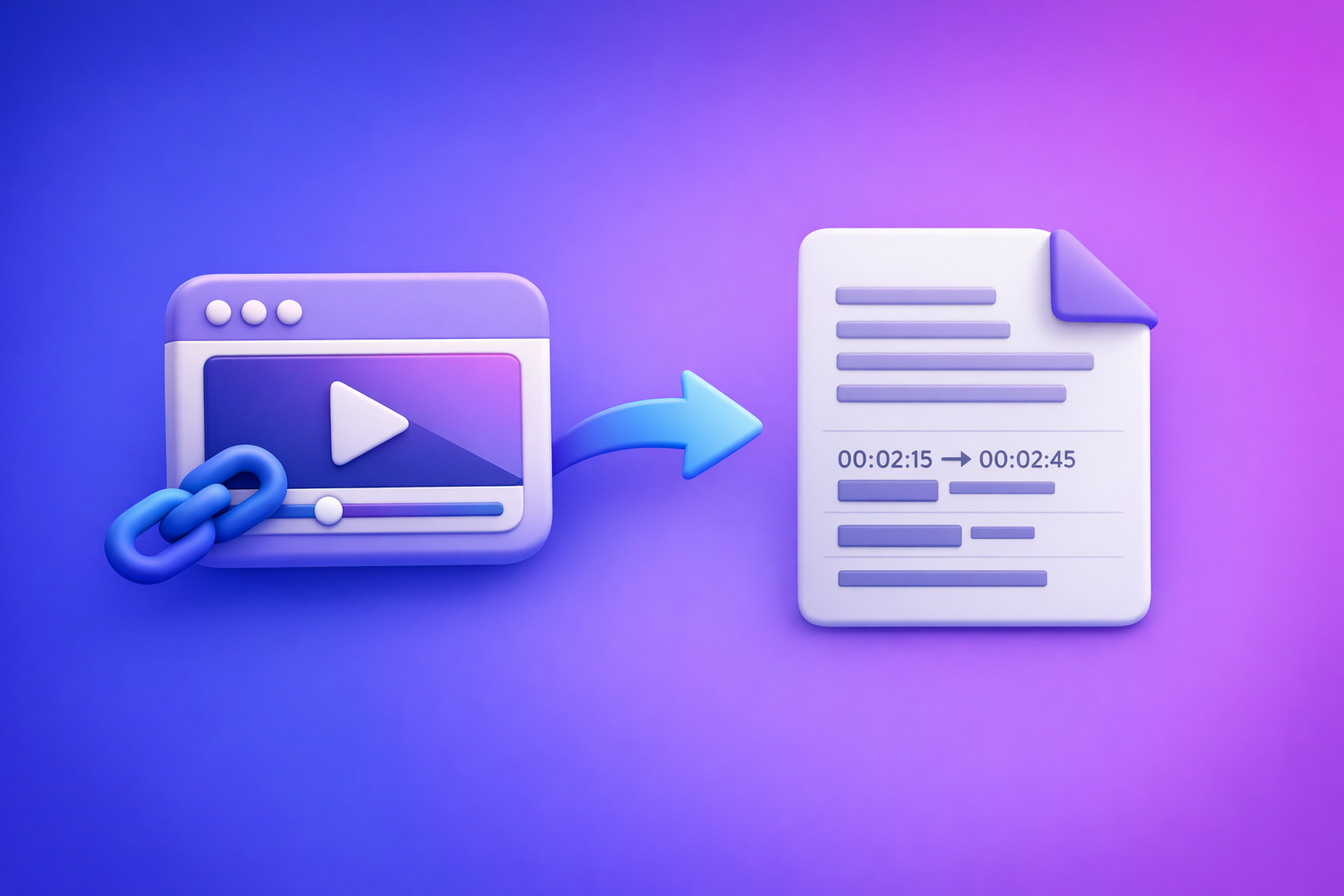
Can ChatGPT Upload Video in 2026? What Actually Works (Plus a Reliable Link → Transcript Workflow)
If your goal is transcripts, captions, or repurposed content, don’t bet your workflow on “upload video to ChatGPT.” Use a link/MP4 → export-ready TXT/SRT/VTT pipeline first, then use ChatGPT for what it’s best at: rewriting, summarizing, and structuring.
Quick Answer (What to Expect in 30 Seconds)
ChatGPT video upload: what’s possible vs. what breaks
In 2026, “video upload to ChatGPT” is not a stable production workflow.
What sometimes works:
- Uploading short video clips for basic analysis (varies by plan/app).
- Asking questions about frames or visual details (when supported).
What commonly breaks:
- Long videos (timeouts, size caps, processing limits).
- Inconsistent availability (feature toggles, region differences).
- Links ChatGPT can’t access (private, paywalled, restricted).
- Caption deliverables (clean SRT/VTT with correct timestamps is unreliable).
If your goal is transcripts/captions: the reliable workflow (link/MP4 → TXT/SRT/VTT → ChatGPT)
Use a dedicated transcription workflow to generate export-ready outputs first, then hand the transcript to ChatGPT.
- Input: public video link (preferred) or MP4
- Output: TXT + SRT/VTT
- Then: ChatGPT for chapters, summaries, blog drafts, social posts
This is the fastest path to publishable assets—and it avoids the “upload roulette.”
What “Upload Video to ChatGPT” Actually Means (3 Different Use Cases)
People ask “can chat gpt upload video,” but they usually mean one of these.
1) Upload a video file for analysis (file-based)
You drag-and-drop a file and ask for analysis.
Typical goals:
- “What happens in this clip?”
- “Describe the scene.”
- “Extract key moments.”
Reality: file-based video analysis is fragile at scale and often fails on length.
2) Paste a video link and ask ChatGPT to “watch it” (link-based)
You paste a YouTube/Drive/social link and ask ChatGPT to watch.
Typical goals:
- “Summarize this video.”
- “Pull quotes and timestamps.”
- “Create chapters.”
Reality: link access is frequently blocked by permissions, paywalls, or platform restrictions.
3) Get transcripts/subtitles/captions you can export (deliverable-based)
You want something you can upload to YouTube, an LMS, or your editor:
- Transcript: TXT (for editing/SEO/repurposing)
- Captions/Subtitles: SRT or VTT (for platforms)
Reality: this is where general-purpose chat tools are least reliable—because format + timestamps + completeness matter.
Can ChatGPT Upload Video? Current Reality in 2026 (Limitations You’ll Hit)
Availability varies by plan, interface, and region
Even if someone else can upload video, you might not be able to.
Common variables:
- Web vs. mobile app differences
- Feature rollouts and experiments
- Regional availability and compliance constraints
If you’re building a repeatable workflow for a team, this inconsistency is a deal-breaker.
File size/length constraints and timeouts (why long videos fail)
Long videos fail for predictable reasons:
- Upload size caps
- Processing timeouts
- Memory/context constraints when extracting long-form detail
If you’re working with webinars, podcasts, trainings, or interviews, assume file-based upload will be unreliable.
Permissions and access issues (private links, paywalled platforms)
ChatGPT can’t reliably access:
- Private Google Drive links
- Unlisted content without proper access
- Paywalled platforms
- Geo-restricted videos
- Platforms that block automated fetching
If the tool can’t access the media, it can’t “watch” it—no matter how good the prompt is.
Output limitations: why you won’t get clean SRT/VTT reliably
Captions require:
- Accurate timestamps
- Correct line breaks
- Consistent formatting
- Full coverage (no missing sections)
ChatGPT can format text, but it cannot reliably generate timing from a video it can’t consistently process end-to-end.
Privacy/compliance considerations (what not to upload)
Avoid uploading sensitive video content into general chat interfaces when you don’t control retention and access policies.
Examples:
- Patient/client sessions
- Internal company meetings
- Legal recordings
- Anything with regulated data
For compliance-driven teams, a controlled transcription workflow is safer than ad-hoc uploads.
Step-by-Step: The Reliable Workflow (Video Link/MP4 → Export-Ready Transcript/Subtitles → ChatGPT)
This is the workflow we recommend at VideoToTextAI: link-based extraction first. Downloading video files is an outdated workflow—links are the future of creator productivity because they reduce friction, eliminate file wrangling, and speed up collaboration.
Step 1: Choose your input type (video link vs. MP4)
Prioritize link-based inputs whenever possible.
Supported sources to prioritize:
- YouTube and other public video URLs
- Public-hosted training pages (when accessible)
- Shareable links that don’t require login
When to download MP4 instead of using a link:
- The video is private or behind authentication
- The platform blocks extraction
- You need to process a local recording (e.g., iPhone footage)
If you’re starting from a file, keep it simple: MP4 is the safest baseline.
Step 2: Generate export-ready text outputs with VideoToTextAI
Use VideoToTextAI to produce deliverables you can actually publish.
- Create transcript (TXT) for editing and repurposing
- Great for turning video into SEO pages and written assets.
- Create subtitles/captions (SRT/VTT) for publishing
- Upload directly to platforms that support caption files.
Validate speaker labels, timestamps, and punctuation:
- Spot-check the first 2 minutes, a middle section, and the ending
- Confirm names, product terms, and acronyms
- Ensure timestamps progress correctly (no jumps or resets)
Helpful tools to keep this workflow tight:
Step 3: Use ChatGPT after transcription (what it’s best at)
Once you have a transcript, ChatGPT becomes extremely effective.
Best uses:
- Clean up wording without changing meaning
- Remove filler words, tighten sentences, preserve technical accuracy.
- Create chapters, titles, and summaries
- Turn long transcripts into navigable content.
- Turn transcript into blog/social/email assets
- Repurpose without rewatching the video.
Key rule: don’t ask ChatGPT to “watch” the video if your real need is text outputs. Give it the transcript and be explicit about constraints.
Step 4: Publish and reuse outputs (fast paths)
Fast publishing paths:
- Upload SRT/VTT to YouTube/LinkedIn/your LMS
- Use the transcript as the canonical source for SEO pages
- Repurpose into posts, newsletters, and scripts
If you’re building a repeatable content engine, the transcript is your “source of truth.”
For link-first repurposing workflows, see:
Implementation Walkthrough: 10-Minute “Video → Transcript → Content” Pipeline
Example A: YouTube link → transcript + chapters + blog draft
- Paste link into VideoToTextAI and export TXT + SRT
- Prompt ChatGPT with the transcript to generate chapters + key takeaways
- Convert to a publish-ready blog outline and draft
Practical prompt (paste transcript after this):
- “Create chapters with timestamps from this transcript. Use 6–10 chapters, each with a short title and 1–2 bullet takeaways. Preserve any timestamps already present.”
If you want a related workflow, also reference:
Example B: iPhone MP4 → captions (SRT/VTT) + short-form clips script
- Upload MP4 to VideoToTextAI and export VTT
- Ask ChatGPT to extract hooks, CTAs, and clip timestamps (from transcript)
- Produce 5–10 short clip scripts + caption variants
Practical prompt:
- “From this transcript, identify 8 short clips (15–45 seconds). For each: give a hook line, the exact quote, and the start/end timestamps based on the transcript timestamps.”
If you’re processing social video frequently, you may also want:
Troubleshooting: Why Video Upload/Analysis Fails (and Fixes)
“Upload failed” / “file type not supported”
Fixes:
- Convert to MP4
- Reduce resolution (e.g., 4K → 1080p)
- Shorten duration (split into parts)
- Retry on desktop (often more stable than mobile)
If your goal is text outputs, skip the upload fight and run a transcription workflow first.
“ChatGPT can’t access this link”
Fixes:
- Use a public link (no login required)
- Avoid paywalled or geo-restricted sources
- Generate transcript from the link first, then paste transcript into ChatGPT
This is why link-based extraction is the future: it removes the “can the bot access it?” variable from your content pipeline.
“The transcript is incomplete / missing sections”
Fixes:
- Re-run with higher accuracy settings (if available)
- Split long videos into multiple parts
- Verify audio quality (background noise and crosstalk cause dropouts)
- Check if the source has long silent sections or music-only segments
“Captions are unusable (no timestamps / wrong format)”
Fixes:
- Export SRT/VTT from VideoToTextAI
- Don’t rely on ChatGPT to invent timing
- Validate the file in your target platform before publishing
Checklist: Reliable Video-to-Text Workflow (Copy/Paste)
Input readiness
- Video is accessible (public link or local MP4)
- Audio is clear (minimal background noise)
- Language and speakers are known (for labeling)
Transcription outputs
- Export TXT for editing/repurposing
- Export SRT or VTT for captions/subtitles
- Spot-check 2–3 sections for accuracy and timestamps
ChatGPT post-processing
- Generate summary + chapters from transcript
- Create 3–5 repurposed assets (blog, LinkedIn, X, email)
- Final QA: names, numbers, and brand terms
Competitor Gap
What competitors miss (and what this post delivers)
Most pages ranking for “can chat gpt upload video” stop at “it depends,” then leave you stuck.
This post delivers what competitors typically miss:
- A step-by-step workflow that works even when ChatGPT upload/link access fails
- Export-ready deliverables (TXT/SRT/VTT) instead of “best effort” analysis
- Troubleshooting mapped to real failure modes: permissions, length, formatting
- A reusable checklist + prompts to operationalize the process
If you want the stable workflow now: Generate an export-ready transcript/subtitles from a link or MP4, then use ChatGPT to summarize and repurpose.
VideoToTextAI
Add-on: Prompt pack (use only after you have a transcript)
Use these only after you’ve generated TXT/SRT/VTT.
- “Create chapters with timestamps from this transcript. Output as a table: Chapter, Start time, End time, Summary.”
- “Rewrite for clarity without changing meaning; preserve technical terms, product names, and numbers. Remove filler words.”
- “Turn this transcript into a 1,200-word SEO blog post targeting: ___ . Include H2s, bullets, and a short FAQ.”
FAQ
Can I upload a video to ChatGPT?
Sometimes. Availability varies by plan, interface, and region, and long videos often fail due to size/time limits. For transcripts/captions, use a transcription workflow first, then use ChatGPT on the transcript.
Why can’t I upload videos to ChatGPT anymore?
Feature availability can change due to rollouts, experiments, regional restrictions, or app/interface differences. Even when upload exists, it may be disabled temporarily or limited by file type/size.
Can ChatGPT view video files?
In some configurations it can analyze short clips, but it’s not a dependable way to produce complete transcripts or export-ready captions. For deliverables like SRT/VTT, generate them directly from a video-to-text tool.
Can ChatGPT analyze videos from YouTube links?
Not reliably. Link access can fail due to permissions, platform restrictions, geo blocks, or paywalls. A link-to-transcript workflow avoids these issues by producing text outputs first.
Can you upload videos to ChatGPT for free?
Free access is typically more limited and inconsistent. If you need a repeatable workflow for transcripts/captions, use a dedicated link/MP4 transcription pipeline and then use ChatGPT for rewriting and repurposing.
Internal Link Plan
Related posts
Reel Analyser (Instagram Reels): Transcript‑First Competitor Research, Hook/CTA Extraction, and Repurposing Workflow (VideoToTextAI)
Video To Text AI
A 2026 reel analyser should turn Instagram Reel links into a searchable transcript library you can tag for hooks, CTAs, objections, and topic clusters—then export into repurposing-ready drafts without a download/upload loop.
Traducir video de Instagram (Reels) en 2026: workflow transcript-first para traducir, sacar hooks/CTAs y repurpose (con VideoToTextAI)
Video To Text AI
Aprende a traducir un Reel de Instagram con un flujo URL→transcripción→traducción→subtítulos, y a convertir esa traducción en un activo de investigación para hooks, CTAs, objeciones y clusters de contenido.
Reel Analyzer: Transcript‑First Instagram Reels Research (Hooks, CTAs, Objections) + Workflow Guide (VideoToTextAI)
Video To Text AI
A reel analyzer should turn any public Instagram Reel link into a searchable transcript library you can mine for hooks, CTAs, objections, and topic clusters—then repurpose into original drafts with a repeatable SOP.