
Can ChatGPT Transcribe Videos? What Actually Works in 2026 (Plus the Reliable Link → Transcript Workflow)
 Video To Text AI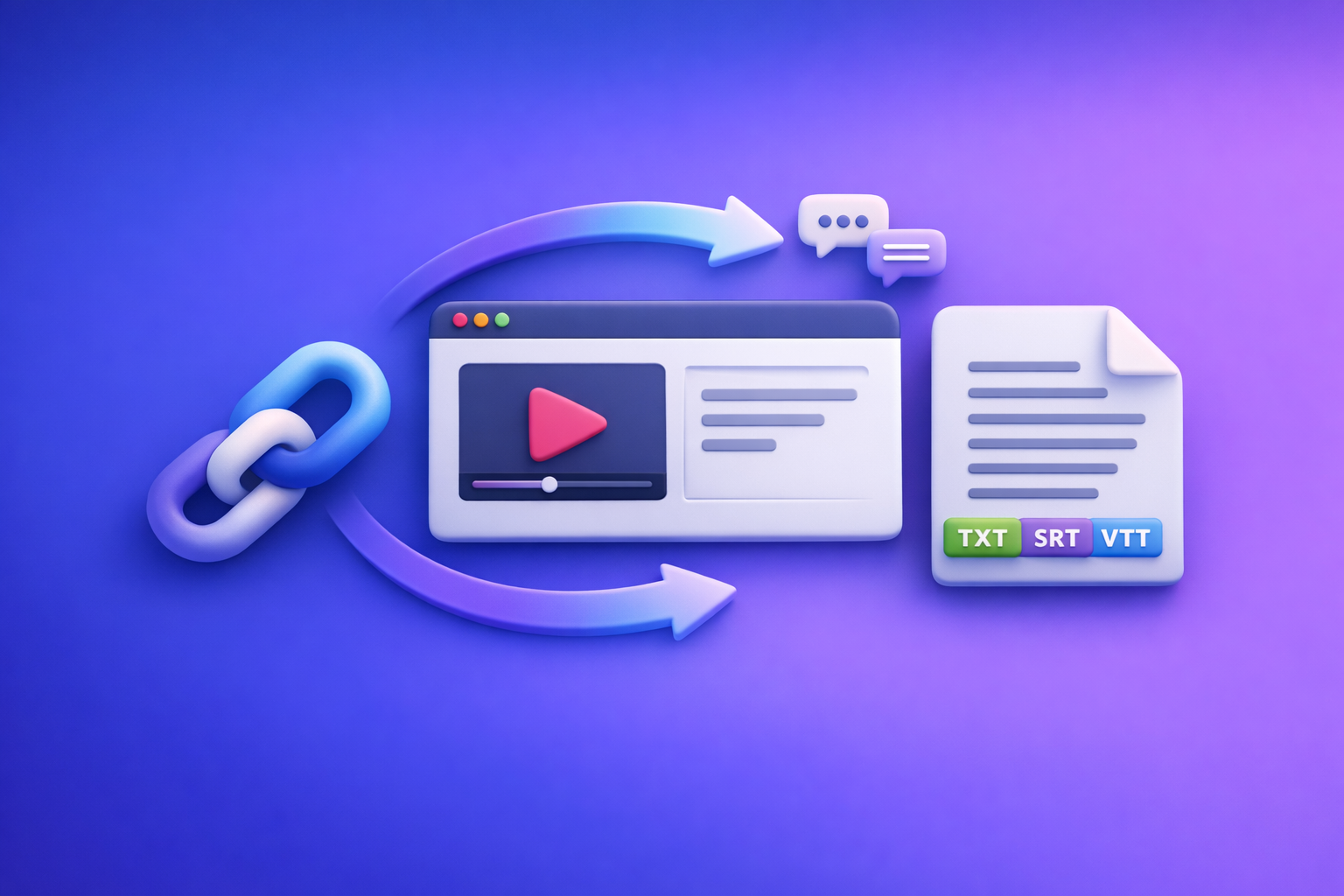
Can ChatGPT Transcribe Videos? What Actually Works in 2026 (Plus the Reliable Link → Transcript Workflow)
If you need an export-ready transcript or captions (TXT/SRT/VTT), don’t start by pasting a video link into ChatGPT—start with a link-first transcription tool, then use ChatGPT to polish and repurpose. In 2026, downloading video files is an outdated workflow for most creator and marketing teams; link-based extraction is the future of creator productivity.
Quick Answer: Can ChatGPT Transcribe Videos?
What ChatGPT can do well (once you have text)
ChatGPT is excellent at working with an existing transcript, including:
- Fixing punctuation and paragraphs
- Cleaning filler words (optional)
- Adding speaker labels (when provided or inferable)
- Creating chapters, summaries, and blog drafts
- Repurposing into social posts, email, landing page copy, and FAQs
If your goal is “make this transcript usable,” ChatGPT is a strong fit.
What ChatGPT can’t reliably do end-to-end (video link → export-ready transcript)
For end-to-end transcription from a video link, ChatGPT often fails in production because:
- It may not be able to access the link (permissions, login walls, geo restrictions).
- It may not consistently produce SRT/VTT that passes platform upload.
- Long videos can hit time, size, or processing limits.
- Timestamps and diarization can be inconsistent across runs.
When “it worked for me” still fails in production workflows
One-off success isn’t the same as a repeatable workflow.
In real teams, you need:
- Predictable access to sources (YouTube, Reels, podcasts, hosted MP4)
- Export formats that match publishing requirements (SRT/VTT)
- QA steps so you don’t ship wrong names, numbers, or missing sections
- A process that scales without “try again” loops
That’s why the reliable approach is: Link/MP4 → export-ready transcript/captions → ChatGPT.
What “Transcribe a Video” Actually Means (So You Get the Output You Need)
Transcript vs captions vs subtitles (and why it matters)
These are not interchangeable:
- Transcript: Plain text of what was said (often used for editing, SEO, and repurposing).
- Captions: Time-synced text for the same language as the audio (accessibility + engagement).
- Subtitles: Often implies translation (time-synced text in another language).
If you need to upload to YouTube, TikTok, or a course platform, you usually need captions (SRT/VTT), not just a transcript.
Common export formats: TXT, SRT, VTT (use cases + compatibility)
Pick the format based on where the text will live:
- TXT: Best for editing, docs, SEO drafts, and feeding into ChatGPT.
- SRT: Most widely accepted for caption uploads; simple and common.
- VTT: Web-friendly (HTML5 players), often preferred for web apps and some platforms.
If you’re building a repeatable workflow, plan to export TXT + SRT by default, and add VTT when needed. (If you’re starting from a file, see: mp4 to transcript, mp4 to srt, mp4 to vtt.)
Accuracy requirements: verbatim vs clean read vs speaker-labeled
Define “accuracy” before you generate anything:
- Verbatim: Includes filler words, false starts, and “um/uh.”
- Clean read: Removes filler and lightly edits for readability.
- Speaker-labeled: Adds “Speaker 1 / Speaker 2” (or names) for interviews, podcasts, meetings.
Most marketing workflows want clean read + speaker labels (when multiple speakers).
Ways People Try to Use ChatGPT for Video Transcription (And the Real-World Limits)
Option A: Paste a video link and ask ChatGPT to transcribe
Why links often fail (permissions, platform restrictions, inconsistent access)
A link is not the same as accessible media. Common blockers:
- Private/unlisted videos without access
- Platform restrictions and rate limits
- Login walls (Instagram, some podcast hosts)
- Geo restrictions
- Inconsistent tool-side retrieval
This is why link-first transcription tools exist: they’re built to fetch and process media reliably, then export in the formats you need.
What you can do if you only need a summary (not a transcript)
If you only need a high-level summary, you can sometimes:
- Use the platform’s existing transcript (if available) and paste it into ChatGPT
- Provide a short manual outline of key points and ask ChatGPT to expand
But for word-for-word output, summaries are not a substitute.
Option B: Upload an MP4 to ChatGPT
File size/time limits and why long videos break
Uploading MP4s can work for short clips, but long videos often break due to:
- File size constraints
- Processing timeouts
- Multi-hour content exceeding practical session limits
- Unpredictable truncation
From a productivity standpoint, downloading and uploading files is friction—especially when you already have a public URL. Link-based workflows remove that overhead.
Why timestamps and caption formatting are inconsistent
Even when transcription succeeds, you may see:
- Missing or uneven timestamps
- Captions that exceed readable line length
- Formatting that fails strict SRT/VTT validation
If you need upload-ready captions, start with a tool that exports validated SRT/VTT.
Option C: Provide an existing transcript to ChatGPT
Best use case: cleanup, structure, chapters, repurposing
This is where ChatGPT shines.
Use it for:
- Cleanup (punctuation, paragraphs)
- Speaker labeling
- Chaptering and titles
- Summaries and key takeaways
- Turning a transcript into a blog post or newsletter
If your goal is content repurposing, pair transcription + ChatGPT. For example, you can go from YouTube to article using: youtube to blog.
Prompt pattern for fixing punctuation, speakers, and readability
Use a consistent instruction set:
- Target style (verbatim vs clean read)
- Speaker labeling rules
- Handling of acronyms, numbers, and brand names
- Output format requirements
(Templates are included below.)
The Reliable 2026 Workflow: Video Link/MP4 → Export-Ready Transcript/Subtitles → ChatGPT
Step 1: Start with a link-first transcription tool (fastest path)
In 2026, the fastest path is paste link → generate transcript/captions → export.
This avoids:
- Downloading large files
- Re-uploading to multiple tools
- Version confusion across teams
Supported sources to prioritize (YouTube, Instagram/Reels, podcasts, hosted MP4)
Prioritize tools that handle common creator sources:
- YouTube videos
- Instagram Reels (see: IG Transcript: How to Get an Instagram Reel Transcript From a Link (Fast + Exportable))
- Podcast episode URLs (see: podcast transcription)
- Direct hosted MP4 links
When you must use MP4 upload instead of a link
Use MP4 upload only when:
- The video is internal/private and cannot be shared via accessible link
- The platform blocks retrieval even with permissions
- You’re working from raw footage not yet hosted
Even then, treat MP4 upload as the exception—not the default.
Step 2: Generate export-ready outputs (TXT/SRT/VTT)
Choose the right output for your goal (editing, publishing, accessibility, SEO)
A practical default:
- TXT for editing + ChatGPT repurposing
- SRT for most caption uploads
- VTT for web players and some LMS platforms
Include timestamps and speaker labels when needed
- Use timestamps when you need captions, chapters, or clip extraction.
- Use speaker labels for interviews, podcasts, and panel discussions.
Step 3: QA the transcript before you repurpose it
5-minute QA pass: names, acronyms, numbers, jargon, and missing sections
Do a fast spot-check:
- First 2 minutes (setup and names)
- A middle section (consistency)
- Last 2 minutes (wrap-up and CTAs)
Fix common issues: diarization errors, music/noise, overlapping speakers
Common fixes:
- Merge or split speakers when diarization flips
- Correct proper nouns (people, brands, product names)
- Re-check sections with music beds or cross-talk
- Confirm nothing is missing after a long pause or transition
Step 4: Use ChatGPT on the transcript (where it’s strongest)
Chapters + titles (YouTube chapters format)
Generate chapters with timestamps and short titles that match intent.
Summaries (executive + detailed)
Produce:
- 5-bullet executive summary
- Detailed outline with key points and examples
Blog post draft + SEO sections
Turn transcript into:
- H2/H3 structure
- FAQ section
- Meta-friendly excerpt
- Internal link suggestions
Social cutdowns (hooks, threads, LinkedIn posts)
Extract:
- 10 hooks
- 5 quote cards
- 1 LinkedIn post
- 1 X thread (optional)
Step-by-Step: Transcribe a Video Link with VideoToTextAI (Implementation Walkthrough)
1) Paste the video link into VideoToTextAI
Use a link-first workflow to avoid downloading files and re-uploading them across tools. This is the modern productivity baseline for creators and teams.
Use: VideoToTextAI
2) Select output type: Transcript (TXT) vs Captions (SRT/VTT)
Decide based on your destination:
- Transcript (TXT): editing, SEO drafts, repurposing
- Captions (SRT/VTT): uploads, accessibility, engagement
If you’re unsure, export TXT + SRT.
3) Generate and export files
Export the formats you need for your workflow:
- TXT for ChatGPT and docs
- SRT/VTT for platform uploads
4) Run the QA checklist (below) and re-export if needed
Fix obvious errors before you repurpose. This prevents “polishing the wrong text.”
5) Send the cleaned transcript to ChatGPT for repurposing outputs
Once the transcript is stable, use ChatGPT for:
- Chapters
- Summaries
- Blog drafts
- Social cutdowns
For related workflow details, see: Can ChatGPT Upload Video in 2026? What’s Actually Possible (and the Reliable Transcript-First Workflow) and Can ChatGPT Transcribe Videos? What Works in 2026 (and the Reliable Link → Transcript Workflow).
Troubleshooting: Why Your “ChatGPT Transcription” Isn’t Working
“ChatGPT can’t access the link” (private video, login walls, geo restrictions)
Fixes:
- Confirm the link is public or shared correctly
- Test in an incognito window
- Remove geo restrictions if possible
- Use a tool designed for link ingestion rather than conversational retrieval
“The transcript is incomplete” (length limits, timeouts, chunking problems)
Fixes:
- Split long videos into segments (if you must use upload)
- Prefer link-first transcription that processes long-form content reliably
- Check for silent sections or corrupted audio
“No timestamps / bad timestamps” (caption formatting vs plain text mismatch)
Fixes:
- Export SRT/VTT (not plain text) when you need timestamps
- Validate that timestamps are continuous and ordered
- Keep captions within readable line lengths
“Wrong words / hallucinated lines” (audio quality + model guessing)
Fixes:
- Improve audio (reduce noise, normalize levels)
- Re-run transcription with the correct language setting
- Manually correct proper nouns and numbers during QA
- Avoid using a “creative” model setting for transcription-like tasks
“I need SRT/VTT that passes platform upload” (format validation tips)
Validation tips:
- SRT blocks must be sequential (1, 2, 3…)
- Timestamps must be properly formatted and increasing
- Avoid overly long caption lines (readability + platform checks)
- Ensure no missing blank lines between SRT blocks
Checklist: Export-Ready Transcript/Captions in Under 10 Minutes
Input checklist (before you transcribe)
- Confirm link is public or accessible
- Identify language(s) and accents
- Note speaker count and whether diarization is required
- Decide output: TXT vs SRT vs VTT
Output checklist (after you transcribe)
- Spot-check first 2 minutes + a mid section + last 2 minutes
- Verify names, brands, URLs, numbers, dates
- Confirm timestamps are continuous and ordered (SRT/VTT)
- Ensure caption line length is readable (no walls of text)
- Export final: TXT + SRT (and VTT if needed)
Templates: Copy/Paste Prompts for ChatGPT (Use After You Have the Transcript)
Prompt 1: Clean transcript (punctuation, paragraphs, speaker labels)
You are an editor. Clean the transcript below into a readable “clean read” version.
Rules:
- Keep meaning identical; remove filler words only when it improves readability.
- Add paragraphs every 2–4 sentences.
- Add speaker labels as Speaker 1, Speaker 2 (don’t invent names).
- Preserve all proper nouns, product names, URLs, and numbers exactly.
Output: cleaned transcript only.

TRANSCRIPT:
[paste transcript]
Prompt 2: Create chapters with timestamps (YouTube-ready)
Create YouTube chapters from this transcript.
Rules:
- Output 8–12 chapters.
- Format each line as: 00:00 Title
- Use short, specific titles (max ~6 words).
- Ensure the first chapter starts at 00:00.
If timestamps are missing, infer approximate sections and label them without timestamps.

TRANSCRIPT:
[paste transcript]
Prompt 3: Turn transcript into an SEO blog post outline + draft
Turn this transcript into an SEO blog post.
Requirements:
- Provide an outline (H2/H3) first, then a draft.
- Include a short intro (2–3 sentences), then actionable sections with bullets.
- Add an FAQ with 5 questions based on the transcript.
- Keep claims factual; don’t add details not supported by the transcript.

TARGET KEYWORD: can chat gpt transcribe videos
TRANSCRIPT:
[paste transcript]
Prompt 4: Generate 10 short-form hooks + captions from key moments
Extract 10 short-form video hooks and captions from this transcript.
Rules:
- Each hook: 8–14 words.
- Each caption: 1–2 sentences, punchy, no hashtags.
- Include the exact quote snippet (1 sentence) that inspired each hook.

TRANSCRIPT:
[paste transcript]
Competitor Gap
Gap 1: Competitors don’t separate “link access” from “transcription quality”
Most pages imply “AI transcription” is one problem. In practice, accessing the media is the first failure point, and it’s separate from accuracy.
Gap 2: Competitors skip export formats (TXT/SRT/VTT) and platform requirements
Creators don’t just need text—they need uploadable captions. Without SRT/VTT guidance, users end up with unusable output.
Gap 3: Competitors lack a repeatable workflow (QA + repurposing steps)
A real workflow includes QA and a clear handoff to repurposing (where ChatGPT is strongest).
Gap 4: Competitors don’t provide troubleshooting for failures (permissions, limits, formatting)
Most content stops at “try uploading.” Production teams need failure modes and fixes.
Gap 5: Competitors don’t include execution assets (checklist + prompts)
Checklists and prompts turn advice into action. Without them, users still guess.
FAQ
Can ChatGPT transcribe a YouTube video?
Sometimes, but it’s not dependable from a YouTube link alone. For consistent results, generate a transcript/captions via a link-first tool, then use ChatGPT to clean and repurpose.
How do I use ChatGPT to transcribe video to text?
Use ChatGPT after transcription: paste the transcript and ask for cleanup, speaker labels, chapters, summaries, and content outputs. For the transcription step itself, use a tool that exports TXT/SRT/VTT.
Is there a free way to transcribe video to text?
Some platforms provide auto-captions or transcripts, and some tools offer limited free tiers. The tradeoff is usually limits, inconsistent exports, and more manual QA.
What’s the best AI to transcribe video to text accurately?
The best option is the one that reliably ingests your source (preferably link-first), supports SRT/VTT exports, and matches your accuracy needs (verbatim/clean read/speaker-labeled).
Can Copilot transcribe a video?
It may help with summarization or working from existing text, but end-to-end video link transcription and export-ready captions are not consistently reliable. The transcript-first workflow remains the most dependable approach.
Related posts
Reel Analyser (Instagram Reels): Transcript‑First Competitor Research, Hook/CTA Extraction, and Repurposing Workflow (VideoToTextAI)
Video To Text AI
A 2026 reel analyser should turn Instagram Reel links into a searchable transcript library you can tag for hooks, CTAs, objections, and topic clusters—then export into repurposing-ready drafts without a download/upload loop.
Traducir video de Instagram (Reels) en 2026: workflow transcript-first para traducir, sacar hooks/CTAs y repurpose (con VideoToTextAI)
Video To Text AI
Aprende a traducir un Reel de Instagram con un flujo URL→transcripción→traducción→subtítulos, y a convertir esa traducción en un activo de investigación para hooks, CTAs, objeciones y clusters de contenido.
Reel Analyzer: Transcript‑First Instagram Reels Research (Hooks, CTAs, Objections) + Workflow Guide (VideoToTextAI)
Video To Text AI
A reel analyzer should turn any public Instagram Reel link into a searchable transcript library you can mine for hooks, CTAs, objections, and topic clusters—then repurpose into original drafts with a repeatable SOP.