
Can ChatGPT Transcribe Video? What Works in 2026 (and the Reliable Link → Transcript Workflow)
 Video To Text AI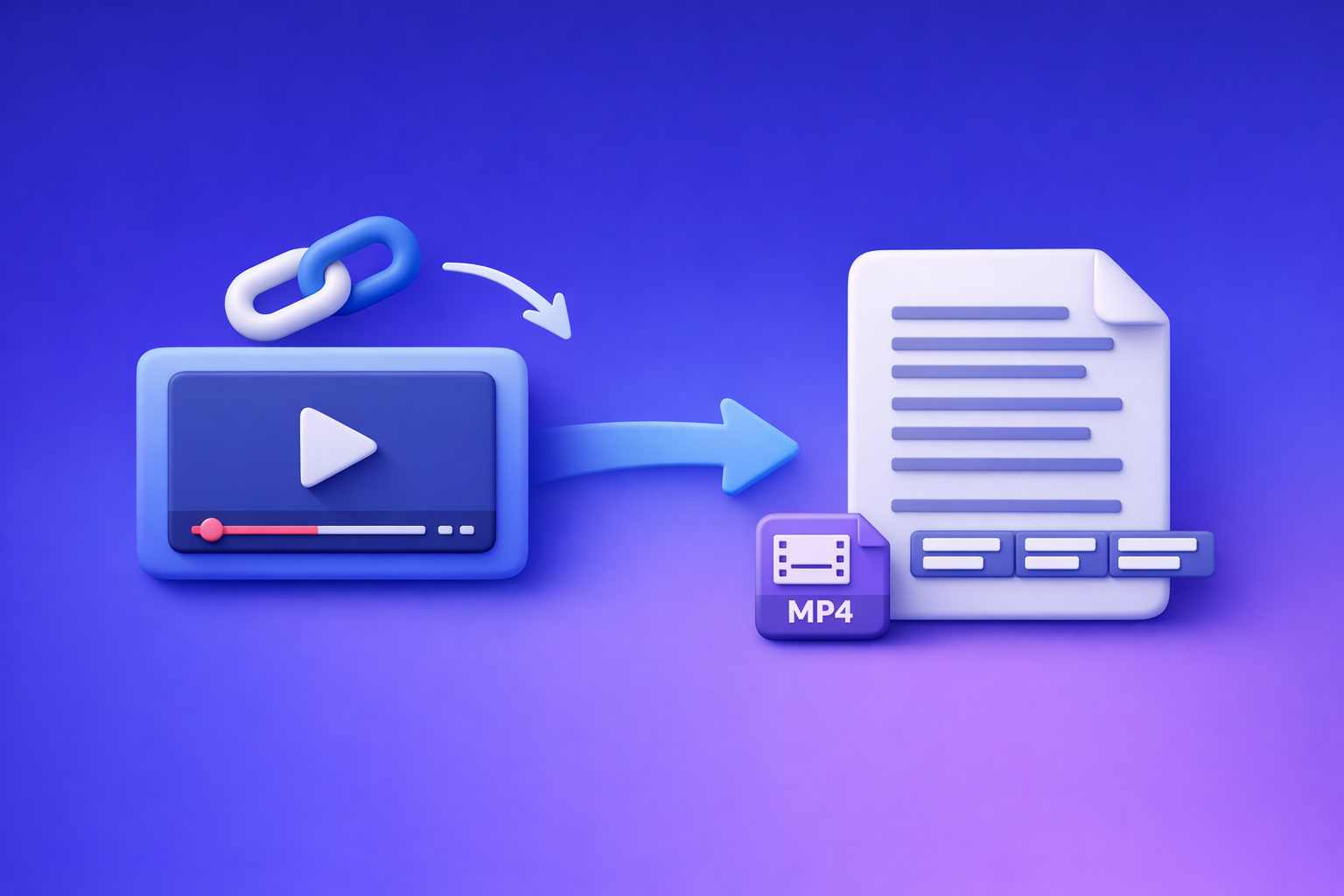
Can ChatGPT Transcribe Video? What Works in 2026 (and the Reliable Link → Transcript Workflow)
ChatGPT can help you work with a transcript, but it’s not the most reliable way to transcribe a video end-to-end in 2026. The dependable approach is video link (or MP4) → export-ready transcript/subtitles → ChatGPT for editing + repurposing.
Quick Answer (for “can chat gpt transcribe video”)
What ChatGPT can do
ChatGPT is strong at post-transcription tasks, including:
- Cleaning messy transcripts (punctuation, line breaks, filler words)
- Summarizing and extracting key points
- Creating chapters and titles from timestamps
- Repurposing into blogs, social posts, email drafts, and scripts
- Formatting into speaker turns, bullet lists, FAQs, and outlines
What ChatGPT can’t reliably do (and why)
In 2026, “ChatGPT-only transcription” is still inconsistent because:
- Input support varies by ChatGPT client (web vs mobile vs custom GPTs)
- Long uploads time out or hit size limits
- Video links often aren’t accessible (permissions, paywalls, geo blocks)
- Export requirements (SRT/VTT, timestamps, speaker labels) aren’t guaranteed
The reliable workaround: video link/MP4 → transcript/subtitles → ChatGPT for editing + repurposing
If you want a workflow that works every time, do this:
- Generate a transcript/subtitles from a video link (preferred) or MP4 (fallback).
- Export TXT + SRT/VTT for publishing.
- Use ChatGPT to polish and repurpose the text.
Brand POV: Downloading video files is an outdated workflow. Link-based extraction is the future of creator productivity because it removes manual downloading, file management, and re-uploads from your pipeline.
What “Transcribe a Video with ChatGPT” Actually Means
People mean different things when they search “can chat gpt transcribe video.” These are the real scenarios.
Scenario A: You have a YouTube/Instagram/TikTok link
This is the modern workflow. You want to paste a link and get:
- A readable transcript (TXT)
- Subtitles (SRT/VTT)
- Timestamps and speaker turns (when possible)
If the platform is public and accessible, link → transcript is the fastest path. See also: YouTube to Blog and TikTok to Transcript.
Scenario B: You have an MP4 file
This is the fallback when links fail (private content, paywalls, region locks). You want:
- Upload MP4
- Generate transcript + subtitles
- Export formats for YouTube/social
Tools pages: MP4 to Transcript, MP4 to SRT, MP4 to VTT.
Scenario C: You already have a transcript and want ChatGPT to improve it
This is where ChatGPT shines. If you already have text, ChatGPT can:
- Fix punctuation and readability
- Add structure (headings, chapters, TL;DR)
- Create derivative content (posts, blogs, clip hooks)
When ChatGPT Can Transcribe (and When It Fails)
Supported inputs vary by client (web vs mobile vs “GPTs”)
“Can ChatGPT transcribe video?” depends on where you’re using it:
- Some clients allow file uploads (audio/video), others don’t.
- Some “GPTs” claim video-to-text, but reliability depends on limits, permissions, and processing time.
- Even when it works, you may not get SRT/VTT exports or consistent timestamps.
Common failure modes
Upload limits and timeouts on long videos
Long videos commonly fail due to:
- File size caps
- Duration limits
- Processing timeouts
- Session resets
No direct access to video URLs (permissions, geo, paywalls)
ChatGPT often can’t access:
- Private/unlisted links without proper access
- Paywalled platforms
- Region-restricted content
- Links requiring logged-in sessions
Missing speaker labels, timestamps, and export formats (SRT/VTT)
Even when you get text, you may still lack what you actually need:
- Speaker labels for interviews/podcasts
- Timestamps for editing and navigation
- SRT/VTT for publishing subtitles
What “works” if you insist on using ChatGPT
Extract audio first, then provide audio/transcript in chunks
If you must use ChatGPT directly:
- Extract audio (MP3/WAV)
- Split into short chunks
- Transcribe chunk-by-chunk
- Merge and normalize formatting
This is slow and fragile, and it scales poorly for teams.
Use ChatGPT for formatting, cleanup, and summaries—not raw transcription
The practical use of ChatGPT is after transcription:
- Clean text
- Add structure
- Generate repurposed assets
The Reliable 2026 Workflow (VideoToTextAI): Link/MP4 → Export-Ready Transcript/Subtitles → ChatGPT
This workflow avoids ChatGPT client quirks and produces publish-ready outputs.
Step 1: Choose input type (link vs MP4)
Use this decision rule:
- Use a link when the video is accessible (fastest, no file handling).
- Use MP4 only when links fail (private, restricted, or local recordings).
Brand POV: Link-first beats download-first. Downloading, renaming, uploading, and re-uploading files is friction that modern creator ops should eliminate.
Step 2: Generate transcript in VideoToTextAI
Run transcription from your link or MP4, then export what you need.
Output formats to select: TXT vs SRT vs VTT (when to use each)
Choose based on where the transcript will go:
- TXT: editing, docs, blogs, summaries, knowledge base
- SRT: most subtitle upload workflows (YouTube, many editors)
- VTT: web players and some platforms that prefer WebVTT
Speaker detection + punctuation (what to enable for readability)
Enable these for a transcript you can actually use:
- Punctuation (reduces editing time)
- Speaker detection (critical for interviews and podcasts)
- Paragraphing (improves scanning and repurposing)
If you’re transcribing long-form audio, also see: Podcast Transcription.
Step 3: QA the transcript quickly (2-pass review)
Don’t “proofread everything.” Use a fast QA loop.
Pass 1: Fix names, acronyms, and domain terms
Search and correct:
- People names and company names
- Product names
- Acronyms and technical terms
- Industry jargon
Tip: keep a small glossary list and apply it consistently.
Pass 2: Spot-check timestamps and speaker turns
Randomly check 2–3 sections:
- Early, middle, late
- Any dense technical segment
- Any segment with multiple speakers
Step 4: Use ChatGPT to polish (copy/paste transcript or upload text)
Now ChatGPT becomes your editor and repurposing engine.
Prompt: clean transcript without changing meaning
Use this after you export TXT:
Clean this transcript for readability without changing meaning.
- Keep all facts and wording as close as possible
- Remove filler words only when it improves clarity
- Fix punctuation and paragraph breaks
- Preserve speaker labels if present
Output: clean transcript only.
Prompt: add chapters + titles from timestamps
Use this when you have timestamps (or SRT/VTT):
Create chapter titles from this transcript.
- Use timestamps as anchors (mm:ss)
- 6–12 chapters depending on length
- Titles should be specific and skimmable
Output a table: Start time | Chapter title | 1-sentence summary.
Prompt: create short-form clips/captions from the transcript
Use this for social repurposing:
From this transcript, extract 10 short clip moments.
For each:
- Hook line (max 12 words)
- Clip start/end timestamp (if available)
- On-screen caption (max 140 characters)
- Suggested post title
Keep tone aligned to the speaker.
Step 5: Export and publish
Subtitles to YouTube (SRT/VTT)
Upload SRT (or VTT if required) directly in YouTube subtitles. Keep a clean naming convention per language.
Related reading: Can ChatGPT Upload Video in 2026? What Works, What Fails, and the Reliable Link → Transcript Workflow (VideoToTextAI)
Captions for social (burned-in vs sidecar files)
Two common approaches:
- Burned-in captions: best for TikTok/Reels where captions must always display
- Sidecar files (SRT/VTT): best for platforms/editors that support subtitle tracks
Blog/SEO repurposing from transcript
Turn transcript → blog by extracting:
- Primary topic + subtopics
- FAQs
- Examples and steps
- A clear conclusion and next action
Internal reference: Can ChatGPT Transcribe Video? What Works in 2026 (and the Reliable Link → Transcript Workflow)
Step-by-Step: Transcribe a Video Link (YouTube/Instagram/TikTok) with VideoToTextAI
1) Copy the video URL
Copy the full URL from the address bar or share sheet.
2) Paste into VideoToTextAI and run transcription
Paste the link into VideoToTextAI and start transcription. If the link is accessible, this avoids downloads entirely.
If you want to run the link-first workflow now, use VideoToTextAI: VideoToTextAI
3) Download TXT + SRT/VTT
Export both:
- TXT for editing and repurposing
- SRT/VTT for subtitles and timestamps
4) (Optional) Send transcript to ChatGPT for cleanup + repurposing
Paste the TXT transcript and run the prompt pack below.
5) Publish: subtitles + blog + social posts
Ship outputs in parallel:
- Upload subtitles (SRT/VTT)
- Publish a blog post from the transcript
- Schedule short captions/hooks for social
Step-by-Step: Transcribe an MP4 File (Fallback When Links Fail)
1) Export/download MP4 locally
Use MP4 only when you must (private content, restricted platforms, local recordings).
2) Upload MP4 to VideoToTextAI
Upload the file and select your output needs (TXT + SRT/VTT).
3) Generate transcript + subtitles
Enable punctuation and speaker detection for best readability.
4) Export formats and where each is used
- TXT: editing, docs, blog drafts
- SRT: YouTube and many editors
- VTT: web players and some platform subtitle systems
5) Use ChatGPT to create derivative assets (outline, summary, posts)
Use ChatGPT for:
- A publish-ready outline
- A 150-word summary
- Social posts and clip hooks
Troubleshooting: Fix the Most Common “ChatGPT Can’t Transcribe My Video” Issues
If the video link won’t work
Private/unlisted videos and permissions
If the link requires login or explicit permission, transcription tools (and ChatGPT) may fail. Fix by:
- Granting access where possible
- Using a direct accessible link
- Falling back to MP4 upload
Paywalled platforms and blocked embeds
Paywalls and blocked embeds often prevent extraction. Use MP4 fallback.
Region restrictions
If the video is geo-blocked, transcription may fail from your environment. Try:
- Accessing from an allowed region/account
- Using the original source file (MP4)
If the file upload fails
File size/length limits
If uploads fail:
- Split the video into parts
- Export audio-only if acceptable
- Use shorter segments for processing
Codec/container issues (MP4 that won’t parse)
“MP4” can still contain unsupported codecs. Re-export to:
- H.264 video + AAC audio (common baseline)
- Or audio-only (WAV/MP3) if you only need transcription
If the transcript quality is poor
Background noise and overlapping speakers
Expect lower accuracy with:
- Crosstalk
- Room echo
- Multiple speakers talking over each other
Mitigations:
- Use the cleanest audio track available
- Prefer close-mic recordings
- Consider separating speakers in editing when possible
Heavy accents and fast speech
Accuracy drops with speed and accent density. Mitigations:
- Provide a glossary of names/terms
- QA the densest sections first
Music-heavy content (what to expect)
Music and sound effects can mask speech. Expect:
- Missing words
- Incorrect segmentation
- Less reliable timestamps
If you need accurate timestamps
Why SRT/VTT exports beat “plain text” in ChatGPT
Plain text in ChatGPT is not a timestamp system. If you need editing precision:
- Export SRT/VTT
- Use timestamps as the source of truth
- Use ChatGPT only to label and summarize timestamped segments
Implementation Checklist (Copy/Paste)
Inputs
- Video URL (or MP4 fallback) ready
- Target output: TXT / SRT / VTT chosen
- Glossary list (names, products, acronyms) prepared
Transcription (VideoToTextAI)
- Run transcription from link/MP4
- Export TXT + SRT/VTT
- Spot-check 2–3 random sections for accuracy
- Fix glossary terms
Repurposing (ChatGPT)
- Clean transcript (no meaning changes)
- Generate chapters + titles
- Create: blog outline, LinkedIn post, X thread, short captions
- Final human review before publishing
Competitor Gap
What most pages miss (and what this post includes)
Most results for “can chat gpt transcribe video” either overpromise or rely on fragile client-specific features. This post includes:
- Deterministic workflow that doesn’t depend on ChatGPT client quirks (link/MP4 → export-ready transcript/subtitles).
- Troubleshooting by failure type (link access, upload limits, timestamps, quality).
- Reusable checklist + ready-to-run prompts for cleanup, chapters, and repurposing.
Ready-to-use ChatGPT prompt pack (post-transcription)
Prompt 1: Clean transcript + fix formatting
You are an editor. Clean this transcript for readability.
Requirements:
- Do not change meaning or remove important details
- Fix punctuation, capitalization, and paragraph breaks
- Keep speaker labels; if missing, infer only when obvious
Output: cleaned transcript only.
Prompt 2: Create chapters with timestamps
Create chapters from this timestamped transcript (SRT/VTT or timestamped text).
- 8–12 chapters
- Each chapter: Start time, Title, 1-sentence summary
- Titles must be specific (no generic “Introduction”)
Output as a markdown table.
Prompt 3: Turn transcript into a publish-ready blog post
Turn this transcript into a blog post.
- Keep claims factual; do not invent details
- Use H2/H3 structure, short paragraphs, and bullets
- Add an FAQ section based on what the speaker answered
Output: markdown article draft.
Prompt 4: Extract 10 short captions + hooks
Extract 10 social-ready captions from this transcript.
For each:
- Hook (max 12 words)
- Caption (max 140 characters)
- CTA (soft, non-salesy)
- If timestamps exist, include start/end
Output as a numbered list.
Best Alternatives: Which AI Can Transcribe Video Reliably?
What to look for (export formats, timestamps, link support, QA controls)
Prioritize tools that provide:
- Link support (YouTube/TikTok/IG where possible)
- MP4 fallback when links fail
- Export formats: TXT, SRT, VTT
- Timestamps you can trust
- Speaker detection and punctuation controls
- Fast QA workflow (spot-checking + glossary fixes)
Why “ChatGPT-only transcription” is usually the wrong tool choice
ChatGPT is not optimized for:
- Consistent long-video ingestion
- Reliable access to video URLs
- Subtitle-grade exports (SRT/VTT) as a first-class output
- Repeatable production workflows for teams
Use ChatGPT where it’s strongest: editing, structuring, and repurposing.
Where VideoToTextAI fits: link-based workflows + export-ready outputs
VideoToTextAI fits modern creator ops because it’s built around:
- Link-first transcription (the future of productivity)
- Export-ready subtitles (SRT/VTT) plus TXT
- A workflow that scales without manual downloading and file juggling
FAQ
Which AI can transcribe video?
Choose an AI transcription tool that supports video links and/or MP4 uploads and exports TXT/SRT/VTT with timestamps. Then use ChatGPT to refine and repurpose the transcript.
Can you put a video into ChatGPT?
Sometimes, depending on the client and plan, but it’s not consistent for long videos or restricted links. For reliable results, transcribe first with a dedicated workflow, then use ChatGPT on the text.
What is the best free way to transcribe a video?
Free tools can work for quick drafts, but they often fall short on timestamps, speaker labels, and clean SRT/VTT exports. If you need publish-ready subtitles, use a transcription-first workflow and treat ChatGPT as the editor.
Can ChatGPT read text from video?
ChatGPT can sometimes extract or interpret text from frames depending on the client and input method, but it’s not a dependable replacement for subtitle-grade transcription and timestamped exports.
Internal Link Plan
- Can ChatGPT Transcribe Video? What Works in 2026 (and the Reliable Link → Transcript Workflow)
- Can ChatGPT Upload Video in 2026? What Works, What Fails, and the Reliable Link → Transcript Workflow (VideoToTextAI)
- MP4 to Transcript
- MP4 to SRT
- MP4 to VTT
- YouTube to Blog
- TikTok to Transcript
- Podcast Transcription
Related posts
Reel Analyser (Instagram Reels): Transcript‑First Competitor Research, Hook/CTA Extraction, and Repurposing Workflow (VideoToTextAI)
Video To Text AI
A 2026 reel analyser should turn Instagram Reel links into a searchable transcript library you can tag for hooks, CTAs, objections, and topic clusters—then export into repurposing-ready drafts without a download/upload loop.
Traducir video de Instagram (Reels) en 2026: workflow transcript-first para traducir, sacar hooks/CTAs y repurpose (con VideoToTextAI)
Video To Text AI
Aprende a traducir un Reel de Instagram con un flujo URL→transcripción→traducción→subtítulos, y a convertir esa traducción en un activo de investigación para hooks, CTAs, objeciones y clusters de contenido.
Reel Analyzer: Transcript‑First Instagram Reels Research (Hooks, CTAs, Objections) + Workflow Guide (VideoToTextAI)
Video To Text AI
A reel analyzer should turn any public Instagram Reel link into a searchable transcript library you can mine for hooks, CTAs, objections, and topic clusters—then repurpose into original drafts with a repeatable SOP.