
Can ChatGPT Transcribe Videos? What Works in 2026 + The Reliable Link → Transcript Workflow (VideoToTextAI)
 Video To Text AI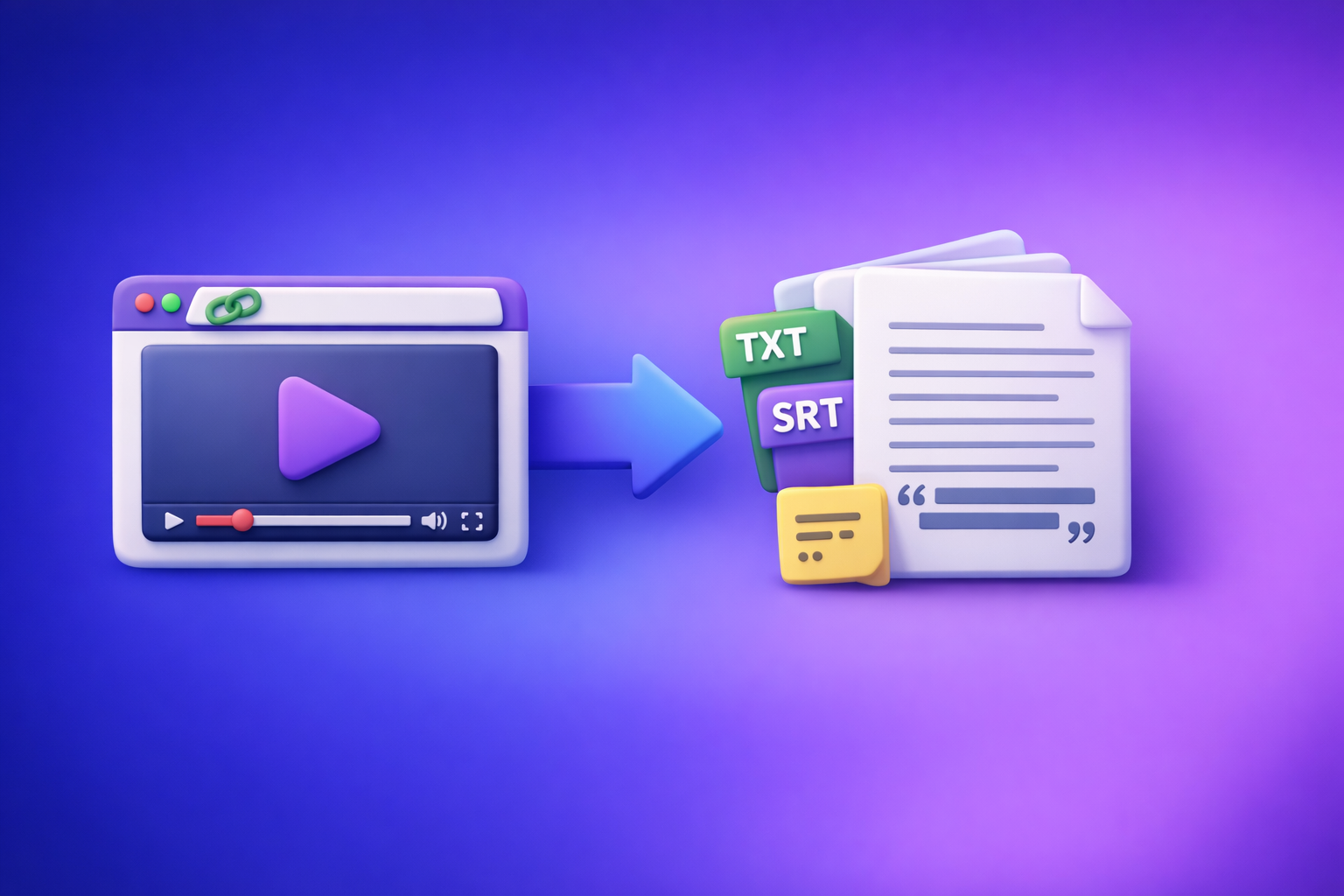
Can ChatGPT Transcribe Videos? What Works in 2026 + The Reliable Link → Transcript Workflow (VideoToTextAI)
ChatGPT is best used to edit and repurpose a transcript—not as the tool that “listens” to your video and outputs export-ready captions. The reliable 2026 workflow is video link/MP4 → TXT/SRT/VTT transcript export → ChatGPT post-processing, because link access, timestamps, and long-video output are where ChatGPT alone breaks.
Quick Answer (What You Can Expect From ChatGPT)
Can ChatGPT transcribe a video link (YouTube/Drive/Instagram)?
Usually not in a dependable way. Even when it appears to work, results vary due to:
- Link permissions (private Drive links, restricted Instagram content, age-gated YouTube)
- Inconsistent “watching”/retrieval behavior across devices and accounts
- No guaranteed timestamps or caption exports
If your workflow starts with “download the video, then upload it somewhere,” that’s already outdated. Link-based extraction is the future of creator productivity because it removes file wrangling, version confusion, and repeated uploads.
Can ChatGPT transcribe an uploaded MP4?
Sometimes, but it’s not a stable pipeline. Common constraints include:
- File size/length limits that change over time
- Output truncation on long videos
- No consistent SRT/VTT formatting
When ChatGPT is useful in a transcription workflow (cleanup, summaries, repurposing)
ChatGPT is excellent when you provide it text it can reliably process, such as:
- A raw transcript (TXT)
- Captions (SRT/VTT) with timestamps
- A cleaned excerpt for a specific segment
Use it for:
- Punctuation + readability
- Summaries and key takeaways
- Chapters and headings
- Repurposing into blog/social/email
When ChatGPT is unreliable (long videos, link permissions, exports, timestamps)
ChatGPT becomes unreliable when you need:
- Long-form transcription (60–180 minutes)
- Guaranteed completeness (no missing sections)
- Export-ready captions (SRT/VTT that pass platform validators)
- Precise timestamps (especially word-level)
What “Transcribe Videos” Actually Means (Pick Your Output)
Before you choose a tool, define the deliverable. “Transcription” can mean very different outputs.
Transcript (TXT) vs captions (SRT/VTT) vs subtitles (translated)
- Transcript (TXT): Best for blogs, documentation, search indexing, and internal notes.
- Captions (SRT/VTT): Best for YouTube, TikTok, Reels, courses, and accessibility.
- Subtitles (translated): Best for localization; typically built from a solid base transcript.
If you start with the wrong output, you’ll redo work later. Decide upfront.
Timestamp requirements: sentence-level vs word-level
- Sentence-level timestamps: Great for chapters, highlights, and quick navigation.
- Word-level timestamps: Useful for advanced editing and karaoke-style captions, but heavier and not always required.
Most creators only need sentence-level for chapters and caption-level for SRT/VTT.
Speaker labels, chapters, and formatting expectations
Decide whether you need:
- Speaker diarization (Speaker 1 / Speaker 2)
- Named speakers (host/guest)
- Chapters (topic blocks with timestamps)
- Readable paragraphs (not one giant wall of text)
Accuracy factors: audio quality, accents, multiple speakers, music
Accuracy is driven by input quality:
- Clean mic > room echo
- One speaker > cross-talk
- Minimal background music
- Consistent volume levels
Your tool choice matters, but audio quality is still the biggest lever.
Why ChatGPT Alone Isn’t a Dependable Video Transcription Pipeline
Inconsistent access to video uploads and link “watching”
ChatGPT is not a guaranteed video ingestion system. Even if it can accept a file or interpret a link in one session, you can’t build a repeatable production workflow on “maybe it will open.”
File size/length limits and context window constraints
Long videos create two problems:
- Ingestion limits (upload size/time)
- Output limits (responses truncate, or you must chunk manually)
Chunking works, but it’s operationally expensive and easy to mess up.
No guaranteed export-ready SRT/VTT formatting
Captions require strict formatting:
- Sequential timestamps
- No overlaps
- Reasonable line lengths
- Consistent punctuation
ChatGPT can generate SRT/VTT-like text, but it’s not reliably validator-clean without manual QA.
Common failure modes (partial output, hallucinated lines, missing timestamps)
Typical issues when using ChatGPT as the transcriber:
- Stops early (“Here’s the first part…”)
- Skips sections silently
- Produces plausible-but-wrong lines (hallucinations)
- Outputs timestamps that don’t match the audio
That’s why the modern approach is: use a transcription engine for transcription, then use ChatGPT for editorial work.
The Reliable Workflow: Video Link/MP4 → Export-Ready Transcript → ChatGPT for Post-Processing
This is the workflow we recommend at VideoToTextAI: stop downloading files as the default. Link-first transcription is faster, cleaner, and easier to scale across teams.
Step 1: Start with a link-first or file-first transcription tool (VideoToTextAI)
Supported inputs: YouTube, Instagram/Reels, podcasts, MP4
Use the right entry point based on your source:
- YouTube workflows: see YouTube to Blog
- Instagram/Reels: see Instagram to Text
- Podcasts: see Podcast Transcription
- MP4 uploads: see MP4 to Transcript
Choose your export: TXT, SRT, VTT (and why it matters)
- Choose TXT if your goal is writing and SEO.
- Choose SRT if your goal is captions for most platforms.
- Choose VTT if you’re publishing to web players or need WebVTT support.
If you’re unsure, generate TXT + SRT/VTT in the same run so you don’t repeat transcription.
Step 2: Generate the transcript/captions in VideoToTextAI
Settings to choose before you run (language, speaker detection, timestamps)
Set these before you hit transcribe:
- Language (and dialect if available)
- Speaker detection (on for interviews/podcasts)
- Timestamps (on if you need captions, chapters, or clip selection)
Output validation: spot-check 60 seconds in 3 places
Don’t “trust and publish.” Validate quickly:
- Check 60 seconds near the start
- Check 60 seconds in the middle
- Check 60 seconds near the end
This catches 90% of issues (bad audio segments, music, speaker overlap).
Step 3: Use ChatGPT to improve the transcript (not to “listen” to the video)
ChatGPT should receive exported text (TXT or SRT/VTT), not a link and a hope.
Cleanup prompt: remove filler, fix punctuation, keep meaning
Use ChatGPT to:
- Remove “um/uh/like” where appropriate
- Fix punctuation and capitalization
- Preserve technical terms and intent
Structure prompt: add headings, chapters, and key takeaways
Have ChatGPT:
- Add H2/H3 headings
- Create chapter titles
- Summarize key points per section
Repurpose prompt: blog post, LinkedIn post, Twitter thread, email
Turn one transcript into multiple assets:
- SEO blog draft
- LinkedIn carousel outline
- Short-form hooks and captions
- Newsletter email
Step 4: Final QA + publish/export
Captions QA: line length, reading speed, punctuation, timing
Before uploading SRT/VTT:
- Keep max 2 lines per caption
- Avoid dense blocks (reading speed matters)
- Ensure punctuation supports readability
- Spot-check sync at start/middle/end
Transcript QA: names, numbers, jargon, links, calls-to-action
Highest-impact errors are usually:
- Names (people, brands, products)
- Numbers (pricing, dates, metrics)
- URLs (broken links)
- Industry jargon (misheard terms)
Step-by-Step: Transcribe a Video Link With VideoToTextAI (Fastest Path)
1) Paste the video link into VideoToTextAI
Use the source-specific tool page (YouTube, Instagram, podcast) so you don’t waste time downloading files.
If you’re building a repeatable content pipeline, link-first is the default.
2) Select output format (TXT/SRT/VTT) based on your use case
- Blog/SEO: TXT
- Captions: SRT or VTT
- Both: generate TXT + SRT/VTT together
3) Run transcription and download exports
Download the exports and store them with a consistent naming convention:
video-title_transcript.txtvideo-title_captions.srt
4) Optional: create a blog/social draft from the transcript
Use YouTube to Blog to jump straight from video to written content structure.
Step-by-Step: Transcribe an MP4 With VideoToTextAI
1) Upload MP4 (or use the MP4-specific tool page)
Start here:
2) Generate TXT + SRT/VTT in one pass (recommended)
This prevents rework:
- TXT for editing and SEO
- SRT/VTT for publishing and accessibility
3) Translate subtitles (if needed) after you have the base transcript
Translation is more accurate when it starts from a clean base transcript.
Do not translate from messy, unpunctuated text.
4) Repurpose into written content
Use ChatGPT to create:
- A blog outline + draft
- A “key moments” list for clips
- Social captions and hooks
ChatGPT Prompt Pack (Copy/Paste) for Transcript Cleanup + Repurposing
Use these prompts after you export TXT or SRT/VTT from your transcription tool.
Prompt 1 — Transcript cleanup (keep meaning, fix grammar, remove filler)
You are editing a raw transcript. Clean it up for readability without changing meaning.
Rules:
- Remove filler words (um, uh, like) when it improves clarity.
- Fix punctuation, capitalization, and obvious mis-hearings.
- Keep technical terms, product names, and numbers exactly as written unless clearly wrong.
- Do not add new facts.
Output: cleaned transcript in paragraphs.

Transcript:
[PASTE TXT HERE]
Prompt 2 — Speaker labels + readable formatting
Format this transcript for an interview.
Rules:
- Add speaker labels (Host, Guest) where clear from context; otherwise use Speaker 1/2.
- Break into short paragraphs (max 3 sentences).
- Keep wording the same except for punctuation and minor cleanup.
Output: formatted transcript.

Transcript:
[PASTE TXT HERE]
Prompt 3 — Chapters with timestamps (use existing timestamps from SRT/VTT)
Create chapters using the timestamps already present.
Input is an SRT/VTT caption file.
Rules:
- Identify topic shifts and create 6–12 chapters.
- Use the first timestamp of the relevant section for each chapter.
- Output as a list: HH:MM:SS — Chapter title (5–8 words).

Captions:
[PASTE SRT OR VTT HERE]
Prompt 4 — Turn transcript into a blog post (SEO-friendly structure)
Turn this transcript into a publish-ready blog post.
Rules:
- Use an SEO-friendly structure with H2/H3 headings.
- Add a short intro (2–3 sentences), then actionable sections.
- Include a concise conclusion and a bullet list of takeaways.
- Do not invent data; only use what’s in the transcript.
Output in markdown.

Transcript:
[PASTE CLEANED TXT HERE]
Prompt 5 — Create short-form captions + hooks from key moments
Extract 10 short-form content ideas from this transcript.
For each idea, provide:
- Hook (max 12 words)
- 1–2 sentence caption
- Suggested on-screen text (max 8 words)
- Why it will perform (1 sentence)

Transcript:
[PASTE CLEANED TXT HERE]
Troubleshooting: Common Issues and Fixes
“ChatGPT won’t open my video link”
Fix:
- Don’t rely on ChatGPT to access links.
- Use a link-first transcription workflow and paste the exported transcript into ChatGPT.
If you need more context on video ingestion limits, see Can ChatGPT Upload Video in 2026? What Actually Works (Plus a Reliable Link → Transcript Workflow).
“The transcript is missing sections / stops early”
Fix:
- Re-run transcription with timestamps enabled.
- Spot-check start/middle/end before you repurpose.
- If using ChatGPT for chunking, chunk by time ranges and keep a checklist of covered intervals.
“Captions are out of sync / lines are too long”
Fix:
- Prefer exporting SRT/VTT from a transcription tool (not generated from scratch in ChatGPT).
- Enforce caption rules:
- Max 2 lines
- Avoid long sentences
- Keep timing sequential with no overlaps
“Multiple speakers are merged together”
Fix:
- Enable speaker detection/diarization during transcription.
- If speakers still merge, manually correct speaker turns in the transcript, then ask ChatGPT to reformat.
“Background music causes errors”
Fix:
- If possible, use a cleaner audio track (dialogue-forward mix).
- Expect lower accuracy in music-heavy segments and plan manual review for those timestamps.
Checklist: Export-Ready Transcript/Captions (Before You Publish)
Transcript checklist (TXT)
- Verify names, brands, and product terms
- Confirm numbers, dates, and URLs
- Ensure paragraphs break on topic changes
- Add headings/chapters for scannability
Captions checklist (SRT/VTT)
- Max 2 lines per caption; consistent punctuation
- Reading speed is comfortable (no dense blocks)
- No overlapping timestamps; sequential timing
- Spot-check start/middle/end for sync
Competitor Gap
Mistakes competitors don’t warn you about (and how to avoid them)
-
Treating ChatGPT as the transcriber instead of the editor
This leads to incomplete/unstable output. Avoid it by exporting TXT/SRT/VTT first, then using ChatGPT for cleanup and repurposing. -
Skipping export formats (TXT vs SRT/VTT) and redoing work later
Decide deliverables upfront. If you need both writing and captions, generate TXT + SRT/VTT in one pass. -
Not validating accuracy on names/numbers (highest-impact errors)
Always QA names, pricing, dates, and URLs. These errors create the most downstream damage.
Implementation assets competitors don’t provide
- A repeatable link/MP4 → TXT/SRT/VTT → ChatGPT workflow you can standardize across a team
- Copy/paste prompt pack for cleanup, chapters, and repurposing (above)
- A publish-ready QA checklist for transcripts and captions (above)
FAQ
Can ChatGPT transcribe text from video?
ChatGPT can help if you provide audio/transcript text, but it’s not consistently reliable as a video-to-text engine—especially for links, long videos, and timestamped caption exports.
Is there an AI that can transcript a video?
Yes. Dedicated transcription tools are designed to ingest video/audio and export TXT, SRT, and VTT reliably. Then you can use ChatGPT for editing and repurposing.
Can you put a video into ChatGPT?
Sometimes, depending on your plan/app and current feature availability. For a stable workflow, don’t depend on direct video ingestion—use a transcription tool first, then paste the exported text into ChatGPT.
How can I transcribe a video into text for free?
Free options exist (platform auto-captions, limited free tiers, or manual transcription), but they often cost you time in cleanup and formatting. If you need repeatable outputs (TXT/SRT/VTT) and faster turnaround, use a dedicated workflow.
Can ChatGPT transcribe a YouTube video?
Not reliably from a YouTube link. The dependable approach is: transcribe the YouTube link with a link-first tool, export TXT/SRT/VTT, then use ChatGPT to clean and repurpose.
If you want the fastest production workflow in 2026, stop downloading videos as your default and move to link-based extraction: video link/MP4 → export-ready transcript/captions → ChatGPT editorial. Run that workflow with VideoToTextAI, then use the prompt pack and QA checklist above to publish with confidence.
Related posts
Reel Analyser (Instagram Reels): Transcript‑First Competitor Research, Hook/CTA Extraction, and Repurposing Workflow (VideoToTextAI)
Video To Text AI
A 2026 reel analyser should turn Instagram Reel links into a searchable transcript library you can tag for hooks, CTAs, objections, and topic clusters—then export into repurposing-ready drafts without a download/upload loop.
Traducir video de Instagram (Reels) en 2026: workflow transcript-first para traducir, sacar hooks/CTAs y repurpose (con VideoToTextAI)
Video To Text AI
Aprende a traducir un Reel de Instagram con un flujo URL→transcripción→traducción→subtítulos, y a convertir esa traducción en un activo de investigación para hooks, CTAs, objeciones y clusters de contenido.
Reel Analyzer: Transcript‑First Instagram Reels Research (Hooks, CTAs, Objections) + Workflow Guide (VideoToTextAI)
Video To Text AI
A reel analyzer should turn any public Instagram Reel link into a searchable transcript library you can mine for hooks, CTAs, objections, and topic clusters—then repurpose into original drafts with a repeatable SOP.