
ChatGPT “Upload Video” Feature (2026): How It Works, Why It Fails, and the Reliable Link → Transcript Workflow
 Video To Text AI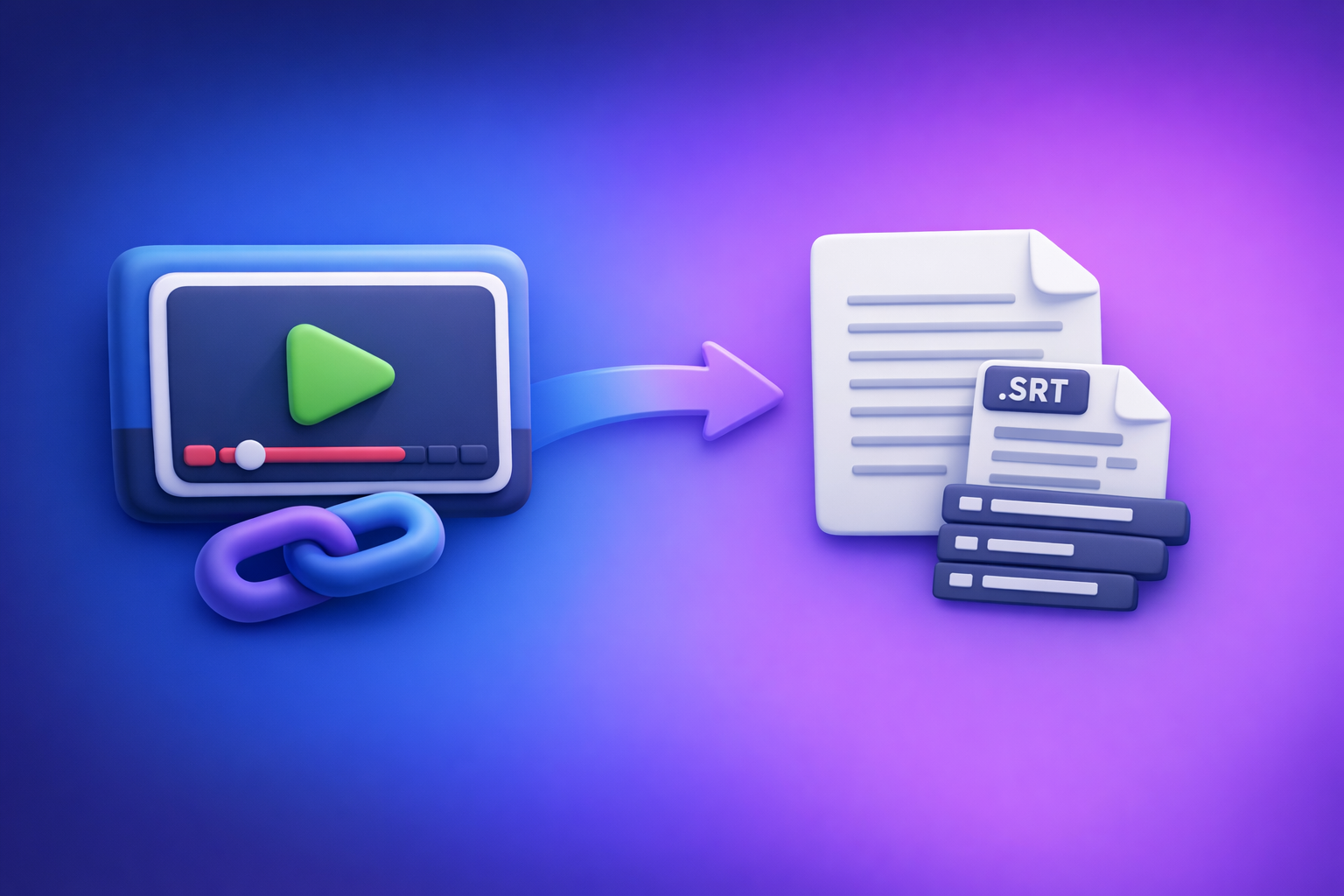
ChatGPT’s “upload video” feature is useful for quick understanding, but it’s not a dependable way to ship transcripts or captions. The reliable workflow is Link/MP4 → transcript/subtitles (TXT/SRT/VTT) → ChatGPT-on-text for summaries, chapters, and repurposed content.
This matters because transcription is a deliverable, not a vibe. If you need something you can publish to YouTube/IG/TikTok or hand to a client, you want deterministic outputs and repeatable QA—not a best-effort analysis of a video file.
ChatGPT “Upload Video” Feature (2026): How It Works, Why It Fails, and the Reliable Link → Transcript Workflow
What people mean by “ChatGPT upload video”
Upload vs link vs “analyze what’s on screen”
When people say “upload video to ChatGPT,” they usually mean one of three things:
- Upload a file (MP4/MOV) and ask for a summary or transcript.
- Paste a link (YouTube/Instagram/TikTok) and ask ChatGPT to “watch it.”
- Ask for visual analysis (what’s on screen) vs audio-based transcription (what’s said).
These are not equivalent. Visual analysis can describe scenes and extract visible text, but it’s not the same as a full, time-coded transcript.
What outputs you can realistically expect (analysis vs transcripts vs captions)
In 2026, realistic expectations look like this:
- Good: high-level summary, key moments, rough notes, topic extraction.
- Sometimes: partial dialogue reconstruction for short, clean-audio clips.
- Unreliable: export-ready transcript formatting, consistent speaker turns, accurate punctuation for long-form.
- Not production-safe: SRT/VTT captions with correct timing and no overlaps.
If your goal is publishable captions or a transcript you can quote, treat “upload video” as exploratory—not as the final step.
When ChatGPT is the wrong tool for transcription deliverables
ChatGPT is the wrong tool when you need:
- TXT transcripts that are complete and consistent.
- SRT/VTT that pass platform requirements and human QA.
- Long videos, batch processing, or team workflows with repeatable outputs.
- A process you can run again next week and get the same structure and files.
For deliverables, you want a dedicated transcription/caption pipeline first, then use ChatGPT for editing and repurposing.
What the ChatGPT “upload video” feature can do (and can’t) in 2026
Works well for
Use it when you want speed and you can tolerate imperfection:
- Quick clip understanding: high-level summary, objects/scenes, rough notes.
- Extracting visible on-screen text: when text is large and legible.
- Generating ideas: titles, hooks, outlines, thumbnail copy from short content.
This is especially useful for creative iteration and qualitative feedback.
Not reliable for
Avoid it when accuracy and export formats matter:
- Export-ready transcripts (TXT) with consistent speaker turns and completeness.
- Time-coded captions (SRT/VTT) you can ship to YouTube/IG/TikTok.
- Long videos, batch workflows, or repeatable team deliverables.
If you’re building a content engine, you need deterministic outputs and a QA checklist.
Common failure modes (and how to diagnose them fast)
1) File size / duration limits
Symptoms
- Upload stalls or fails.
- “File too large.”
- Processing never completes.
Triage
- Trim to a short clip (30–120 seconds) to confirm the pipeline works.
- Reduce resolution/bitrate.
- Split into parts (e.g., 10–20 minutes) for any long-form content.
2) Codec/container incompatibility (MP4 isn’t always “compatible”)
“MP4” is a container, not a guarantee.
Symptoms
- “Can’t read file.”
- Black video.
- No audio detected.
Triage
- Re-encode to H.264 video + AAC audio in MP4.
- Test playback locally first (if your computer can’t play it cleanly, tools often can’t either).
- If the video has multiple audio tracks, pick one and export a single-track version.
3) Timeouts and processing limits
Symptoms
- Analysis stops mid-way.
- Partial results.
- Repeated retries with inconsistent outputs.
Triage
- Segment the video and process in chunks.
- Extract transcript first, then run summarization on the text.
- Avoid peak-time retries; if it fails twice, change the input (shorter clip, different encode).
4) Audio track issues (silent track, multiple tracks, low SNR)
Audio quality is the #1 driver of transcript quality.
Symptoms
- Missing dialogue.
- Hallucinated transcript (confident but wrong).
- Wrong language detection.
Triage
- Confirm the correct audio track is present and audible.
- Normalize audio; reduce background music where possible.
- If there are multiple speakers, ensure they’re not buried under noise or music.
5) Permissioned or expiring links (when using URLs instead of uploads)
Links fail more often than people realize.
Symptoms
- “Can’t access link.”
- “Login required.”
- Region blocked.
Triage
- Use a public, non-expiring URL.
- Prefer direct platform links that don’t require authentication.
- If the link is permissioned, you need a deterministic ingestion method (not a best-effort fetch).
The production-grade alternative: Link/MP4 → Transcript/Subtitles → ChatGPT-on-text
The modern workflow is link-based extraction, not downloading files to your desktop, renaming them, and hoping the upload works. Downloading video files is an outdated workflow; link-first processing is the future of creator productivity because it’s faster, more scalable, and easier to standardize across a team.
Why this workflow wins (determinism + export formats)
This approach separates responsibilities:
- Transcription engine first: stable outputs you can ship (TXT/SRT/VTT).
- ChatGPT second: best-in-class at rewriting, summarizing, structuring, and repurposing text.
You get:
- Deterministic deliverables (files you can export and publish).
- Repeatable QA (spot-checks and rules).
- Team consistency (same format every time).
Step-by-step implementation (VideoToTextAI workflow)
Step 1: Choose input type (link or file)
Pick the most direct input:
- Use a direct public link (YouTube/IG/TikTok/Reels) when possible.
- Upload MP4 only when you must (e.g., private internal recordings).
If your workflow starts with “download the video,” you’re adding friction and failure points. Link-based ingestion is the scalable default.
Step 2: Generate transcript + captions in VideoToTextAI
Run the transcription/caption step first so you have stable outputs.
Output targets:
- Transcript (TXT) for editing and repurposing.
- Subtitles (SRT/VTT) for publishing.
If you specifically need file-based conversions, use:
For link-based repurposing workflows, these are common starting points:
Step 3: QA the transcript before you prompt ChatGPT
Treat the transcript as your source of truth.
Check:
- Speaker names: are turns separated correctly?
- Jargon/proper nouns: product names, acronyms, people, places.
- Timestamps alignment: if you’ll generate chapters or captions.
- Missing sections: spot-check start/middle/end for dropouts.
Fixing these before prompting saves time and prevents compounding errors.
Step 4: Use ChatGPT on the transcript (not the video)
Now ChatGPT shines—because it’s working from clean text.
Best practice:
- Paste the cleaned transcript.
- State the goal (summary, chapters, blog, social posts).
- Keep the transcript as the ground truth for accuracy.
This also makes your workflow auditable: you can always trace a claim back to a line in the transcript.
Step 5: Export and publish
Ship the outputs in the formats platforms expect:
- Publish captions: SRT/VTT to YouTube, Instagram, TikTok (or your editor).
- Publish repurposed assets: blog, LinkedIn post, X thread, newsletter.
If you need podcast-style workflows, see podcast transcription.
Implementation prompts (copy/paste)
Prompt: clean transcript + speaker formatting
“Rewrite this transcript for readability without changing meaning. Add speaker labels, fix punctuation, keep technical terms, and preserve timestamps if present:
[paste transcript]”
Prompt: chapters + timestamps
“Create chapter titles with timestamps from this transcript. Use 6–10 chapters, keep titles under 60 characters:
[paste transcript with timestamps]”
Prompt: captions QA checklist
“Review this SRT for common issues (line length, reading speed, overlaps). Return a list of fixes and corrected SRT blocks:
[paste SRT]”
Checklist: ship-ready results every time
Input checklist (before processing)
- Video plays locally (audio present, correct language)
- If link: public access, no login, no expiration
- If MP4: H.264 video + AAC audio preferred
- If long: split into logical segments (e.g., 10–20 min)
Transcript checklist (after processing)
- No missing sections (spot-check start/middle/end)
- Proper nouns and acronyms corrected
- Speaker turns make sense (if multi-speaker)
- Language matches the content
Caption checklist (SRT/VTT)
- No overlapping timecodes
- Lines are readable (avoid overly long lines)
- Timing matches speech (spot-check 3–5 random points)
- Export format matches destination (SRT vs VTT)
When to still use ChatGPT “upload video” (and when not to)
Use it when
- You need quick qualitative feedback on a short clip.
- You’re brainstorming creative directions from visuals.
- You want rough notes before committing to a full transcription run.
Avoid it when
- You must deliver accurate transcripts/captions.
- You’re processing long-form content or multiple videos.
- You need repeatable exports for a team workflow.
If you’re building a content pipeline, the winning pattern is: transcribe deterministically, then generate creatively.
Competitor Gap
Most guides stop at “try smaller files” and never give you a production workflow that reliably ships deliverables.
What’s usually missing (and what you should implement):
- Deterministic outputs: a workflow that produces TXT + SRT/VTT, not just a summary.
- Real triage guidance: codec and audio-track causes of failure (H.264/AAC, track selection, SNR).
- Clear separation of responsibilities: transcription engine first, then ChatGPT on text for repurposing.
- Ship-ready checklists: input QA, transcript QA, caption QA—plus prompts your team can reuse.
If you want a link-first workflow that turns videos into transcripts, subtitles, and repurposed content without the “download → upload → hope” loop, use VideoToTextAI: VideoToTextAI
FAQ (People Also Ask)
Can ChatGPT transcribe a video I upload?
It can sometimes produce transcript-like text for short clips, but it’s not dependable for complete, export-ready transcripts or consistent speaker formatting. For deliverables, generate TXT/SRT/VTT first, then use ChatGPT to rewrite and repurpose.
Why does ChatGPT fail to upload or analyze my video?
The most common causes are size/duration limits, codec incompatibility, timeouts, audio-track issues, and permissioned/expiring links. Diagnose quickly by testing a short clip, re-encoding to H.264/AAC MP4, confirming audio presence, and using public non-expiring URLs.
What’s the best way to turn a video link into a transcript and subtitles?
Use a link-based transcription workflow that outputs TXT + SRT/VTT, QA the results, then use ChatGPT on the transcript for summaries, chapters, and repurposed posts. This is faster, more reliable, and easier to standardize than downloading files.
Can ChatGPT generate SRT or VTT captions from a video?
Not reliably from video alone. It may draft captions, but timing accuracy and formatting consistency are not production-safe. Generate SRT/VTT via a transcription/caption tool first, then use ChatGPT to QA and fix issues.
Is it better to upload MP4 or use a YouTube/Instagram/TikTok link?
For creator workflows, links are better because they reduce file handling, speed up processing, and scale across teams. Upload MP4 only when the content is private or not accessible via a stable public URL.
Related posts
Reel Analyser (Instagram Reels): Transcript‑First Competitor Research, Hook/CTA Extraction, and Repurposing Workflow (VideoToTextAI)
Video To Text AI
A 2026 reel analyser should turn Instagram Reel links into a searchable transcript library you can tag for hooks, CTAs, objections, and topic clusters—then export into repurposing-ready drafts without a download/upload loop.
Traducir video de Instagram (Reels) en 2026: workflow transcript-first para traducir, sacar hooks/CTAs y repurpose (con VideoToTextAI)
Video To Text AI
Aprende a traducir un Reel de Instagram con un flujo URL→transcripción→traducción→subtítulos, y a convertir esa traducción en un activo de investigación para hooks, CTAs, objeciones y clusters de contenido.
Reel Analyzer: Transcript‑First Instagram Reels Research (Hooks, CTAs, Objections) + Workflow Guide (VideoToTextAI)
Video To Text AI
A reel analyzer should turn any public Instagram Reel link into a searchable transcript library you can mine for hooks, CTAs, objections, and topic clusters—then repurpose into original drafts with a repeatable SOP.